Projector AR Drawing - Creator
Herunterladen auf App Store

Diese Seite ist keine offizielle Seite der App oder ihres Entwicklers, sondern eine unabhängige redaktionelle Veröffentlichung, die zu Informations- und Kommentarzwecken erstellt wurde. Sofern nicht ausdrücklich anders angegeben, sind weder die App noch ihr Entwickler mit MWM, Apple, Google Play, dem App-Herausgeber oder dem Entwickler der App verbunden, von ihnen unterstützt, gesponsert, autorisiert oder anderweitig offiziell verbunden, und nichts auf dieser Seite impliziert, dass die App unter Verwendung der Dienste von MWM entwickelt wurde. Alle Marken, Logos, Screenshots und andere Inhalte bleiben Eigentum ihrer jeweiligen Inhaber.
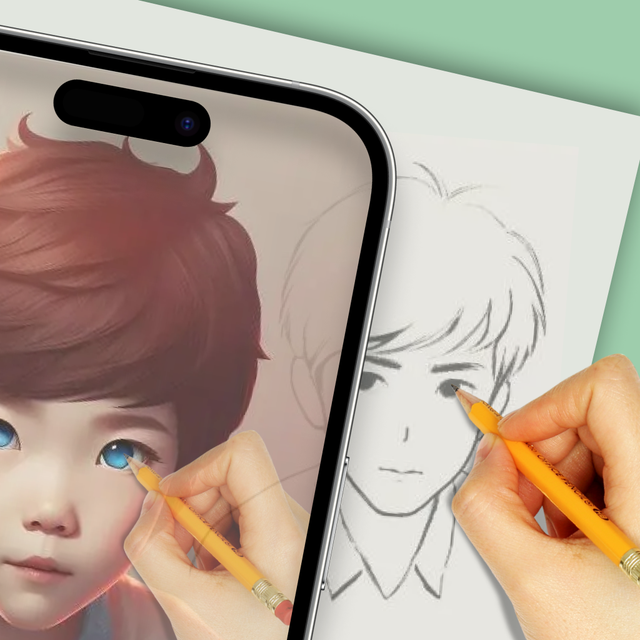

Logo von Projector AR Drawing - Creator
Herunterladen auf App Store

Projector AR Drawing - Creator

Meistern Sie die Kunst des Zeichnens mit KI-gestütztem AR-Tracing. Von Papierskizzen bis hin zu Street-Art-Murals – erstellen Sie sofort atemberaubende Meisterwerke – keine professionellen Fähigkeiten erforderlich.

Kennzahlen

Downloads

313K+

Bewertung

4.0/5

Bewertungen gesamt

1K+

Herausgeber

Zipo Apps Ltd.

Kategorie

Graphics & Design

Sprachen

18

Neueste Version

1.9.3

Größe

88.5 MB

Erstveröffentlichung

17. März 2022
Funktionen

Meistern Sie die Kunst der Kreation in Sekundenschnelle

Entfesseln Sie Ihren inneren Künstler mit KI-gestützter AR-Technologie, die jedes Bild auf jede Oberfläche projiziert – von Ihrem Skizzenblock bis zur Schlafzimmerwand.

Präzises AR-Tracing

Treffen Sie jedes Mal die richtigen Proportionen, indem Sie digitale Umrisse direkt auf Ihre Leinwand projizieren. Es ist, als hätten Sie eine professionelle Anleitung für jeden Strich.

Bereit für DIY und Nebenjobs

Heben Sie Ihre Kreativität auf jeder Oberfläche auf ein neues Level. Perfekt zum Anpassen von Turnschuhen, Entwerfen von Tattoos oder Erstellen riesiger Graffiti-Murals an städtischen Wänden.

Die folgenden Screenshots und die Beschreibung stammen direkt aus dem offiziellen Store-Eintrag der App und sind Eigentum des Entwicklers.

App Store

Screenshots
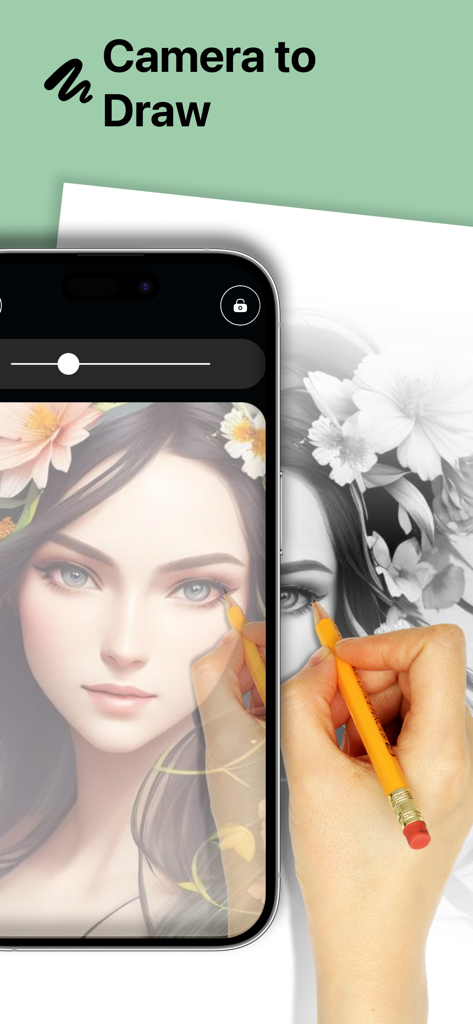
Projector AR Drawing - Creator - Eine Person verwendet die Projector AR Drawing App, um ein detailliertes Porträt mit einem Bleistift auf Papier zu übertragen.
Eine Person verwendet die Projector AR Drawing App, um ein detailliertes Porträt mit einem Bleistift auf Papier zu übertragen.

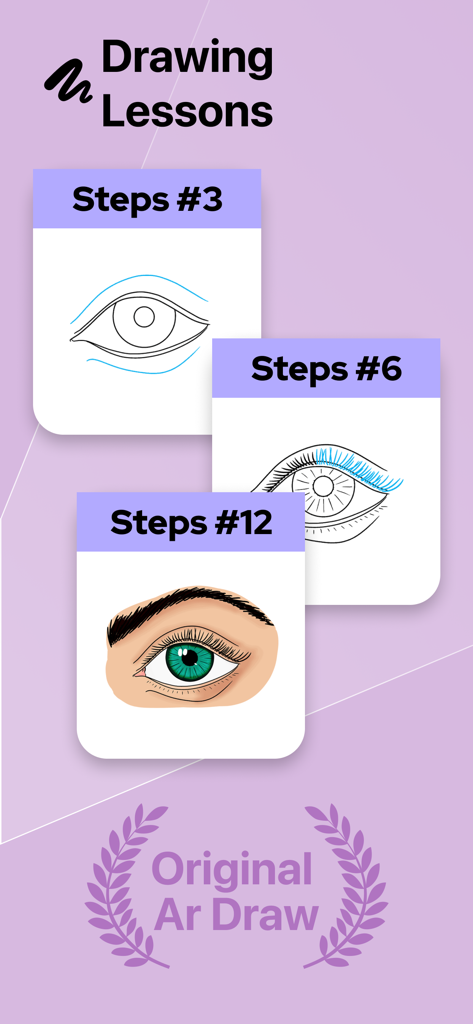
Projector AR Drawing - Creator - Schritt-für-Schritt-Zeichenanleitung, die den Fortschritt beim Skizzieren und Ausmalen eines Auges in der Projector AR Drawing App zeigt.
Schritt-für-Schritt-Zeichenanleitung, die den Fortschritt beim Skizzieren und Ausmalen eines Auges in der Projector AR Drawing App zeigt.

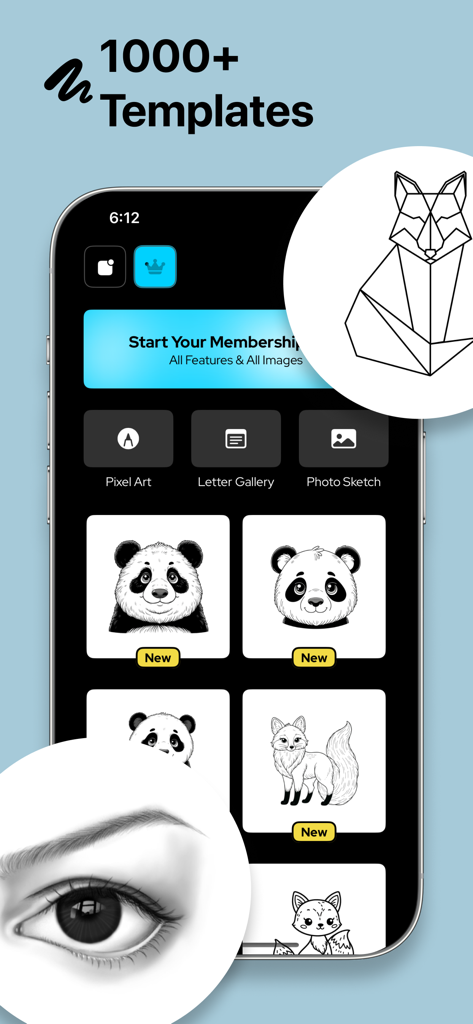
Projector AR Drawing - Creator - Benutzeroberfläche der Projector AR Drawing App mit verschiedenen Zeichenvorlagen und Kategorien für kreatives Skizzieren.
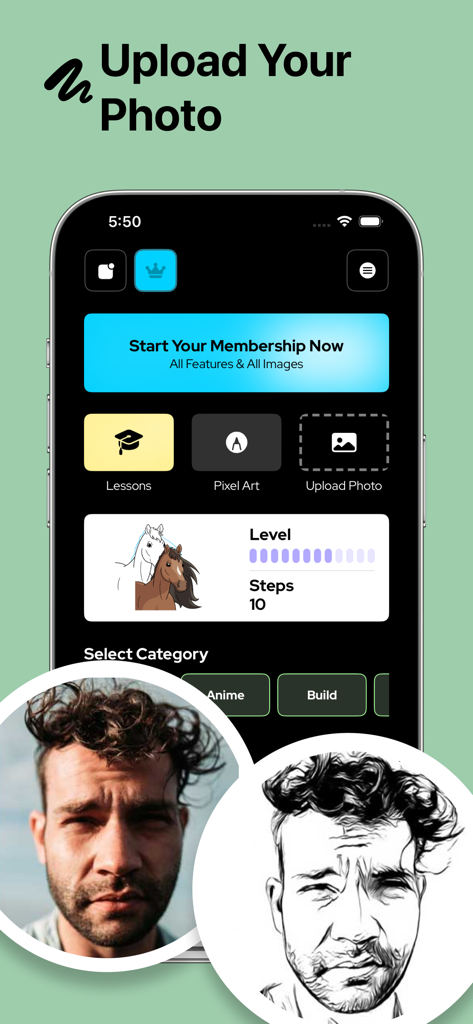
Benutzeroberfläche der Projector AR Drawing App mit verschiedenen Zeichenvorlagen und Kategorien für kreatives Skizzieren.

Projector AR Drawing - Creator - Benutzeroberfläche der Projector AR Drawing App mit einem Foto eines Mannes, das in eine Schwarz-Weiß-Skizze zum Übertragen umgewandelt wurde.
Benutzeroberfläche der Projector AR Drawing App mit einem Foto eines Mannes, das in eine Schwarz-Weiß-Skizze zum Übertragen umgewandelt wurde.

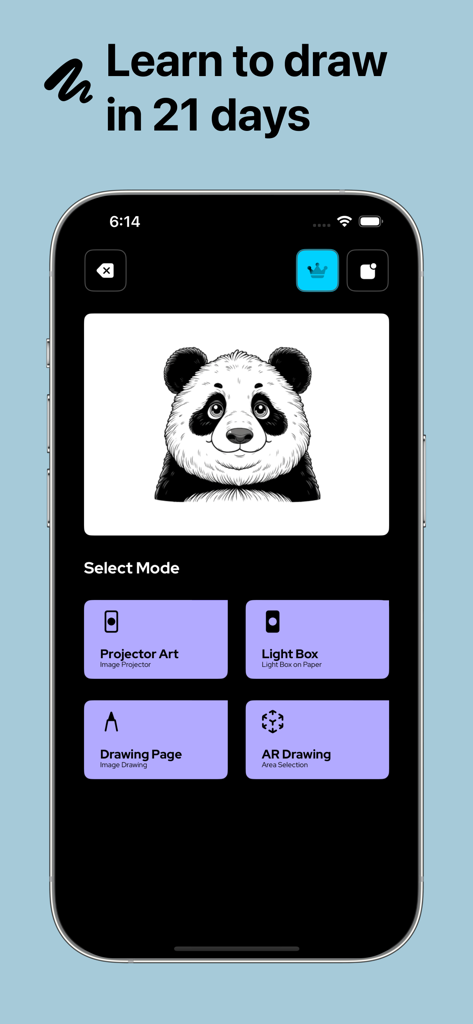
Projector AR Drawing - Creator - Hauptmenü der Projector AR Drawing App mit einer Panda-Skizze und verschiedenen künstlerischen Zeichenmodi.
Hauptmenü der Projector AR Drawing App mit einer Panda-Skizze und verschiedenen künstlerischen Zeichenmodi.

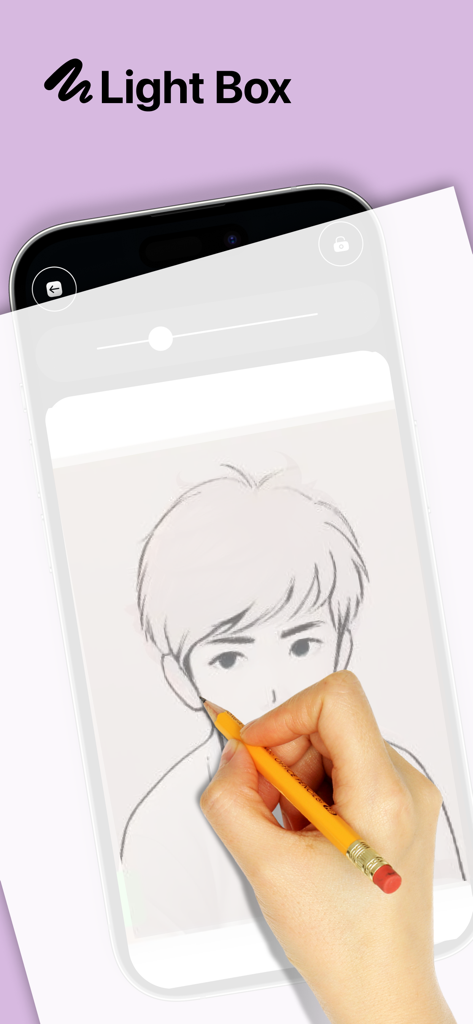
Projector AR Drawing - Creator - Hand überträgt eine Anime-Charakter-Skizze vom Bildschirm eines Smartphones mit der Lightbox-Funktion der Projector AR Drawing App.
Hand überträgt eine Anime-Charakter-Skizze vom Bildschirm eines Smartphones mit der Lightbox-Funktion der Projector AR Drawing App.

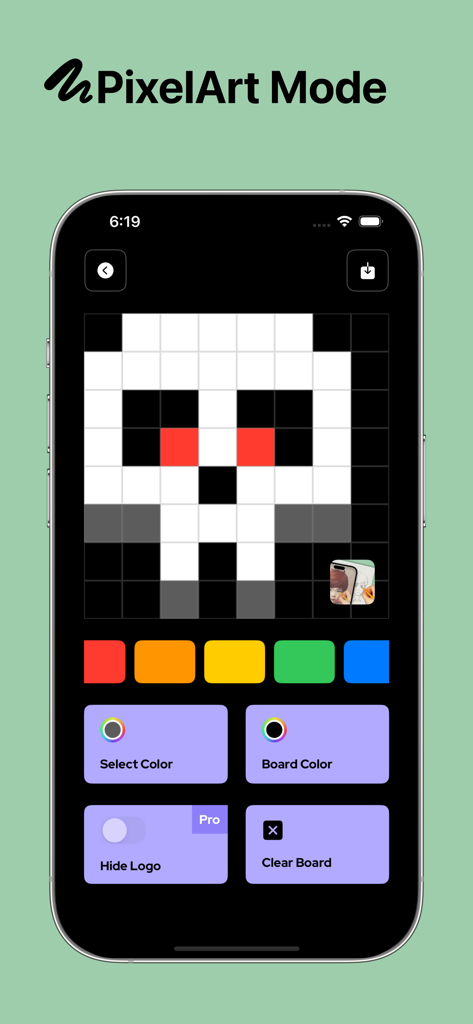
Projector AR Drawing - Creator - Pixel-Art-Modus-Oberfläche in der Projector AR Drawing App, die ein pixeliges Totenkopfdesign auf einem Raster zeigt.

Pixel-Art-Modus-Oberfläche in der Projector AR Drawing App, die ein pixeliges Totenkopfdesign auf einem Raster zeigt.

Beschreibung

Projector AR Drawing – Creator helps you in your drawing efforts and creates art masterpieces in no time or without any technical knowledge! We assure you that creating art was never easy before! You can even draw any NFT image you are going to pick from the gallery of your smartphone with the help of our augmented reality technology. Our application allows you to draw sketches on any surface you want with its AI-assisted algorithm. In this way, you can create any design you like with minimum effort. Moreover, you can also draw patterns by using the grid layout on any surface. Besides you can draw artistic images without any challenge on any paper, you can even use our application to create amazing graffiti art on the streets or any wall you like. Of course, besides paper and wall, you can use our application on any board. You have no limitation about creativity with Projector AR Drawing! All you need to do is pick any of the images you would like to draw then get your pens, pencils, or spray cans ready for the action. Here are some amazing features that Projector AR Drawing offers: Versatile Drawing Opportunity You can draw your images on any surface, including digital art. All you need to do is fix the image you would like to draw on your pad and follow the traces. If you are looking for traditional art, then you can also prefer brushes. Be An Artist in Seconds You can learn how to draw by following the trace on your screen. If you want, you can paint your images to keep practicing how to draw with our application. You can even start your own tattoo business with this application! Maximum Concordance You do not have to worry about compatibility since our application will handle everything for you! We have equipped Projector AR Drawing with every tool to provide maximum comfort and best results even for those who never drew in their lifetime. Ease of Use Our application is quite straightforward. All you need to do is pick an image from your gallery, allow its access to your camera, and start drawing. You do not even need additional lighting to draw since you can simply run your flash and enjoy drawing. It is like an AI draws on your behalf and all you need to do is follow the guidance of it. Thanks to our technology, you will be able to draw all the pictures you are going to find anywhere to anywhere at any time! Moreover, our application can be used in various industries such as fashion. It is an ideal application that will let you shorten the time you need to draw anything you find, even a prototype, or learn how to draw. Once you create your sketches, you can enjoy coloring your art the way you want. Any viewer will appreciate your drawing skills if they have no idea that you used our tracing application. All you need to do is pick the right colors to color your beautiful drawings and complete your art! Any surface including paper, board, pad, or wall can be covered with masterpieces with the help of our beautiful Projector AR Drawing application. Enjoy it! Privacy Policy: https://zipoapps.com/projectorarios/privacy/ Terms of Use: https://zipoapps.com/projectorarios/terms/

Download

Herunterladen auf App Store

Diese Seite ist keine offizielle Seite der App oder ihres Entwicklers, sondern eine unabhängige redaktionelle Veröffentlichung, die zu Informations- und Kommentarzwecken erstellt wurde. Sofern nicht ausdrücklich anders angegeben, sind weder die App noch ihr Entwickler mit MWM, Apple, Google Play, dem App-Herausgeber oder dem Entwickler der App verbunden, von ihnen unterstützt, gesponsert, autorisiert oder anderweitig offiziell verbunden, und nichts auf dieser Seite impliziert, dass die App unter Verwendung der Dienste von MWM entwickelt wurde. Alle Marken, Logos, Screenshots und andere Inhalte bleiben Eigentum ihrer jeweiligen Inhaber.







