Proxygen

Proxygen

Herunterladen auf App Store
Logo von Proxygen

Proxygen: Professionelles HTTP-Debugging für iOS und Mac

Optimieren Sie Ihr API-Testing mit Server-Performance. Fangen Sie Netzwerkverkehr ab, modifizieren und analysieren Sie ihn mühelos – ohne komplexe WLAN-Proxy-Setups oder manuelle Zertifikate.

Herausgeber

Pasi Salenius

Kategorie

Developer Tools

Downloads

44K+

Bewertung

4.4/5

Bewertungen gesamt

0

Sprachen

1

Präzise inspizieren

Entdecken Sie die Oberfläche, die von 44K+ Nutzern verwendet wird.
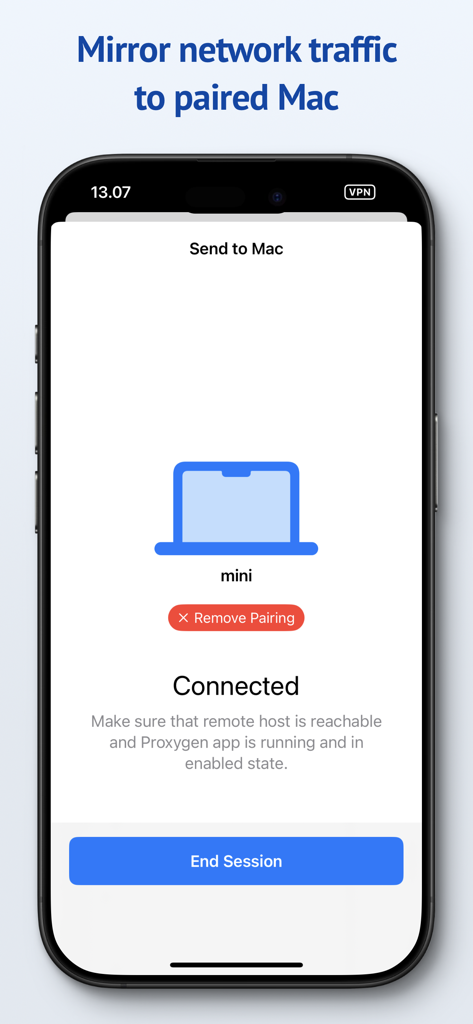
Proxygen App-Oberfläche auf dem iPhone, die eine verbundene Sitzung zeigt, um Netzwerkverkehr für das Debugging auf einen gekoppelten Mac zu spiegeln.

Proxygen App-Oberfläche auf dem iPhone, die eine verbundene Sitzung zeigt, um Netzwerkverkehr für das Debugging auf einen gekoppelten Mac zu spiegeln.

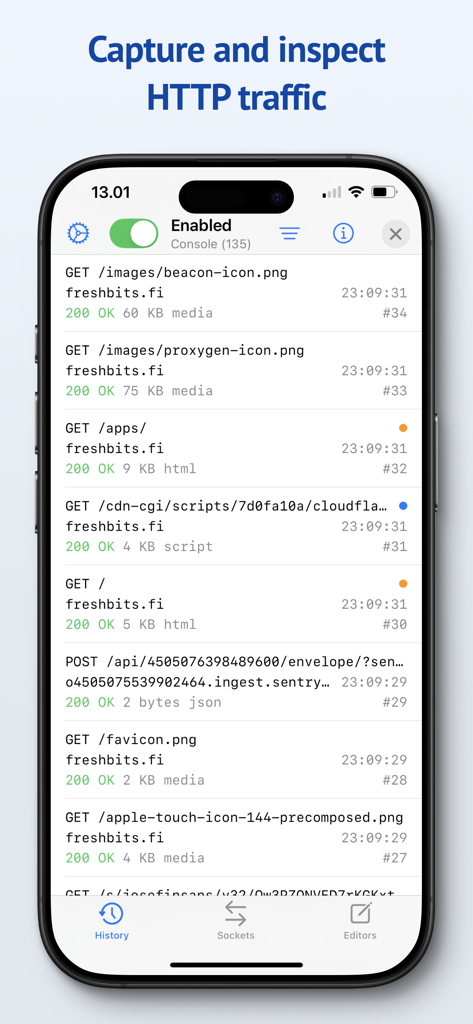
Die Proxygen App-Oberfläche auf einem iPhone, die eine Liste von erfassten HTTP-Netzwerkanfragen und API-Traffic anzeigt.

Die Proxygen App-Oberfläche auf einem iPhone, die eine Liste von erfassten HTTP-Netzwerkanfragen und API-Traffic anzeigt.

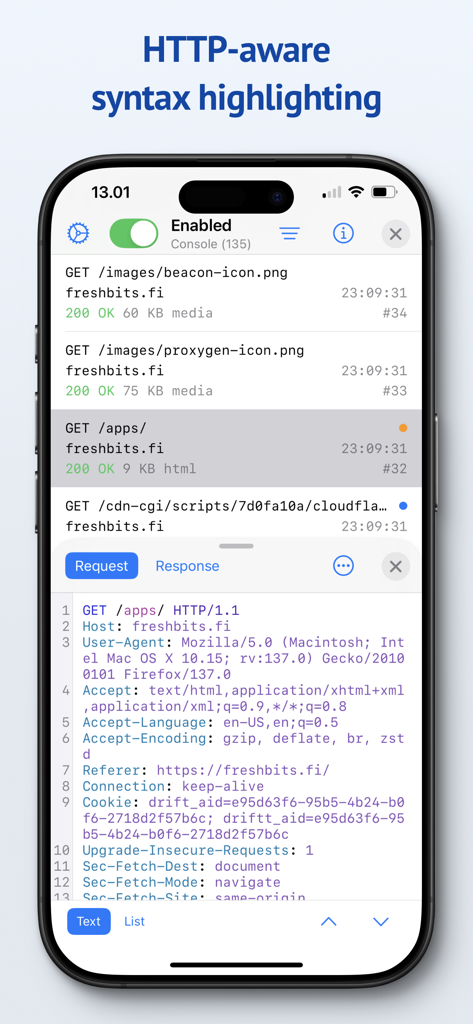
Proxygen App-Oberfläche, die HTTP-Anfrage-Header mit Syntax-Highlighting auf einem iPhone zeigt.

Proxygen App-Oberfläche, die HTTP-Anfrage-Header mit Syntax-Highlighting auf einem iPhone zeigt.

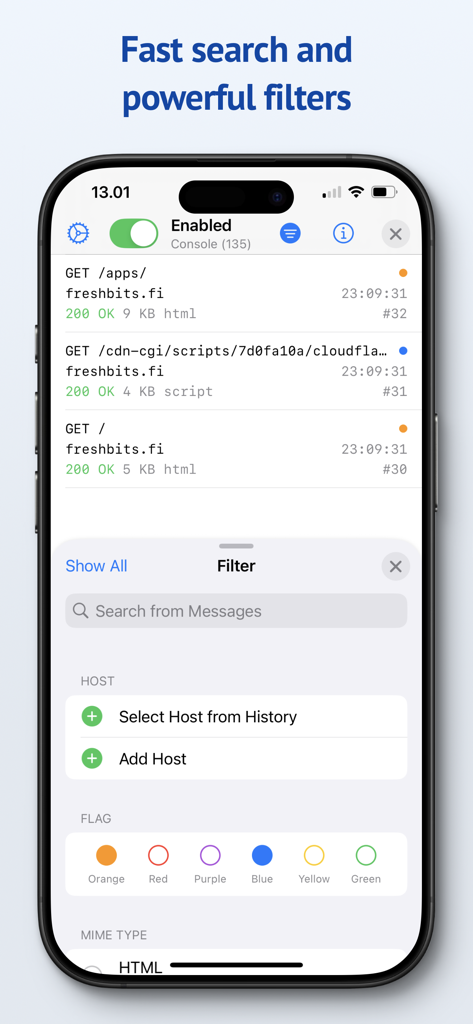
Proxygen App-Screenshot, der Such- und Filteroptionen für Netzwerkverkehrs-Nachrichten zeigt.

Proxygen App-Screenshot, der Such- und Filteroptionen für Netzwerkverkehrs-Nachrichten zeigt.

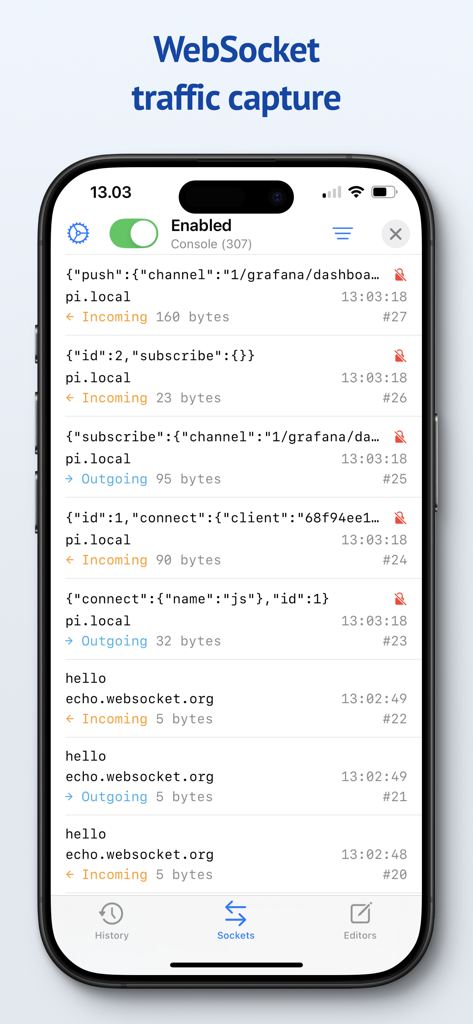
Proxygen Mobile App-Oberfläche, die eine Liste von erfassten eingehenden und ausgehenden WebSocket-Nachrichten mit JSON-Daten und Byte-Größen anzeigt.

Proxygen Mobile App-Oberfläche, die eine Liste von erfassten eingehenden und ausgehenden WebSocket-Nachrichten mit JSON-Daten und Byte-Größen anzeigt.

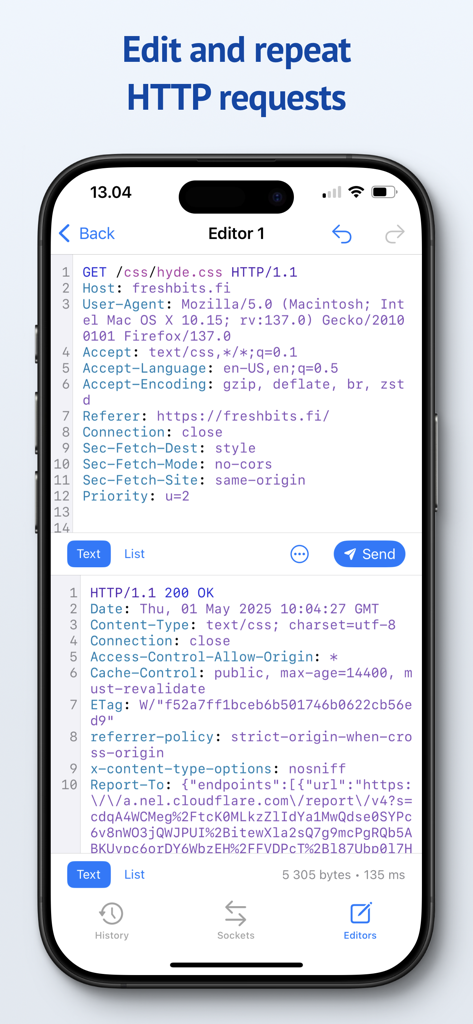
Proxygen Mobile App-Oberfläche, die den Editor zum Modifizieren und Wiederholen von HTTP-Anfragen mit Syntax-Highlighting zeigt.

Proxygen Mobile App-Oberfläche, die den Editor zum Modifizieren und Wiederholen von HTTP-Anfragen mit Syntax-Highlighting zeigt.

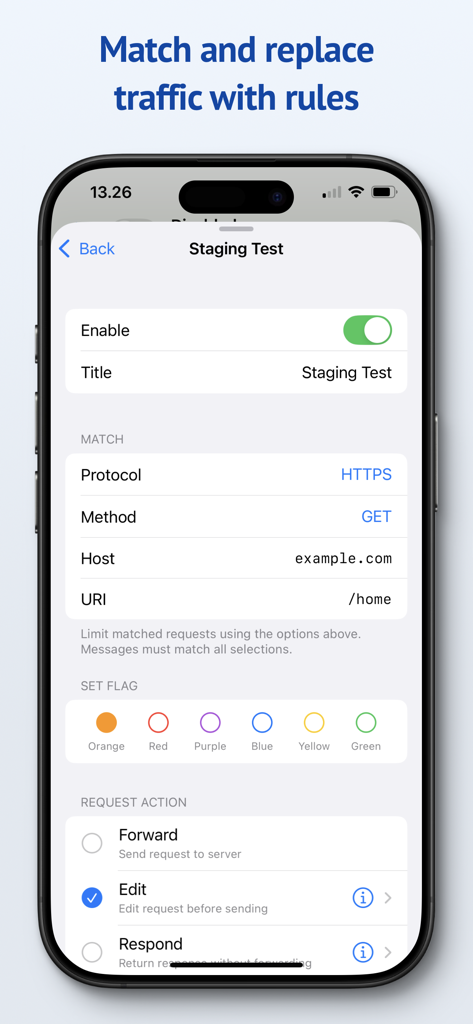
Proxygen Mobile-Oberfläche zur Konfiguration von Match-and-Replace-Regeln für HTTP-Traffic.

Proxygen Mobile-Oberfläche zur Konfiguration von Match-and-Replace-Regeln für HTTP-Traffic.

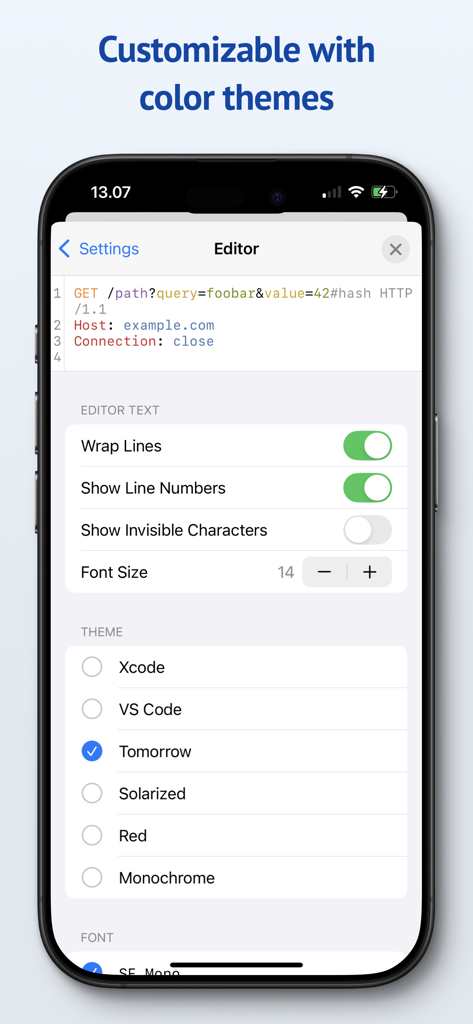
Proxygen App-Einstellungen, die Optionen zur Anpassung des Editors und verfügbare Farbthemen wie Xcode und VS Code zeigt.

Proxygen App-Einstellungen, die Optionen zur Anpassung des Editors und verfügbare Farbthemen wie Xcode und VS Code zeigt.

Schneller debuggen mit professionellen Tools

Die Tools, die diese App auszeichnen, gewählt von 44K+ Nutzern.

💻

Nahtloses Traffic-Mirroring

Verschwenden Sie keine Zeit mit komplexen WLAN-Proxy-Einstellungen. Spiegeln Sie iOS-Traffic sofort über das lokale Netzwerk auf Ihren Mac – ohne Konfigurationsaufwand.

🚀

Server-Performance

Angetrieben von SwiftNIO für blitzschnelle asynchrone Netzwerkleistung. Inspizieren Sie HTTPS-Traffic in Echtzeit, ohne eine Verlangsamung Ihrer Verbindungsgeschwindigkeit zu bemerken.

🛠️

Dynamisches Match & Replace

Übernehmen Sie die volle Kontrolle über Ihre API-Antworten. Erstellen Sie Regeln, um Header oder Body-Daten im laufenden Betrieb zu ändern, um Edge-Cases zu simulieren und Testszenarien zu automatisieren.

Über die App

Alles, was Sie über wissen müssen Proxygen.

Beschreibung

Proxygen is a professional HTTP proxy tool for testing apps and debugging remote API endpoints right on your iPhone, iPad and Mac. And it’s built to delight you while doing it. Features • Send iOS device traffic to remote Mac • Message history with powerful filtering • WebSocket message capture • Syntax highlighting HTTP message editor • Match and replace headers and body data • Store all data in documents SEND TO MAC Easily capture HTTP messages from an iPhone or iPad on your Mac. Traffic is mirrored to the paired Mac over local network even when the iOS app is not active. The Mac app can intercept and edit data of requests and responses before they are forwarded. No more futzing around with Wi-Fi proxy settings and trusted certificates. SYNTAX AWARE EDITOR Edit requests from the message history or create new to any target. All previously sent requests are kept in the project file so you can return to your work later. The editor uses Tree-sitter for fast language parsing and syntax highlighting. It handles decoding of HTTP content automatically, letting you focus on testing the remote API. MATCH AND REPLACE Proxygen can modify requests and responses, on the fly, according to your custom rules. Multiple rules can be combined to create powerful automations that drop traffic to certain destinations, add or remove HTTP headers and respond locally with custom data, bypassing the remote server. SERVER GRADE PERFORMANCE The magic lies in a little custom HTTP proxy that the iOS app runs in a local VPN extension. This proxy was developed using SwiftNIO, a framework for bizarrely fast asynchronous network applications. The proxy can perform TLS Manipulator in the Middle (MitM) to see inside HTTPS connections and apply custom logic to each message. To put it bluntly, you’ve probably never seen a HTTP proxy this fast before. And you likely won’t notice that your web browsing is even proxied at all. PRIVACY Proxygen contains no third party frameworks for crash reporting or analytics. Note that Proxygen is a TLS MitM proxy, which means that it sees HTTPS network traffic in plain text. This data is transferred from the proxy to the Proxygen app and stored as part of the project document. Make sure you handle the documents accordingly, as they may contain sensitive data such as session tokens and login credentials. Privacy policy https://proxygen.app/docs/privacy Terms of Use https://proxygen.app/docs/terms Device Mockup created from https://deviceframes.com/templates/iphone-13

Neueste Version

4.2.0

Größe

26.7 MB

Erstveröffentlichung

19. März 2022

Bereit zum Debuggen ohne Hürden?

Schließen Sie sich Tausenden von professionellen Entwicklern an und optimieren Sie Ihr API-Testing. Erleben Sie Server-Performance und einen Privacy-First-Workflow auf Ihrem iPhone, iPad und Mac.

Herunterladen auf App Store

App information, icons, screenshots, and descriptions displayed on this page are sourced from the Apple App Store and are the property of their respective developers. Download estimates and rankings are based on MWM's proprietary models and may not reflect actual figures. This page is provided for informational and analytical purposes only.

Believe this page infringes your intellectual property? File a dispute