
Diese Seite ist keine offizielle Seite der App oder ihres Entwicklers, sondern eine unabhängige redaktionelle Veröffentlichung, die zu Informations- und Kommentarzwecken erstellt wurde. Sofern nicht ausdrücklich anders angegeben, sind weder die App noch ihr Entwickler mit MWM, Apple, Google Play, dem App-Herausgeber oder dem Entwickler der App verbunden, von ihnen unterstützt, gesponsert, autorisiert oder anderweitig offiziell verbunden, und nichts auf dieser Seite impliziert, dass die App unter Verwendung der Dienste von MWM entwickelt wurde. Alle Marken, Logos, Screenshots und andere Inhalte bleiben Eigentum ihrer jeweiligen Inhaber.


QR, Barcode Scanner for iPhone
Versteckte Daten? Mit dieser App sind sie dein Kommando.
Downloads
12.5M+Bewertung
Bewertungen gesamt
85.8KHerausgeber
Kategorie
UtilitiesSprachen
10Neueste Version
2.1.3Größe
82.2 MBErstveröffentlichung
28. Dez. 2017Funktionsanalyse der App 'QR, Barcode Scanner for iPhone'
Eine Bewertung der Kernfunktionen, die digitale Sicherheit, Produktivität und Komfort für eine breite Nutzerbasis gewährleisten.
Integrierte 2FA-Authentifizierung
Die App integriert eine Zwei-Faktor-Authentifizierung (2FA), um Webkonten der Nutzer durch das Scannen von QR-Codes für Verifizierungscodes zu sichern. Dies bietet einen erhöhten Schutz vor Cyberangriffen und unbefugtem Zugriff.
Vielseitiges Scannen mit Komfortfunktionen
Dieses Tool ermöglicht das schnelle und sichere Scannen einer breiten Palette von QR-Codes und Barcodes, einschließlich Weblinks, Text, WLAN, Kontakte, ISBN und Produktinformationen. Besonders nützlich ist die automatische WLAN-Verbindung ohne Passworteingabe sowie der Preisvergleich für gescannte Produkte.
Effiziente Stapel-Scan-Funktion
Es bietet eine effiziente Stapel-Scan-Funktion, die es Nutzern ermöglicht, mehrere QR-Codes oder Barcodes nacheinander zu erfassen. Dies optimiert die Produktivität erheblich, insbesondere bei größeren Scan-Mengen.
Umfassende QR-Code-Erstellung und -Teilung
Die App befähigt Nutzer, unbegrenzt QR-Codes für verschiedene Zwecke zu erstellen, darunter Weblinks, Text, vCards, Telefonnummern, E-Mail-Adressen, SMS, WLAN-Zugänge, geografische Standorte und Kalendereinträge. Die erstellten Codes können anschließend einfach über diverse Kanäle geteilt werden.
Detaillierter Scan-Verlauf mit Exportoptionen
Alle Scan-Ergebnisse werden automatisch im Scan-Verlauf gespeichert und nach Kategorien sortiert. Nutzer können diese Historie sichern, mittels iCloud wiederherstellen und bei Bedarf als CSV-Datei exportieren.
Integrierte App-Sperre für erhöhte Sicherheit
Zum Schutz der Privatsphäre und der Daten innerhalb der App können Nutzer eine separate sichere Passwortsperre einrichten. Dies gewährleistet, dass nur autorisierte Personen Zugriff auf die App haben.
Die folgenden Screenshots und die Beschreibung stammen direkt aus dem offiziellen Store-Eintrag der App und sind Eigentum des Entwicklers.
App Store
Screenshots
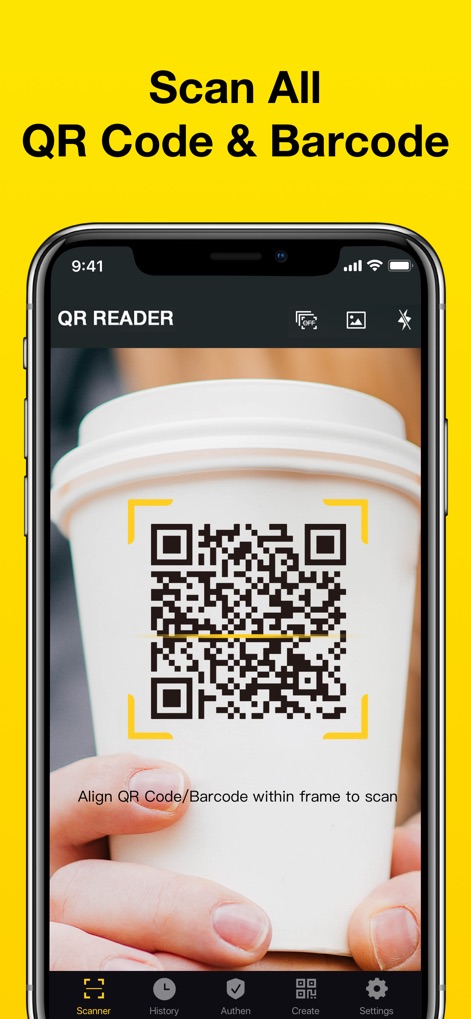
QR-Codes Scannen
Die App ermöglicht Nutzern das schnelle Erfassen von QR-Codes mit einem klaren gelben Rahmen und bietet eine intuitive Navigationsleiste für verschiedene Funktionen.

Barcodes Erkennen
Dieses Tool verwandelt das iPhone in einen tragbaren Scanner, indem es Barcodes präzise mit einem gut sichtbaren Scannercode und der Option zur Taschenlampe erfasst.
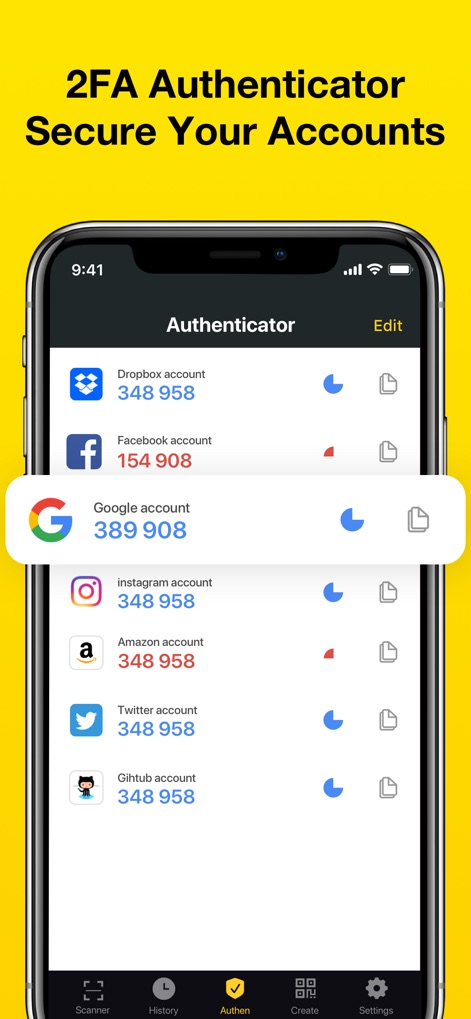
Sichere 2FA Authentifizierung
Die App bietet einen robusten 2FA-Authenticator, der für verschiedene Online-Konten wie Google und Facebook Sicherheits-Token generiert und anzeigt.

Vielfältige QR-Typen
Nutzer können eine breite Palette von QR-Code-Typen scannen, darunter Weblinks und WLAN-Zugangsdaten, um diverse Informationen schnell zu verarbeiten.
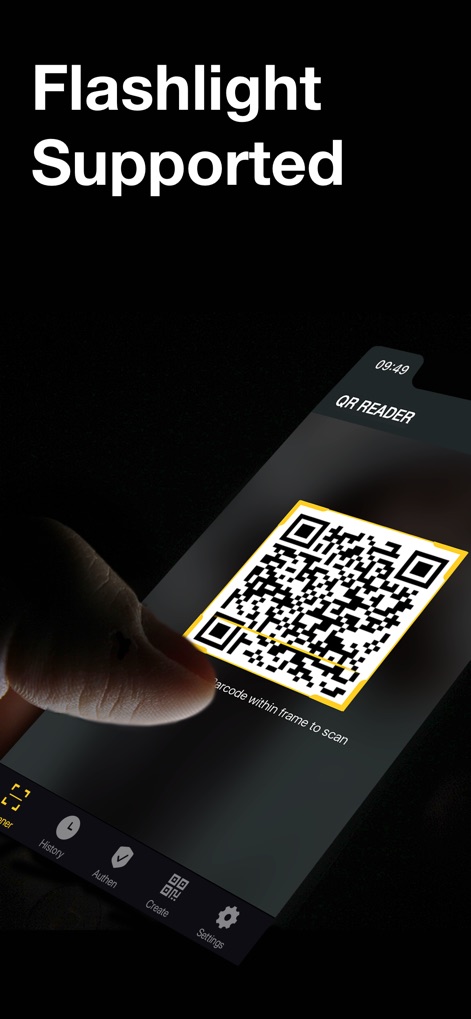
Taschenlampe Unterstützt
Die App ermöglicht das Scannen in dunklen Umgebungen durch die integrierte Taschenlampenfunktion, welche den QR-Code hell ausleuchtet und eine klare Erkennung gewährleistet.

QR-Codes Erstellen
Dieses Tool erlaubt das einfache Erstellen unbegrenzter QR-Codes für verschiedene Zwecke, wie zum Beispiel Weblinks und E-Mail-Adressen, mit anpassbaren Optionen.
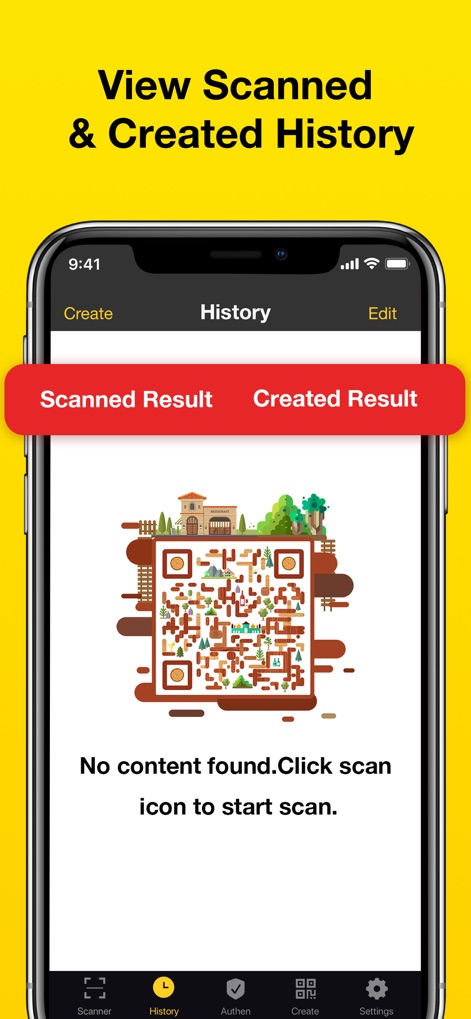
Verlauf Verwalten
Die App bietet eine übersichtliche Verlaufsansicht, in der Nutzer zwischen gescannten und erstellten Ergebnissen wechseln können, um ihre Aktivitäten zu verfolgen und zu verwalten.

Ergebnisse Teilen
Nutzer können gescannte oder erstellte Ergebnisse mühelos über verschiedene Kanäle teilen, darunter beliebte Plattformen wie WhatsApp und Facebook, für maximale Konnektivität.
Beschreibung
Download
Ähnliche Apps
Apps mit ähnlichen Funktionen und Nutzererfahrung

Me QR - QR Code Generator
ME TEAM LTD

QR Code Reader/QR Scanner App
MixerBox Inc.

QR Code Barcode: Scanner Maker
DE BITT LTD

QR Code Reader & QR Scanner ·
Simple Health Limited

Scan QR Code & Barcode
Mars Mobile LLC

QR Bot
Petr Polasek

QR Reader- Scanner & Generator
SAN MOBILE YAZILIM TICARET LIMITED SIRKETI

What's App -QR code scanner
DIGITALSTALK PRIVATE LIMITED

Power Barcode Scanner
Irvinesoft Inc
Diese Seite ist keine offizielle Seite der App oder ihres Entwicklers, sondern eine unabhängige redaktionelle Veröffentlichung, die zu Informations- und Kommentarzwecken erstellt wurde. Sofern nicht ausdrücklich anders angegeben, sind weder die App noch ihr Entwickler mit MWM, Apple, Google Play, dem App-Herausgeber oder dem Entwickler der App verbunden, von ihnen unterstützt, gesponsert, autorisiert oder anderweitig offiziell verbunden, und nichts auf dieser Seite impliziert, dass die App unter Verwendung der Dienste von MWM entwickelt wurde. Alle Marken, Logos, Screenshots und andere Inhalte bleiben Eigentum ihrer jeweiligen Inhaber.