
Diese Seite ist keine offizielle Seite der App oder ihres Entwicklers, sondern eine unabhängige redaktionelle Veröffentlichung, die zu Informations- und Kommentarzwecken erstellt wurde. Sofern nicht ausdrücklich anders angegeben, sind weder die App noch ihr Entwickler mit MWM, Apple, Google Play, dem App-Herausgeber oder dem Entwickler der App verbunden, von ihnen unterstützt, gesponsert, autorisiert oder anderweitig offiziell verbunden, und nichts auf dieser Seite impliziert, dass die App unter Verwendung der Dienste von MWM entwickelt wurde. Alle Marken, Logos, Screenshots und andere Inhalte bleiben Eigentum ihrer jeweiligen Inhaber.


QR-Code Scan
Der intelligenteste Weg, Preise beim Einkaufen zu vergleichen, Ihren Scanverlauf zu organisieren und benutzerdefinierte QR-Codes für Ihr Unternehmen oder Ihren persönlichen Gebrauch zu generieren – alles in einer einfachen App.
Downloads
29K+Bewertung
Bewertungen gesamt
0Herausgeber
Kategorie
ShoppingSprachen
1Neueste Version
4.9Größe
26.9 MBErstveröffentlichung
14. Aug. 2019Scannen, Speichern und Erstellen mit Leichtigkeit
Das All-in-One-Dienstprogramm für smarte Käufer und organisierte Profis, um jeden QR-Code und Barcode sofort zu verwalten.
Intelligentes Einkaufen & Preisvergleich
Scannen Sie beim Einkaufen jeden Produkt-Barcode, um Preise sofort online zu vergleichen und sicherzustellen, dass Sie immer das beste Angebot erhalten.
Ihr Scanverlauf, organisiert
Verlieren Sie nie wieder einen Link oder ein Produkt. Wir bieten eine zeitgestempelte digitale Papierspur von allem, was Sie scannen, mit unbegrenztem Speicherplatz.
Häufig gestellte Fragen
Alles, was Sie über wissen müssen QR-Code Scan
Was ist die App "QR-Code Scan"?
QR-Code Scan ist eine kostenlose App, die QR-Codes und Barcodes von der Kamera oder von Bildern liest und generiert. Sie bietet genaue Ergebnisse, speichert den Verlauf und generiert verschiedene QR-Code-Typen.
Kann die App "QR-Code Scan" sowohl QR-Codes als auch Barcodes scannen?
Ja, die App "QR-Code Scan" ist ein voll ausgestatteter Scanner, der sowohl QR-Codes als auch Barcodes liest. Sie scannt sie von realen Objekten und Bildern.
Speichert "QR-Code Scan" einen Verlauf der gescannten Elemente?
Ja, "QR-Code Scan" speichert alle Scan-Daten zur zukünftigen Verwendung in einem organisierten Verlauf mit Datum und Uhrzeit. Sie bietet auch unbegrenzten Speicherplatz für Ergebnisse.
Welche Arten von QR-Codes kann die App "QR-Code Scan" generieren?
Die App "QR-Code Scan" generiert QR-Codes für Websites, E-Mails, Telefonnummern, Nachrichten, Text und MeCards. Sie speichert alle generierten Codes zur zukünftigen Verwendung.
Benötigt "QR-Code Scan" eine Internetverbindung, um zu funktionieren?
Nein, "QR-Code Scan" benötigt keine Internetverbindung für seine Kernfunktionen des Scannens und Generierens von QR-Codes und Barcodes.
Enthält die App "QR-Code Scan" Werbung?
Ja, die kostenlose Version von "QR-Code Scan" enthält Werbung. Das Abonnieren von PRO-Funktionen entfernt Werbung aus der App.
Wie erhalte ich unbegrenzte Scan- und Generierungsfunktionen in "QR-Code Scan"?
Sie erhalten unbegrenzte Scan- und Generierungsfunktionen in "QR-Code Scan", indem Sie die PRO-Funktionen abonnieren. Dies beinhaltet auch das Speichern von Produktinformationen und das Teilen unbegrenzter Informationen.
Welche Abonnementoptionen gibt es für die PRO-Funktionen von "QR-Code Scan"?
"QR-Code Scan" bietet wöchentliche (mit einer 3-tägigen Testversion) und monatliche Abonnementoptionen für PRO-Funktionen. Eine lebenslange Zahlungsoption ist ebenfalls verfügbar.
Kann ich mein PRO-Abonnement auf einem neuen Gerät für "QR-Code Scan" wiederherstellen?
Ja, Sie können Ihr PRO-Abonnement auf einem neuen Gerät wiederherstellen. Gehen Sie zum Einstellungsbildschirm in "QR-Code Scan" und tippen Sie auf die Option "Wiederherstellen", um Ihren Kauf zu aktivieren.
Kann "QR-Code Scan" QR-Codes aus Bildern in meiner Fotobibliothek scannen?
Ja, die App "QR-Code Scan" kann Bilder, die QR-Codes oder Barcodes enthalten, direkt aus Ihren Fotos oder Ihrer Kamerarolle intelligent scannen.
Wie lösche ich meinen Scanverlauf in der App "QR-Code Scan"?
Sie können Ihren Scanverlauf in "QR-Code Scan" löschen, indem Sie auf das Einstellungsmenü zugreifen. In diesem Bereich gibt es eine Option "Verlauf löschen".
Ermöglicht "QR-Code Scan" das Speichern von generierten QR-Codes?
Ja, "QR-Code Scan" speichert alle generierten QR-Codes zur zukünftigen Verwendung. Die App hat unbegrenzten Speicherplatz für generierte Codes und Scan-Ergebnisse.
Kann ich mit "QR-Code Scan" eine Taschenlampe zum Scannen in dunklen Umgebungen verwenden?
Ja, "QR-Code Scan" verfügt über eine Funktion zur einfachen Aktivierung einer Taschenlampe zum Scannen in dunklen Räumen und Umgebungen mit schwachem Licht.
Liefert "QR-Code Scan" genaue Ergebnisse beim Scannen?
Ja, "QR-Code Scan" ist ein sehr schneller und effizienter QR-Code- und Barcode-Leser, der extrem genaue Scan-Ergebnisse liefert.
Kann "QR-Code Scan" beim Vergleichen von Produktpreisen helfen?
Ja, "QR-Code Scan" scannt Produkt-Barcodes in Einkaufszentren. Diese App hilft Benutzern, Produktpreise mit den ursprünglichen Produktpreisen zu vergleichen.
Die folgenden Screenshots und die Beschreibung stammen direkt aus dem offiziellen Store-Eintrag der App und sind Eigentum des Entwicklers.
App Store
Screenshots
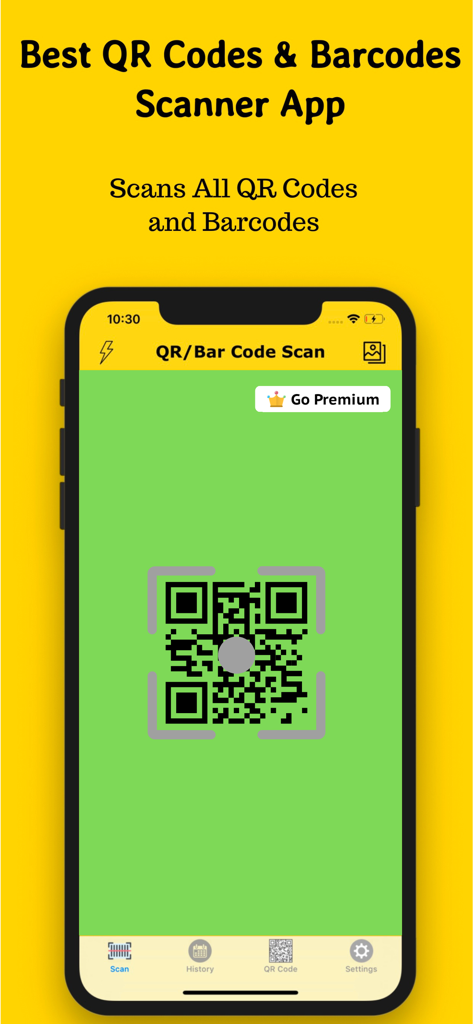
iPhone-Bildschirm mit der Benutzeroberfläche der QR-Code Scan-App mit einem grünen Scanbereich und einer unteren Navigation für Verlauf und Einstellungen
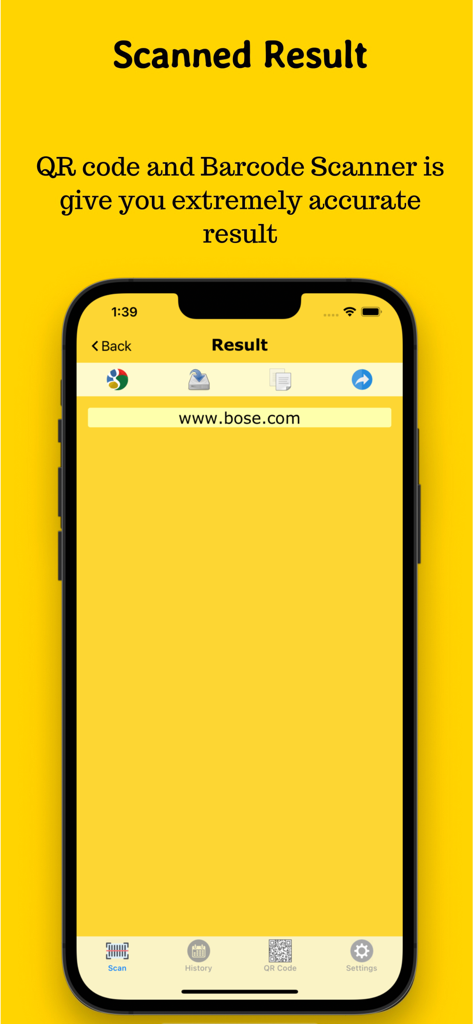
Eine mobile App-Oberfläche, die das Website-URL-Ergebnis nach dem Scannen eines QR-Codes auf einem iPhone anzeigt.
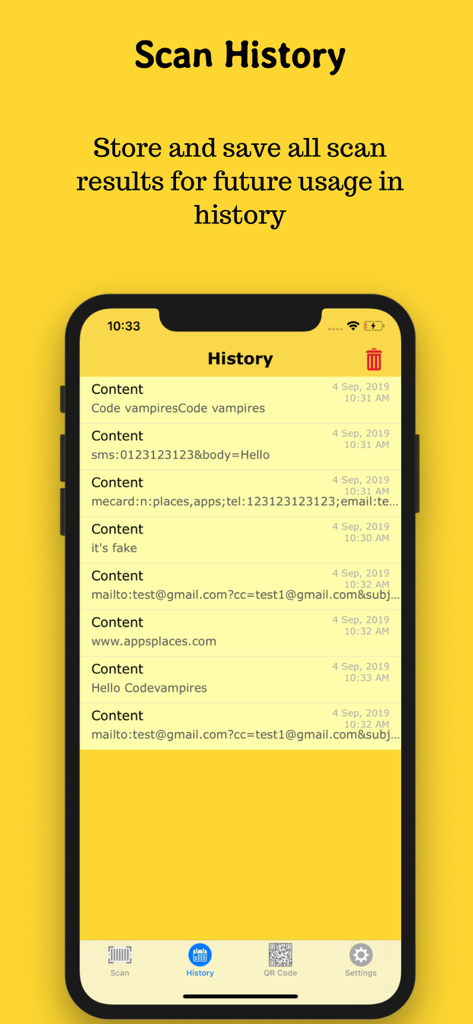
Smartphone-Bildschirm mit der Scanverlaufsseite mit gespeicherten QR-Code-Links und Zeitstempeln
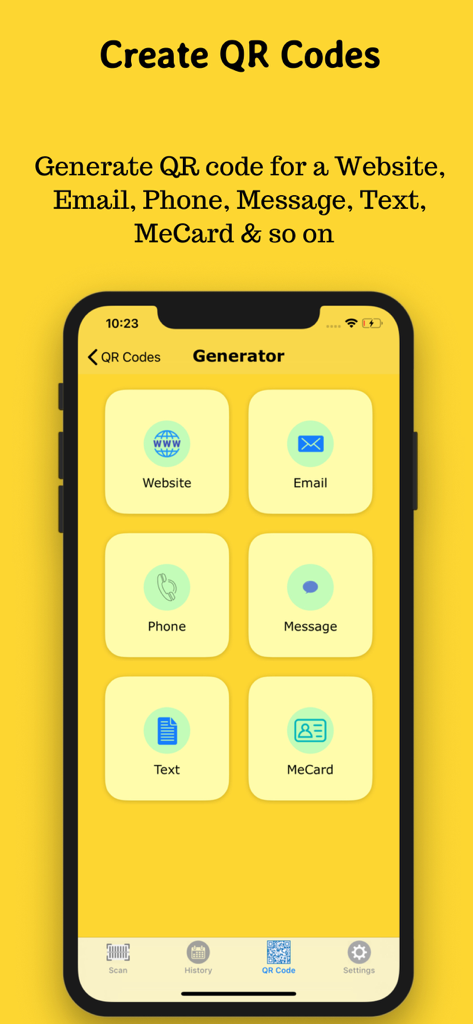
App-Bildschirm mit Optionen zum Erstellen von QR-Codes für Websites, E-Mails, Telefonnummern, Nachrichten, Text und MeCards
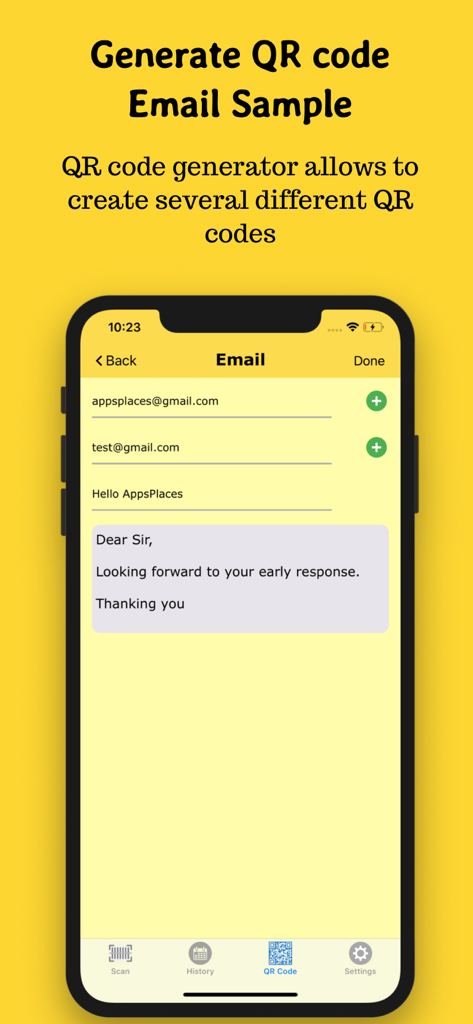
App-Oberfläche zum Generieren eines E-Mail-QR-Codes mit Feldern für Betreff und Nachricht
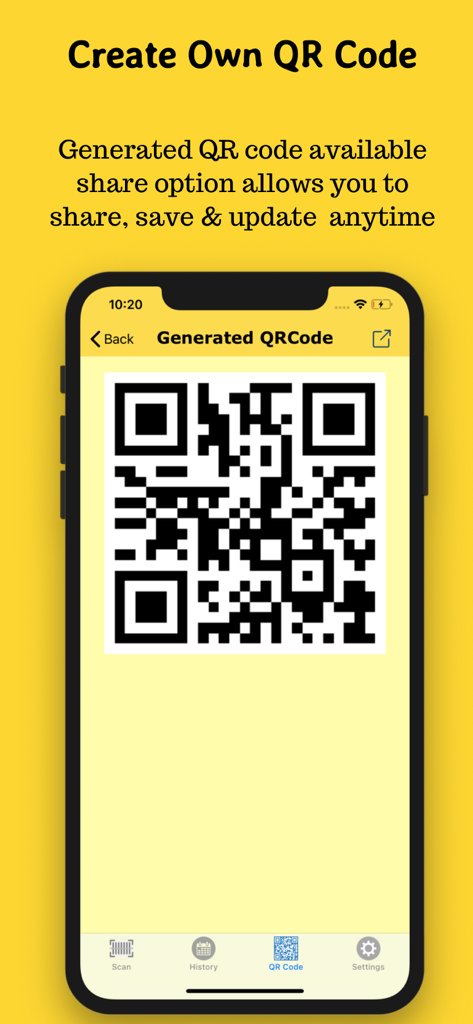
Ein Smartphone-Bildschirm, der einen generierten QR-Code in der App-Oberfläche auf gelbem Hintergrund anzeigt
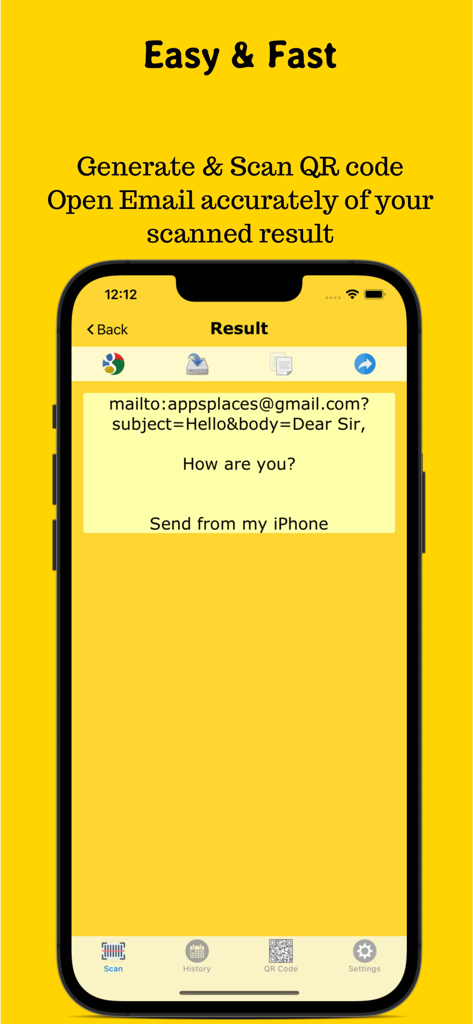
Bildschirm mit QR-Code-Scanergebnis, der E-Mail-Inhalt auf dem iPhone anzeigt
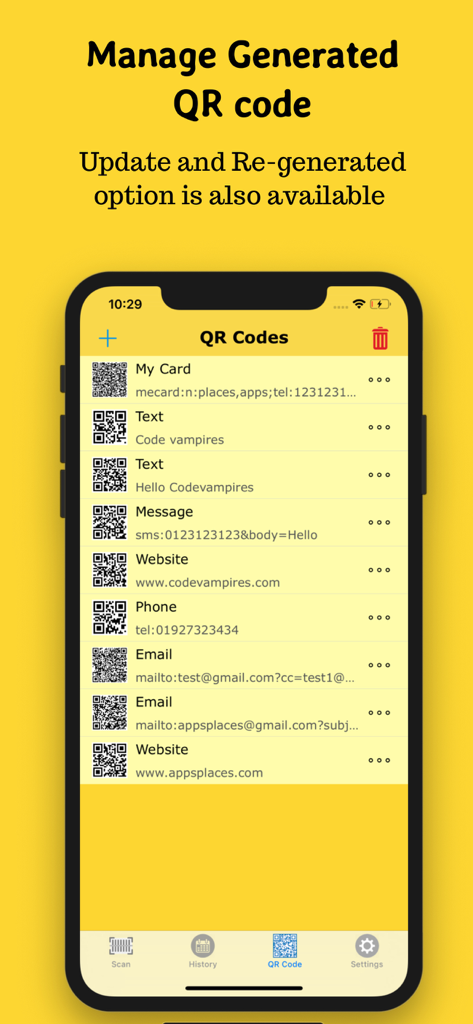
Eine mobile App-Oberfläche, die eine Liste von generierten QR-Codes für Websites, E-Mails und Visitenkarten anzeigt
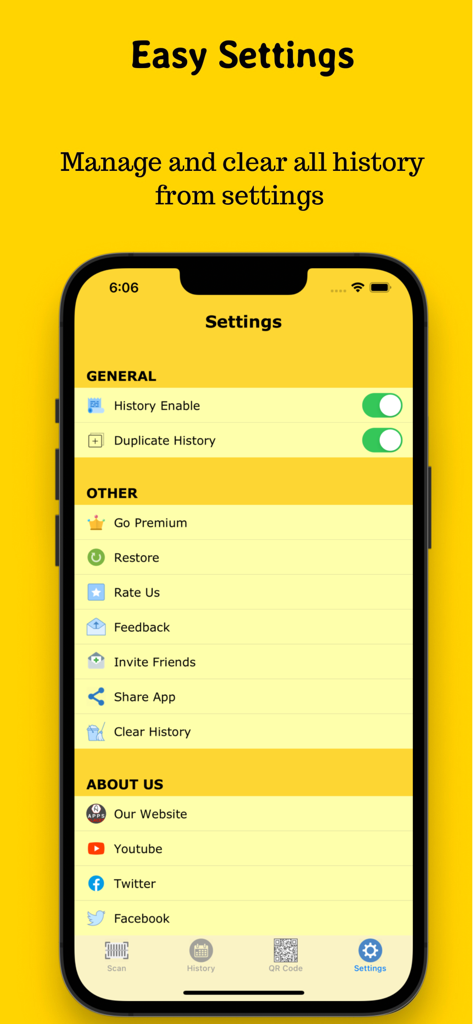
Oberfläche, die das einfache Einstellungsmenü der QR-Code Scan-App mit Optionen zur Verwaltung von Verlauf und sozialen Links zeigt
Beschreibung
Download
Ähnliche Apps
Apps mit ähnlichen Funktionen und Nutzererfahrung

Me QR - QR Code Generator
ME TEAM LTD

QR Code Reader/QR Scanner App
MixerBox Inc.

QR Code Barcode: Scanner Maker
DE BITT LTD

QR Code Reader & QR Scanner ·
Simple Health Limited

Scan QR Code & Barcode
Mars Mobile LLC

QR Bot
Petr Polasek

QR Reader- Scanner & Generator
SAN MOBILE YAZILIM TICARET LIMITED SIRKETI

What's App -QR code scanner
DIGITALSTALK PRIVATE LIMITED

Power Barcode Scanner
Irvinesoft Inc
Diese Seite ist keine offizielle Seite der App oder ihres Entwicklers, sondern eine unabhängige redaktionelle Veröffentlichung, die zu Informations- und Kommentarzwecken erstellt wurde. Sofern nicht ausdrücklich anders angegeben, sind weder die App noch ihr Entwickler mit MWM, Apple, Google Play, dem App-Herausgeber oder dem Entwickler der App verbunden, von ihnen unterstützt, gesponsert, autorisiert oder anderweitig offiziell verbunden, und nichts auf dieser Seite impliziert, dass die App unter Verwendung der Dienste von MWM entwickelt wurde. Alle Marken, Logos, Screenshots und andere Inhalte bleiben Eigentum ihrer jeweiligen Inhaber.