Quantiloop Pro - Live Looper
Herunterladen auf App Store

Diese Seite ist keine offizielle Seite der App oder ihres Entwicklers, sondern eine unabhängige redaktionelle Veröffentlichung, die zu Informations- und Kommentarzwecken erstellt wurde. Sofern nicht ausdrücklich anders angegeben, sind weder die App noch ihr Entwickler mit MWM, Apple, Google Play, dem App-Herausgeber oder dem Entwickler der App verbunden, von ihnen unterstützt, gesponsert, autorisiert oder anderweitig offiziell verbunden, und nichts auf dieser Seite impliziert, dass die App unter Verwendung der Dienste von MWM entwickelt wurde. Alle Marken, Logos, Screenshots und andere Inhalte bleiben Eigentum ihrer jeweiligen Inhaber.

Logo von Quantiloop Pro - Live Looper
Herunterladen auf App Store

Quantiloop Pro - Live Looper

Meistern Sie Ihren Auftritt mit 4-Spur-Looping, nahtloser MIDI-Integration und freihändiger Steuerung. Entwickelt für Musiker, die Hardware-Zuverlässigkeit in einem mobilen Rig verlangen.

Kennzahlen

Downloads

55K+

Bewertung

4.8/5

Bewertungen gesamt

600

Herausgeber

Stephan Marx

Kategorie

Music

Sprachen

1

Neueste Version

2.98.5

Größe

15.9 MB

Erstveröffentlichung

30. Sept. 2016
Funktionen

Verbessern Sie Ihre Live-Performance

Ersetzen Sie sperrige Hardware durch einen professionellen 4-Spur-Looper, der für freihändige Steuerung, nahtlose Song-Arrangements und Integration in Studioqualität entwickelt wurde.

Pro MIDI & Freihändige Steuerung

Schließen Sie Ihren MIDI-Fußcontroller für die vollständige Kontrolle an oder nutzen Sie Auto-Record und Einzähler, um Loops zu erstellen, ohne Ihr iPad zu berühren.

Komplexe Song-Arrangements

Befreien Sie sich von repetitiven Loops mit 4 dedizierten Spuren. Erstellen Sie Strophen-, Refrain- und Bridge-Abschnitte, die für einen vollen Bandsound nahtlos wechseln.

Die folgenden Screenshots und die Beschreibung stammen direkt aus dem offiziellen Store-Eintrag der App und sind Eigentum des Entwicklers.

App Store

Screenshots
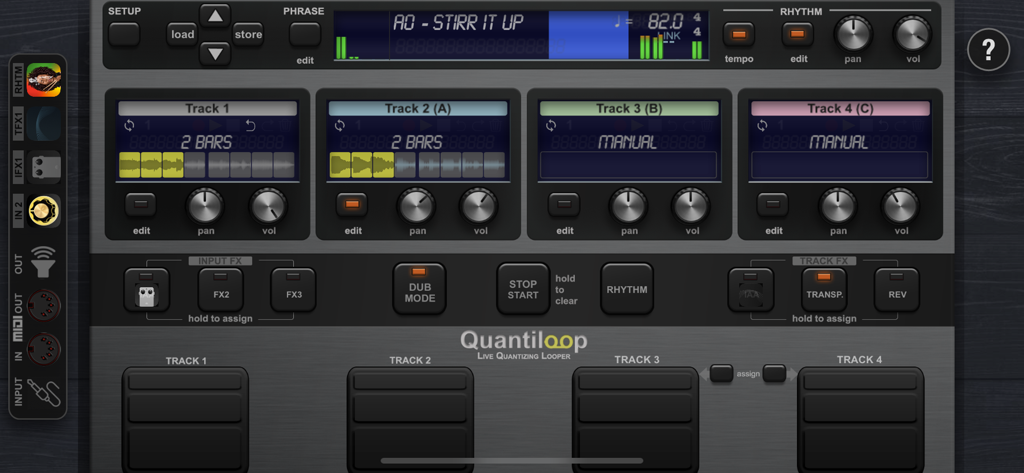
Quantiloop Pro - Live Looper - Quantiloop Pro Live-Looper Hauptoberfläche mit vier Spuren und Performance-Steuerungen
Quantiloop Pro Live-Looper Hauptoberfläche mit vier Spuren und Performance-Steuerungen

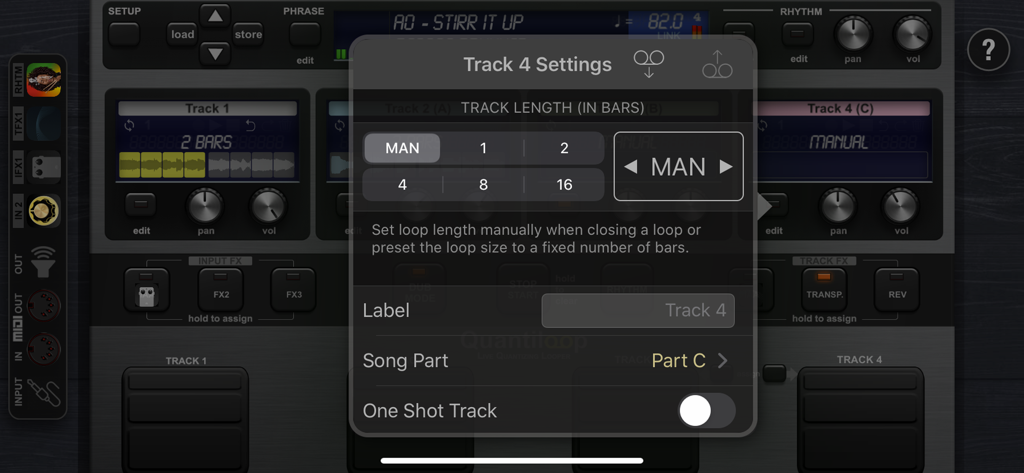
Quantiloop Pro - Live Looper - Quantiloop Pro App-Oberfläche mit Overlay für Spurlänge und Songteil-Einstellungen
Quantiloop Pro App-Oberfläche mit Overlay für Spurlänge und Songteil-Einstellungen

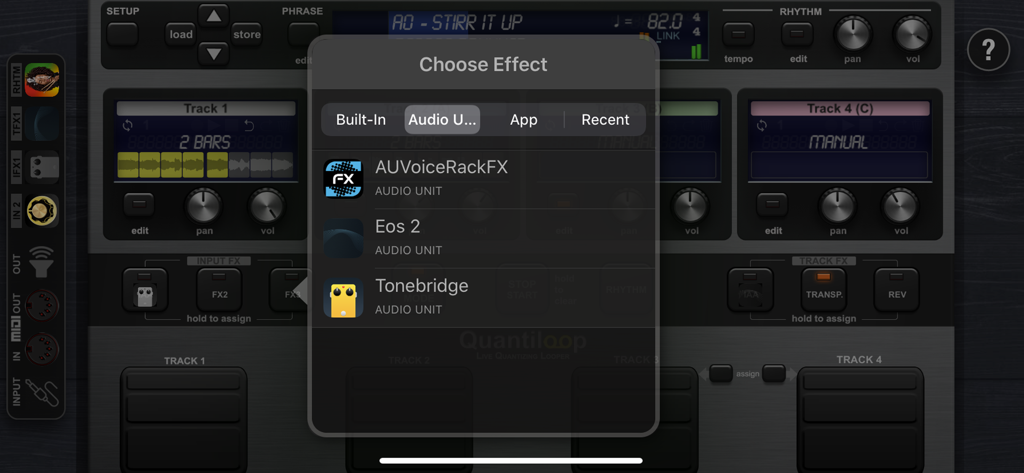
Quantiloop Pro - Live Looper - Quantiloop Pro Effektauswahlmenü mit Audio Unit Plugin-Unterstützung
Quantiloop Pro Effektauswahlmenü mit Audio Unit Plugin-Unterstützung

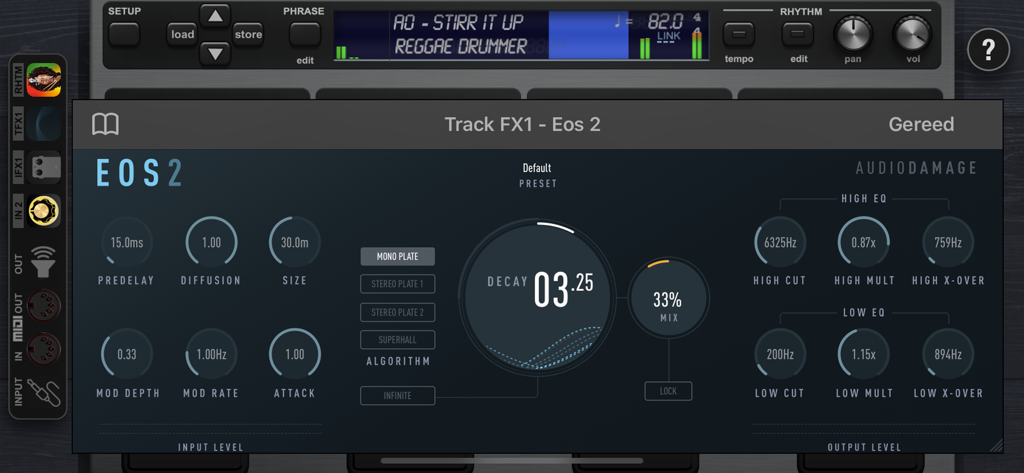
Quantiloop Pro - Live Looper - Quantiloop Pro App zeigt die Benutzeroberfläche eines professionellen AUv3-Audioeffekt-Plugins.
Quantiloop Pro App zeigt die Benutzeroberfläche eines professionellen AUv3-Audioeffekt-Plugins.

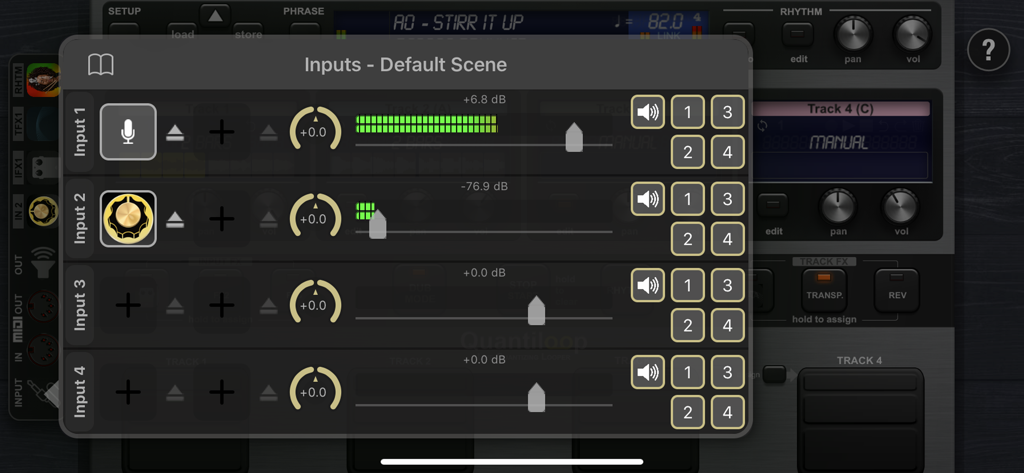
Quantiloop Pro - Live Looper - Quantiloop Pro Eingangseinstellungen mit Pegelanzeigen und Kanal-Routing.
Quantiloop Pro Eingangseinstellungen mit Pegelanzeigen und Kanal-Routing.

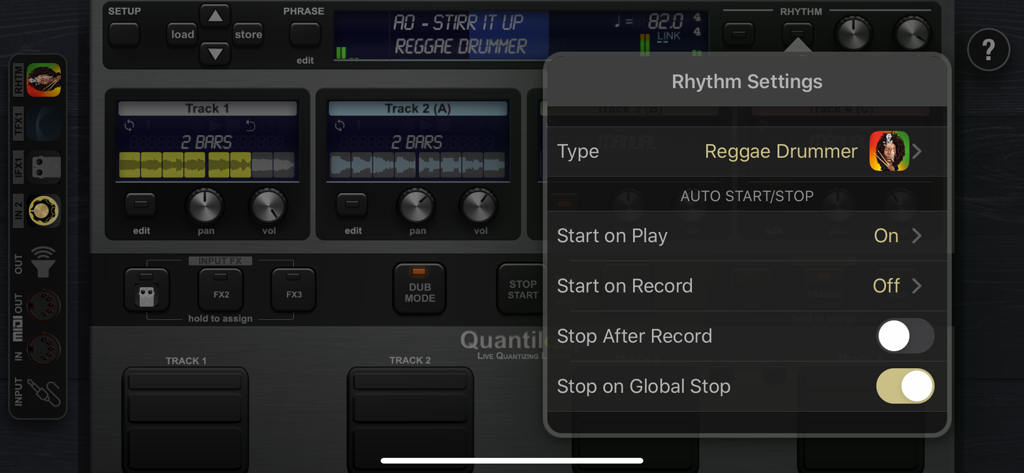
Quantiloop Pro - Live Looper - Das Menü für Rhythmuseinstellungen in Quantiloop Pro mit Optionen für Reggae Drummer und automatischen Start- und Stopp-Steuerungen.
Das Menü für Rhythmuseinstellungen in Quantiloop Pro mit Optionen für Reggae Drummer und automatischen Start- und Stopp-Steuerungen.

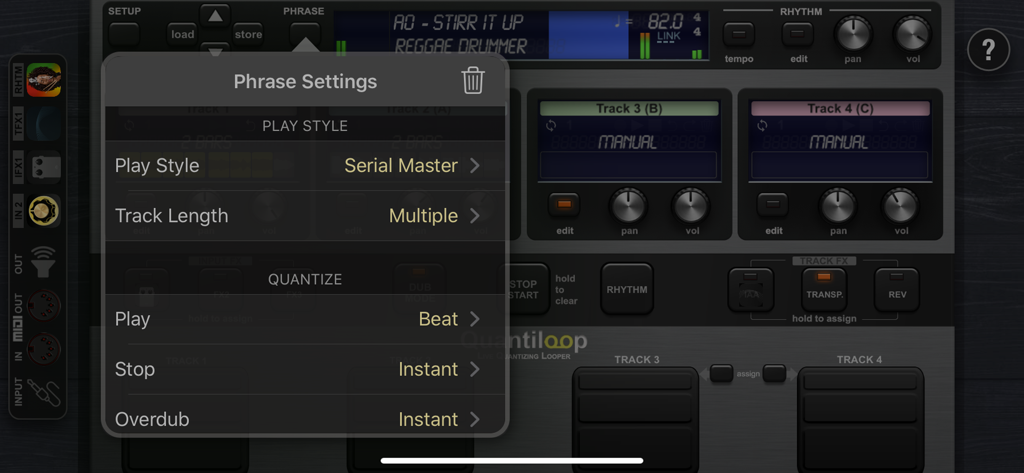
Quantiloop Pro - Live Looper - Menü für Phrasen-Einstellungen in Quantiloop Pro mit Optionen für Spielstil und Quantisierung

Menü für Phrasen-Einstellungen in Quantiloop Pro mit Optionen für Spielstil und Quantisierung

Beschreibung

Built for Live performance and hands free use, Quantiloop recreates the simplicity of a hardware loop pedal in an iOS app. Attach a MIDI foot controller and control it the way you want. No MIDI controller at hand; just preset your loop length, enable auto–record or a count–in and your loops will automatically close, no hands or feet required. Big onscreen controls allow for easy configuration and tactile control by vocalists or beat boxers. Focus on your performance instead of fiddling with dip switches or complex menu’s. Be Creative Create 4 tracks with endless layers of overdubs to build your performance. Record a Chorus, Verse and Bridge and switch between them seamlessly or create a 1 bar percussie loop on track one, a 4 bar chord progression on track two and layer a bass line on top, all in perfect synchronisation. Rhythm Guide The builtin rhythm guide provides a rhythmic backing. Use the internal metronome for practice, import drum loops from virtually anywhere or host and control your favourite rhythm apps to enhance your performance. MIDI master lets you control MIDI hardware, and MIDI slave lets Quantiloop follow it. Ableton Link lets you even play in time over WiFi with external apps and devices. Quantisation aligns your actions to the nearest measure or beat so you stay in time, and real-time tempo control sets the pace. Prefer setting your own pace, disable quantisation and Quantiloop will react to your actions with minimum latency to create tight synchronised recordings. FX Assign up to 3 simultaneous effects to the input. Use the built-in transpose to covert your guitar into a bass, or host your guitar amp sim directly in Quantiloop. The results will be recorded into your loops. Or assign up to 3 simultaneous track effects to the output. Use the tape stop to add drama, introduce a key change to build up your performance, or host an Inter-App audio/AU reverb processor. Track FX may be assigned to a single track, all tracks or the combined output. Features • Free, Synced and Paralel,Serial, Mixed Playing Styles • Multiple Quantise Modes • Multiple Stop Modes • Unique Dub Mode and Mute Mode • Unlimited Overdubs • Overdub Decay • Undo / Redo • Auto Record • High quality stereo audio • Clear loop status display • Rhythm guide with optional auto-start, auto-stop and count-in • Audible and Visual Metronome • Send start, stop and host sync to hosted rhythm apps. • Sync to host when embedded in an Inter-App-Audio host • Real-time Tempo Control • Extensive MIDI control • Multiple Assignments per MIDI controller (tap, hold, double tap) • MIDI Program Change support for changing presets • Supports Audiobus and Inter-App-Audio and Audio Units (AUv3) • Individual outputs for each track and rhythm • Synchronise to other apps and devices with Ableton Link • MIDI clock sync (both slave and master) • 4 physical/iaa/au/audiobus inputs routable to any track • 8 outputs (main, monitor, track 1-4, rhythm, input out) • 3 assignable input Fx, including transpose, reverb and IAA, AUv3 • 3 assignable track Fx, including transpose, reverse, tape stop, fade and IAA, AUv3 • Cloud (iCloud, Dropbox, Audioshare …) import / export • AudioCopy/Paste • Open In • Store Phrase Presets in unlimited banks with 100 presets each • Individual Volume and panning controls for each track

Download

Herunterladen auf App Store

Diese Seite ist keine offizielle Seite der App oder ihres Entwicklers, sondern eine unabhängige redaktionelle Veröffentlichung, die zu Informations- und Kommentarzwecken erstellt wurde. Sofern nicht ausdrücklich anders angegeben, sind weder die App noch ihr Entwickler mit MWM, Apple, Google Play, dem App-Herausgeber oder dem Entwickler der App verbunden, von ihnen unterstützt, gesponsert, autorisiert oder anderweitig offiziell verbunden, und nichts auf dieser Seite impliziert, dass die App unter Verwendung der Dienste von MWM entwickelt wurde. Alle Marken, Logos, Screenshots und andere Inhalte bleiben Eigentum ihrer jeweiligen Inhaber.







