
Diese Seite ist keine offizielle Seite der App oder ihres Entwicklers, sondern eine unabhängige redaktionelle Veröffentlichung, die zu Informations- und Kommentarzwecken erstellt wurde. Sofern nicht ausdrücklich anders angegeben, sind weder die App noch ihr Entwickler mit MWM, Apple, Google Play, dem App-Herausgeber oder dem Entwickler der App verbunden, von ihnen unterstützt, gesponsert, autorisiert oder anderweitig offiziell verbunden, und nichts auf dieser Seite impliziert, dass die App unter Verwendung der Dienste von MWM entwickelt wurde. Alle Marken, Logos, Screenshots und andere Inhalte bleiben Eigentum ihrer jeweiligen Inhaber.

Read&Write
Schöpfen Sie Ihr akademisches Potenzial aus mit personalisierter Unterstützung für Legasthenie, ADHS und Sprachenlernen. Von Text-to-Speech bis hin zu intelligenter Wortvorhersage – gewinnen Sie die Sicherheit, in jeder App zu lesen und zu schreiben.
Downloads
23K+Bewertung
Bewertungen gesamt
100Herausgeber
Kategorie
EducationSprachen
12Neueste Version
7.14.0Größe
254.4 MBErstveröffentlichung
29. Jan. 2015Stärken Sie Ihre Lese- und Schreibfähigkeiten
Verwandeln Sie die Art und Weise, wie Sie lesen und schreiben, mit einer Reihe intuitiver Werkzeuge, die darauf ausgelegt sind, Selbstvertrauen, Unabhängigkeit und akademischen Erfolg für jeden Lernenden aufzubauen.
Lesen mit voller Klarheit
Die zweifarbige Hervorhebung begleitet hochwertige Text-to-Speech-Funktionen, sodass Sie Wörter gleichzeitig sehen und hören können, um das Verständnis zu verbessern und kognitive Ermüdung zu reduzieren.
Intelligente Schreibunterstützung
Überwinden Sie die leere Seite mit intelligenter Wortvorhersage und einem Bildwörterbuch, das frustrierende Rechtschreibhindernisse in einfache Siege bei all Ihren Aufgaben verwandelt.
Die folgenden Screenshots und die Beschreibung stammen direkt aus dem offiziellen Store-Eintrag der App und sind Eigentum des Entwicklers.
App Store
Screenshots
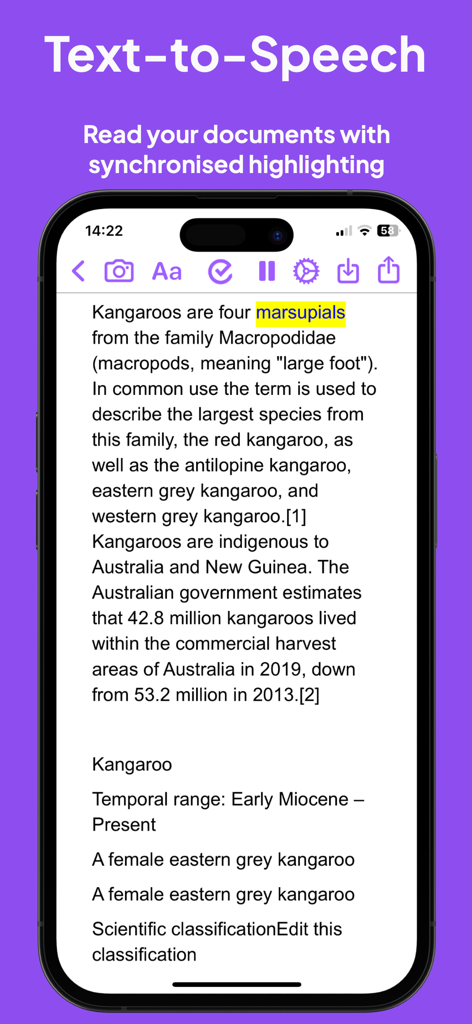
Read and Write App Text-to-Speech-Funktion mit synchronisierter Hervorhebung auf einem iPhone.
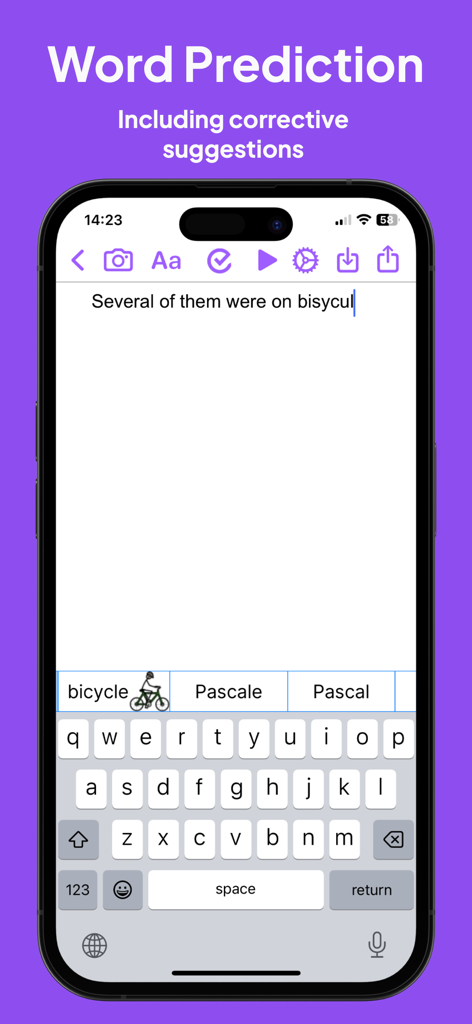
Read and Write App-Oberfläche, die Wortvorhersage und Bildwörterbuch-Vorschläge für ein falsch geschriebenes Wort anzeigt.
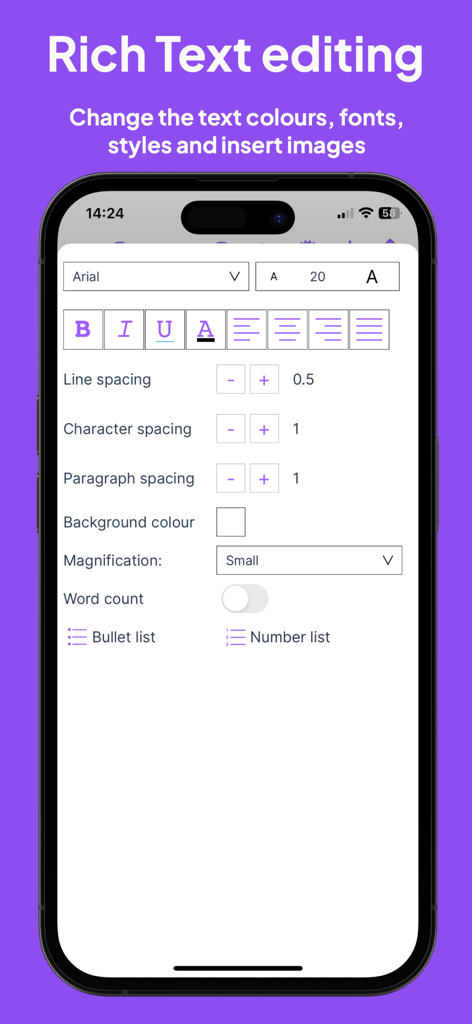
Rich-Text-Bearbeitungsoberfläche in der Read and Write App mit Optionen für Schriftstile und Abstände.
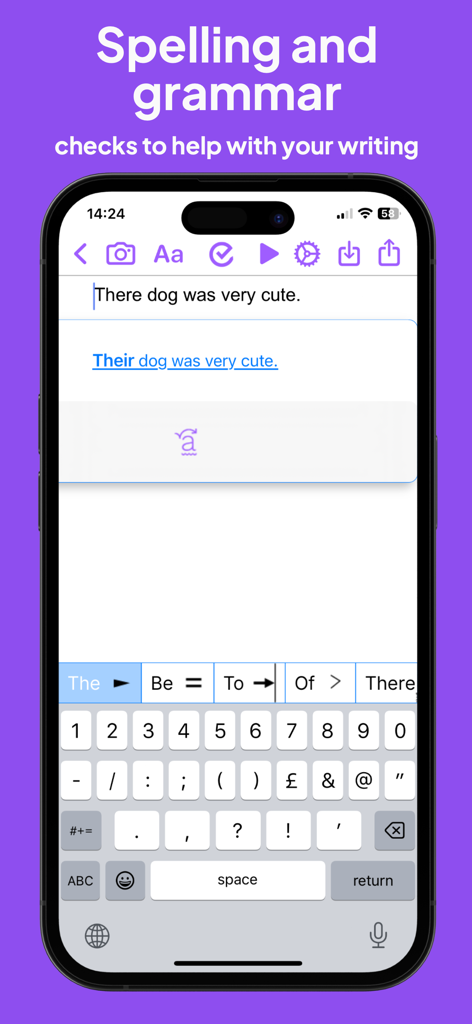
Screenshot der Read and Write App, der eine Grammatikkorrektur für einen Satz und die vorausschauende Tastatur zeigt.
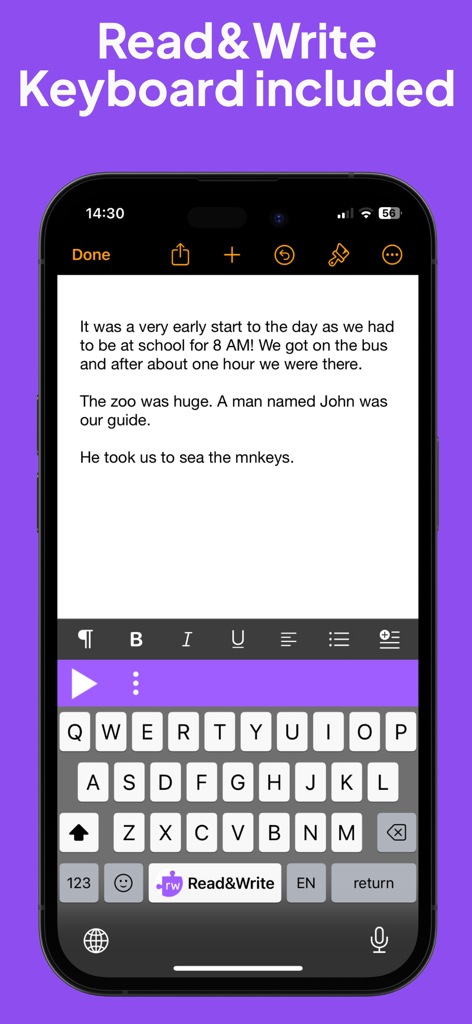
Bildschirm eines Mobiltelefons, der die assistierende Tastaturerweiterung von Read and Write für Lese- und Schreibunterstützung anzeigt.
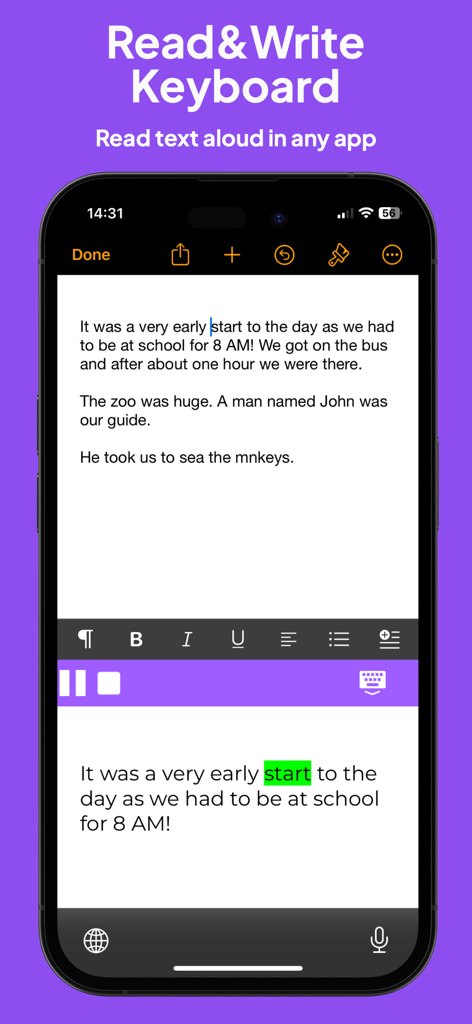
Read and Write App-Tastatur mit Text-to-Speech und visueller Wort-Hervorhebung.
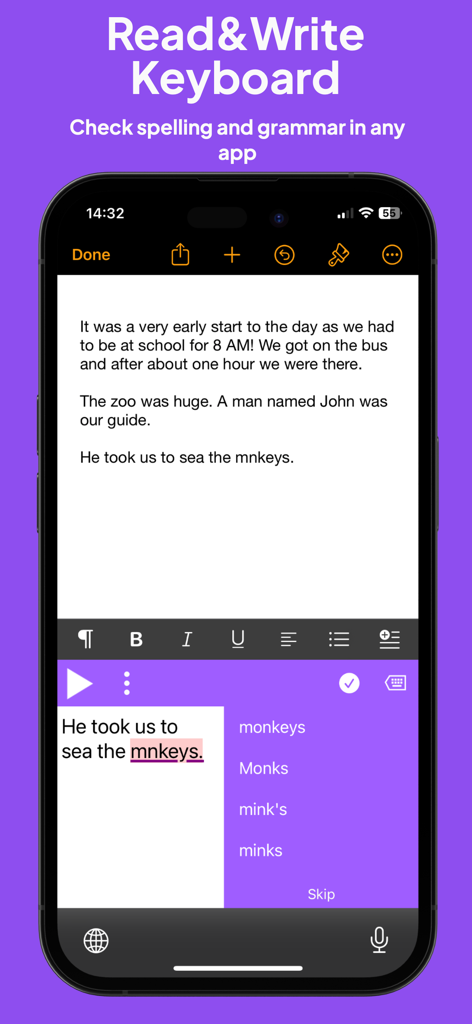
Smartphone-Bildschirm, der die Tastatur von Read and Write zeigt, mit Rechtschreib- und Grammatikvorschlägen für ein falsch geschriebenes Wort in einem Dokument.
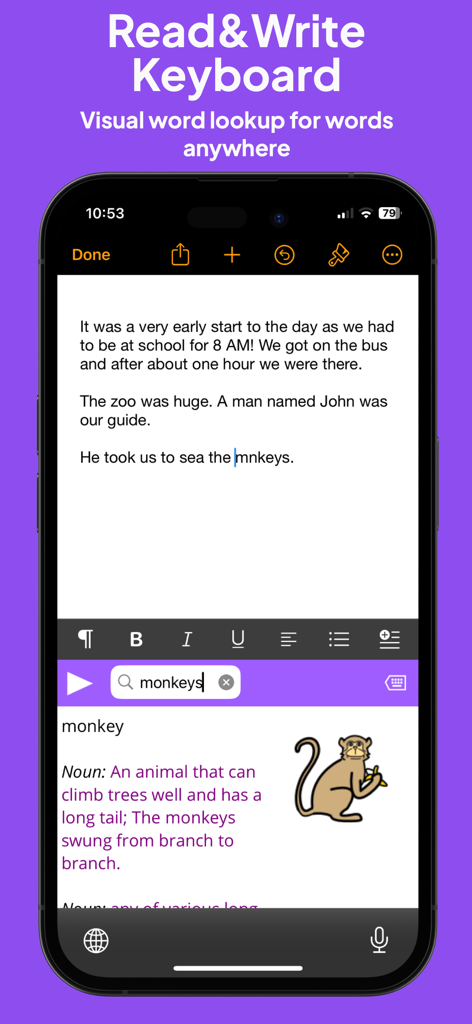
Read and Write Tastaturerweiterung mit einer Bildwörterbuch-Definition für das Wort 'Affe'.
Beschreibung
Download
Ähnliche Apps
Top-gerankte Apps in derselben Kategorie

Duolingo - Language Lessons
Duolingo, Inc

Speak & Learn English: Learna
DEEP FLOW SOFTWARE SERVICES - FZCO

驾考宝典-科一科四驾驶证考试驾考通
Wuhan Jiakaobaodian Information Service Co., Ltd.

Toca Boca World
Toca Boca AB

Google Classroom
Google LLC

作业帮-中小学家长作业检查和辅导工具
Guangzhou Polar Future Culture Technology Co., Ltd

Gauth: AI Study Companion
GAUTHTECH PTE. LTD.

学信网
Student Information Consultation Service Co., Ltd.

ArtWorkout: Learn How to Draw
Aleksandr Ulitin
Diese Seite ist keine offizielle Seite der App oder ihres Entwicklers, sondern eine unabhängige redaktionelle Veröffentlichung, die zu Informations- und Kommentarzwecken erstellt wurde. Sofern nicht ausdrücklich anders angegeben, sind weder die App noch ihr Entwickler mit MWM, Apple, Google Play, dem App-Herausgeber oder dem Entwickler der App verbunden, von ihnen unterstützt, gesponsert, autorisiert oder anderweitig offiziell verbunden, und nichts auf dieser Seite impliziert, dass die App unter Verwendung der Dienste von MWM entwickelt wurde. Alle Marken, Logos, Screenshots und andere Inhalte bleiben Eigentum ihrer jeweiligen Inhaber.