
Diese Seite ist keine offizielle Seite der App oder ihres Entwicklers, sondern eine unabhängige redaktionelle Veröffentlichung, die zu Informations- und Kommentarzwecken erstellt wurde. Sofern nicht ausdrücklich anders angegeben, sind weder die App noch ihr Entwickler mit MWM, Apple, Google Play, dem App-Herausgeber oder dem Entwickler der App verbunden, von ihnen unterstützt, gesponsert, autorisiert oder anderweitig offiziell verbunden, und nichts auf dieser Seite impliziert, dass die App unter Verwendung der Dienste von MWM entwickelt wurde. Alle Marken, Logos, Screenshots und andere Inhalte bleiben Eigentum ihrer jeweiligen Inhaber.

Recipe Collector
Bewahren Sie Familiengeheimnisse, scannen Sie physische Karten und importieren Sie aus dem Web in eine werbefreie Umgebung. Synchronisieren Sie nahtlos zwischen iPhone, iPad und Mac mit einem einmaligen Kauf und ohne Abonnementgebühren.
Downloads
6K+Bewertung
Bewertungen gesamt
0Herausgeber
Kategorie
Food & DrinkSprachen
1Neueste Version
4.9.0Größe
24.9 MBErstveröffentlichung
25. Aug. 2020Ihr gesamtes kulinarisches Erbe, organisiert
Bewahren Sie Familiengeheimnisse und Web-Favoriten in einem werbefreien digitalen Kochbuch. Keine Abonnements, kein Durcheinander – nur Ihre Rezepte auf jedem Apple-Gerät.
Handschriftliche Rezepte scannen
Erwecken Sie Vintage-Karten und Zeitschriftenausschnitte zum Leben, indem Sie sie mit fortschrittlichem KI-Scanning in durchsuchbaren Text umwandeln.
Werbefreier Web-Import
Extrahieren Sie sofort nur die Zutaten und Schritte aus jedem Food-Blog und entfernen Sie aufdringliche Werbung und langatmige Einleitungen.
Die folgenden Screenshots und die Beschreibung stammen direkt aus dem offiziellen Store-Eintrag der App und sind Eigentum des Entwicklers.
App Store
Screenshots
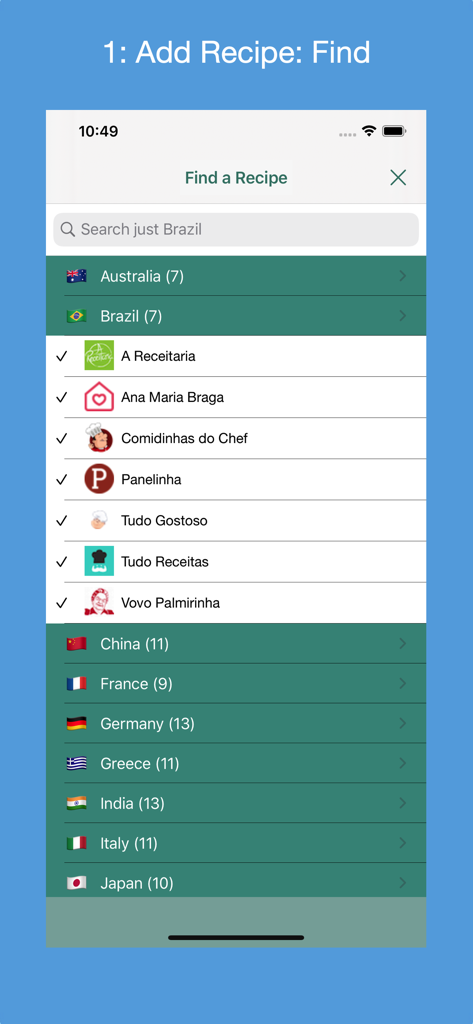
Bildschirm zum Finden von Rezepten in Recipe Collector mit einer Liste unterstützter Rezept-Websites aus verschiedenen Ländern
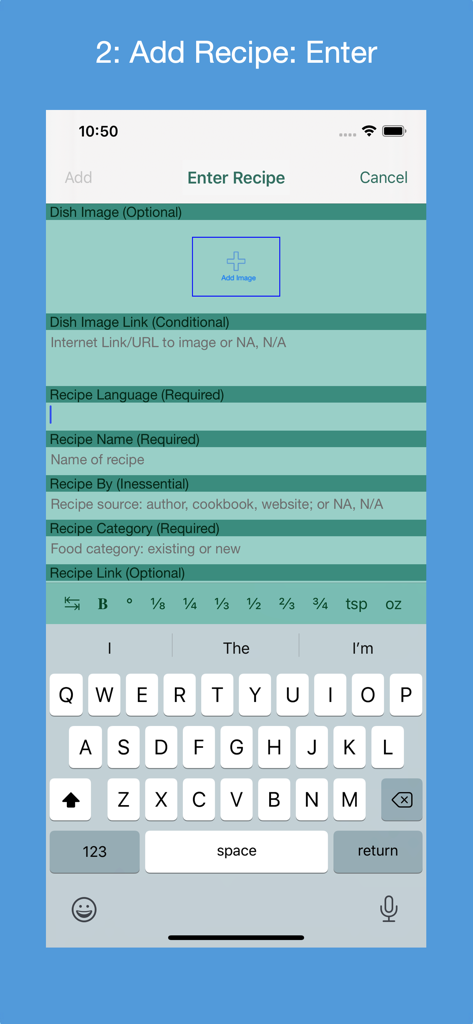
Formular für die manuelle Eingabe zum Hinzufügen eines neuen Rezepts mit Namens- und Feldern für die Kategorie in der Recipe Collector App

Oberfläche der Recipe Collector App, die den Bildschirm zum Hinzufügen eines neuen Rezepts über eine Web-URL zeigt.
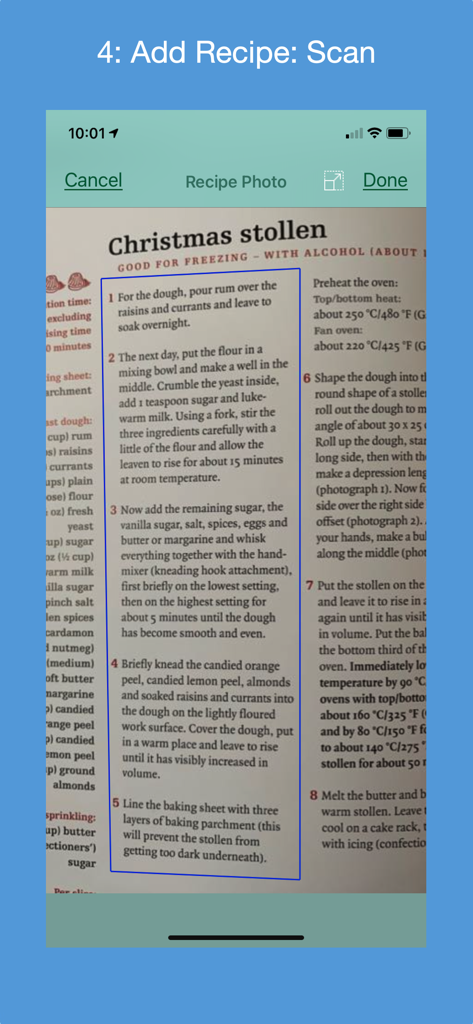
iPhone-Screenshot der Recipe Collector App, die ein physisches Weihnachts-Stollen-Rezept aus einem Kochbuch mit OCR-Technologie scannt
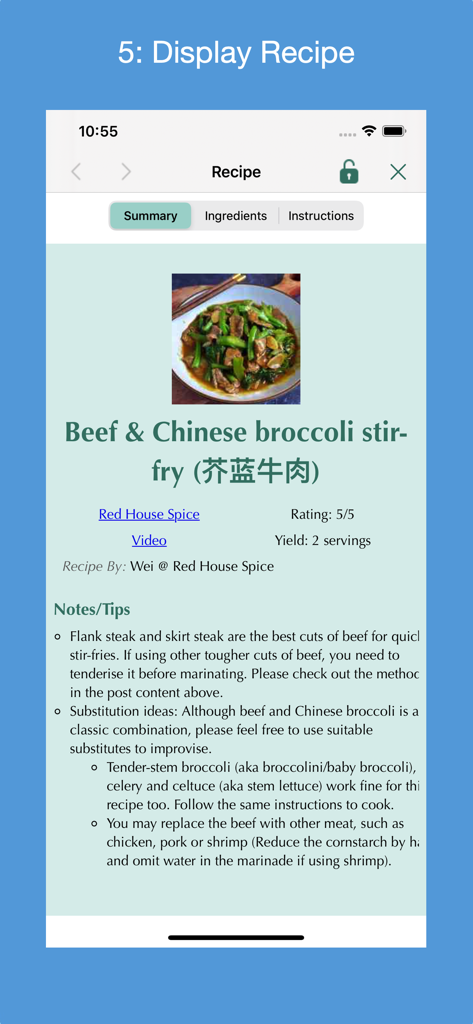
Anzeige eines Rindfleisch- und chinesischen Brokkoli-Pfannengerichts-Rezepts in der Recipe Collector App
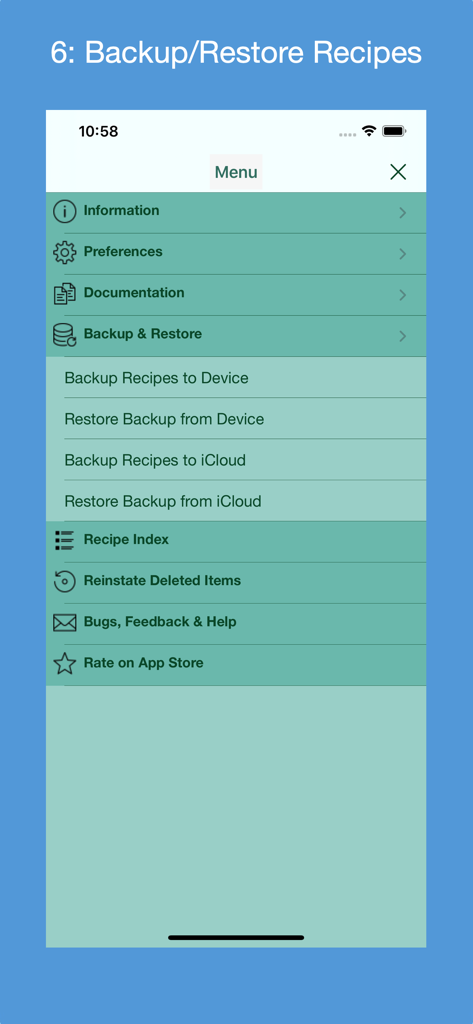
Ein Screenshot des Menüs der Recipe Collector App mit Optionen zur Sicherung und Wiederherstellung für lokale Geräte und iCloud-Speicher
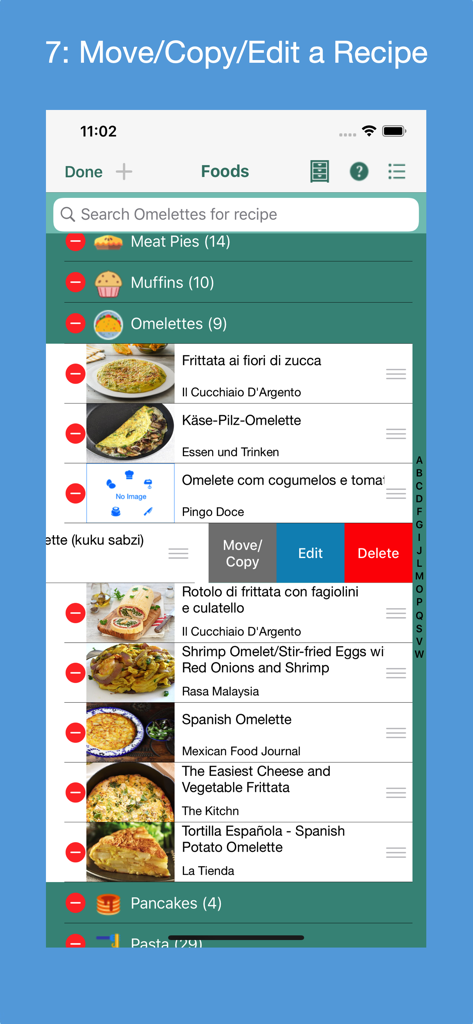
Oberfläche der Recipe Collector App, die Optionen zum Verschieben, Kopieren, Bearbeiten und Löschen von Rezepten innerhalb eines digitalen Kochbuchs anzeigt.

Der Bildschirm "Gelöschte Elemente" in der Recipe Collector App zeigt eine Liste kategorisierter Rezepte mit Optionen zur Wiederherstellung oder zum dauerhaften Löschen von Elementen.
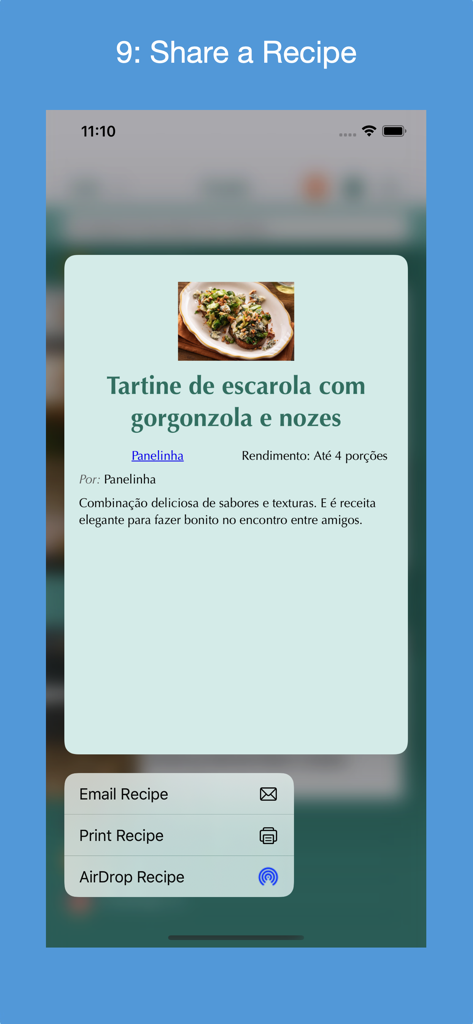
Ein Screenshot der Recipe Collector App, der das Freigabemenü mit Optionen zum Senden eines Rezepts per E-Mail, Drucken und AirDrop zeigt.
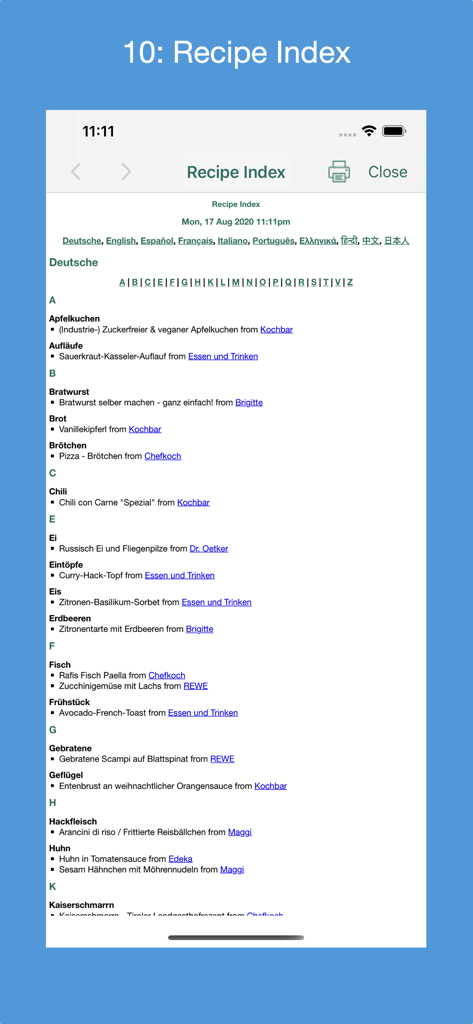
Ein detaillierter Rezeptindex in der Recipe Collector App, alphabetisch nach Sprache sortiert, mit Links zu Quell-Websites.
Beschreibung
Download
Ähnliche Apps
Top-gerankte Apps in derselben Kategorie

DoorDash: Food, Grocery, More
DoorDash, Inc.

盒马 - 鲜美生活
Shanghai Heli Network Technical Service Co., Ltd.

Uber Eats: Food & Groceries
Uber Technologies, Inc.

Too Good To Go: End Food Waste
Too Good To Go ApS

Keeta - Food Delivery
Kangaroo Limited

麦当劳McDonald's - 到店取餐 麦咖啡 麦乐送
McDonald's (China) Co., Ltd.

McDonald’s
McDonald's Global Markets LLC

McDonald's
McDonalds USA LLC

美团外卖-外卖订餐,送啥都快
Sankuai Technology Co., Ltd.
Diese Seite ist keine offizielle Seite der App oder ihres Entwicklers, sondern eine unabhängige redaktionelle Veröffentlichung, die zu Informations- und Kommentarzwecken erstellt wurde. Sofern nicht ausdrücklich anders angegeben, sind weder die App noch ihr Entwickler mit MWM, Apple, Google Play, dem App-Herausgeber oder dem Entwickler der App verbunden, von ihnen unterstützt, gesponsert, autorisiert oder anderweitig offiziell verbunden, und nichts auf dieser Seite impliziert, dass die App unter Verwendung der Dienste von MWM entwickelt wurde. Alle Marken, Logos, Screenshots und andere Inhalte bleiben Eigentum ihrer jeweiligen Inhaber.