
Diese Seite ist keine offizielle Seite der App oder ihres Entwicklers, sondern eine unabhängige redaktionelle Veröffentlichung, die zu Informations- und Kommentarzwecken erstellt wurde. Sofern nicht ausdrücklich anders angegeben, sind weder die App noch ihr Entwickler mit MWM, Apple, Google Play, dem App-Herausgeber oder dem Entwickler der App verbunden, von ihnen unterstützt, gesponsert, autorisiert oder anderweitig offiziell verbunden, und nichts auf dieser Seite impliziert, dass die App unter Verwendung der Dienste von MWM entwickelt wurde. Alle Marken, Logos, Screenshots und andere Inhalte bleiben Eigentum ihrer jeweiligen Inhaber.

ReColor - Art Photo Editor
Stärke deine kreative Vision mit KI-gesteuerter selektiver Neufärbung, professionellen Ebenen und Keyframe-Animationen, die für die nächste Generation digitaler Kreativer entwickelt wurden.
Downloads
126K+Bewertung
Bewertungen gesamt
500Herausgeber
Kategorie
Graphics & DesignSprachen
1Neueste Version
3.9.71Größe
122.4 MBErstveröffentlichung
7. Dez. 2019Das All-in-One-Studio für digitale Kreative
Erlebe die Kraft professioneller Designwerkzeuge. Von hochauflösenden Illustrationen bis hin zu angesagten Social-Media-Animationen – ReColor bietet dir eine komplette Kreativ-Suite in deiner Tasche.
KI-gestützte selektive Neufärbung
Verändere jede Farbe mit chirurgischer Präzision mithilfe unseres intelligenten KI-Pinsel. Perfekt für die Kuratierung von Ästhetik-Feeds und auffällige Farbeffekte, die Aufmerksamkeit erregen.
Professionelle Illustration & 40MP-Ebenen
Gestalte ohne Grenzen mit über 120 Pinseln und professionellem Ebenenmanagement. Exportiere hochauflösende Meisterwerke bis zu 40MP für kristallklare Qualität.
Die folgenden Screenshots und die Beschreibung stammen direkt aus dem offiziellen Store-Eintrag der App und sind Eigentum des Entwicklers.
App Store
Screenshots
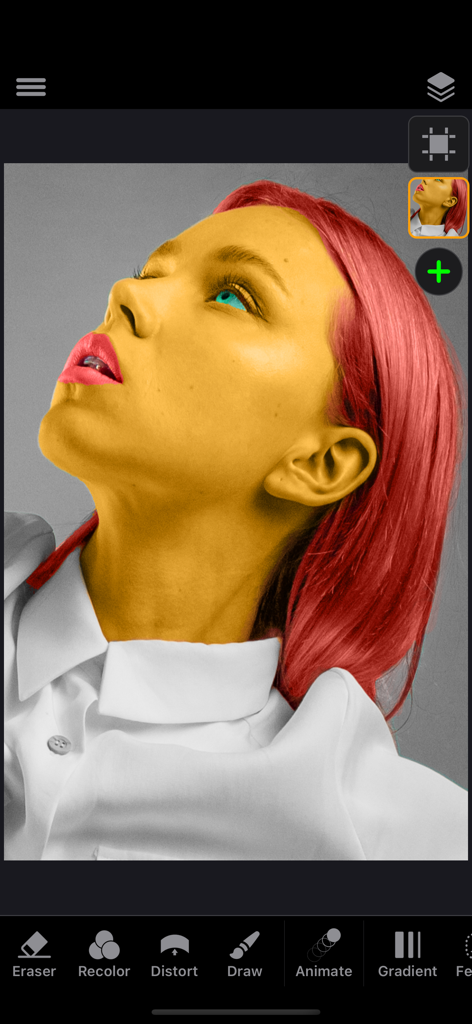
Ein Porträt einer Frau mit gelber Haut und roten Haaren, das mit dem selektiven Neufärbungswerkzeug in der ReColor-App-Oberfläche bearbeitet wird.
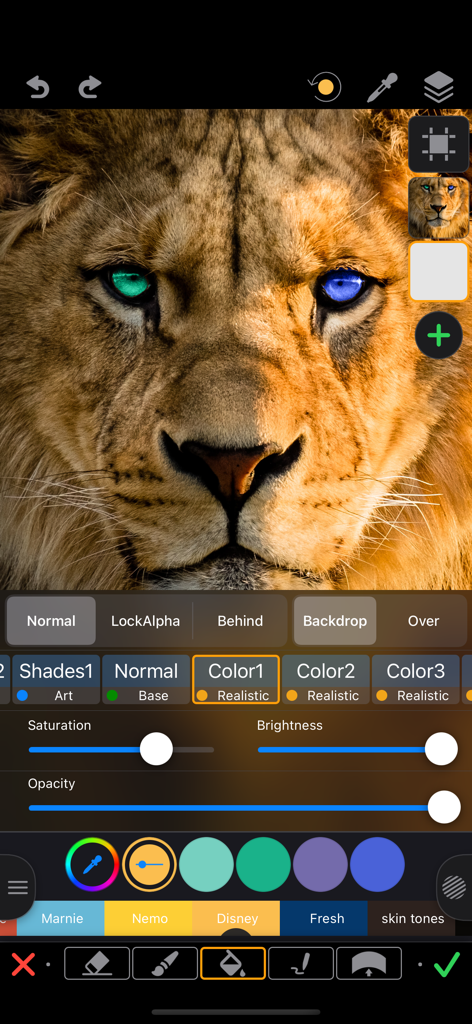
Selektive Neufärbung der Augen eines Löwen zu Blau und Grün mit dem ReColor-Fotoeditor-App.
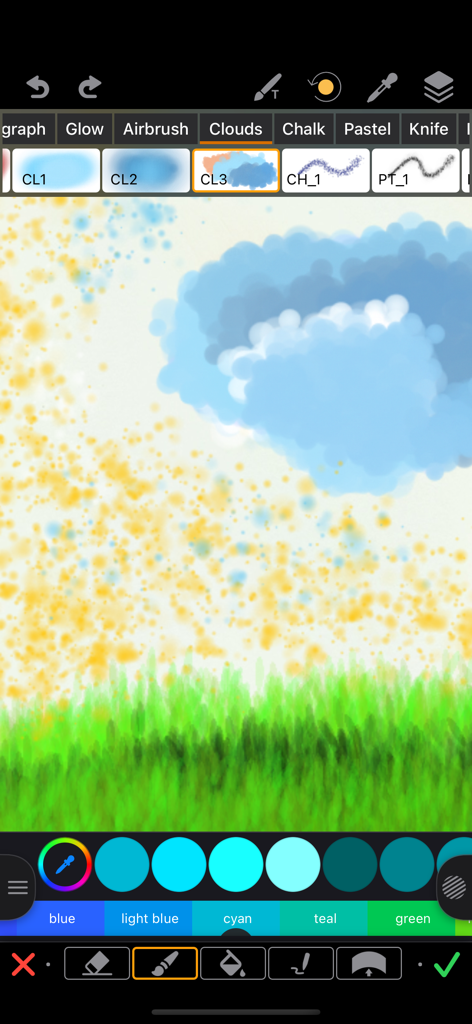
Ein Screenshot der ReColor-App-Oberfläche, der verschiedene Zeichenpinsel und eine Landschaftsskizze mit Wolken und Gras zeigt.
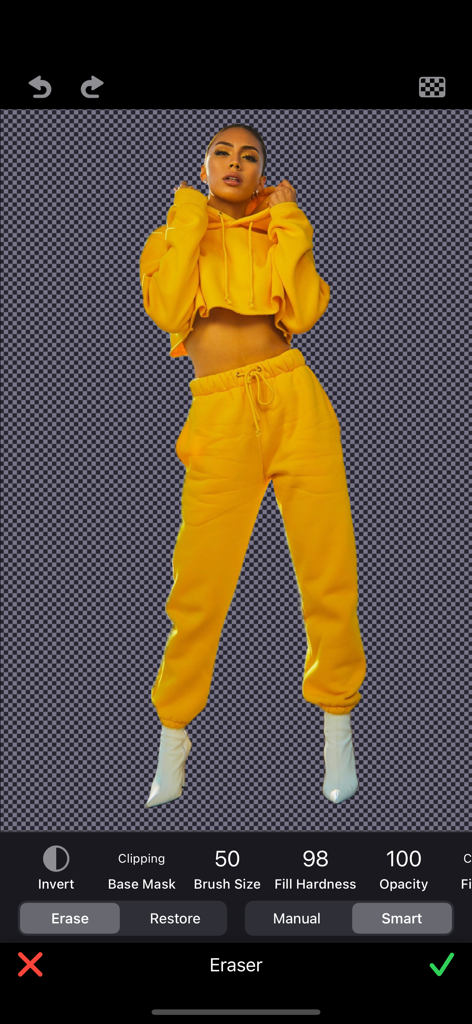
Oberfläche einer mobilen App, die eine Person vor einem transparenten Hintergrund zeigt, die mit einem intelligenten Radiergummi-Werkzeug isoliert wurde.
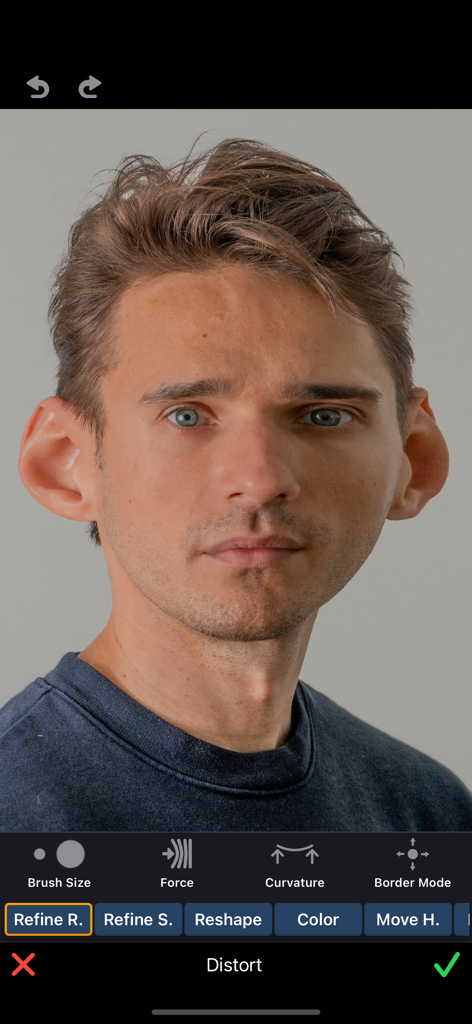
Ein Porträt eines Mannes, das mit dem Karikatur-Verzerrungswerkzeug in der ReColor-App bearbeitet wird und vergrößerte Ohren zeigt.
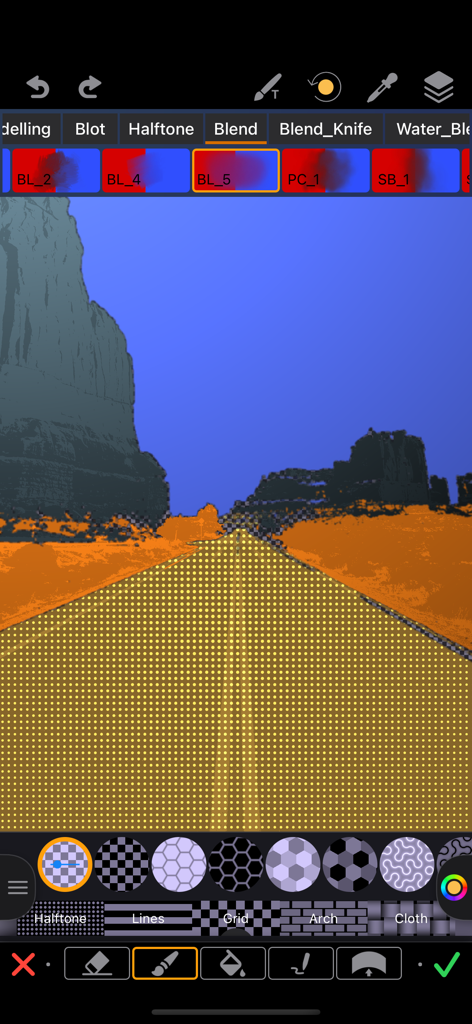
Oberfläche der ReColor-App, die ein Rastermuster aus Halbtonpunkten zeigt, das auf eine Straße in einem Landschaftsfoto angewendet wurde.
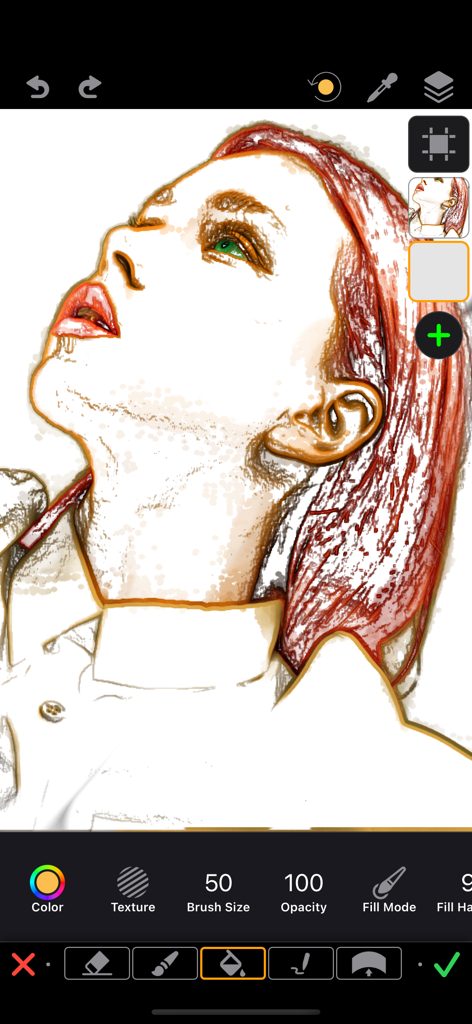
Eine digitale Porträtillustration einer Frau mit roten Haaren, die in der ReColor-App-Oberfläche mit Ebenen und Zeichenwerkzeugen bearbeitet wird.

Oberfläche der ReColor-App, die einen Vintage-Sepia-Filter zeigt, der auf ein Foto eines Paares angewendet wurde, das lustige Gesichter zieht.
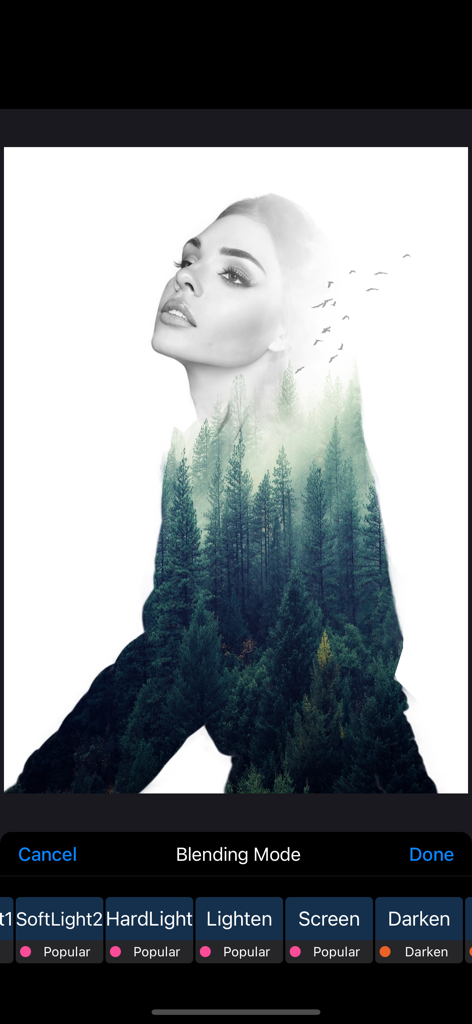
Doppelbelichtungsporträt einer Frau, das mit einem Kiefernwald mithilfe von App-Mischmodi überlagert wurde.
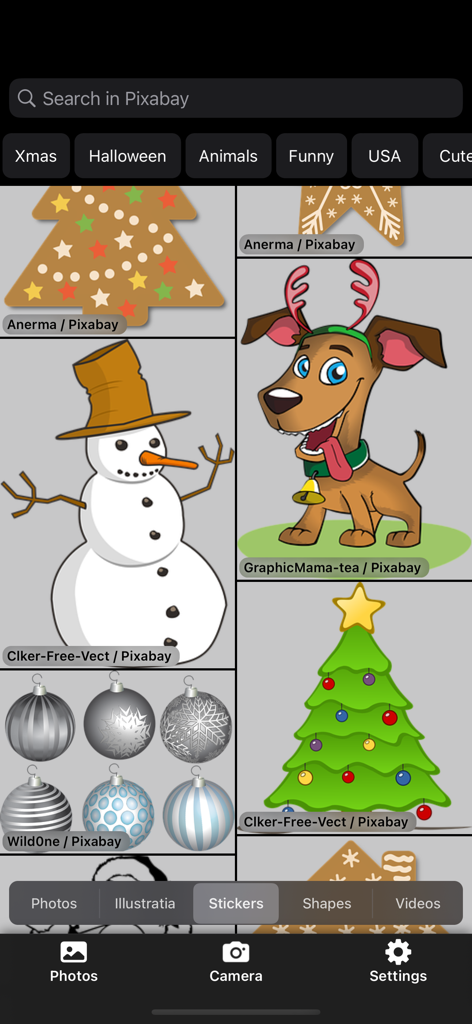
Sticker-Bibliotheks-Oberfläche im ReColor Art Photo Editor, die festliche Illustrationen und Grafiken zeigt
Beschreibung
Download
Ähnliche Apps
Top-gerankte Apps in derselben Kategorie

Kling AI: AI Image&Video Maker
LOHAS GAMES PTE. LTD.

iScreen - Widgets & Wallpaper
Xiamen ShenZhuo Information Technology Co., Ltd.

Dreamina AI: Image&Video Maker
BYTEDANCE PTE. LTD.

Home AI - AI Interior Design
HUBX YAZILIM HIZMETLERI ANONIM SIRKETI

ibis Paint X
ibis inc.

ThemeKit: Widget & Icon Themes
Woohoo Tech. Ltd.

Sketchbook®
Sketchbook, Inc.

Colorful Widget- Widget&Themes
Guangzhou ZHIFENG Information Technology Co.,Ltd.

ReRoom AI: Interior Design
GM UniverseApps Limited
Diese Seite ist keine offizielle Seite der App oder ihres Entwicklers, sondern eine unabhängige redaktionelle Veröffentlichung, die zu Informations- und Kommentarzwecken erstellt wurde. Sofern nicht ausdrücklich anders angegeben, sind weder die App noch ihr Entwickler mit MWM, Apple, Google Play, dem App-Herausgeber oder dem Entwickler der App verbunden, von ihnen unterstützt, gesponsert, autorisiert oder anderweitig offiziell verbunden, und nichts auf dieser Seite impliziert, dass die App unter Verwendung der Dienste von MWM entwickelt wurde. Alle Marken, Logos, Screenshots und andere Inhalte bleiben Eigentum ihrer jeweiligen Inhaber.