
Diese Seite ist keine offizielle Seite der App oder ihres Entwicklers, sondern eine unabhängige redaktionelle Veröffentlichung, die zu Informations- und Kommentarzwecken erstellt wurde. Sofern nicht ausdrücklich anders angegeben, sind weder die App noch ihr Entwickler mit MWM, Apple, Google Play, dem App-Herausgeber oder dem Entwickler der App verbunden, von ihnen unterstützt, gesponsert, autorisiert oder anderweitig offiziell verbunden, und nichts auf dieser Seite impliziert, dass die App unter Verwendung der Dienste von MWM entwickelt wurde. Alle Marken, Logos, Screenshots und andere Inhalte bleiben Eigentum ihrer jeweiligen Inhaber.


Remote for Samsung TV Smart
Keine Fernbedienung, kein Problem: Die App verwandelt das Smartphone in das unangefochtene Kommandozentrum für jedes Samsung-Display.
Downloads
1M+Bewertung
Bewertungen gesamt
36.5KHerausgeber
Kategorie
UtilitiesSprachen
1Neueste Version
1.0.31Größe
83.7 MBErstveröffentlichung
6. Feb. 2024Wichtige Funktionen und ihre Bewertung für Samsung Smart TV-Besitzer
Analyse der App 'Remote for Samsung TV Smart'
Dedizierte Streaming-Tasten
Die App bietet dedizierte Tasten für beliebte Streaming-Dienste wie Netflix, Prime Video und YouTube, was Nutzern einen schnellen und direkten Zugriff auf ihre bevorzugten Inhalte ermöglicht.
Umfassende TV-Steuerung
Dieses Tool ersetzt vollständig die traditionelle physische Fernbedienung, indem es alle Kernfunktionen abdeckt und diese durch intelligente Zusatzfunktionen erweitert, um die Kontrolle über den Samsung Smart TV zu optimieren.
Zuverlässige Wi-Fi-Verbindung
Es ermöglicht die Fernsteuerung des Fernsehers ausschließlich über eine stabile Wi-Fi-Verbindung, wodurch die Notwendigkeit von Infrarot-Geräten entfällt und eine oft zuverlässigere und flexiblere Bedienung gewährleistet wird.
Automatische TV-Verbindung
Bei jedem Start der App wird automatisch eine Verbindung zum Samsung Smart TV hergestellt, was den Zugriff beschleunigt und den Bedienkomfort für die Nutzer erheblich steigert.
Intuitive Navigationstasten
Die App verfügt über Standard-Navigationstasten (Hoch, Runter, Links, Rechts und OK), die eine einfache und vertraute Steuerung durch die TV-Menüs und Anwendungen ermöglichen.
Benutzerfreundliches Design
Die App präsentiert sich mit einem realistischen und ansprechenden Design, das eine intuitive Bedienung durch ein schlankes Multi-Button-Layout fördert und den Nutzungskomfort erhöht.
Flexible Lautstärkeregelung
Sie bietet eine bequeme Möglichkeit zur Anpassung der Lautstärke, einschließlich der Nutzung der seitlichen Tasten des Smartphones, was eine nahtlose Integration in die alltägliche Smartphone-Bedienung ermöglicht.
TV Ein-/Ausschaltfunktion
Die App ermöglicht das bequeme Ein- und Ausschalten des Fernsehers direkt über das Smartphone, was eine grundlegende, aber wesentliche Komfortfunktion darstellt (modellabhängig).
Numerische Tastatur und Texteingabe
Die App bietet eine numerische Tastatur zur direkten Eingabe von Kanalnummern und vereinfacht die Texteingabe im Vergleich zu umständlichen On-Screen-Tastaturen, was die Interaktion mit dem TV effizienter macht.
Unterstützung mehrerer TVs
Es bietet die Möglichkeit, mehrere Samsung Smart TVs mit demselben Smartphone zu steuern und einfach zwischen ihnen zu wechseln, was ideal für Haushalte mit mehreren Geräten ist.
Häufig gestellte Fragen
Alles, was Sie über wissen müssen Remote for Samsung TV Smart
How do I connect the Controlla app to my Samsung TV?
The Controlla app connects to your Samsung Smart TV by ensuring both your mobile device and the TV are on the same Wi-Fi network. The app automatically connects your TV for quick access.
What features does the Controlla app offer for Samsung TVs?
The Controlla app provides complete control over your Samsung Smart TV, including channel and volume adjustment, navigation, a numbers keyboard, and dedicated streaming buttons for Netflix, Prime, and YouTube.
Does the Controlla app require an infrared connection for Samsung TVs?
No, the Controlla app does not require infrared equipment. It connects to your Samsung TV solely through a Wi-Fi connection.
How much does the Controlla app's Premium subscription cost annually?
The Controlla app's Premium subscription costs $39.99 per year in the United States. This annual fee is billed directly to your iTunes account upon purchase confirmation.
Can I use the Controlla app to turn my Samsung TV on and off?
Yes, the Controlla app supports turning your Samsung TV ON and OFF. This specific function is available for supported Samsung TV models only.
Is the Controlla app an official Samsung product?
No, the Controlla app is not an official Samsung application. It states clearly that it is not affiliated with Samsung Electronics in any way.
Can I switch between multiple Samsung TVs using the Controlla app?
Yes, the Controlla app allows you to connect to multiple Samsung TVs using the same phone. It also includes an option to switch between these connected devices seamlessly.
Does the Controlla app support quick access to streaming services like Netflix and YouTube?
Yes, the Controlla app provides dedicated streaming buttons for Netflix, Amazon Prime, and YouTube. These buttons offer quick access to your favorite content directly from the app.
Does the Controlla app provide a keyboard for typing on my Samsung TV?
Yes, the Controlla app features a keyboard function for typing on your Samsung TV. This simplifies text entry for searches and other interactions, replacing clunky on-screen keyboards.
Die folgenden Screenshots und die Beschreibung stammen direkt aus dem offiziellen Store-Eintrag der App und sind Eigentum des Entwicklers.
App Store
Screenshots
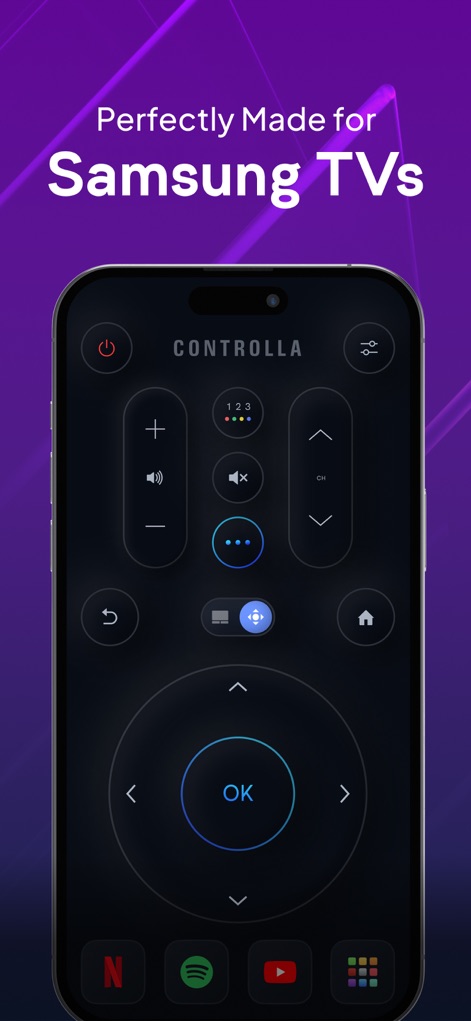
Die App verwandelt das Smartphone in eine leistungsstarke Fernbedienung, die eine intuitive Multi-Button-Oberfläche und direkte Streaming-App-Zugriffe bietet.
Smart TV Steuerung
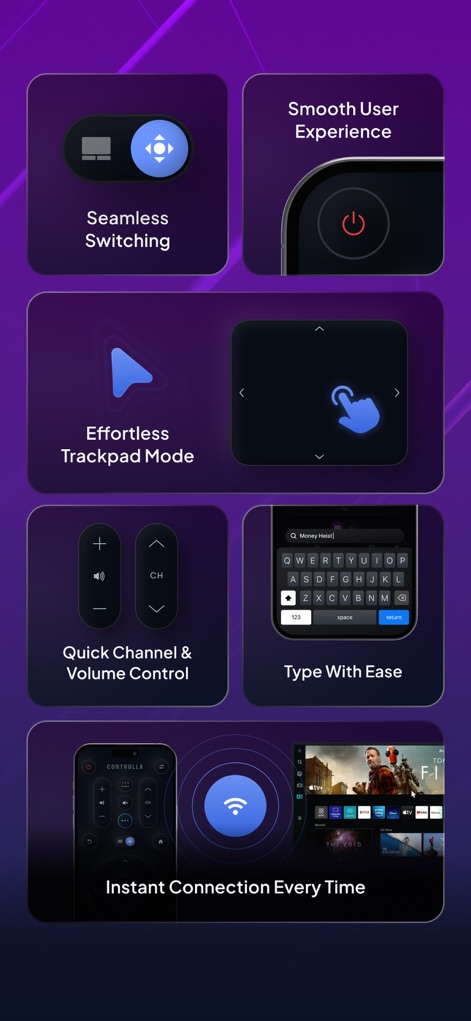
Dieses Tool bietet eine reibungslose Benutzererfahrung mit Funktionen wie dem mühelosen Trackpad-Modus und schneller Kanal- und Lautstärkeregelung, um die Navigation zu vereinfachen.
Komfortable Bedienfunktionen
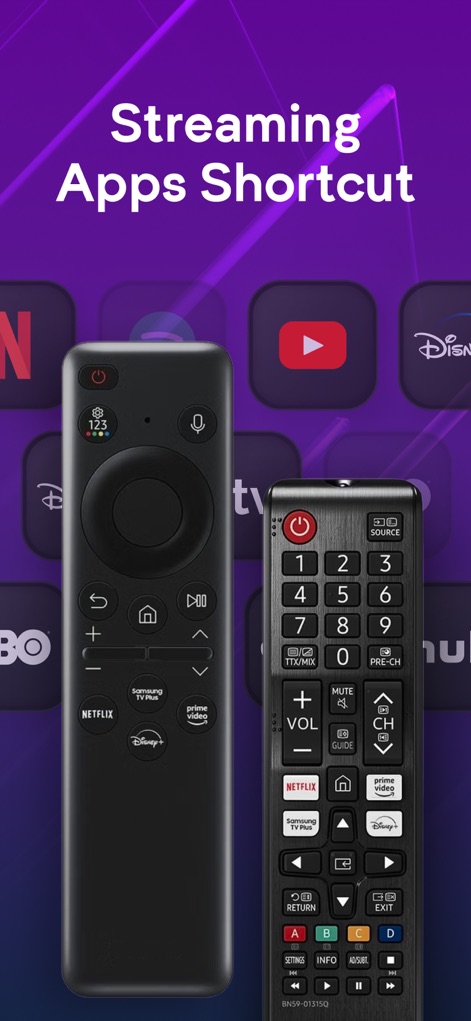
Die App bildet die beliebten dedizierten Streaming-Tasten der physischen Fernbedienungen nach und erleichtert Nutzern den direkten Zugriff auf ihre bevorzugten Plattformen.
Streaming-Tasten Direktzugriff
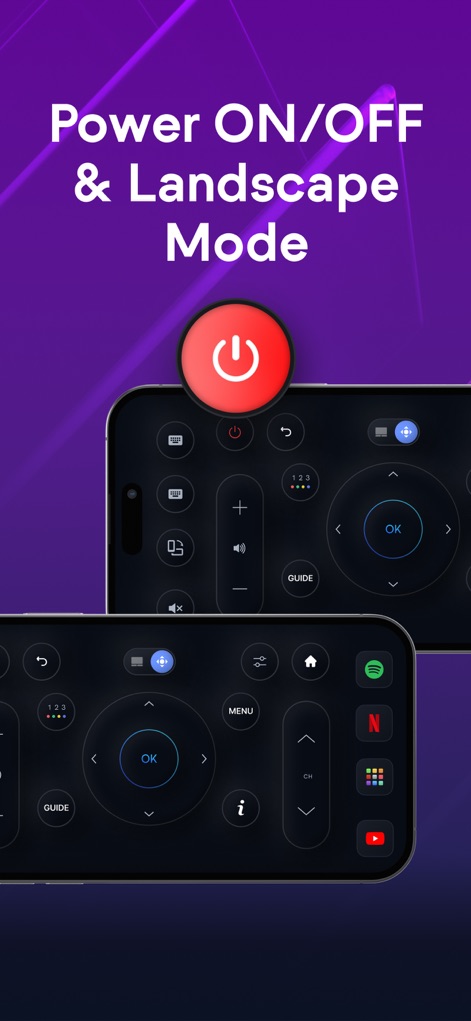
Nutzer profitieren von der flexiblen Steuerung im Hoch- und Querformat, ergänzt durch eine zuverlässige Ein/Aus-Funktion für unterstützte TV-Modelle.
Flexible Ansichten
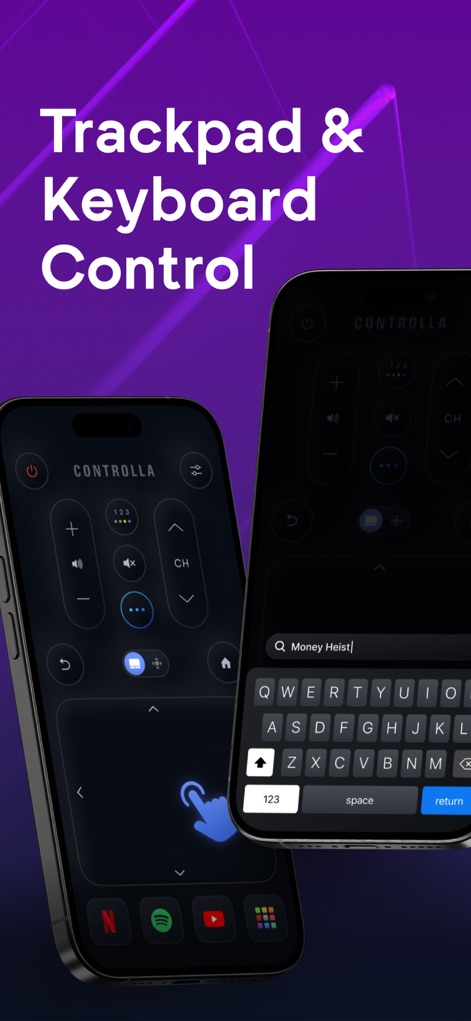
Mit der integrierten Tastatur lassen sich Suchanfragen einfach eingeben, während das präzise Trackpad eine mühelose Navigation durch Menüs und Inhalte ermöglicht.
Tippen & Navigieren
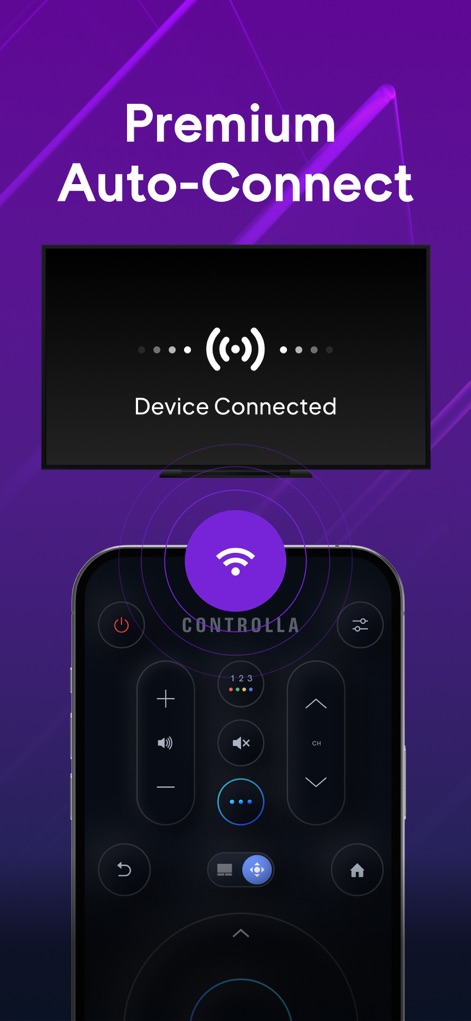
Die App bietet eine Premium-Auto-Connect-Funktion, die eine sofortige Verbindung zum TV herstellt, bestätigt durch eine visuelle Anzeige auf dem Bildschirm.
Schnelle Verbindung
Beschreibung
Download
Ähnliche Apps
Apps mit ähnlichen Funktionen und Nutzererfahrung

The Roku App (Official)
ROKU INC

TV Remote & Smart TV Control
To Ngoc Mai

Universal TV Remote Control .
Apps Venture Inc.

TV Remote, Universal Remote
Hangzhou Yingshitong Technology Co., Ltd.

TV Remote Control “Universo”
Nemo Apps LLC

TV Remote・Universal Control #1
Mihai Turlea

Remote Smart Tv Universal
clement gasner

Remote TV Control TCL Onn App
CEMAL CAGLAR KIRICI

TV Remote Control Universal AI
Anh Ngo
Diese Seite ist keine offizielle Seite der App oder ihres Entwicklers, sondern eine unabhängige redaktionelle Veröffentlichung, die zu Informations- und Kommentarzwecken erstellt wurde. Sofern nicht ausdrücklich anders angegeben, sind weder die App noch ihr Entwickler mit MWM, Apple, Google Play, dem App-Herausgeber oder dem Entwickler der App verbunden, von ihnen unterstützt, gesponsert, autorisiert oder anderweitig offiziell verbunden, und nichts auf dieser Seite impliziert, dass die App unter Verwendung der Dienste von MWM entwickelt wurde. Alle Marken, Logos, Screenshots und andere Inhalte bleiben Eigentum ihrer jeweiligen Inhaber.