Remote for VLC, PC & Mac

Remote for VLC, PC & Mac

Herunterladen auf App Store
Logo von Remote for VLC, PC & Mac

Fernbedienung für VLC, PC & Mac: Der ultimative kabellose Controller für Ihr Heimkino

Schluss mit dem Hin- und Herlaufen zwischen Couch und Computer. Steuern Sie VLC, Netflix und YouTube, während Sie Maus und Tastatur direkt von Ihrem iPhone oder Ihrer Apple Watch aus bedienen.

Herausgeber

Adarsh Urs

Kategorie

Entertainment

Downloads

144K+

Bewertung

4.2/5

Bewertungen gesamt

0

Sprachen

8

Kommando von der Couch aus

Entdecken Sie die Oberfläche, die von 144K+ Nutzern verwendet wird.

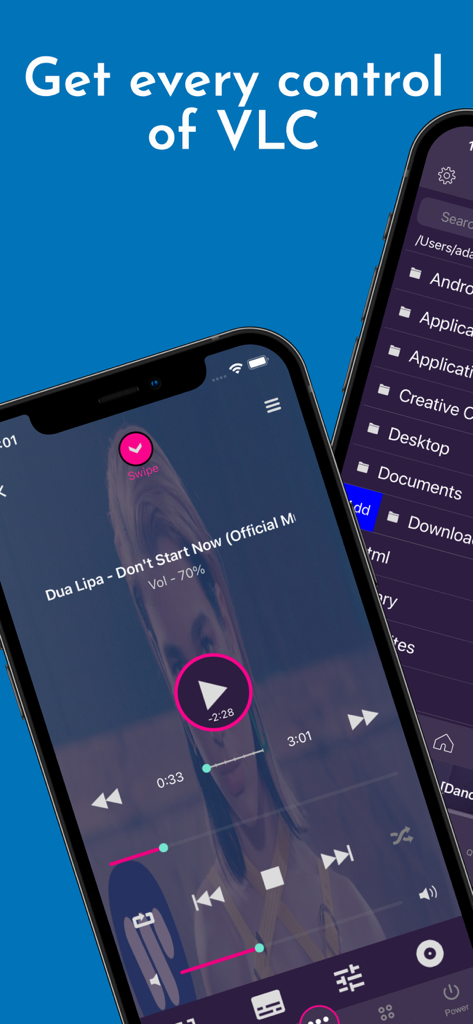
Benutzeroberfläche der VLC Remote App, die Medienwiedergabesteuerungen und einen Computer-Dateibrowser auf iPhones zeigt.
Benutzeroberfläche der VLC Remote App, die Medienwiedergabesteuerungen und einen Computer-Dateibrowser auf iPhones zeigt.

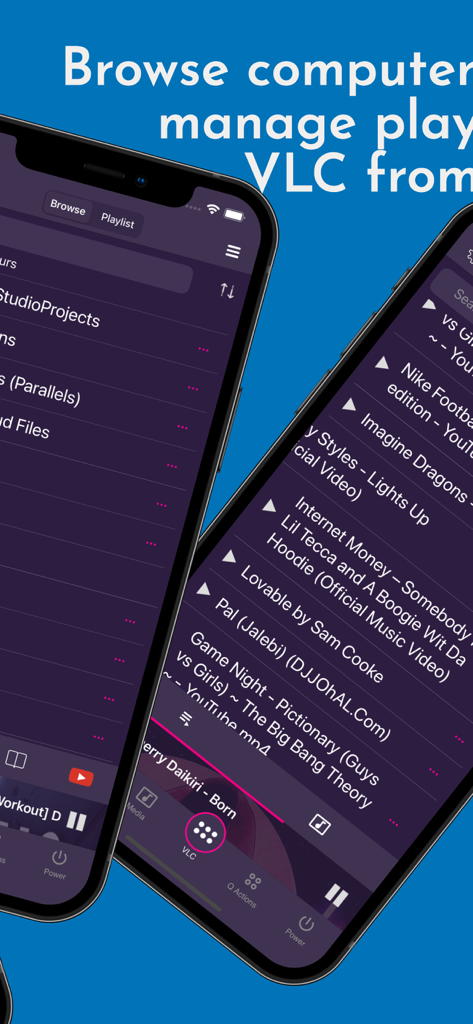
Smartphone-Bildschirme, die die VLC Remote App-Oberfläche zum Durchsuchen von Computerdateien und Verwalten von Medien-Wiedergabelisten zeigen
Smartphone-Bildschirme, die die VLC Remote App-Oberfläche zum Durchsuchen von Computerdateien und Verwalten von Medien-Wiedergabelisten zeigen

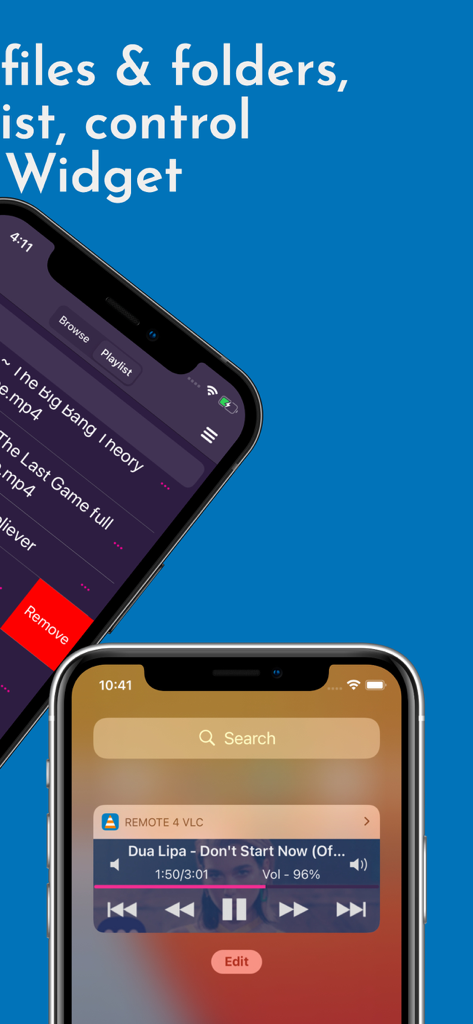
VLC Remote App-Oberfläche mit einer Medien-Wiedergabeliste und einem Wiedergabesteuerungs-Widget für den Sperrbildschirm
VLC Remote App-Oberfläche mit einer Medien-Wiedergabeliste und einem Wiedergabesteuerungs-Widget für den Sperrbildschirm

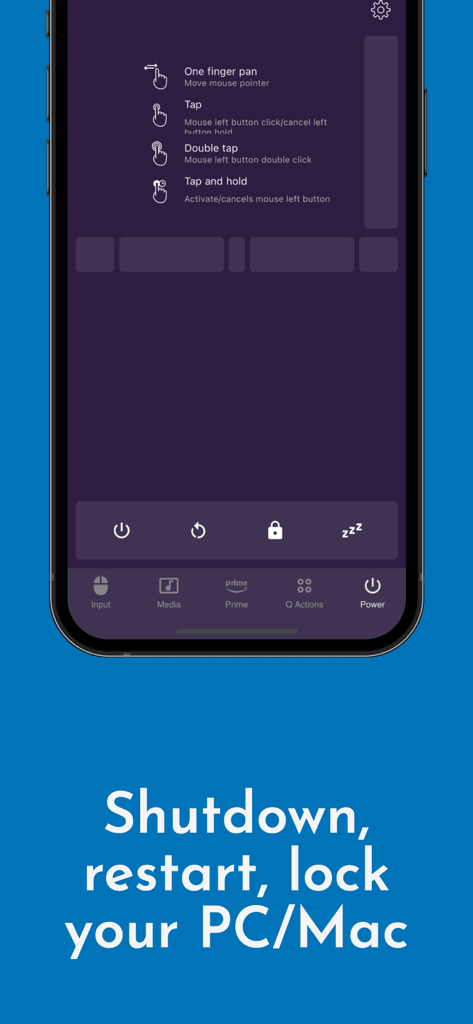
Benutzeroberfläche der Remote for VLC App mit System-Energiesteuerungen wie Herunterfahren, Neustart und Sperren für PC und Mac
Benutzeroberfläche der Remote for VLC App mit System-Energiesteuerungen wie Herunterfahren, Neustart und Sperren für PC und Mac

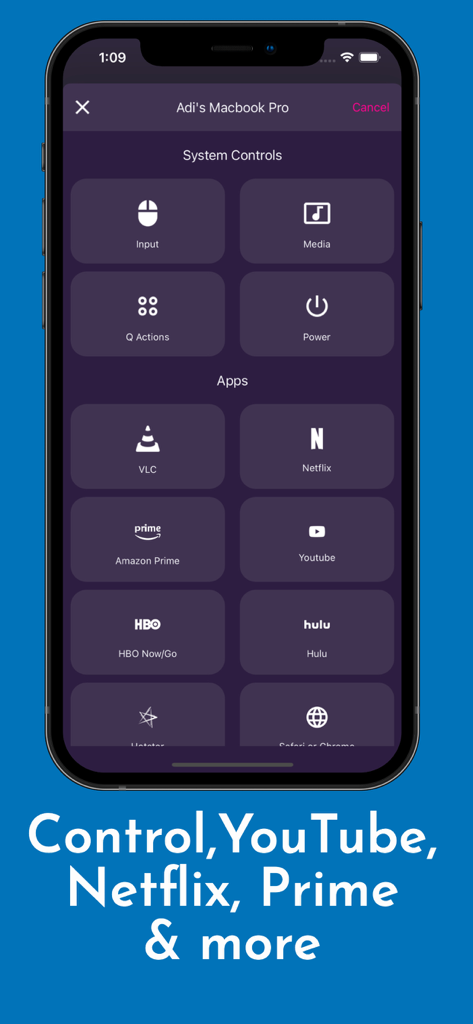
App-Oberfläche mit Systemsteuerungen und Streaming-Verknüpfungen für VLC, Netflix und YouTube
App-Oberfläche mit Systemsteuerungen und Streaming-Verknüpfungen für VLC, Netflix und YouTube

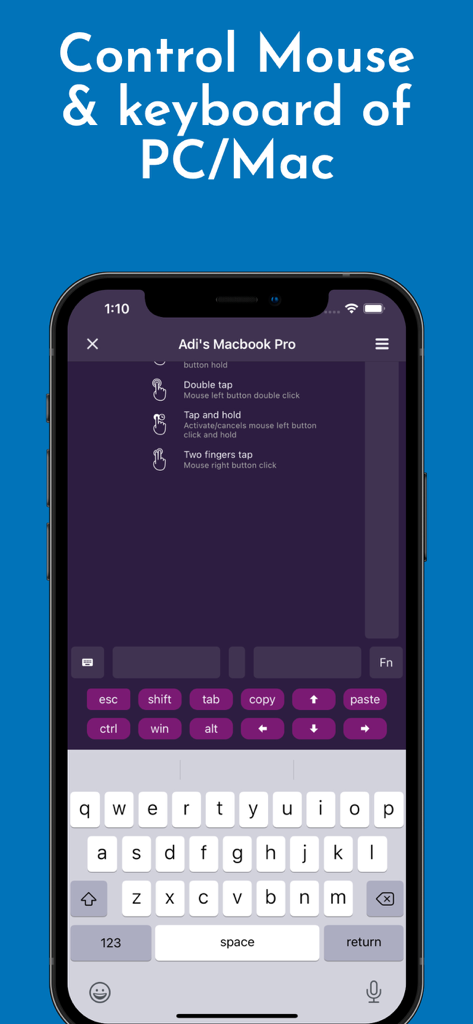
VLC Remote App-Oberfläche mit Maus- und Tastatursteuerung für PC und Mac
VLC Remote App-Oberfläche mit Maus- und Tastatursteuerung für PC und Mac

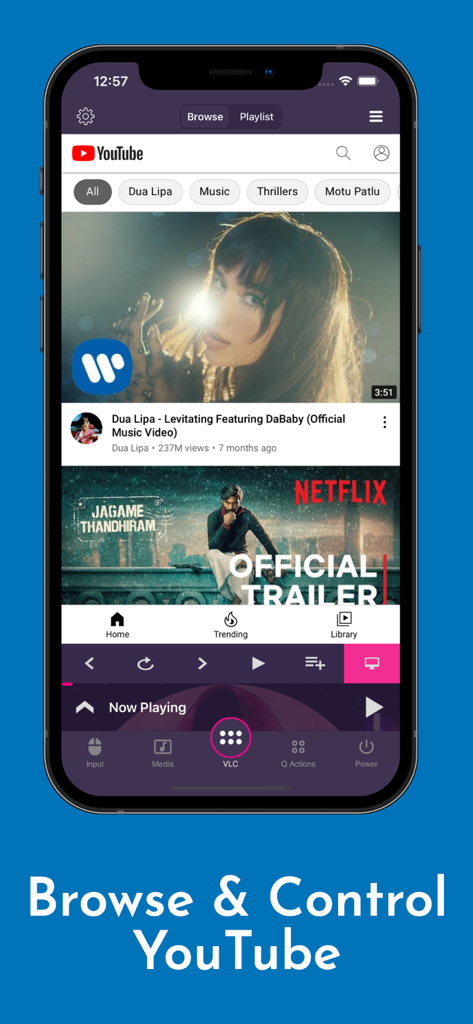
iPhone-Screenshot der Remote for VLC App beim Durchsuchen und Steuern von YouTube-Videos mit Wiedergabetasten
iPhone-Screenshot der Remote for VLC App beim Durchsuchen und Steuern von YouTube-Videos mit Wiedergabetasten

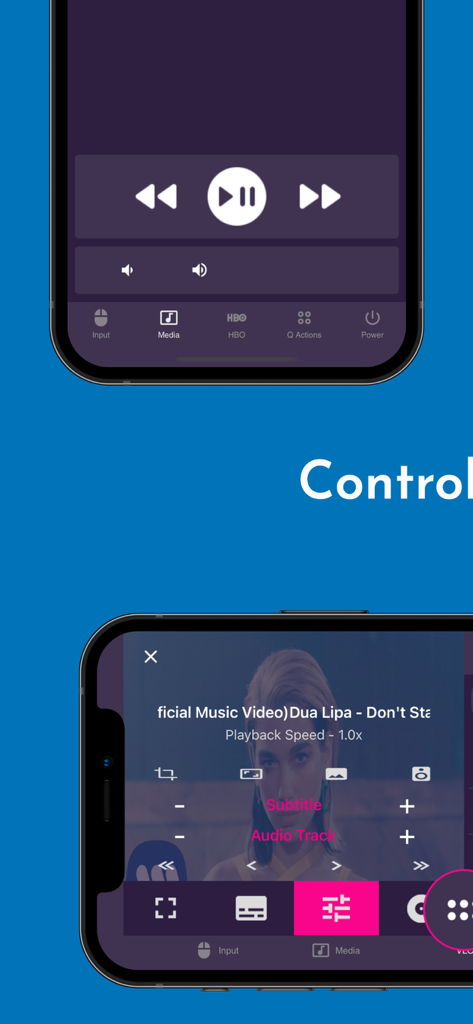
Mobile App-Oberfläche für VLC Remote mit Wiedergabe- und Medieneinstellungen
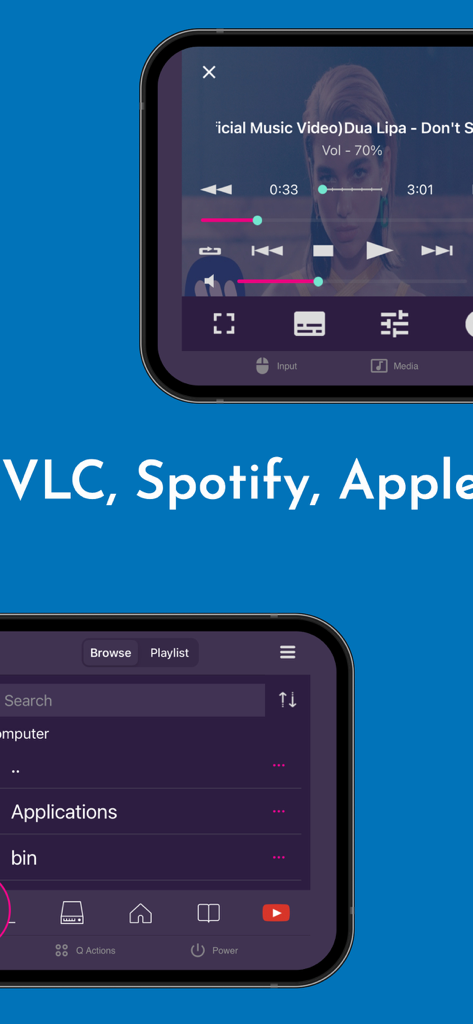
Mobile App-Oberfläche für VLC Remote mit Wiedergabe- und Medieneinstellungen

Smartphone-Bildschirme, die Medienwiedergabe und Dateibrowsing in der VLC Remote App zeigen
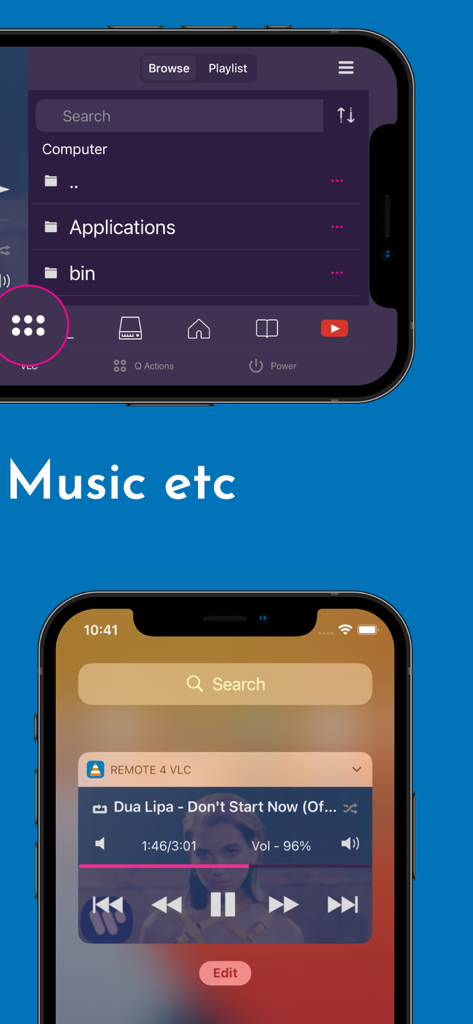
Smartphone-Bildschirme, die Medienwiedergabe und Dateibrowsing in der VLC Remote App zeigen

Mobile App-Oberfläche für VLC Remote mit einem Computer-Dateibrowser und Musikwiedergabesteuerungen auf dem Sperrbildschirm

Mobile App-Oberfläche für VLC Remote mit einem Computer-Dateibrowser und Musikwiedergabesteuerungen auf dem Sperrbildschirm

Übernehmen Sie die volle Kontrolle über Ihre Heimmedien

Die Tools, die diese App auszeichnen, gewählt von 144K+ Nutzern.

📺

Mehr als nur VLC

Steuern Sie nahtlos VLC Media Player, Netflix, YouTube und Amazon Prime. Wiedergabe, Pause, Lautstärke anpassen und Titel überspringen, ohne jemals Ihre Tastatur zu berühren.

🖱️

Eine komplette Desktop-Fernbedienung

Navigieren Sie auf Ihrem Computer mit einer integrierten Maus und Tastatur. Verwalten Sie Dateien, starten Sie Browser und fahren Sie Ihren PC oder Mac sogar aus der Ferne vom Bett aus herunter oder starten Sie ihn neu.

Steuerung direkt am Handgelenk

Erleben Sie ultimativen Komfort, indem Sie Ihre Apple Watch oder Sperrbildschirm-Widgets verwenden, um die Wiedergabe sofort zu verwalten, selbst wenn Ihr Telefon in der Tasche ist.

Über die App

Alles, was Sie über wissen müssen Remote for VLC, PC & Mac.

Beschreibung

The simplest VLC Remote you'll ever find. Period. But now the simplest VLC Remote is also a complete Mac Remote & PC Remote app. Groping in the dark for keyboard shortcuts whilst watching a movie or racing to your computer in the middle of a steamy date just to change the music track? well, you'll no longer have to do that. Meet VLC media player’s most compatible, up-to-date and user-friendly partner—VLC Mobile Remote for iOS. VLC M Remote is the most convenient way of controlling VLC Player from your smartphones and tablets. No more couch-to-computer workouts. If you watch movies and videos offline or online on your computers, this VLC Remote gives you the awesome power to control VLC Media Player wherever you're seated, whether in the kitchen or in the garden. Just install the app, sit back, relax and remotely control VLC Player, Netflix, YouTube and Amazon Prime from the couch. Works well with VLC running on both Desktops & Laptops based Windows, Mac OS or Linux. "This is the best remote app for VLC and can't even think about watching movies without it" - Vishal "App does everything I need it to with a modern UI and nice features. Setup is very in-depth and simple to understand" - Colby347 Remote for VLC This VLC Remote Control App lets you control VLC Media Player on your desktop or laptop and allows you to browse, play your computer files as well as YouTube videos. + With this VLC Remote App, You don't need to install any software on your PC or Mac! (or alternatively, install our helper app, VMR Connect to your PC/Mac for easy setup) + 'Setup Wizard' step by step guide makes it easy to setup VLC Media Player with this VLC Remote app. + Control VLC from Apple Watches + This VLC Remote App auto connects to VLC Player when you're on same Wi-Fi + Stop, Play and Pause + Control volume, next track and previous track + Seek control, fast forward and fast rewind + Toggle full-screen, Repeat, Shuffle, Loop, Aspect Ratio, Audio Track + Manage Subtitle, playback speed, crop + DVD Controls + Use this app as a PC remote to access all your media files. + Works as a YouTube remote. + Manage playlist + Add subtitle files to currently playing video (supports .srt files only and requires VLC v2.2.0 or up). + Play online media files (Website videos, radio channels etc) + Take screenshot or snap of video frame + Set a folder as 'Home location' + Save favourite folders + Home Screen Widget & Notification controls + Lock screen notification controls/widget + Incoming call handling with soft pause & soft resume options + Use device volume buttons to control VLC volume + Handle multiple files on the saved computer + Fast scrolling on browse & playlists + Switch Audio output devices + Sort Browse list + Save multiple host/computer addresses + Quit VLC Media player directly from the App PC Remote & Mac Remote (Windows & Mac) With VMR Connect on your Windows PC or Mac, it also works as a complete Remote for your PC or Mac. This app is the most convenient way to watch not only offline videos but also online videos from Netflix, YouTube, Amazon Prime, HBO, HotStar etc. + Mouse & Keyboard Remote + System Power Control (Shutdown, restart, sleep etc) + Works as Netflix Remote, Amazon Prime Remote, YouTube Remote. + Remote control for any media player. + Launch and Control Chrome, Firefox or any other internet browser on your PC/Mac. All You Need + VLC Media player ( v2.0 or newer) on your Windows PC, Mac computers or Linux PC + Common local network (LAN or WiFi) connection between your phone & desktop or laptop + Install VMR Connect (Optional) to Windows PC or Mac from https://vlcmobileremote.com/download Supported Operating Systems + Works as a VLC Remote with Windows, OSX/Mac OS and Linux operating systems. + With Windows systems, works as a PC Remote Controller. + Also Works as Mac Remote for Mac OS running devices. Visit our website for more info - https://vlcmobileremote.com/ "Terms of Use: https://vlcmobileremote.com/terms/"

Neueste Version

2.6.10

Größe

38.0 MB

Erstveröffentlichung

16. Sept. 2016

Bereit, Ihre Medien von der Couch aus zu beherrschen?

Schließen Sie sich über 144.000 Enthusiasten an, die ihr iPhone in den ultimativen Master-Controller für VLC, Netflix und ihren gesamten PC oder Mac verwandelt haben.

Herunterladen auf App Store

App information, icons, screenshots, and descriptions displayed on this page are sourced from the Apple App Store and are the property of their respective developers. Download estimates and rankings are based on MWM's proprietary models and may not reflect actual figures. This page is provided for informational and analytical purposes only.

Believe this page infringes your intellectual property? File a dispute