
Diese Seite ist keine offizielle Seite der App oder ihres Entwicklers, sondern eine unabhängige redaktionelle Veröffentlichung, die zu Informations- und Kommentarzwecken erstellt wurde. Sofern nicht ausdrücklich anders angegeben, sind weder die App noch ihr Entwickler mit MWM, Apple, Google Play, dem App-Herausgeber oder dem Entwickler der App verbunden, von ihnen unterstützt, gesponsert, autorisiert oder anderweitig offiziell verbunden, und nichts auf dieser Seite impliziert, dass die App unter Verwendung der Dienste von MWM entwickelt wurde. Alle Marken, Logos, Screenshots und andere Inhalte bleiben Eigentum ihrer jeweiligen Inhaber.

Remoter Pro (VNC, SSH & RDP)
Übernehmen Sie die Kontrolle über Ihre Infrastruktur im Desktop-Format von Ihrem iPad oder iPhone aus. Verwalten Sie Server und Desktops mit präziser Trackpad-Unterstützung, fortschrittlichem SSH-Tunneling und ohne monatliche Abonnements.
Downloads
260K+Bewertung
Bewertungen gesamt
1K+Herausgeber
Kategorie
ProductivitySprachen
5Neueste Version
6.2.5Größe
33.9 MBErstveröffentlichung
2. Mai 2012Das ultimative Kommandozentrum für IT-Profis
Hören Sie auf, mehrere Apps zu jonglieren. Remoter Pro kombiniert VNC, RDP und SSH zu einem einzigen, Hochleistungs-Tool, das für Power-User entwickelt wurde, die totale Kontrolle und keine Abonnements verlangen.
Einheitliche Multi-Protokoll-Unterstützung
Verwalten Sie Windows-, Mac- und Linux-Server nahtlos gleichzeitig. Die Unterstützung für RDP, VNC, SSH und Telnet stellt sicher, dass Sie von einer einzigen Oberfläche aus für jede Umgebung bereit sind.
Präzision im Desktop-Format
Eliminieren Sie 'Fat-Finger'-Fehler mit unserem virtuellen Trackpad und der Unterstützung für Apple Pencil. Erleben Sie pixelgenaue Kontrolle und volle Unterstützung für externe Tastaturen für eine echte mobile Workstation.
Die folgenden Screenshots und die Beschreibung stammen direkt aus dem offiziellen Store-Eintrag der App und sind Eigentum des Entwicklers.
App Store
Screenshots
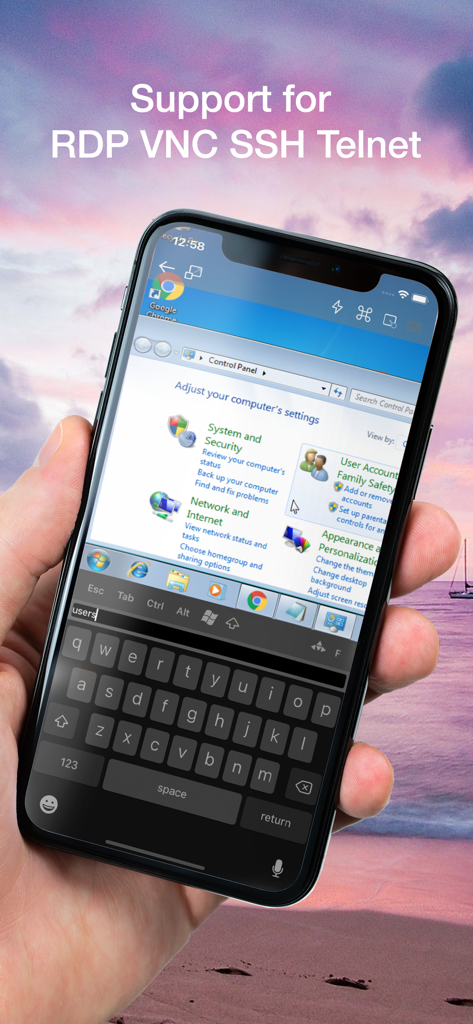
Smartphone, das eine Remote-Windows-Desktop-Sitzung mit Remoter Pro mit RDP- und SSH-Unterstützung anzeigt
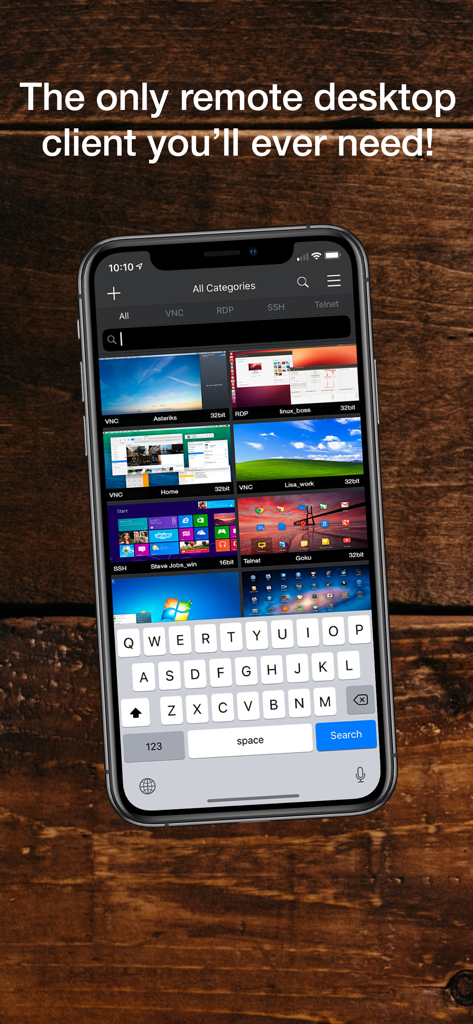
iPhone-Bildschirm mit der Remoter Pro-App und Thumbnails für VNC-, RDP-, SSH- und Telnet-Verbindungen
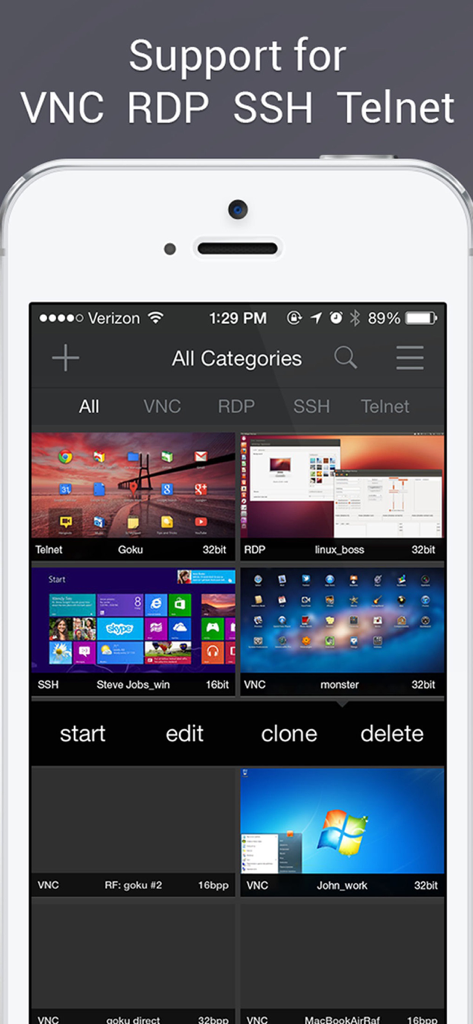
Remoter Pro Dashboard mit verschiedenen VNC-, RDP- und SSH-Verbindungen
Beschreibung
Download
Ähnliche Apps
Top-gerankte Apps in derselben Kategorie

ChatGPT
OpenAI OpCo, LLC

Google Gemini
Google LLC

Grok
X.AI Corporation

Gmail - Email by Google
Google LLC

千问 - 阿里最强大模型官方AI助手
Shanghai Zhixin Puhui Technology Co., Ltd.

Google Drive
Google LLC

Microsoft Authenticator
Microsoft Corporation

Google Sheets
Google LLC

Google Docs
Google LLC
Diese Seite ist keine offizielle Seite der App oder ihres Entwicklers, sondern eine unabhängige redaktionelle Veröffentlichung, die zu Informations- und Kommentarzwecken erstellt wurde. Sofern nicht ausdrücklich anders angegeben, sind weder die App noch ihr Entwickler mit MWM, Apple, Google Play, dem App-Herausgeber oder dem Entwickler der App verbunden, von ihnen unterstützt, gesponsert, autorisiert oder anderweitig offiziell verbunden, und nichts auf dieser Seite impliziert, dass die App unter Verwendung der Dienste von MWM entwickelt wurde. Alle Marken, Logos, Screenshots und andere Inhalte bleiben Eigentum ihrer jeweiligen Inhaber.