
Diese Seite ist keine offizielle Seite der App oder ihres Entwicklers, sondern eine unabhängige redaktionelle Veröffentlichung, die zu Informations- und Kommentarzwecken erstellt wurde. Sofern nicht ausdrücklich anders angegeben, sind weder die App noch ihr Entwickler mit MWM, Apple, Google Play, dem App-Herausgeber oder dem Entwickler der App verbunden, von ihnen unterstützt, gesponsert, autorisiert oder anderweitig offiziell verbunden, und nichts auf dieser Seite impliziert, dass die App unter Verwendung der Dienste von MWM entwickelt wurde. Alle Marken, Logos, Screenshots und andere Inhalte bleiben Eigentum ihrer jeweiligen Inhaber.

Riverside Podcast Video Studio
Schluss mit Ausreden: Diese App verwandelt Ihr Handy in ein Aufnahmestudio. MWMs Kreation liefert den schlanken Workflow, den sich anspruchsvolle Podcaster und Videoproduzenten wünschen.
Downloads
1M+Bewertung
Bewertungen gesamt
24.1KHerausgeber
Kategorie
Photo & VideoSprachen
1Neueste Version
4.11.1Größe
320.0 MBErstveröffentlichung
4. Apr. 2021Eine Analyse der Kernfunktionalitäten zur Unterstützung von Content-Erstellern und Medienprofis.
Hauptfunktionen der Riverside Podcast Video Studio App
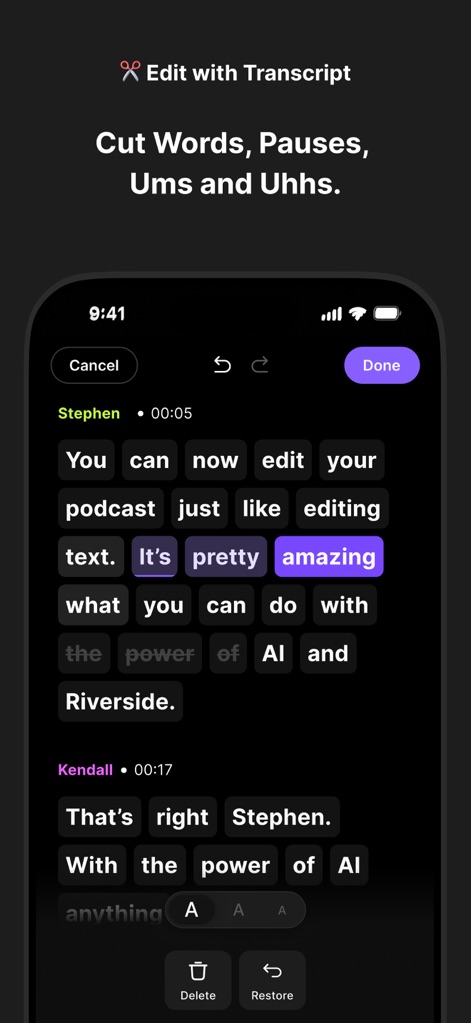
Textbasiertes Bearbeiten
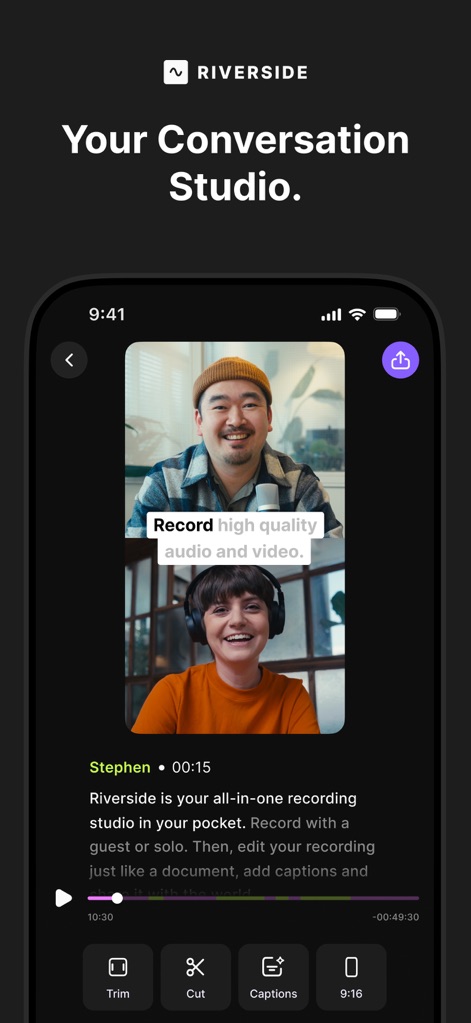
Es ermöglicht Nutzern, Videos und Audio mühelos durch Bearbeitung des Transkripts zu schneiden, zu trimmen und Füllwörter oder Pausen zu entfernen, was den Bearbeitungsprozess dramatisch vereinfacht und für Anfänger zugänglich macht.
Hochwertige lokale Aufzeichnung (bis zu 4K/WAV)
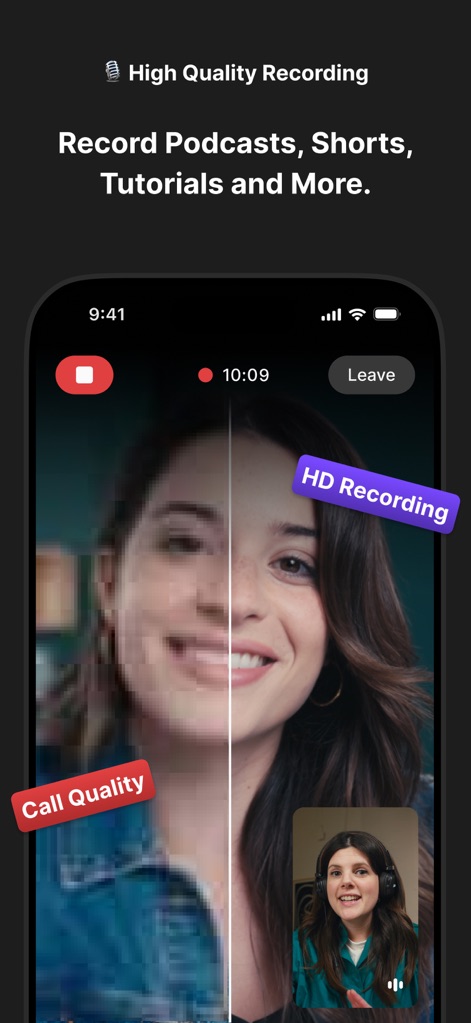
Die App gewährleistet professionelle Audio- und Videoqualität (bis zu 4K und WAV) durch lokale Aufzeichnung für bis zu 10 Teilnehmer, unabhängig von der Internetverbindung, was für ein stets makelloses Endergebnis sorgt.
KI-gesteuerte Transkription
Es bietet eine hochpräzise (99%) KI-Transkription in über 100 Sprachen, die die Erstellung von Untertiteln, Shownotes und die Wiederverwendung von Inhalten erheblich beschleunigt.
Erstellung von Kurzvideos/Clips für Social Media
Dieses Tool ermöglicht das einfache Erstellen und Exportieren von Kurzvideos und Clips, ideal für Podcasts, YouTube Shorts oder Instagram Reels, wodurch die Reichweite auf sozialen Medien maximiert wird.
Automatische Untertitel und Bildunterschriften
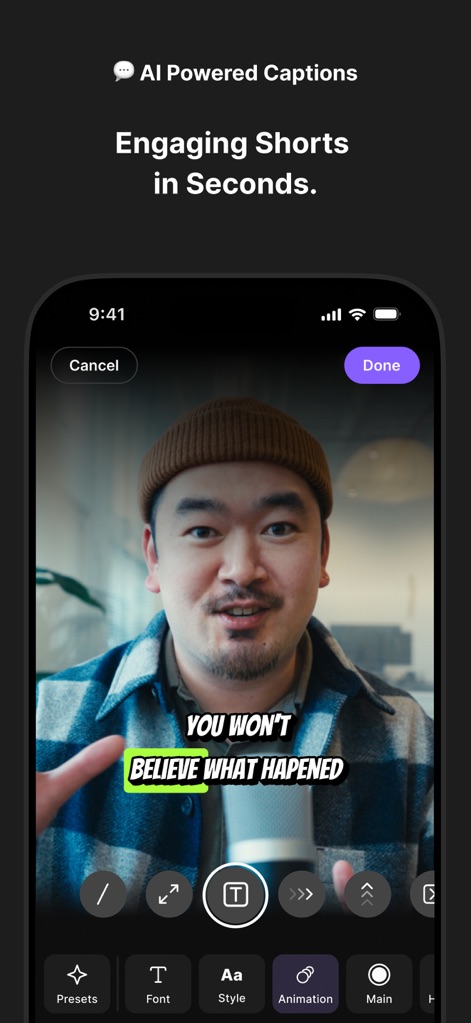
Es erstellt sekundenschnell KI-basierte Bildunterschriften und Untertitel, die an das Markenbranding angepasst werden können, wodurch die Barrierefreiheit verbessert und das Engagement erhöht wird.
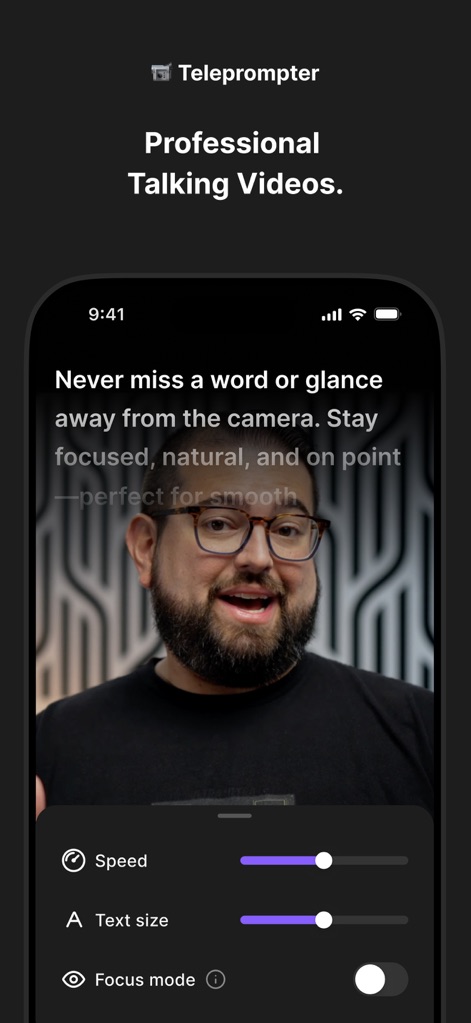
Teleprompter-Funktion
Die App integriert einen Teleprompter, der die Präsentation von Skripten erleichtert und eine flüssige und professionelle Darbietung ohne Auswendiglernen ermöglicht.
Erweiterte Audio-Tools (Rauschunterdrückung)
Es verfügt über fortschrittliche Audio-Tools, die zur Verbesserung der Klangqualität und zur Entfernung von Hintergrundgeräuschen beitragen, um ein sauberes und professionelles Hörerlebnis zu gewährleisten.
Cloud-Integration und automatische Sicherung
Alle Aufnahmen werden automatisch in die Cloud hochgeladen, was Datensicherheit gewährleistet und den Zugriff auf Inhalte von überall ermöglicht.
Häufig gestellte Fragen
Alles, was Sie über wissen müssen Riverside Podcast Video Studio
What is Riverside Podcast Video Studio?
Riverside is a powerful podcast and video maker that allows users to record and edit video and audio easily. It includes AI features like captions, transcription, and a teleprompter, enabling high-quality content creation from anywhere.
Does Riverside Podcast Video Studio record in high quality?
Yes, Riverside records PRO quality audio and video. It captures individual HD tracks for up to 10 participants, saving files in WAV and up to 4K resolution formats, ensuring crisp details regardless of internet connection.
Does Riverside Podcast Video Studio include a teleprompter?
Yes, Riverside includes a teleprompter feature. Users can upload scripts, select font size, and adjust speed to stay focused and on point for professional talking videos.
How accurate is Riverside's AI transcription and what languages does it support?
Riverside's AI transcription is 99% accurate and works with over 100 languages. It transcribes speech-to-text in seconds, providing precise transcripts of recordings.
Can I edit videos by editing text in Riverside Podcast Video Studio?
Yes, Riverside offers text-based editing. Users edit video or audio by simply editing the transcript on their phone, allowing easy cutting, trimming, and removal of filler words or pauses.
How do I create short clips for social media using Riverside?
Riverside allows users to create short clips easily by recording shorts or selecting parts of their video. This is ideal for podcast clips, YouTube shorts, or Instagram reels, enabling quick export and sharing.
Does Riverside Podcast Video Studio provide automatic captions?
Yes, Riverside provides auto captions and subtitles using AI. Users can add and customize them in seconds to fit their brand, making videos accessible and enhancing engagement.
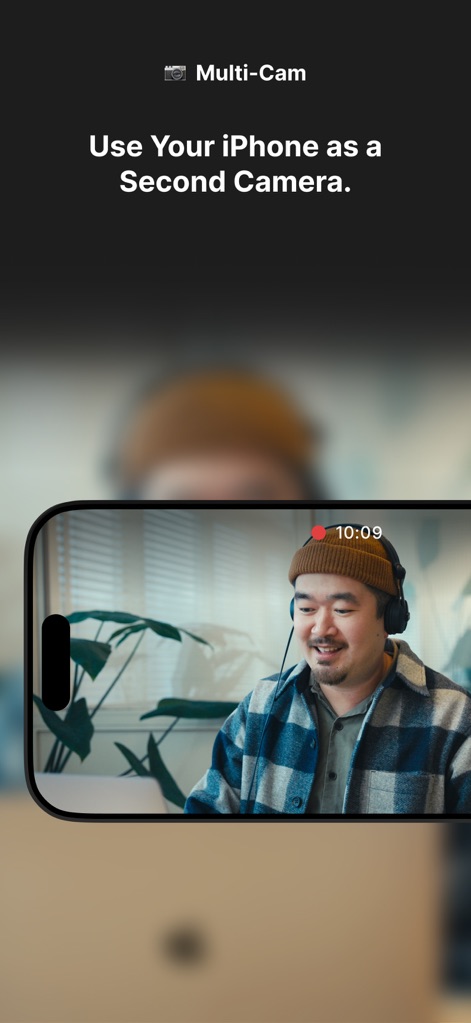
Does Riverside Podcast Video Studio support multi-cam recording?
Yes, Riverside supports multi-cam recording. Users can utilize their iPhone as a second camera to record from multiple angles, enhancing production value for various content types.
How many participants can record simultaneously in Riverside Podcast Video Studio?
Riverside Podcast Video Studio allows recording with up to 10 participants at a time. It captures individual HD audio and video tracks for each participant, ensuring high-quality output.
Is Riverside Podcast Video Studio free to download?
Yes, Riverside Podcast Video Studio is free to download. Users can experience its content creation features by downloading the app from the store.
Where can I find the Privacy Policy for Riverside Podcast Video Studio?
The Privacy Policy for Riverside Podcast Video Studio is available at the URL: https://riverside.fm/privacy-policy. This link is provided within the app description.
Die folgenden Screenshots und die Beschreibung stammen direkt aus dem offiziellen Store-Eintrag der App und sind Eigentum des Entwicklers.
App Store
Screenshots
Beschreibung
Download
Ähnliche Apps
Apps mit ähnlichen Funktionen und Nutzererfahrung

Teleprompter
Teleprompter Apps Ltd

BIGVU Teleprompter Captions AI
BIGVU INC

Teleprompter for Video
Norton Five Ltd

Teleprompter.com
Teleprompter LLC

Vmake: AI Talking Video Editor
Starii Tech Pty Ltd

说得AI提词器相机-全能的脚本创作提词拍摄快速剪辑口播神器
Hangzhou Gaishi Technology Co., Ltd.

Teleprompter-Record Script
晨铭 李

Verba: Captions & Video Editor
Verba Creative Inc.

Teleprompter: Video Recording
志威 王
Diese Seite ist keine offizielle Seite der App oder ihres Entwicklers, sondern eine unabhängige redaktionelle Veröffentlichung, die zu Informations- und Kommentarzwecken erstellt wurde. Sofern nicht ausdrücklich anders angegeben, sind weder die App noch ihr Entwickler mit MWM, Apple, Google Play, dem App-Herausgeber oder dem Entwickler der App verbunden, von ihnen unterstützt, gesponsert, autorisiert oder anderweitig offiziell verbunden, und nichts auf dieser Seite impliziert, dass die App unter Verwendung der Dienste von MWM entwickelt wurde. Alle Marken, Logos, Screenshots und andere Inhalte bleiben Eigentum ihrer jeweiligen Inhaber.