
Diese Seite ist keine offizielle Seite der App oder ihres Entwicklers, sondern eine unabhängige redaktionelle Veröffentlichung, die zu Informations- und Kommentarzwecken erstellt wurde. Sofern nicht ausdrücklich anders angegeben, sind weder die App noch ihr Entwickler mit MWM, Apple, Google Play, dem App-Herausgeber oder dem Entwickler der App verbunden, von ihnen unterstützt, gesponsert, autorisiert oder anderweitig offiziell verbunden, und nichts auf dieser Seite impliziert, dass die App unter Verwendung der Dienste von MWM entwickelt wurde. Alle Marken, Logos, Screenshots und andere Inhalte bleiben Eigentum ihrer jeweiligen Inhaber.

RT60
Verwandeln Sie Ihr iPhone in ein hochpräzises Akustik-Instrument. Messen Sie Nachhallzeiten über Oktavbänder mit den Methoden T20 und T30 zur Optimierung von Tonstudios, Heimkinos und Geschäftsräumen.
Downloads
17K+Bewertung
Bewertungen gesamt
0Herausgeber
Kategorie
MusicSprachen
8Neueste Version
3.8Größe
19.0 MBErstveröffentlichung
3. März 2009Akustik-Einblicke auf Profi-Niveau
Beherrschen Sie Ihre Umgebung mit hochpräzisen RT60-Messungen, Oktavbandfilterung und Analysen nach ISO-Standard direkt von Ihrem iPhone.
Konform mit ISO 3382
Liefern Sie professionelle Ergebnisse mit den Standardmethoden T20 und T30 und stellen Sie sicher, dass Ihre akustische Analyse den internationalen Branchen-Benchmarks entspricht.
Multiband-Visualisierungen
Analysieren Sie die Frequenz-spezifische Nachhallzeit von 63 Hz bis 4 kHz mit Echtzeit-SPL-Überwachung und speichern Sie detaillierte Grafiken für Ihre Projektberichte.
Die folgenden Screenshots und die Beschreibung stammen direkt aus dem offiziellen Store-Eintrag der App und sind Eigentum des Entwicklers.
App Store
Screenshots
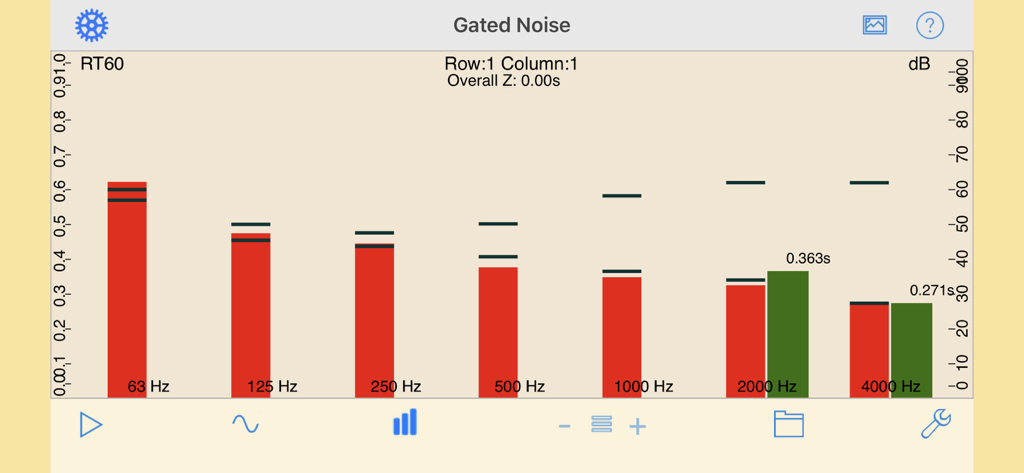
RT60 App-Bildschirm, der Gated-Noise-Messungen und die Nachhallzeit über Oktavbänder anzeigt.
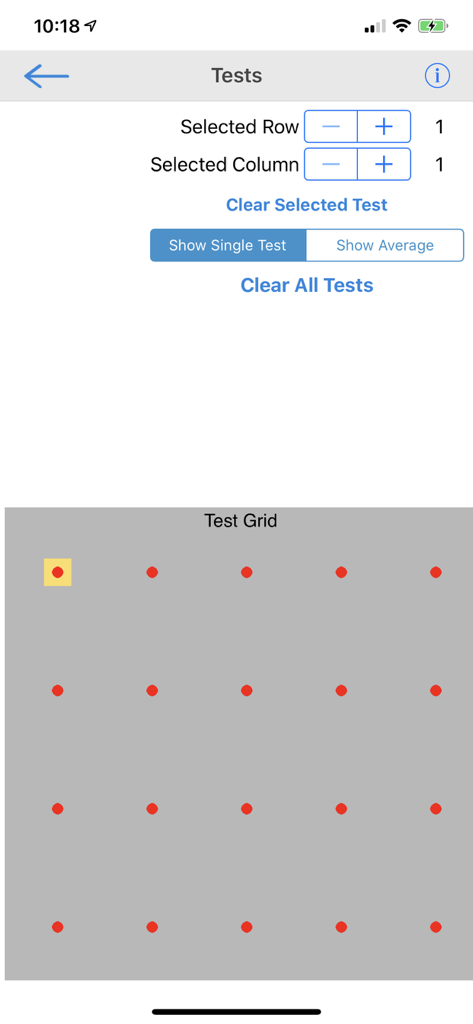
RT60 App-Oberfläche, die ein Raster zur Auswahl und Verwaltung mehrerer akustischer Messpunkte in einem Raum anzeigt
Beschreibung
Download
Ähnliche Apps
Top-gerankte Apps in derselben Kategorie

Spotify: Music and Podcasts
Spotify

YouTube Music
Google LLC

Shazam: Find Music & Concerts
Apple Inc.

SoundCloud: The Music You Love
SoundCloud Global Limited & Co KG

Suno - AI Songs & Music
Suno Inc.

QQ音乐 - 听我想听
Tencent Technology (Shenzhen) Company Limited

Audiomack - Play Music Offline
Audiomack, Inc.

GuitarTuna: Tune & Play Guitar
Yousician Ltd

BandLab – Music Maker & Beats
BandLab Singapore Pte Ltd
Diese Seite ist keine offizielle Seite der App oder ihres Entwicklers, sondern eine unabhängige redaktionelle Veröffentlichung, die zu Informations- und Kommentarzwecken erstellt wurde. Sofern nicht ausdrücklich anders angegeben, sind weder die App noch ihr Entwickler mit MWM, Apple, Google Play, dem App-Herausgeber oder dem Entwickler der App verbunden, von ihnen unterstützt, gesponsert, autorisiert oder anderweitig offiziell verbunden, und nichts auf dieser Seite impliziert, dass die App unter Verwendung der Dienste von MWM entwickelt wurde. Alle Marken, Logos, Screenshots und andere Inhalte bleiben Eigentum ihrer jeweiligen Inhaber.