SCAN ACE · PDF Scanner App

SCAN ACE · PDF Scanner App


Herunterladen auf App Store
Logo von SCAN ACE · PDF Scanner App

SCAN ACE · PDF-Scanner-App: Hochpräzise Scans für den modernen Profi

Schließen Sie sich Millionen von Profis an, die unserem taschengroßen Büro seit über einem Jahrzehnt vertrauen. Scannen, OCR und übersetzen Sie Dokumente in fünf Sekunden, während Ihre Daten sicher und Ihr Leben papierlos bleiben.

Herausgeber

NEO PIXEL LABS PTE. LTD

Kategorie

Business

Downloads

565K+

Bewertung

4.8/5

Bewertungen gesamt

71K+

Sprachen

12

Präzision in jedem Pixel

Entdecken Sie die Oberfläche, die von 565K+ Nutzern verwendet wird.
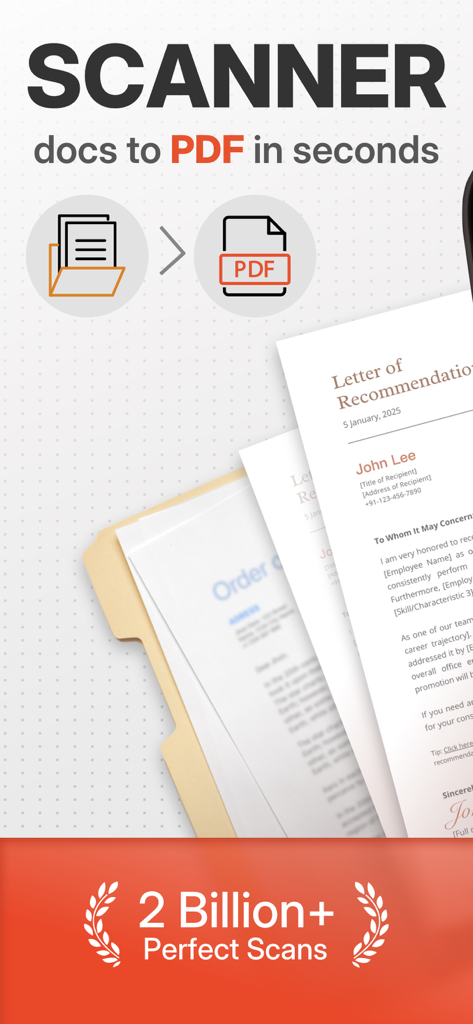
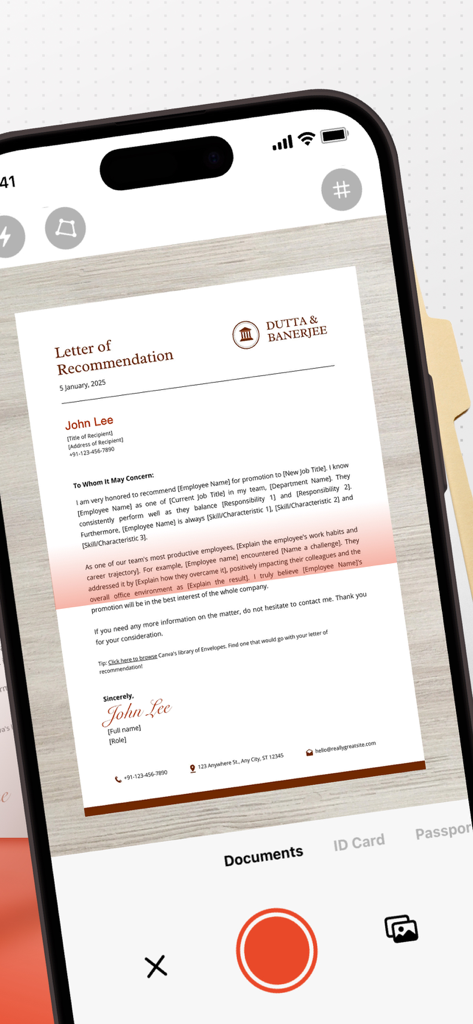
Übersicht der Scan ACE Mobile App, die die Umwandlung von Dokumenten in PDF und die Erzielung hochpräziser Scans zeigt

Übersicht der Scan ACE Mobile App, die die Umwandlung von Dokumenten in PDF und die Erzielung hochpräziser Scans zeigt

Scan Ace App-Oberfläche, die ein professionelles Dokument auf einem iPhone erfasst

Scan Ace App-Oberfläche, die ein professionelles Dokument auf einem iPhone erfasst

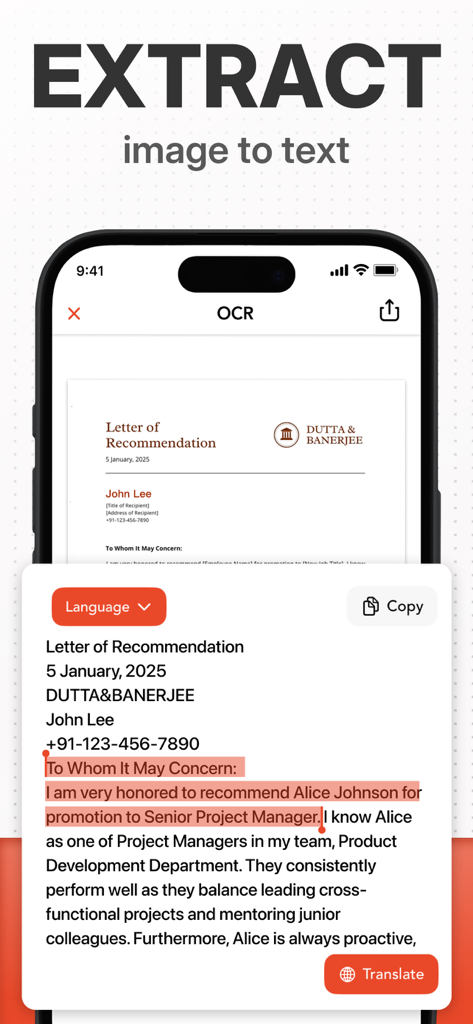
Smartphone mit Scan Ace OCR zur Umwandlung eines Empfehlungsschreibens von Bild in bearbeitbaren Text

Smartphone mit Scan Ace OCR zur Umwandlung eines Empfehlungsschreibens von Bild in bearbeitbaren Text

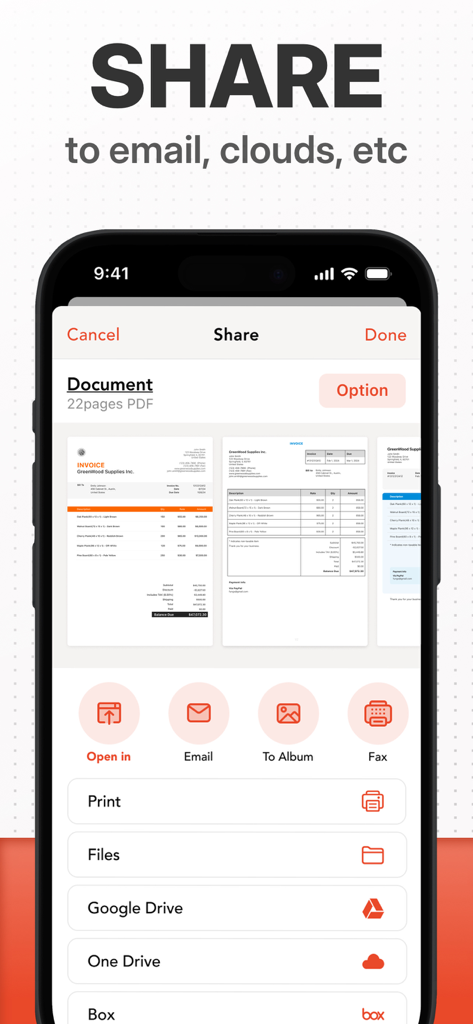
Freigabeoberfläche in der Scan Ace App, die Optionen zum Exportieren von Dokumenten per E-Mail und in Cloud-Speicher wie Google Drive und OneDrive zeigt

Freigabeoberfläche in der Scan Ace App, die Optionen zum Exportieren von Dokumenten per E-Mail und in Cloud-Speicher wie Google Drive und OneDrive zeigt

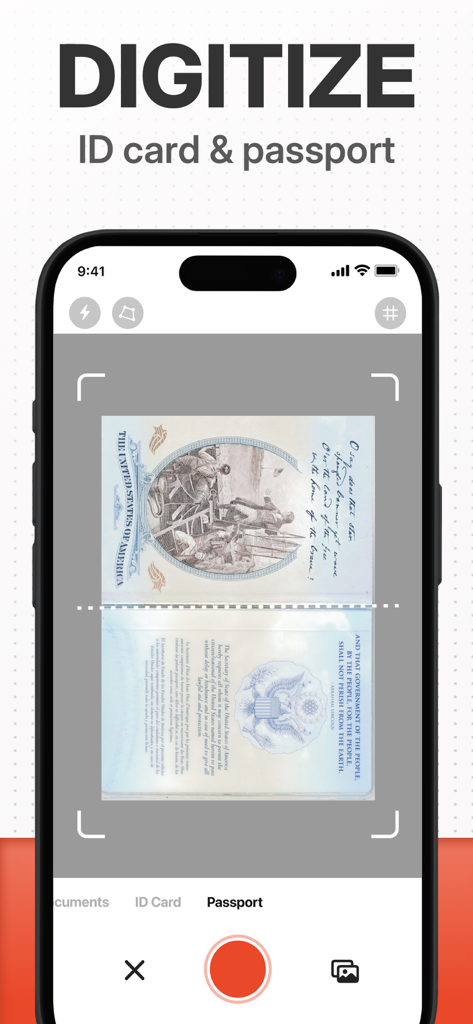
Scan Ace App-Oberfläche, die einen US-Pass auf einem Smartphone digitalisiert

Scan Ace App-Oberfläche, die einen US-Pass auf einem Smartphone digitalisiert

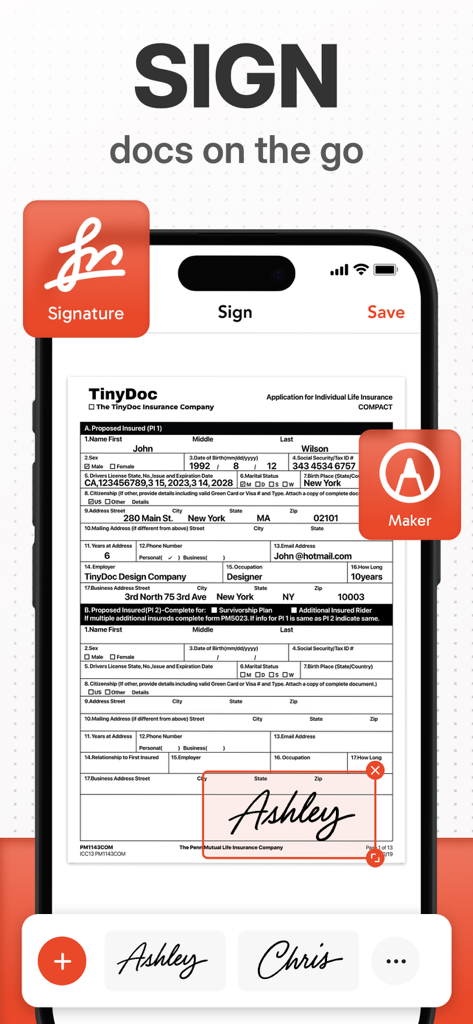
Oberfläche einer mobilen App, die zeigt, wie ein Benutzer eine digitale Signatur zu einem PDF-Dokument hinzufügt

Oberfläche einer mobilen App, die zeigt, wie ein Benutzer eine digitale Signatur zu einem PDF-Dokument hinzufügt

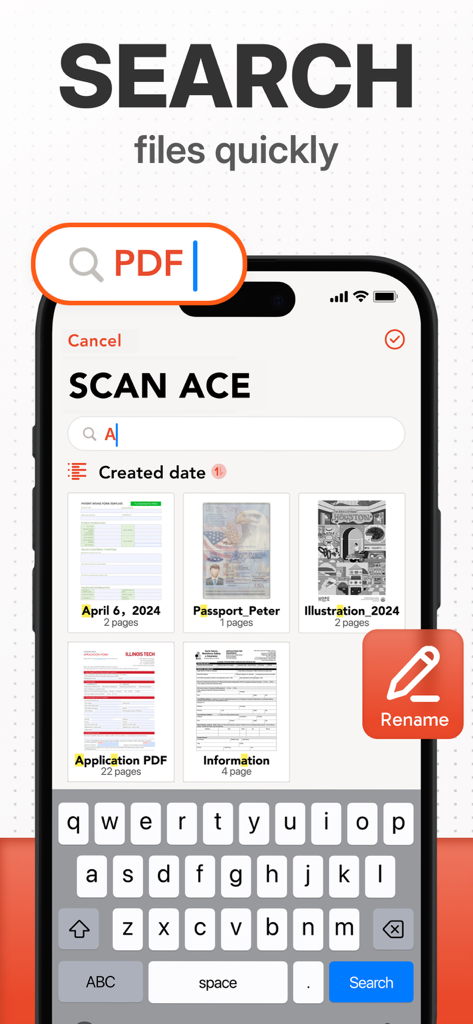
Oberfläche der Scan Ace App, die zeigt, wie schnell nach gescannten PDF-Dateien gesucht werden kann.

Oberfläche der Scan Ace App, die zeigt, wie schnell nach gescannten PDF-Dateien gesucht werden kann.

Optimieren Sie Ihr digitales Büro

Die Tools, die diese App auszeichnen, gewählt von 565K+ Nutzern.

📸

Hochpräzise Scans

Erfassen Sie gestochen scharfe Dokumente in Sekundenschnelle mit intelligenter Randerkennung und professionellen Filtern, die für geschäftliche Klarheit optimiert sind.

🤖

KI-OCR & Übersetzung

Extrahieren Sie durchsuchbaren Text aus jedem Bild und übersetzen Sie Dokumente sofort, um Kommunikationslücken auf einem globalen Markt zu schließen.

☁️

Sichere Cloud-Integration

Automatische Synchronisierung mit Dropbox, Google Drive oder iCloud bei voller Privatsphäre mit sicherem lokalen Speicher für Ihre sensiblen Daten.

Über die App

Alles, was Sie über wissen müssen SCAN ACE · PDF Scanner App.

Beschreibung

Why have millions of people chosen us for over 10 years? The answer is always providing high-quality scanning tools pursuing high-precision scanning. SCAN ACE will help you solve ALL KINDS OF Scanning problems. HIGH-QUALITY SCANNER A scanner in your pocket is a must-have for all office professionals. Whether you're on a business trip, outdoors, or just suddenly need to scan your ID, you can take out your phone and complete the scan in five seconds. WHY SCAN ACE? • Customizable Better than most similar apps, re-editing saved documents is made easy with the ability to move, replace, or merge pages. • Organized Organize files and documents by moving or archiving them into folders. • Multilingual Translate documents effortlessly into multiple languages. Break language barriers for seamless communication. • Trustworthy We promise to save all your documents and data locally on your phone or personal Cloud Drive. · Free your space Every scan is a step toward a paperless world. Free your space and reduce waste — no more printing, copying, or storing physical papers. Smart scanning makes life cleaner, simpler, and greener. KEY FEATURES * Scan single pages or entire books with single/multi-page modes with tutorials; * You can scan photos as documents directly from the Photo Album; * Automatically recognize documents by intelligent border detection; * Customize page size when exporting documents; * Professional filters, including Color, Black & White, Photo, Grayscale; * Recognize every word of the documents with AI OCR technology and translate them into lots of languages as you want; * Share documents as PDF JPG by faxing or emailing them or uploading them to Dropbox, Google Drive, Box, OneDrive, or iCloud Drive; * Auto-upload scanned documents onto cloud drives. Subscription Details • Weekly and annual subscriptions are available. • Payment will be charged to your iTunes account at confirmation of purchase. • Your subscription will automatically renew unless auto-renew is disabled at least 24 hours before the end of the current subscription period. • Automatic renewals will be charged at the same price you were originally charged for the subscription. • Subscriptions can be managed by going to Account Settings on the App Store after purchase. SCAN ACE is frequently updated with new features. Please reach out to us before leaving negative reviews. We are happy to help with any problems or guide you using the app. If you have a problem or suggestion, please email tinyscan@appxy.com. You will receive a timely response and solution. Terms of Service: https://bit.ly/3kaDAeG Privacy Policy: https://bit.ly/2UzHqVJ

Neueste Version

7.1.12

Größe

101.3 MB

Erstveröffentlichung

18. Okt. 2012

Bereit, Ihren papierlosen Workflow zu meistern?

Schließen Sie sich über 500.000 Profis an, die Scan Ace für hochpräzise Scans, KI-gestützte OCR und sicheres Dokumentenmanagement vertrauen. Ihr Taschenbüro ist nur einen Fingertipp entfernt.

Herunterladen auf App Store

App information, icons, screenshots, and descriptions displayed on this page are sourced from the Apple App Store and are the property of their respective developers. Download estimates and rankings are based on MWM's proprietary models and may not reflect actual figures. This page is provided for informational and analytical purposes only.

Believe this page infringes your intellectual property? File a dispute