Scan App +

Scan App +

Herunterladen auf App Store
Logo von Scan App +

Scan App +: Der superschnelle PDF-Scanner für Profis

Verwandeln Sie Ihr iPhone in einen leistungsstarken Dokumentenscanner. Erfassen, Vorschauen und Senden Sie hochwertige PDFs in Sekundenschnelle an die Cloud – das ultimative Werkzeug für ein aufgeräumtes, papierloses Leben.

Herausgeber

Sarrada Software Inc

Kategorie

Business

Downloads

1M+

Bewertung

4.6/5

Bewertungen gesamt

36K+

Sprachen

13

Ihr Büro in der Tasche

Entdecken Sie die Oberfläche, die von 1M+ Nutzern verwendet wird.
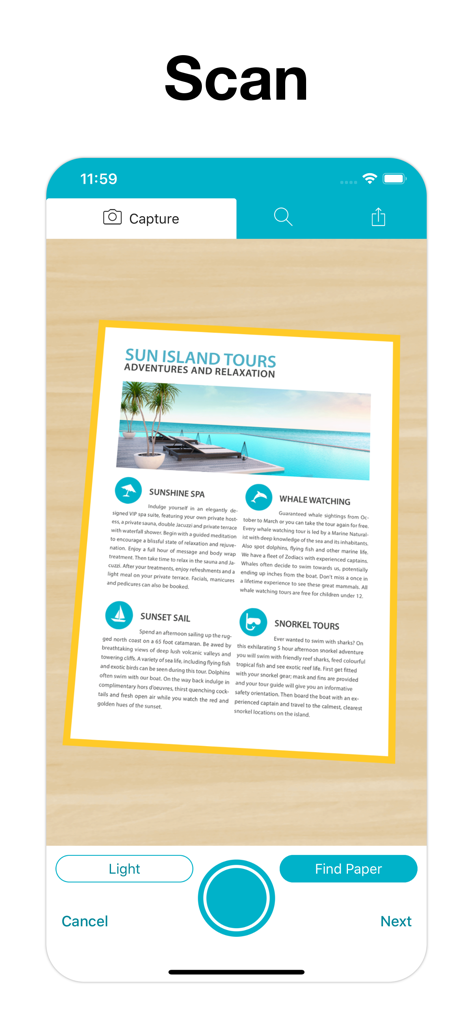
Mobile Anwendungsoberfläche, die die Erfassung eines Dokuments mit automatischer Randerkennung zeigt

Mobile Anwendungsoberfläche, die die Erfassung eines Dokuments mit automatischer Randerkennung zeigt

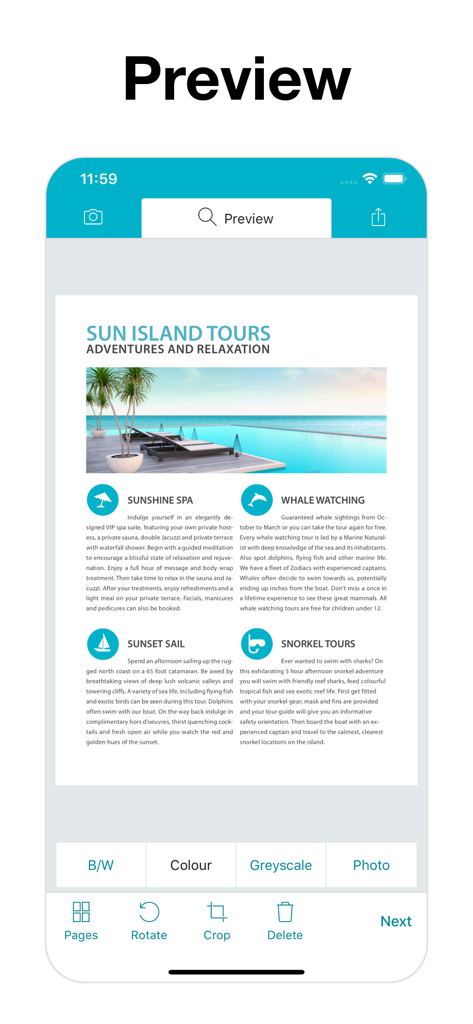
Scan App plus Dokumenten-Vorschau-Bildschirm, der einen Farbscann einer Reisebroschüre mit Bearbeitungswerkzeugen wie Zuschneiden und Drehen zeigt

Scan App plus Dokumenten-Vorschau-Bildschirm, der einen Farbscann einer Reisebroschüre mit Bearbeitungswerkzeugen wie Zuschneiden und Drehen zeigt

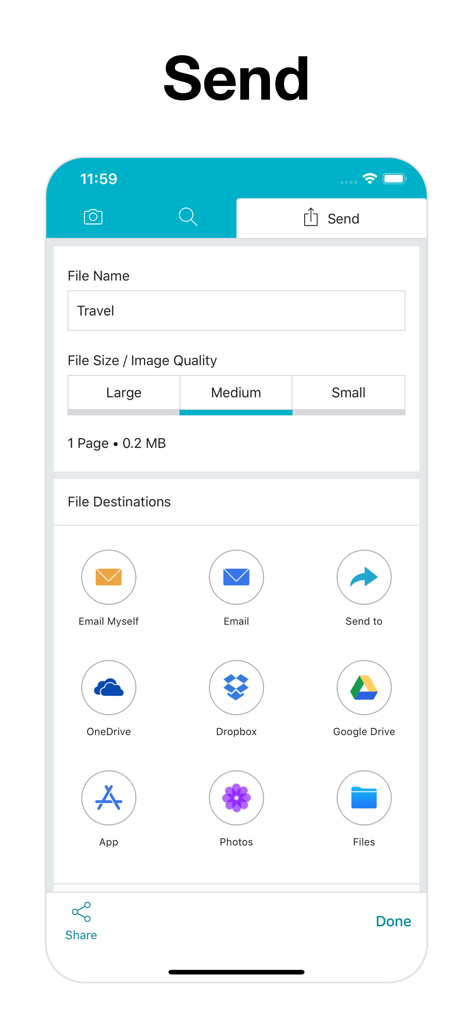
Oberfläche von Scan App Plus, die Dateibenennung, Qualitätsauswahl und verschiedene Cloud-Exportoptionen wie Google Drive und Dropbox zeigt

Oberfläche von Scan App Plus, die Dateibenennung, Qualitätsauswahl und verschiedene Cloud-Exportoptionen wie Google Drive und Dropbox zeigt

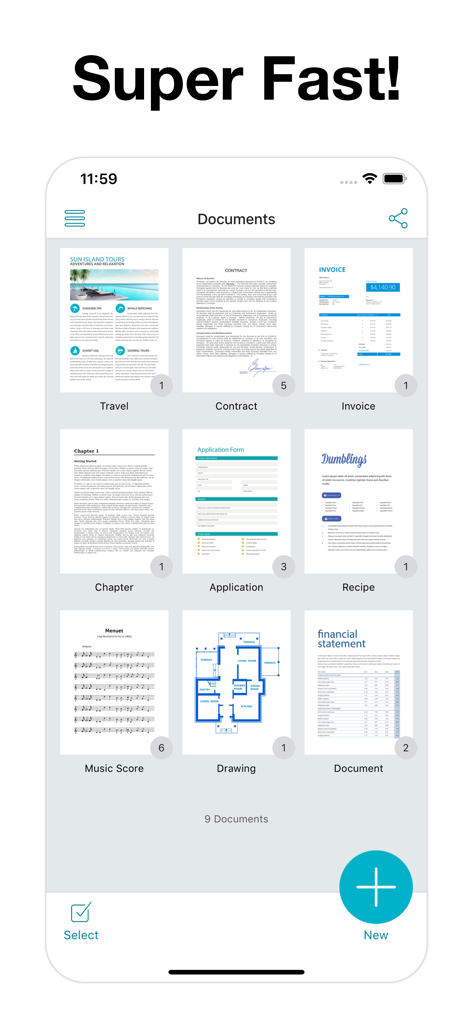
Dashboard-Ansicht von Scan App Plus, die ein Raster verschiedener gescannter Dokumenttypen anzeigt

Dashboard-Ansicht von Scan App Plus, die ein Raster verschiedener gescannter Dokumenttypen anzeigt

Ihr professionelles Büro, überall

Die Tools, die diese App auszeichnen, gewählt von 1M+ Nutzern.

Superschnelle Auto-Erfassung

Erleben Sie reibungsloses Scannen mit automatischer Papiererkennung, die Ihre Dokumente zuschneidet und erfasst, sobald Sie Ihre Kamera darauf richten.

📄

Business-taugliche Qualität

Sorgen Sie dafür, dass Ihre Verträge und Quittungen professionell aussehen, mit speziellen Schwarz-Weiß- und Graustufenfiltern, die Schatten und Unordnung eliminieren.

☁️

Nahtlose Cloud-Integration

Halten Sie Ihren Workflow in Bewegung, indem Sie Scans mit einem einzigen, mühelosen Tippen direkt nach Google Drive, Dropbox oder OneDrive exportieren.

Über die App

Alles, was Sie über wissen müssen Scan App +.

Beschreibung

Scan documents to PDF. Super Fast! Scan App + turns your iPhone or iPad into a portable scanner. It’s a tiny scanner in your pocket. Scan in 3 easy steps; capture, preview then send. Email, save to Files App or Photos App. Scan to pdf then upload directly to Google Drive, Dropbox or OneDrive. Scanning options include Black & White, Colour or Grayscale. Control pdf file size with large, medium and small file size options. Just about anything is scannable: ∙ Scan App + is with you on the go: Scan receipts, business cards, forms, contracts. ∙ Scan to pdf for keepsake: Pictures, magazine articles, newsprint, books, recipes. ∙ Scan documents to take with you: Travel docs, whiteboards, coupons, barcodes, grocery list, music scores. Cam Scanner: Camera works as a cam scanner and will automatically detect paper when placed on a contrasting background. Scan one page or multiple pages at the same time with Scan App +. High Quality Scans: Scan photos as Black & White, Colour, Grayscale or Original Photo. Scan App + uses the latest mobile scanning technology to create high quality scans. Control the file size with large, medium and small options. Save, Send and Share: Email pdf files of your scanned docs. Scan App + can upload directly to Google Drive, Dropbox, OneDrive. Save scanned photos to Photos App. Save to iCloud via Files App or send to another app. With 9 export options Scan App + makes it easy to send document scans. Always have a tiny scanner with you. Scan App + is a fast PDF Scanner that will become an indispensable tool in your everyday life. If you like Scan App + please rate us on the App Store. If you have any questions or feedback, contact us at support@sarrada.com. Scan App + Unlimited is available for purchase as Lifetime or Subscription: 1 Year, 1 Month or 3 Months. Check in app for exact pricing in your region. Payment will be charged to iTunes Account at confirmation of purchase. Subscription automatically renews unless auto-renew is turned off at least 24-hours before the end of the current period. Account will be charged for renewal within 24-hours prior to the end of the current period. Subscriptions may be managed by the user and auto-renewal may be turned off by going to the user's Account Settings after purchase. https://www.sarrada.com/app/privacy.htm https://www.sarrada.com/termsofservice.htm

Neueste Version

2.6

Größe

85.7 MB

Erstveröffentlichung

26. Feb. 2018

Bereit, Ihren Workflow zu revolutionieren?

Schließen Sie sich über 1 Million Profis an und verwandeln Sie Ihr iPhone noch heute in einen superschnellen, tragbaren PDF-Scanner.

Herunterladen auf App Store

App information, icons, screenshots, and descriptions displayed on this page are sourced from the Apple App Store and are the property of their respective developers. Download estimates and rankings are based on MWM's proprietary models and may not reflect actual figures. This page is provided for informational and analytical purposes only.

Believe this page infringes your intellectual property? File a dispute