Scanner App - PDF Scan Pro: Ihr leistungsstarkes Pocket-Office
Optimieren Sie Ihren Workflow, indem Sie Ihr iPhone in eine leistungsstarke Dokumentenzentrale verwandeln. Scannen, unterschreiben und organisieren Sie Ihre Dateien in Sekundenschnelle mit professioneller OCR und sicherer Cloud-Synchronisation, die für moderne Profis entwickelt wurde.
Herausgeber
Digitap Inc.
Kategorie
Business
Downloads
1M+
Bewertung
4.9/5
Bewertungen gesamt
46K+
Sprachen
2
Ihr Büro, neu erfunden
Entdecken Sie die Oberfläche, die von 1M+ Nutzern verwendet wird.
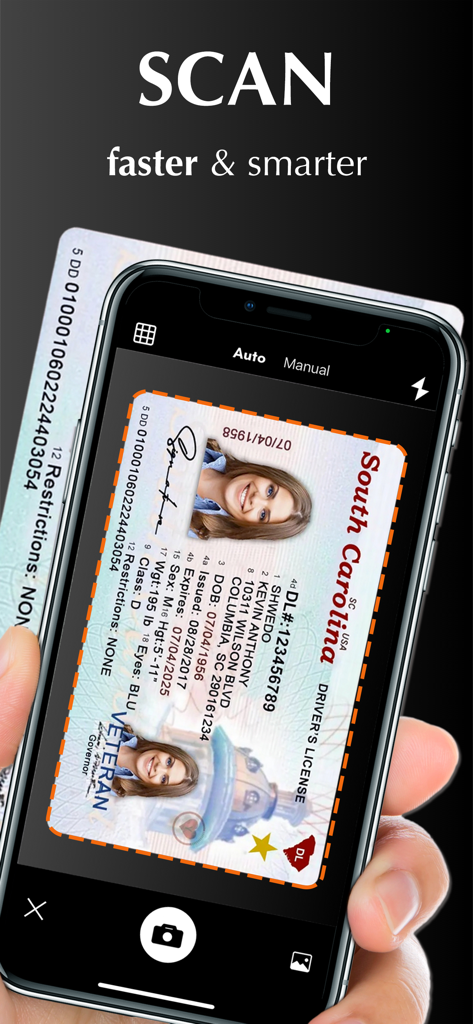
Eine Hand hält ein iPhone und scannt einen Führerschein mit der Scanner App PDF Scan Pro
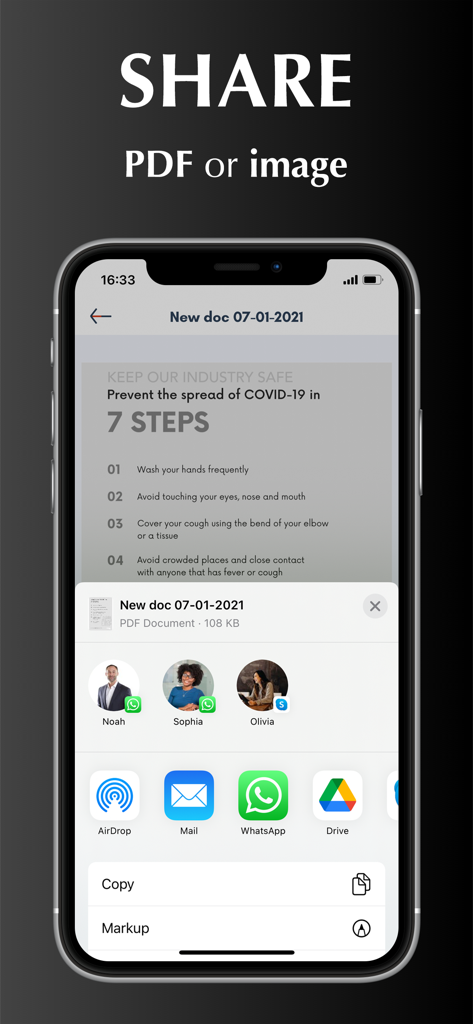
iPhone-Bildschirm zeigt Optionen zum Teilen eines gescannten PDF oder Bildes über verschiedene Apps
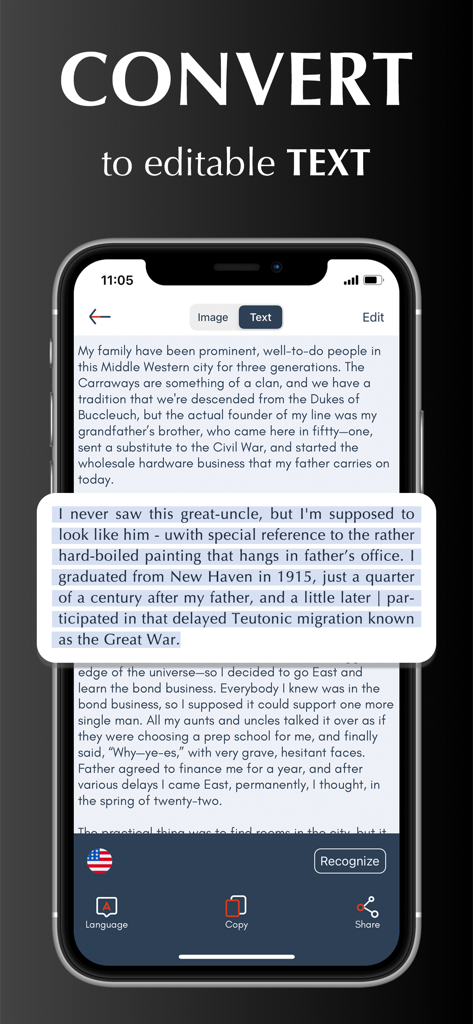
iPhone-Bildschirm zeigt, wie die Scanner App ein gescanntes Dokument in bearbeitbaren Text umwandelt
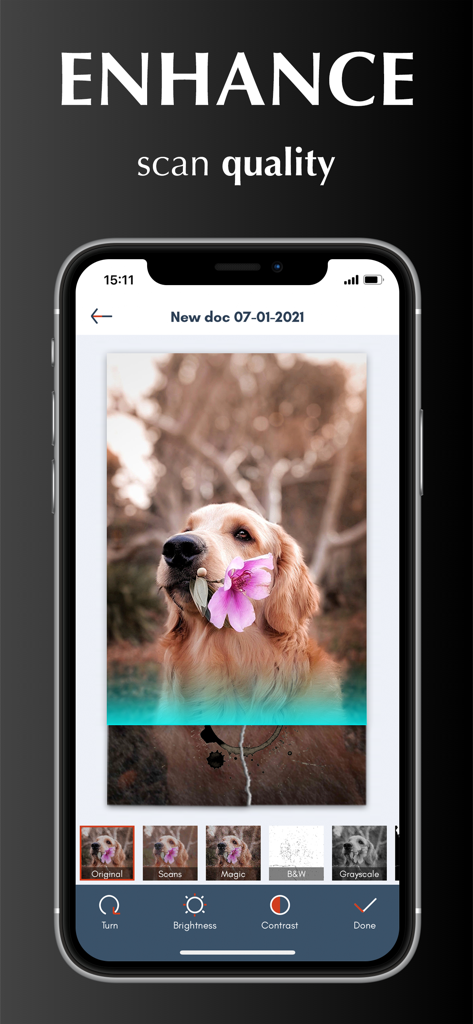
Oberfläche zeigt Werkzeuge zur Verbesserung der Scan-Qualität und Bildfilter in der Scanner App PDF Scan Pro.
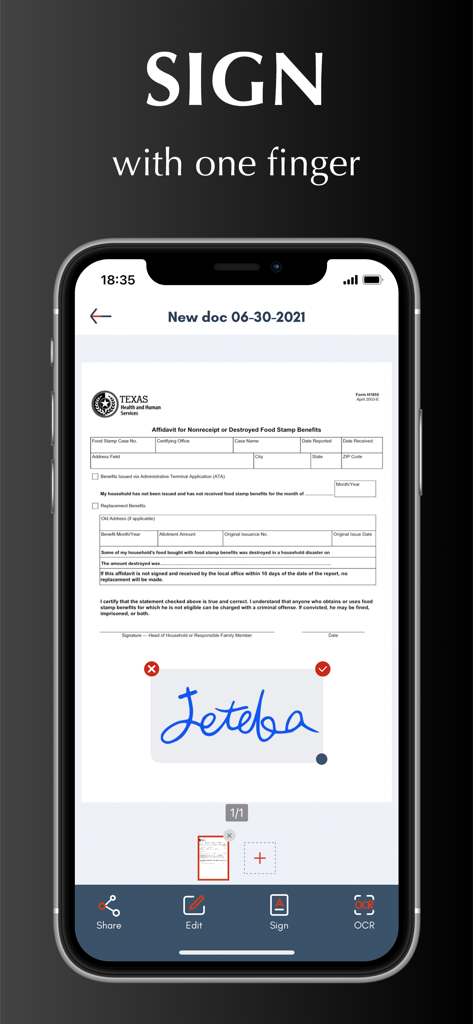
Digitale Signaturfunktion auf einem Dokument innerhalb der Scanner App-Oberfläche
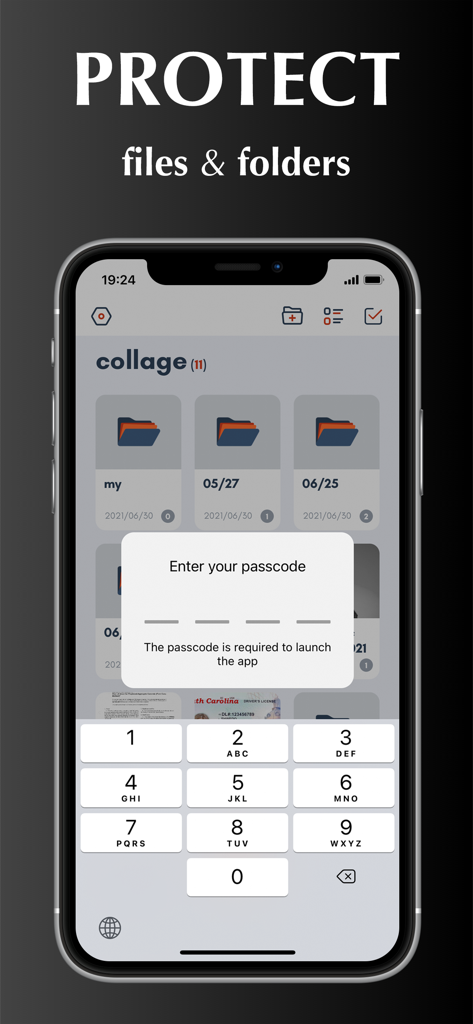
iPhone-Bildschirm zeigt eine Passcode-Sperrfunktion zum Schutz von Dokumenten und Ordnern in der Scanner App
Ihr professionelles Pocket-Office
Die Tools, die diese App auszeichnen, gewählt von 1M+ Nutzern.
✍️
Unterzeichnen & Bearbeiten unterwegs
Überspringen Sie den Aufwand des 'Drucken-Unterschreiben-Scannens'. Erstellen Sie Ihre digitale Signatur und verwenden Sie magische Farbfilter, damit jedes Dokument scharf und offiziell aussieht.
🔍
Intelligente Textextraktion (OCR)
Wandeln Sie Scans sofort in bearbeitbaren Text um. Extrahieren Sie Daten aus Quittungen oder übersetzen Sie Dokumente präzise in über 10 Sprachen.
☁️
Sichere Cloud-Integration
Automatische Synchronisierung mit iCloud, Dropbox oder Google Drive. Bewahren Sie sensible Dokumente sicher mit Passwortschutz und benutzerdefinierten Ordnern auf.
Über die App
Alles, was Sie über wissen müssen Scanner App - PDF Scan Pro.
Beschreibung
Scanner App turns your iPhone into a powerful pocket scanner and help you increase productivity at work. With scanner app, you can scan any paper document into clear PDF or PNG, and sign, enhance, organize and share it to email, iCloud, Dropbox, Box......
SCANNER APP FEATURES
Scan:
√ Accurately detect edges of documents.
√ Automatically scan without tapping.
√ Scan multiple pages of files into one single PDF or long image.
√ Unlimited scan business documents, receipts, ID cards, written notes, agreements, paper sketches, books, printed photos, rentals, or any other printed documents...
√ Add pictures for scanning from camera roll.
√ Batch scanning mode automates multiple pages scanning tasks.
Edit:
√ Create and add signature to electronic documents.
√ Apply magic color effect to scanned files, or change filter to grayscale, black & white, threshold.
√ Adjust contrast or brightness to enhance scan quality.
√ Convert PDF document to PNG, JPG, TXT.
Share:
√ Share through Text, Email, WhatsApp, Facebook, LinkedIn, Messenger……
√ Save scanned files to cloud services (including OneDrive, Google Drive, Dropbox, Box, iCloud) in one tap.
OCR:
√ Use text recognition to extract or grab texts from scanned image.
√ Select, copy, cut, edit and share text.
√ Support 10+ languages.
Translate:
√ Translate Text to different languages.
Organize:
√ Import files from iPhone or cloud services.
√ Create, move and manage files and folders.
√ Rename and share files with friends or colleagues.
√ Protect everything with a Password.
Sync:
√ Sync and access your files from cloud space in seconds.
√ Sync files across multiple devices.
HOW TO USE
Open your scanner app. Place your document in view of the camera. Tap the Camera button. If your scanner app is in Auto mode, your document will automatically scan. Tap “Manual” if you need manually capture a scan. Then drag the corners to adjust the scan to fit the page, then tap the Camera button. Tap “continue” and “done” to save your scans.
UNLIMITED ACCESS MEMBERSHIP SUBSCRIPTION
- You can subscribe for premium account with all premium features and no ads and watermark
- Subscription is from $9.99 monthly, $4.99 weekly, $39.99 yearly
- Subscription automatically renews for the same price and duration period as the original "one week"/"one month"/"one year" package unless auto-renew is turned off at least 24-hours before the end of the current period
- Payment will be charged to iTunes Account at confirmation of purchase
- Subscriptions may be managed by the user and auto-renewal may be turned off by going to the user's Account Settings after purchase
- Any unused portion of a free trial period, if offered, will be forfeited when the user purchases a subscription to that publication, where applicable
Privacy Policy: https://scannerocr.com/privacy.html
Terms of Use: https://scannerocr.com/terms.html
Neueste Version
4.2.0
Größe
115.8 MB
Erstveröffentlichung
26. Aug. 2020
Verwandeln Sie Ihr iPhone in ein professionelles Kraftpaket
Schließen Sie sich über 1 Million erfolgreichen Nutzern an, die klobige Hardware abgeschafft haben. Erleben Sie das ultimative Werkzeug zum Scannen, Signieren und Synchronisieren Ihrer Dokumente unterwegs.
App information, icons, screenshots, and descriptions displayed on this page are sourced from the Apple App Store and are the property of their respective developers. Download estimates and rankings are based on MWM's proprietary models and may not reflect actual figures. This page is provided for informational and analytical purposes only.
Believe this page infringes your intellectual property? File a dispute