Scanner App - PDF Scanner Pro: Das ultimative KI-Tool zum Scannen, Signieren und Teilen
Verwandeln Sie Ihr iPhone in ein professionelles Büro. Digitalisieren Sie Dokumente sofort, extrahieren Sie Text mit KI und führen Sie Verträge unterwegs aus. Entwickelt für vielbeschäftigte Berufstätige, die Geschwindigkeit, Genauigkeit und einen papierlosen Workflow benötigen.
Herausgeber
Evinco Solutions Inc.
Kategorie
Business
Downloads
2K+
Bewertung
4.6/5
Bewertungen gesamt
100
Sprachen
1
Präzision in jedem Pixel
Entdecken Sie die Oberfläche, die von 2K+ Nutzern verwendet wird.
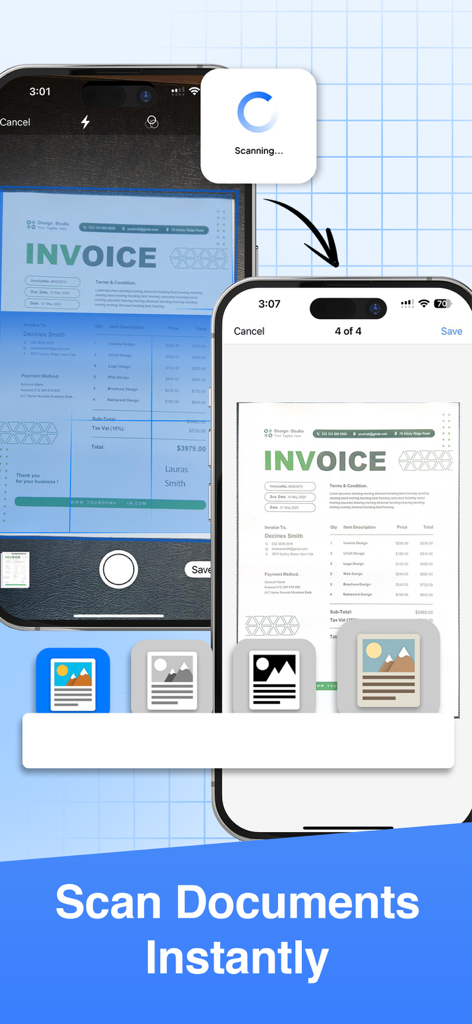
Zwei iPhone-Bildschirme, die den Prozess des sofortigen Scannens eines Rechnungsdokuments mit der Scanner App zeigen
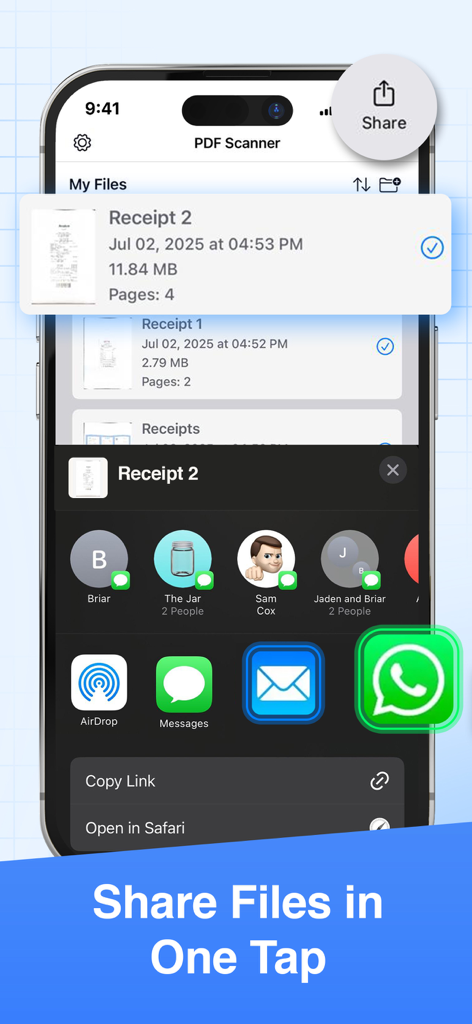
Oberfläche, die zeigt, wie Dateien in PDF Scanner Pro mit einem Fingertipp geteilt werden können.
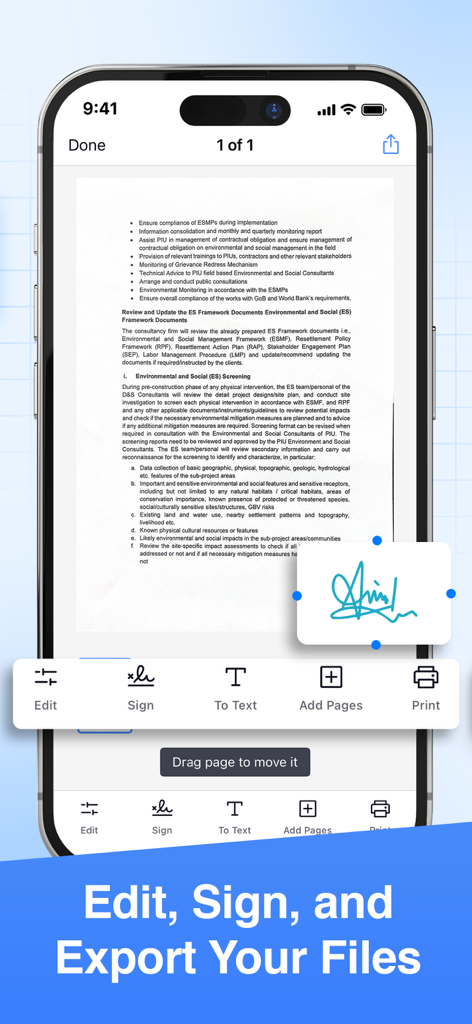
Smartphone-Oberfläche einer PDF-Scanner-App, die Werkzeuge zum Signieren und Bearbeiten von Dokumenten anzeigt
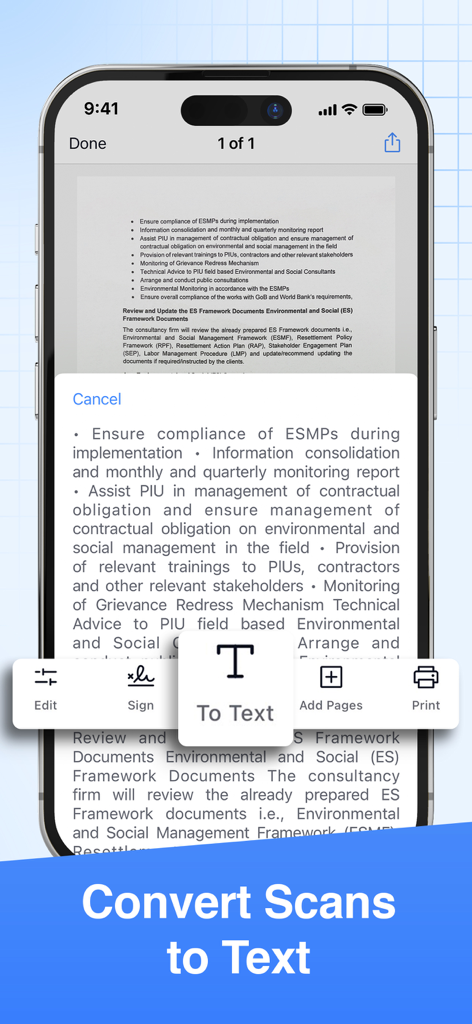
Mobile App-Oberfläche, die das Scannen eines Dokuments und die Konvertierung in Text über OCR-Technologie zeigt
Ein professionelles Büro in Ihrer Tasche
Die Tools, die diese App auszeichnen, gewählt von 2K+ Nutzern.
✨
KI-gestützte Präzision
Erstellen Sie sofort Scans in Studioqualität mit automatischer Zuschneidung, Rauschunterdrückung und KI-Verfeinerung, die sicherstellt, dass jeder Vertrag und jede Quittung professionell aussieht.
✍️
Sichere E-Signaturen
Schließen Sie Geschäfte unterwegs ab, indem Sie handgezeichnete oder digitale Signaturen zu jedem Dokument hinzufügen, wodurch Drucker oder die Bearbeitung physischer Dokumente überflüssig werden.
🔄
Intelligente Formatkonvertierung
Konvertieren Sie Ihre Scans nahtlos in PDF-, Word-, Excel- oder PowerPoint-Dateien und synchronisieren Sie sie direkt mit Google Drive, Dropbox oder Microsoft Teams.
Über die App
Alles, was Sie über wissen müssen Scanner App - PDF Scanner Pro.
Beschreibung
● Scan to PDF: scan anything, save, and share it in PDF. Copy and edit text with the OCR.
● Convert: PDF to Word, PPT, JPG, PNG, and more.
● Edit: adjust, sign (supports e-signatures), share, and print.
Have a portable, fast, and accurate scanner anywhere you go with the PDF Scanner app.
Whether you're an accountant, realtor, manager, lawyer, or student, PDF Scanner is the must-have free scanner app that saves you time. Open the app to effortlessly digitize any document with just a few taps on your iOS device.
► Download now for free and accurately scan documents anytime, anywhere.
AI-POWERED SCAN
‣ Scan documents, contracts, tax forms, tickets, receipts, handwritten notes, and more using your camera.
‣ Supports multipage scans and PDFs.
‣ AI-refined scanning assures accuracy and speed.
EDIT & SIGN
‣ Supports advanced color correction, noise removal, and automatic crop tools that make it easy to perfect your document images and make them more realistic.
‣ Extract text from any scanned document using the in-built OCR technology.
‣ Create multipage scans.
‣ Sign documents (supports e-signature and hand/manual signatures).
CONVERT
‣ Convert your scans to PDF, JPG, PNG, Word, Excel, PowerPoint, and more with just one tap.
SHARE OR PRINT
‣ Share your scans with ease via WhatsApp, Teams, email, or popular cloud services like Dropbox, Google Drive, and OneDrive.
‣ Print your scanned files via Air and set copies, page size, orientation, and scaling.
PDF SCANNER APP FEATURES:
● scan documents using your camera
● intuitive UI
● turn scans to PDF
● edit the scanned PDFs
● add a page to create multipage PDFs
● sign the scanned documents
● convert PDF to variety documents and image formats
● save scans to files
● share the scanned documents with ease
● print any scanned files by Air
If you are looking for fast and precise document scanning, give PDF Scanner a try. It gives a feeling of convenince and productivity when you need to scan and sign multiple documents fast and on the go. Must-have for any busy professional or student.
► Download this superior, AI-powered, all-in-one scanning app for FREE.
_____________
Subscription Plans for PDF Scanner:
PDFScan offers flexible subscription plans including Monthly and Yearly Subscription to enable all the premium functionality like e-sign, scanning unlimited pages and unlimited sharing.
+ Monthly Subscription Plan:
The monthly subscription plan costs US$9.99 which auto-renews every month. Get monthly cost-effective and flexible subscription that costs US$9.99 to scan, sign & share unlimited documents throughout the month.
+ Yearly Subscription Plan:
If you prefer long-term convenience, the yearly subscription plan is ideal. It comes with a three days trial period then it renews annually at a rate of US$39.99 which ensures uninterrupted access to unlimited scanning features for a whole year.
Please note that payment for the chosen subscription plan will be charged to your iTunes Account. Subscriptions will automatically renew unless auto-renewal is turned off within the iTunes Account settings at least 24 hours before the end of the current period. You can manage your subscriptions and turn off auto-renewal by accessing your Account Settings after making the purchase.
By using PDF Scanner App, you are agreeing to our Privacy Policy and Terms of Use:
Privacy Policy & Terms : https://evincosolutions.com/pdfscan/privacy.html
We’d love to hear from you! Get in touch with us at support@evincosolutions.com
Neueste Version
2.0.0
Größe
17.7 MB
Erstveröffentlichung
16. März 2023
Schließen Sie sich Tausenden von Fachleuten an, die heute papierlos arbeiten
Verschwenden Sie keine Zeit mehr mit physischen Dateien. Scannen, signieren und teilen Sie jedes Dokument in Sekundenschnelle mit der Kraft der KI. Laden Sie den All-in-One-Scanner kostenlos auf Ihr iPhone oder iPad herunter.
App information, icons, screenshots, and descriptions displayed on this page are sourced from the Apple App Store and are the property of their respective developers. Download estimates and rankings are based on MWM's proprietary models and may not reflect actual figures. This page is provided for informational and analytical purposes only.
Believe this page infringes your intellectual property? File a dispute