SCANNER - PDF Document Scan

SCANNER - PDF Document Scan

Herunterladen auf App Store
Logo von SCANNER - PDF Document Scan

SCANNER - PDF Dokumentenscan: Ihr professionelles mobiles Büro

Das All-in-One-Tool für hybride Fachkräfte zum Scannen, Unterschreiben und Konvertieren von Dokumenten mit OCR-Präzision. Sichern Sie Ihre sensiblen Daten mit FaceID und synchronisieren Sie sie sofort auf allen Geräten.

Herausgeber

Zafar Ullah

Kategorie

Business

Downloads

2M+

Bewertung

4.4/5

Bewertungen gesamt

30K+

Sprachen

11

Ihr mobiles Büro, visualisiert

Entdecken Sie die Oberfläche, die von 2M+ Nutzern verwendet wird.
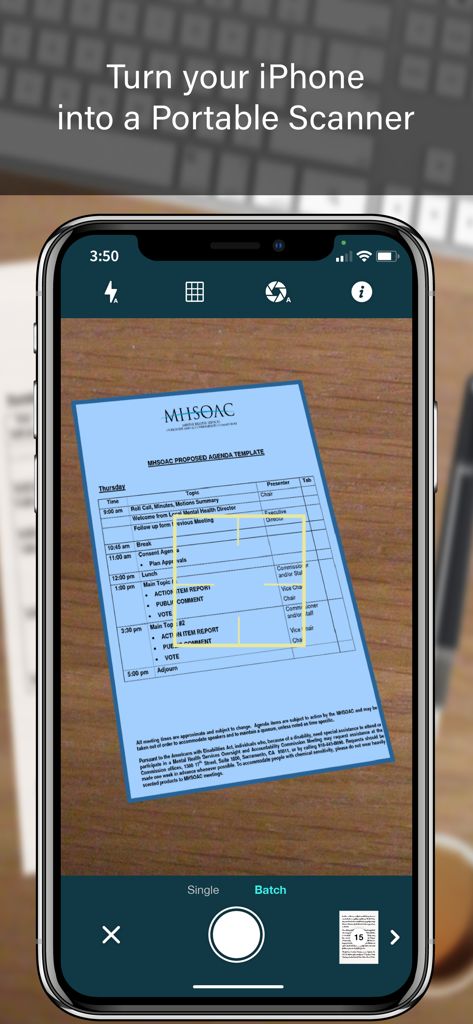
iPhone-Bildschirm, der die Benutzeroberfläche der SCANNER-App zeigt, die ein Dokument mit automatischer Kantenerkennung und Stapelscan-Modus erfasst

iPhone-Bildschirm, der die Benutzeroberfläche der SCANNER-App zeigt, die ein Dokument mit automatischer Kantenerkennung und Stapelscan-Modus erfasst

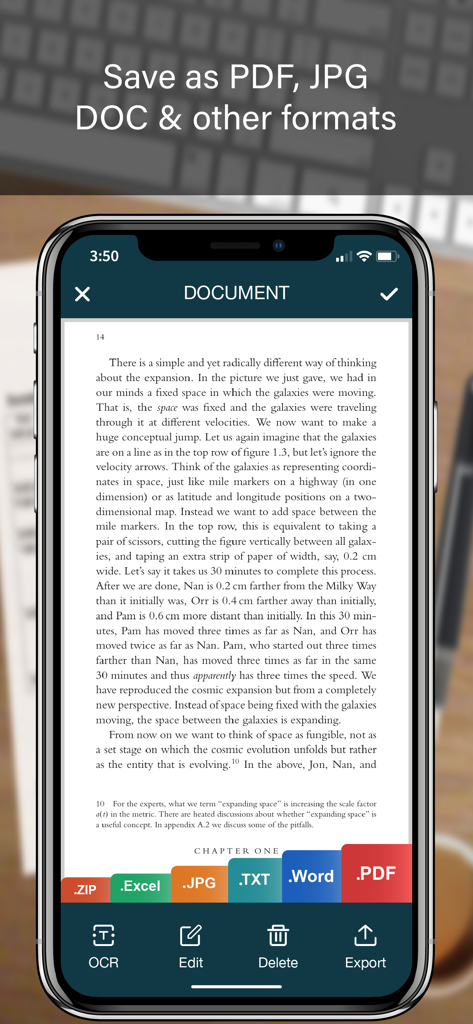
Benutzeroberfläche einer mobilen Scanner-App, die ein Dokument mit Exportoptionen für PDF, JPG, Word und Excel zeigt

Benutzeroberfläche einer mobilen Scanner-App, die ein Dokument mit Exportoptionen für PDF, JPG, Word und Excel zeigt

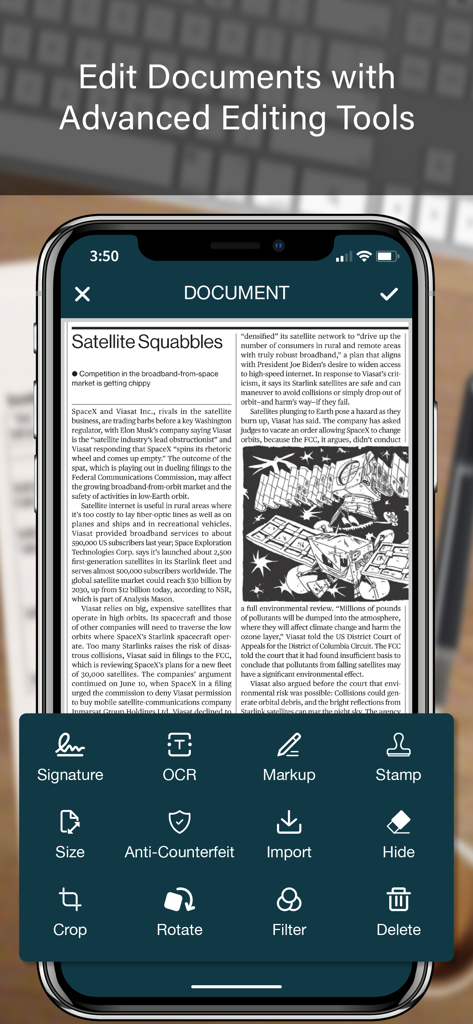
Benutzeroberfläche der SCANNER-App mit erweiterten Dokumentenbearbeitungstools, einschließlich OCR, digitaler Signatur und Markup.

Benutzeroberfläche der SCANNER-App mit erweiterten Dokumentenbearbeitungstools, einschließlich OCR, digitaler Signatur und Markup.

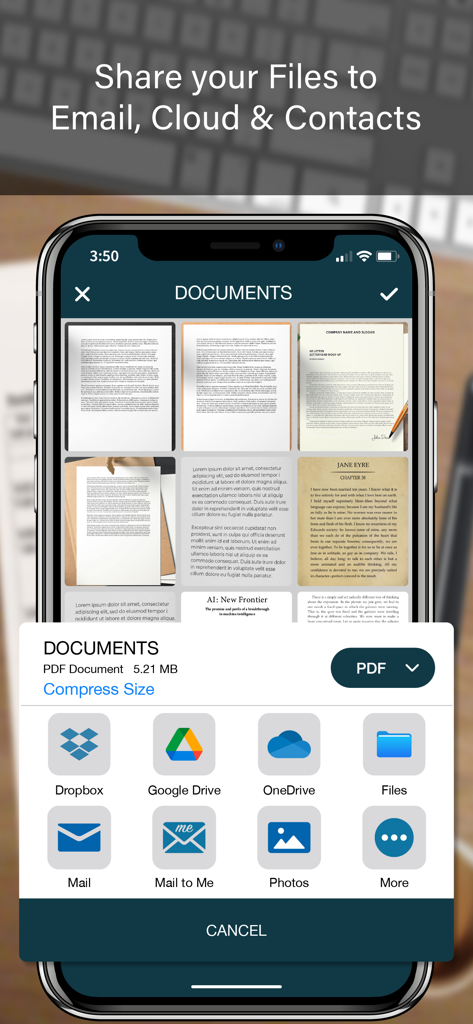
Eine mobile Benutzeroberfläche, die Dokumentenfreigabeoptionen für eine PDF-Scanner-App zeigt, einschließlich Cloud-Speicher und E-Mail

Eine mobile Benutzeroberfläche, die Dokumentenfreigabeoptionen für eine PDF-Scanner-App zeigt, einschließlich Cloud-Speicher und E-Mail

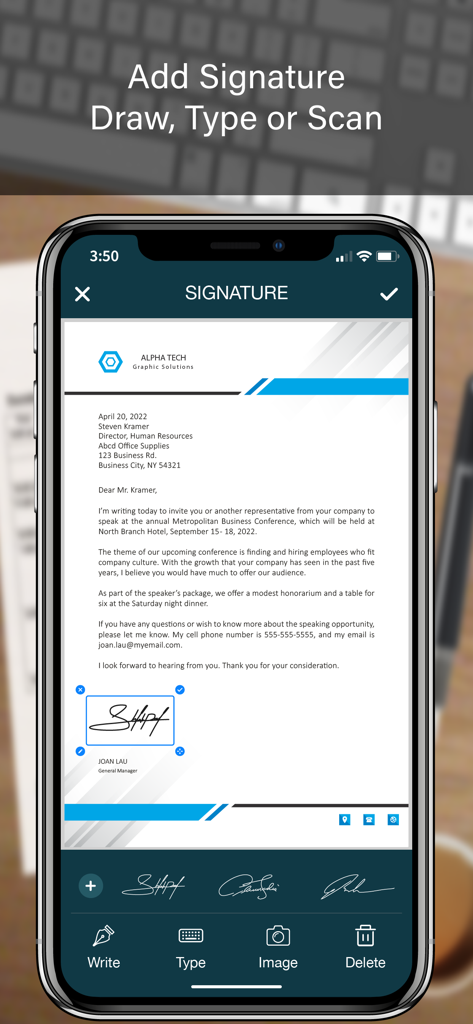
Mobile App-Oberfläche, die zeigt, wie eine digitale Signatur zu einem Geschäftsdokument hinzugefügt wird

Mobile App-Oberfläche, die zeigt, wie eine digitale Signatur zu einem Geschäftsdokument hinzugefügt wird

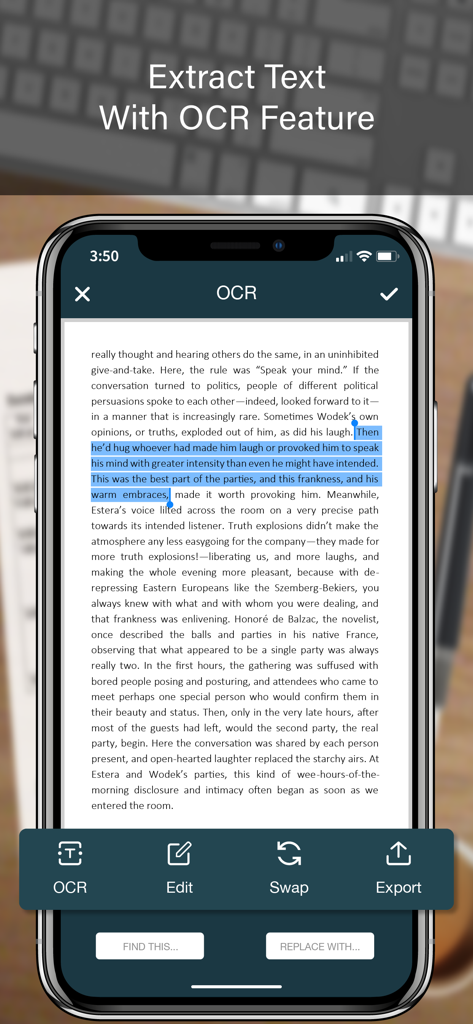
Mobiler App-Bildschirm, der die OCR-Textextraktion aus einem gescannten Dokument zeigt

Mobiler App-Bildschirm, der die OCR-Textextraktion aus einem gescannten Dokument zeigt

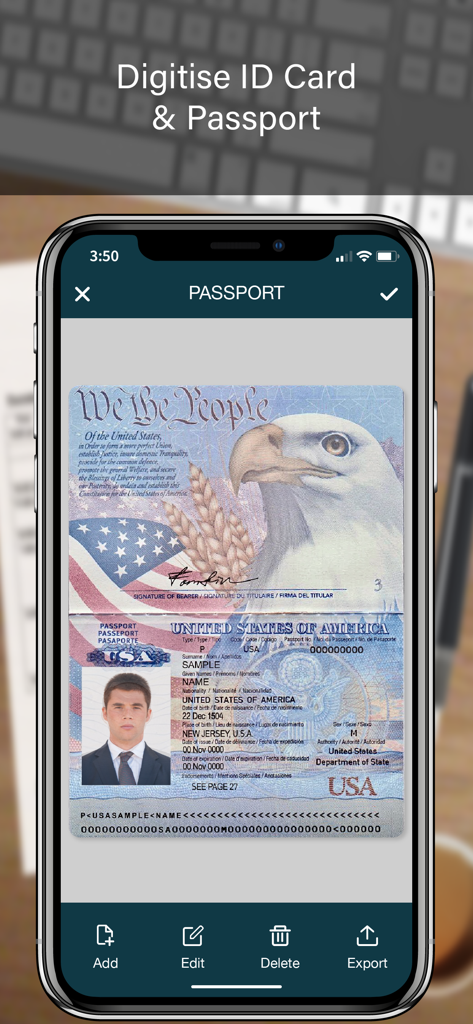
Ein mobiler App-Bildschirm, der einen gescannten US-Pass zur digitalen Dokumentenspeicherung zeigt

Ein mobiler App-Bildschirm, der einen gescannten US-Pass zur digitalen Dokumentenspeicherung zeigt

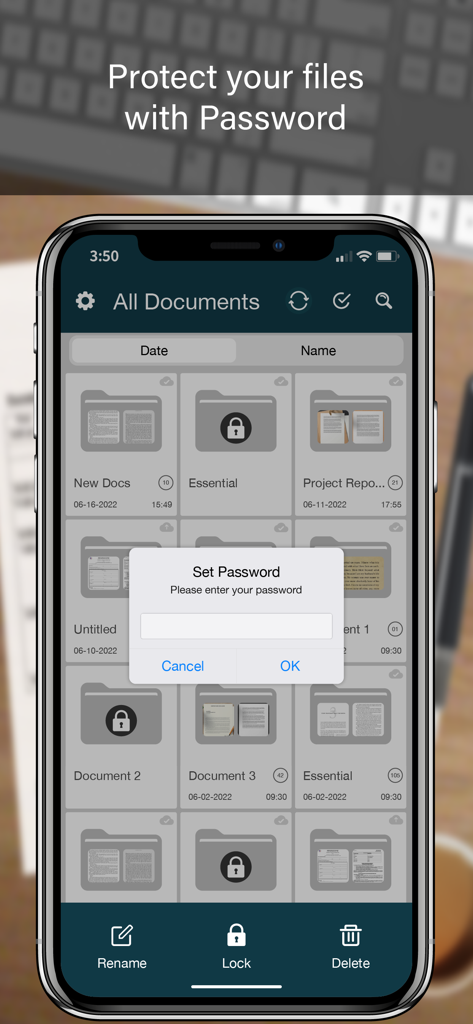
Ein Smartphone-Bildschirm, der eine Dokumentenscanner-App mit einer Passwortsperranfrage über einer Liste von Ordnern zeigt

Ein Smartphone-Bildschirm, der eine Dokumentenscanner-App mit einer Passwortsperranfrage über einer Liste von Ordnern zeigt

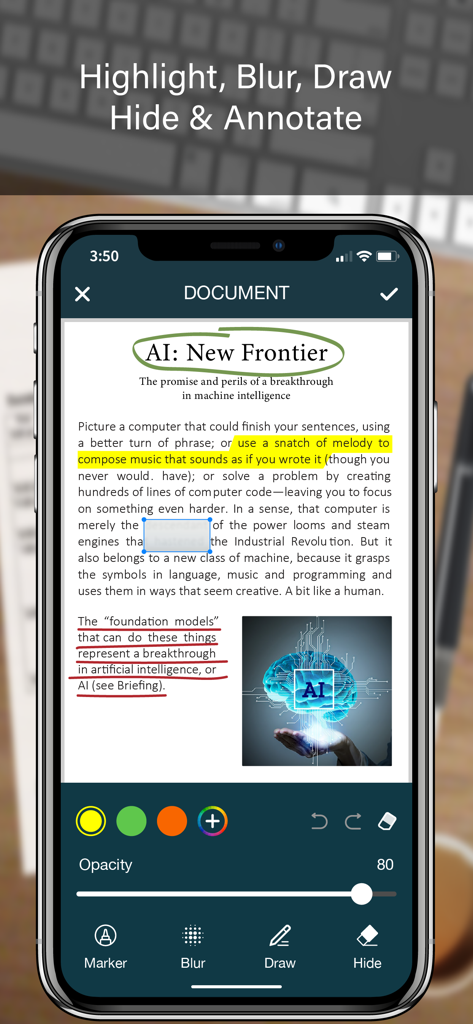
iPhone-Bildschirm, der Dokumenten-Anmerkungsfunktionen wie Hervorheben, Weichzeichnen und Zeichnen auf einem gescannten PDF-Dokument zeigt

iPhone-Bildschirm, der Dokumenten-Anmerkungsfunktionen wie Hervorheben, Weichzeichnen und Zeichnen auf einem gescannten PDF-Dokument zeigt

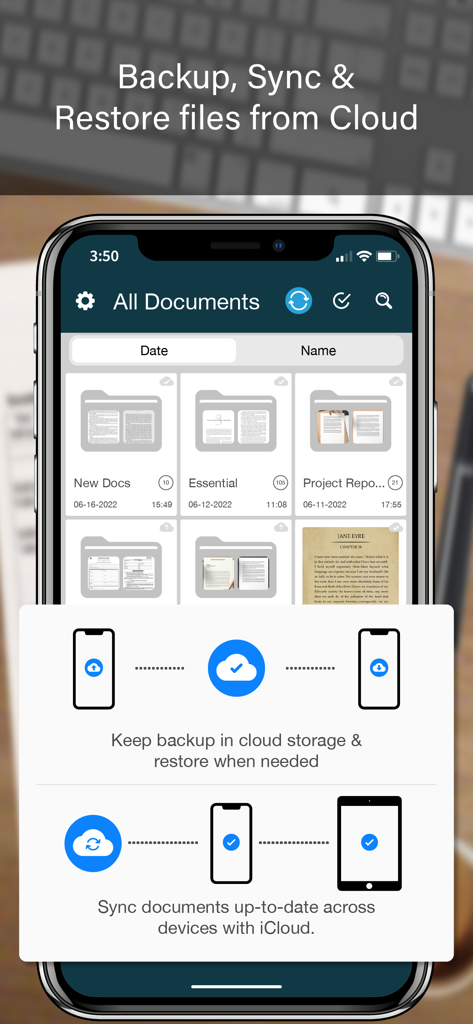
Die SCANNER-App-Oberfläche, die Dokumentenorganisation und Cloud-Backup-Funktionen auf einem iPhone zeigt

Die SCANNER-App-Oberfläche, die Dokumentenorganisation und Cloud-Backup-Funktionen auf einem iPhone zeigt

Alles, was Ihr mobiles Büro braucht

Die Tools, die diese App auszeichnen, gewählt von 2M+ Nutzern.

🖋️

Sofort unterschreiben & stempeln

Schließen Sie Verträge unterwegs mit digitalen Signaturen und offiziellen Stempeln ab, die die professionelle Integrität wahren, wo immer Sie sind.

📊

Intelligente OCR & Datenextraktion

Überspringen Sie manuelles Tippen, indem Sie Papierbelege und Tabellen mit hochpräziser Erkennung in bearbeitbare Excel-, Word- und Textdateien umwandeln.

🛡️

Sicherer Dokumententresor

Schützen Sie sensible Kundendaten mit Face ID-Ordnersperren und fälschungssicheren Wasserzeichen für professionelle Sicherheit.

Über die App

Alles, was Sie über wissen müssen SCANNER - PDF Document Scan.

Beschreibung

SCANNER is the easiest & simple app to use, which will turn your iPhone into a portable mobile scanner. Use SCANNER to scan receipts, notes, invoices, whiteboard discussions, business cards, certificates, photo & just anything you want. Easily scan, save and share any document in PDF, DOC, EXCEL, TEXT, ZIP & JPEG format. ** Key Feature ** ============== ADVANCED & HIGHLY OPTIMIZED SCANNER : - Scan to create high quality PDF, DOC, EXCEL, TEXT, ZIP & JPEG file. - Auto edge detection for easy, fast and accurate scanning. - Batch Scan feature to scan multiple documents simultaneously. - Control flash and capture mode very easily. - Turn camera grid on/off based on needs. - Auto enhancement make the graphics & text look more clear & sharper. - Automatic noise removing, color correction & perspective correction. EXTRACT TEXT FROM IMAGE (OCR) : - Extract text from image & Turn your images into text file. - Best OCR performance to get most accurate text output from the image. - Search & replace specific text or phrase in OCR. BACKUP & SYNC: - Create backup of documents and restore it when needed. - Sync data with iCloud to keep it up-to-date. - Sync data across multiple devices. ADD DIGITAL SIGNATURE : - Sign in your documents just right in the app. - Add signature by drawing and typing. - Extract signature from image by scanning. - Adjust the size, color & rotation of your signature easily. CONVERTER : - Convert your files into PDF, DOC, EXCEL, TEXT, ZIP & JPEG format. - Compress and control file size very easily. FOLDER LOCK : - Keep you documents safe with folder lock. - Use Pin Code, Face ID & Touch ID to lock and unlock folder. FILE MANAGER : - Full featured file manager with custom folder creation. - Organize documents by copying and moving from one folder to another. - Edit, Sort, Rename & Delete your folder. DOCUMENT EDITOR : - Smart polygonal cropping with auto edge detection feature. - Professional filters to turn image into document. - Draw, mark and annotate document with markup. - Change document dimension into different paper sizes (Such as: A3, A4, A5, Letter, Legal). - Import image from camera and gallery to add on documents. - Hide unwanted/confidential parts of the document with color and blur effects. - Use stamp & seal to make official document. - Add anti-counterfeit watermark. - File rotation feature. SHARING : - 3rd Party Cloud Storage Service : Dropbox, OneDrive, Google Drive & Email. - Airdrop sharing to share your files to any cloud or social media you want. - Easily Print out your files with any WiFi printer. - Save scans to camera roll. Premium Subscription: - With premium subscription, you have access to all features. - Premium subscription is billed monthly or annually at the rate corresponding to the selected plan. - Payment will be charged to iTunes Account at confirmation of purchase. - Subscription automatically renews unless auto-renew is turned off at least 24-hours before the end of the current period. - Account will be charged for renewal within 24-hours prior to the end of the current period, and identify the cost of the renewal. - Subscriptions may be managed by the user and auto-renewal may be turned off by going to the user's Account Settings after purchase. - Any unused portion of a free trial period, if offered, will be forfeited when the user purchases a subscription to that publication, where applicable. Privacy Policy https://zalgotech.com/privacy-policy/ Terms of Use https://zalgotech.com/terms-of-use/ Feel free to contact us: info@zalgotech.com, your feedback and suggestions are important to us!

Neueste Version

2.9

Größe

67.5 MB

Erstveröffentlichung

9. Jan. 2017

Verwandeln Sie Ihr iPhone in ein professionelles mobiles Büro

Schließen Sie sich über 2 Millionen Fachleuten an, die Dokumente unterwegs scannen, unterschreiben und sichern. Erleben Sie die Effizienz eines Desktop-Scanners in Ihrer Handfläche.

Herunterladen auf App Store

App information, icons, screenshots, and descriptions displayed on this page are sourced from the Apple App Store and are the property of their respective developers. Download estimates and rankings are based on MWM's proprietary models and may not reflect actual figures. This page is provided for informational and analytical purposes only.

Believe this page infringes your intellectual property? File a dispute