Scanner+ Scan PDF Documents

Scanner+ Scan PDF Documents

Herunterladen auf App Store
Logo von Scanner+ Scan PDF Documents

Scanner+: Ihr leistungsstarker tragbarer Dokumentenscanner

Verwandeln Sie Ihr iPhone in ein professionelles Bürowerkzeug. Scannen, signieren und exportieren Sie mühelos hochwertige PDFs unterwegs – keine sperrige Hardware oder Internetverbindung erforderlich.

Herunterladen auf App Store

Herausgeber

Can Aksoy

Kategorie

Utilities

Downloads

3K+

Bewertung

4.8/5

Bewertungen gesamt

0

Sprachen

4

Präzision bei jedem Scan

Entdecken Sie die Oberfläche, die von 3K+ Nutzern verwendet wird.
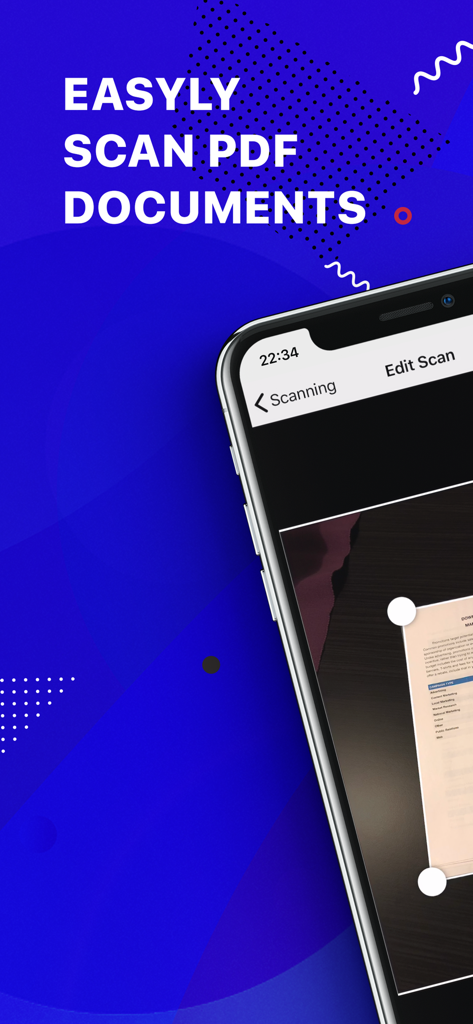
Mobile App-Oberfläche zum Scannen von PDF-Dokumenten mit automatischer Kantenerkennung auf einem Smartphone

Mobile App-Oberfläche zum Scannen von PDF-Dokumenten mit automatischer Kantenerkennung auf einem Smartphone

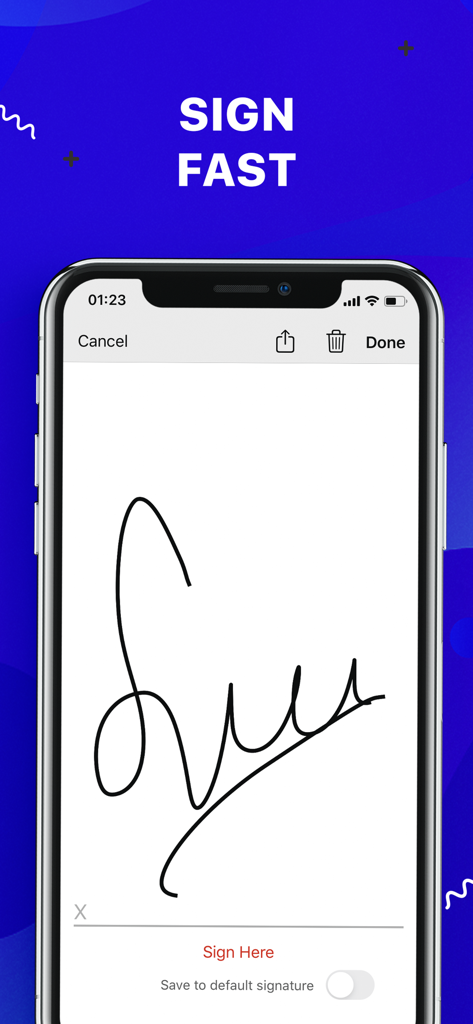
Smartphone-Bildschirm, der eine elektronische Signaturfunktion zum Unterzeichnen von Dokumenten anzeigt

Smartphone-Bildschirm, der eine elektronische Signaturfunktion zum Unterzeichnen von Dokumenten anzeigt

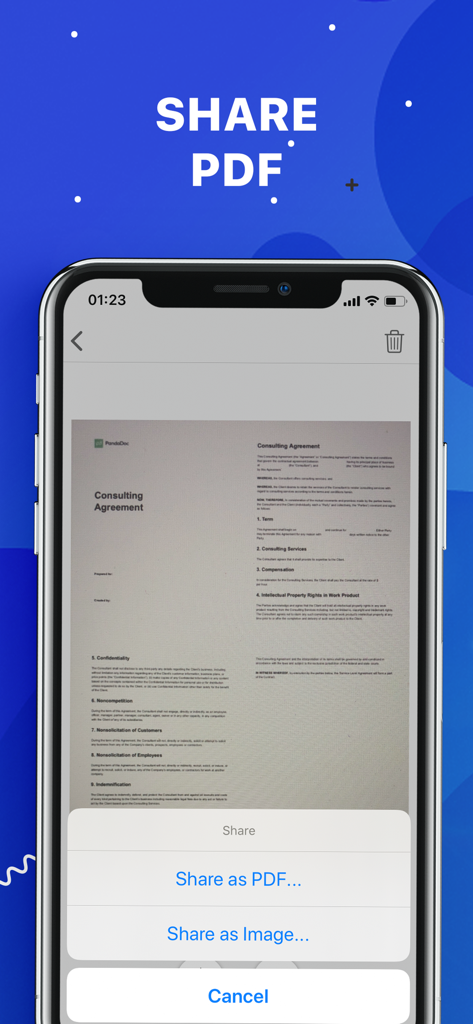
Oberfläche der Scanner plus App, die Optionen zum Teilen eines gescannten Dokuments als PDF oder Bild anzeigt

Oberfläche der Scanner plus App, die Optionen zum Teilen eines gescannten Dokuments als PDF oder Bild anzeigt

Ihr Büro, überall, wo Sie hingehen

Die Tools, die diese App auszeichnen, gewählt von 3K+ Nutzern.

🚀

Scannen ohne Internet

Bleiben Sie in jeder Umgebung produktiv. Scannen, verarbeiten und speichern Sie hochwertige Dokumente, ohne eine WLAN- oder Datenverbindung zu benötigen.

🖋️

E-Signaturen mit einem Fingertipp

Beschleunigen Sie Ihr Geschäft, indem Sie Verträge und NDAs direkt auf Ihrem Bildschirm unterzeichnen. Unterzeichnen, speichern und zurücksenden in Sekundenschnelle.

☁️

Sofortige Cloud-Synchronisation

Halten Sie Ihre Dateien sicher und zugänglich. Exportieren Sie Ihre verbesserten Scans nahtlos nach Google Drive, Dropbox oder iCloud für ein papierloses Leben.

Über die App

Alles, was Sie über wissen müssen Scanner+ Scan PDF Documents.

Beschreibung

“Scanner+” is an easy to use scanner app that will turn your iPhone into handy portable scanner. Easily scan, save and share any printed document in PDF or JPEG format. Scan anything you need: Receipts, documents, paper notes, fax papers, book and store your scans as multipage PDF or JPEG files. Save time by adding your signature to documents with a single tap. You can take this portable document scanner anywhere you go for business needs because Scanner+ doesn’t require Internet connection. Say goodbye to big scanner boxes and get this easiest PDF scanner+ now! Scanner+ App Features: - Scan to high quality PDF or JPEG - Save scans in grayscale, black and white or color - Automatic border detection for any scannable object - Advanced pic processing with enhancement and color correction, noise removing, automatic perspective correction and more - Multipage scanning - scan as many pages as you like Document Editor: - E-sign any document by adding your signature to scans within the app - Drag and change the order of your scanned documents Document Sharing Tools: - Share your scans via email - Easy print your scans with any Wi-Fi printer - Share and upload scanned documents to cloud services like Dropbox, Evernote, Yandex Disk, Box, OneDrive or Google Drive - Save scans to Camera Roll Terms Of Service: https://sulubeyn.com/terms.html Privacy Policy: https://sulubeyn.com/privacy.html You can cancel your subscription in the iTunes settings at least 24-hours before the end of the free trial period. Subscription payments will be charged to your iTunes account at confirmation of your purchase and upon commencement of each renewal term. * Please note: any unused portion of a free trial period (if offered) will be forfeited when you purchase a premium subscription during the free trial period. * You can cancel a free trial or subscription anytime by turning off auto-renewal through your iTunes account settings. This must be done 24 hours before the end of a free trial or subscription period to avoid being charged. The cancellation will take effect the day after the last day of the current subscription period, and you will be downgraded to the free service.

Neueste Version

1.6

Größe

36.8 MB

Erstveröffentlichung

27. Okt. 2018

Ihr gesamtes Büro, direkt in Ihrer Tasche

Schließen Sie sich Tausenden von Fachleuten an, die Dokumente in Sekundenschnelle scannen, signieren und teilen. Starten Sie Ihre kostenlose Testversion noch heute und erleben Sie die ultimative papierlose Freiheit.

Herunterladen auf App Store

App information, icons, screenshots, and descriptions displayed on this page are sourced from the Apple App Store and are the property of their respective developers. Download estimates and rankings are based on MWM's proprietary models and may not reflect actual figures. This page is provided for informational and analytical purposes only.

Believe this page infringes your intellectual property? File a dispute