School Writing - learn the abc
Herunterladen auf App Store

Diese Seite ist keine offizielle Seite der App oder ihres Entwicklers, sondern eine unabhängige redaktionelle Veröffentlichung, die zu Informations- und Kommentarzwecken erstellt wurde. Sofern nicht ausdrücklich anders angegeben, sind weder die App noch ihr Entwickler mit MWM, Apple, Google Play, dem App-Herausgeber oder dem Entwickler der App verbunden, von ihnen unterstützt, gesponsert, autorisiert oder anderweitig offiziell verbunden, und nichts auf dieser Seite impliziert, dass die App unter Verwendung der Dienste von MWM entwickelt wurde. Alle Marken, Logos, Screenshots und andere Inhalte bleiben Eigentum ihrer jeweiligen Inhaber.

Logo von School Writing - learn the abc
Herunterladen auf App Store

School Writing - learn the abc

Meistern Sie die Schriften Zaner-Bloser und D'Nealian mit dem am besten anpassbaren Schreibwerkzeug. Entwickelt für Lehrer und Eltern, um die Lücke zwischen digitalem Spielen und schulischer Exzellenz zu schließen.

Kennzahlen

Downloads

6K+

Bewertung

3.4/5

Bewertungen gesamt

0

Herausgeber

demografix pty ltd

Kategorie

Education

Sprachen

1

Neueste Version

3.1

Größe

163.2 MB

Erstveröffentlichung

12. Apr. 2012
Funktionen

Stärken Sie jeden Strich mit professionellen Werkzeugen

Schließen Sie die Lücke zwischen digitalem Spielen und schulischen Standards mit der umfassendsten Handschrift-App für US-Schulen und das Lernen zu Hause.

Schulsichere Handschrift-Schriftarten

Unterstützen Sie Ihren lokalen Lehrplan mit integrierten Schriftarten von Zaner-Bloser und D'Nealian, verfügbar in einfachen und kursiven Stilen.

Präzises Feinmotorik-Training

Perfekt für den Apple Pencil, mit einstellbaren Genauigkeitsstufen und sofortigem Feedback zur Entwicklung des Muskelgedächtnisses und der Strichrichtung.

Die folgenden Screenshots und die Beschreibung stammen direkt aus dem offiziellen Store-Eintrag der App und sind Eigentum des Entwicklers.

App Store

Screenshots
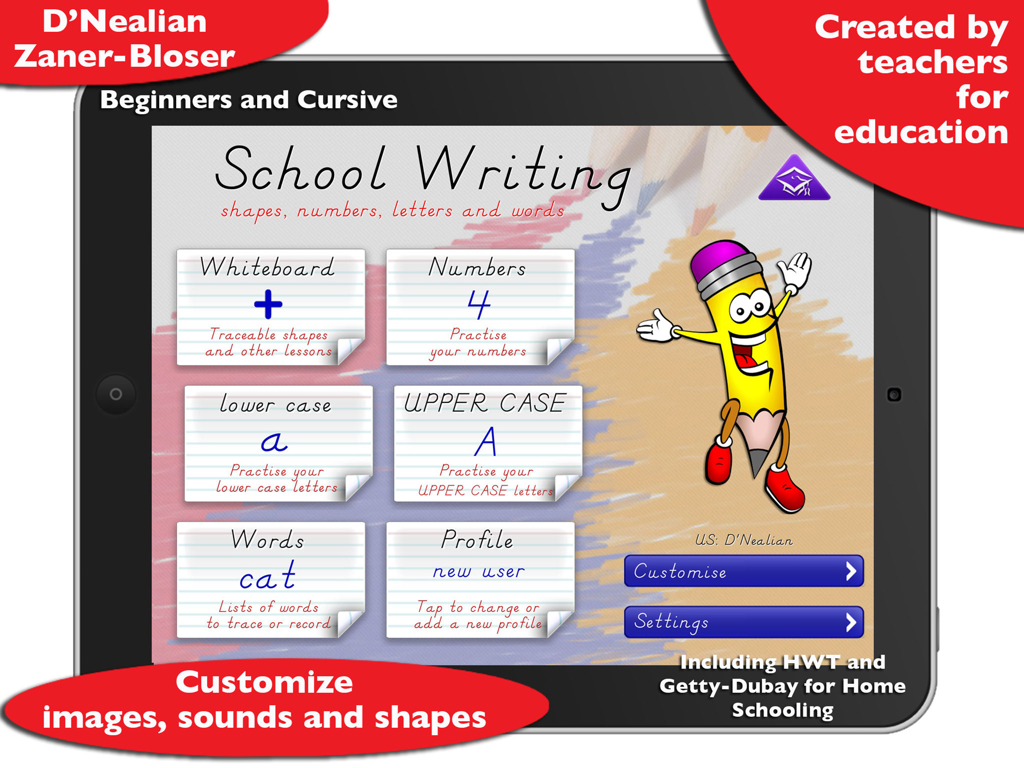
School Writing - learn the abc - Startbildschirm der School Writing App mit Übungskategorien für Buchstaben, Zahlen und Wörter
Startbildschirm der School Writing App mit Übungskategorien für Buchstaben, Zahlen und Wörter

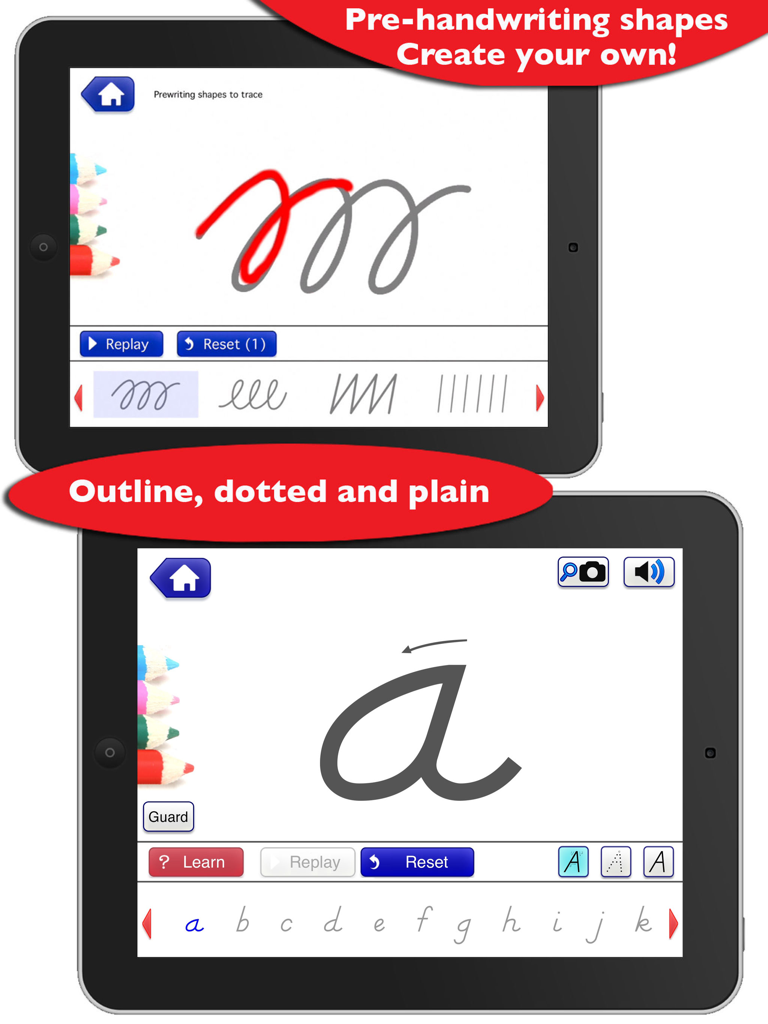
School Writing - learn the abc - iPad-Screenshots der School Writing App, die Vor-Handschrift-Formen und das Schreiben von Kursivbuchstaben zeigen.
iPad-Screenshots der School Writing App, die Vor-Handschrift-Formen und das Schreiben von Kursivbuchstaben zeigen.

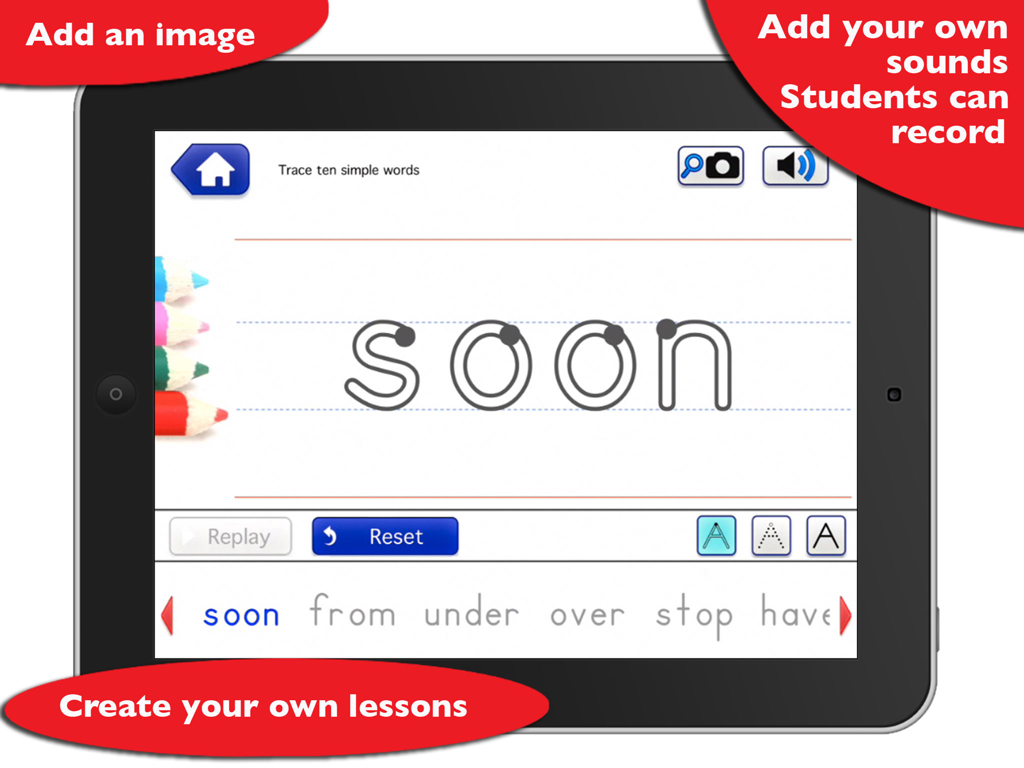
School Writing - learn the abc - iPad-Bildschirm, der Handschriftübungen für das Wort 'soon' mit Optionen zum Hinzufügen von Bildern und Aufnehmen von Tönen zeigt
iPad-Bildschirm, der Handschriftübungen für das Wort 'soon' mit Optionen zum Hinzufügen von Bildern und Aufnehmen von Tönen zeigt

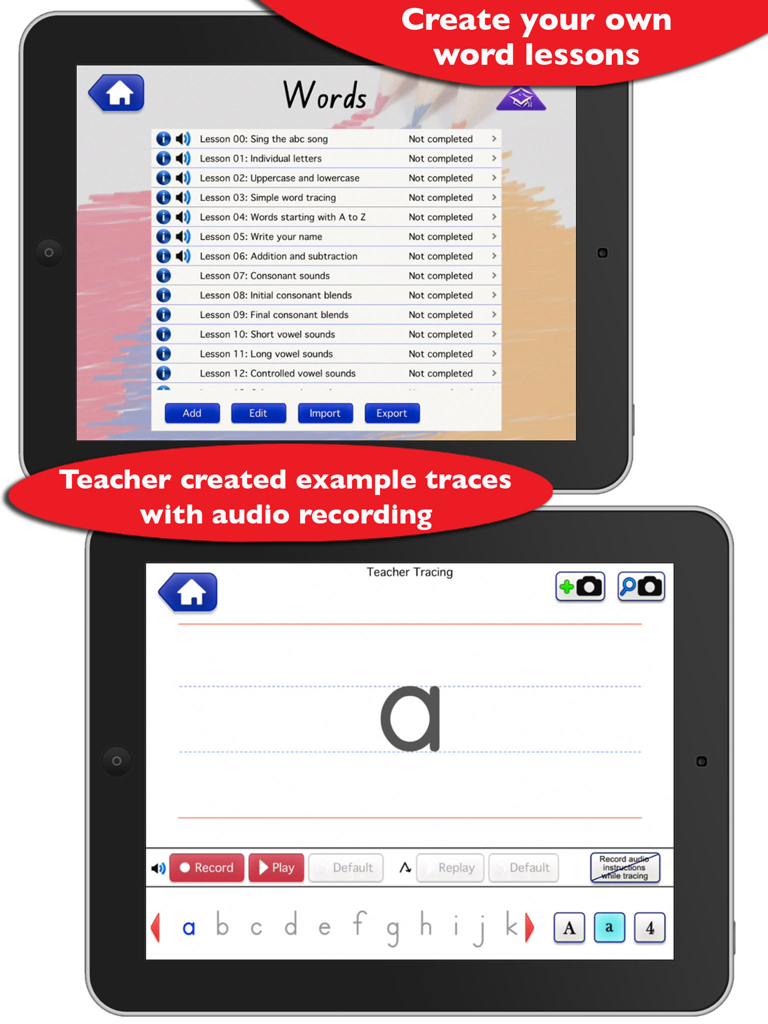
School Writing - learn the abc - Zwei iPads zeigen die Funktionen der School Writing App zum Erstellen benutzerdefinierter Wortlektionen und zum Aufzeichnen von Lehrerhandschrift-Spuren
Zwei iPads zeigen die Funktionen der School Writing App zum Erstellen benutzerdefinierter Wortlektionen und zum Aufzeichnen von Lehrerhandschrift-Spuren

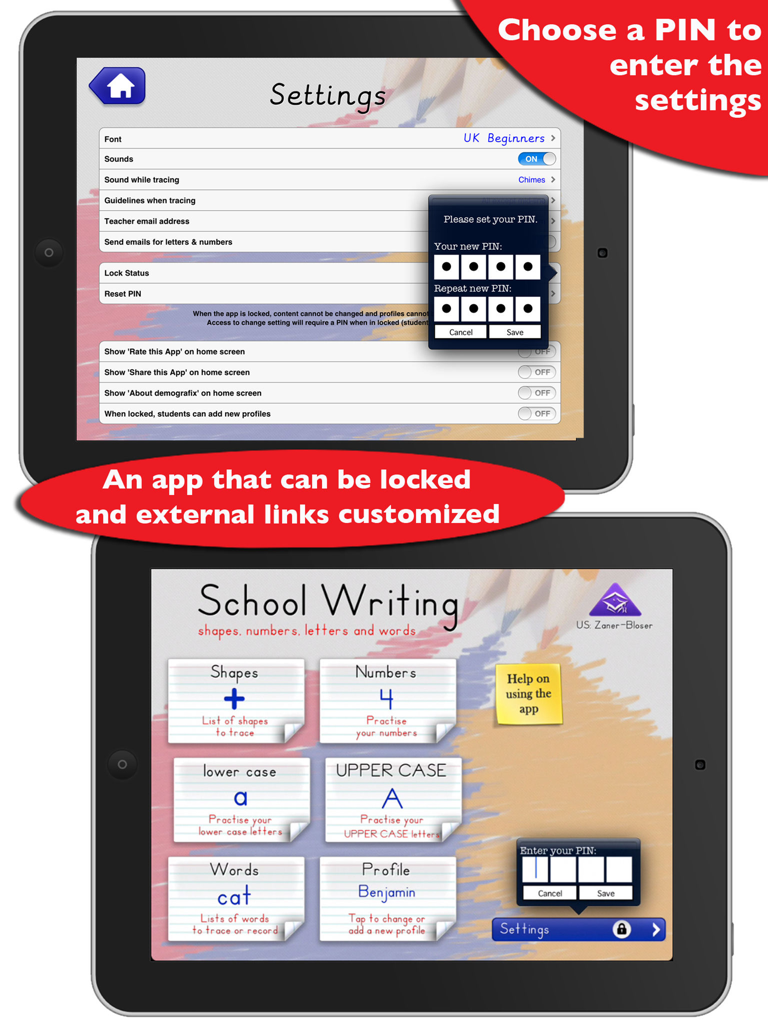
School Writing - learn the abc - Schulschrift-App-Oberfläche, die PIN-Sicherheitseinstellungen für Lehrer und Hauptkategorien für Bildungszwecke auf zwei iPads zeigt.
Schulschrift-App-Oberfläche, die PIN-Sicherheitseinstellungen für Lehrer und Hauptkategorien für Bildungszwecke auf zwei iPads zeigt.

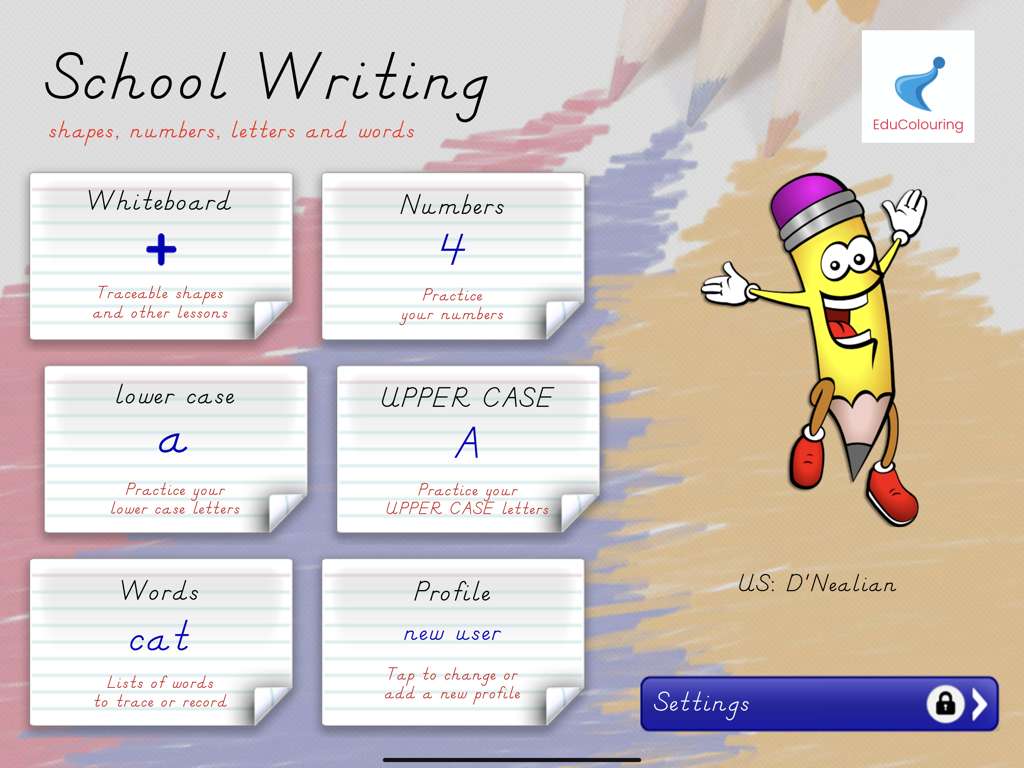
School Writing - learn the abc - Hauptmenü der School Writing App zum Erlernen der Handschrift mit verschiedenen Übungskategorien
Hauptmenü der School Writing App zum Erlernen der Handschrift mit verschiedenen Übungskategorien

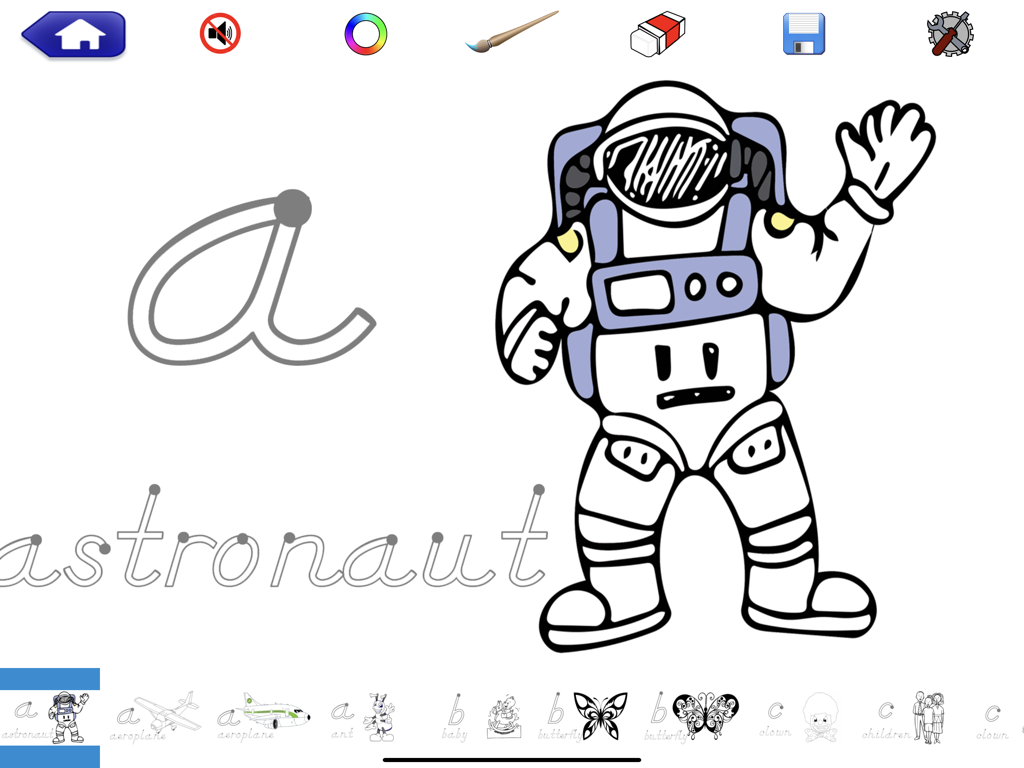
School Writing - learn the abc - Übung zum Schreiben des Kursivbuchstabens a und des Wortes 'astronaut' in einer Lern-Handschrift-App für Kinder
Übung zum Schreiben des Kursivbuchstabens a und des Wortes 'astronaut' in einer Lern-Handschrift-App für Kinder

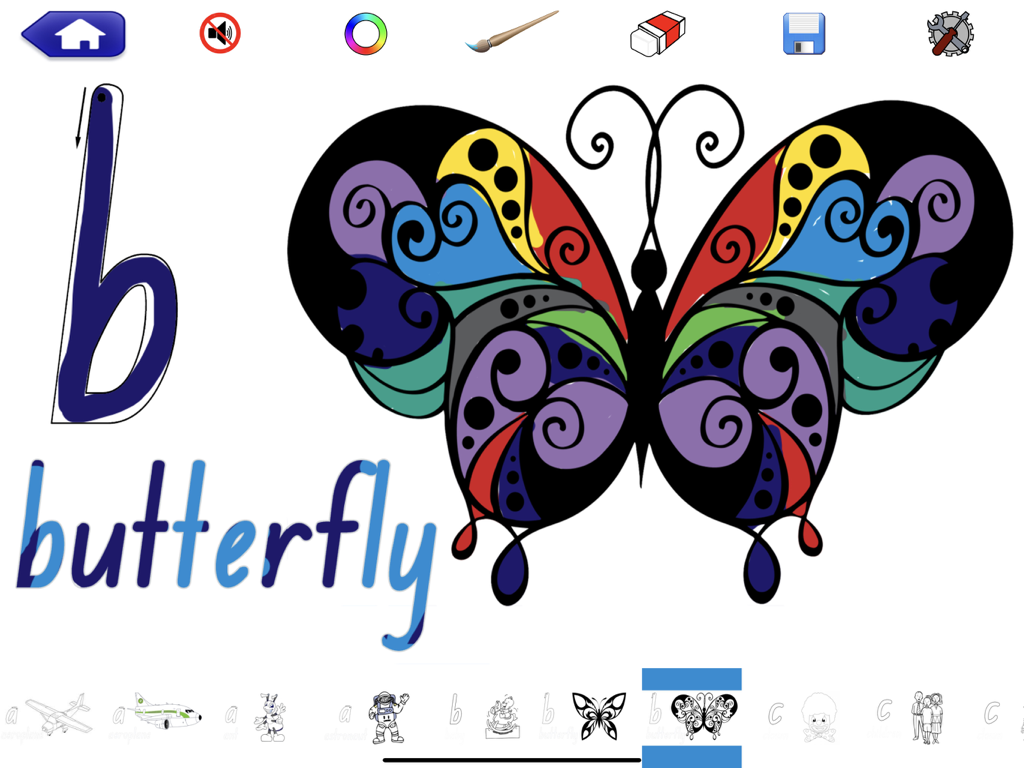
School Writing - learn the abc - Pädagogischer Bildschirm, der Anleitungen zum Schreiben des Kursivbuchstabens b und des Wortes 'butterfly' mit einer bunten Illustration zeigt

Pädagogischer Bildschirm, der Anleitungen zum Schreiben des Kursivbuchstabens b und des Wortes 'butterfly' mit einer bunten Illustration zeigt

Beschreibung

An education created app that contains the education approved fonts for your school, including individual plain and cursive letters, used in the United States of America schools – Zaner-Bloser and D'Nealian. Available on the Apple 50% Discount Education Volume Purchase Program. Wonderful ***** by K Tchr As a kindergarten teacher, and parent of a kindergarten and preschool child, I love this app! It teaches D'Nealian, which is an introduction to learning cursive. I love that there are thoroughly thought through lessons to break writing into chunks for students. Leaves that student in the exact place they left off, awards the student stars for job well done on each part of the lesson, and gives immediate feedback if a student needs improvement. Brought this to my Assistant Principal to use school wide. A must have for every parent and teacher ***** by mrsnic123 Students just love this app. They love the different colour choices and the replay button. Definitely seen positive results with students with fine motor difficulties. Congratulations on a great app. Must-Have for all schools ***** by Aunty_Vegemite Brilliant App that is more than just a hand writing App. It can also be used in just about any curriculum area. Incredibly easy to make my own word lists with pictures and sounds. Students intuitively trace pre-handwriting shapes, uppercase and lowercase letters, numbers, words or whiteboard images with the touch of a finger or using the Apple Pencil. Hear and see letters, words and numbers with optional customized associated images and sounds. With tracing accuracy turned on to easy, medium or hard the students are rewarded with a half or full star depending on their accuracy. They are given three attempts before automatically advancing to the next letter or number. The default teacher tracings or your customisations of the teacher tracings are used as the basis for checking the students tracing accuracy. This allows for complete flexibility over stroke direction for left hand writers. Teacher tracing also offers the ability to record audio for letter sounds and tracing instructions. School Writing allows the teacher or parent to create lessons, with written instructions, unique images and audio instructions, to which the student can respond using written and audio recordings. This 'open scaffold' enables the lessons to be words, numbers or symbols and extends the use of School Writing far beyond early education. Completed lessons can be automatically emailed to the teacher or parent with the student’s tracings and recordings included. The ‘Whiteboard’ section allows a teacher to draw or import images, with unique audio instructions for tracing or interacting with. Students can trace and record audio answers. It is also the pre handwriting activities in conjunction with the EduColouring activity within the app. Create, save and share your own ‘Word’ lessons, profiles and customisations to suit your curriculum, with complete control over the management of the lessons, the app and the student profiles. Full import and export functions are included for iPad classrooms including Airdrop file transfer, email, iTunes, dropbox or sending the lessons to the demografix website for public access. Lock the app into a restricted student mode. In student mode, word lessons cannot be created or deleted and profiles cannot be changed. Students have no access to the app settings when a teacher PIN is set. Each student can have a unique profile. To share your experiences, ideas or request support, contact us : e : support@demografix.com.au fb : www.facebook.com/demografix.pty.ltd t : twitter.com/demografix_au w : www.demografix.com.au ytube : www.youtube.com/demografixapps Available as Apple Education Volume purchasing at 50% off for 20 copies or more.

Download

Herunterladen auf App Store

Diese Seite ist keine offizielle Seite der App oder ihres Entwicklers, sondern eine unabhängige redaktionelle Veröffentlichung, die zu Informations- und Kommentarzwecken erstellt wurde. Sofern nicht ausdrücklich anders angegeben, sind weder die App noch ihr Entwickler mit MWM, Apple, Google Play, dem App-Herausgeber oder dem Entwickler der App verbunden, von ihnen unterstützt, gesponsert, autorisiert oder anderweitig offiziell verbunden, und nichts auf dieser Seite impliziert, dass die App unter Verwendung der Dienste von MWM entwickelt wurde. Alle Marken, Logos, Screenshots und andere Inhalte bleiben Eigentum ihrer jeweiligen Inhaber.








