
Diese Seite ist keine offizielle Seite der App oder ihres Entwicklers, sondern eine unabhängige redaktionelle Veröffentlichung, die zu Informations- und Kommentarzwecken erstellt wurde. Sofern nicht ausdrücklich anders angegeben, sind weder die App noch ihr Entwickler mit MWM, Apple, Google Play, dem App-Herausgeber oder dem Entwickler der App verbunden, von ihnen unterstützt, gesponsert, autorisiert oder anderweitig offiziell verbunden, und nichts auf dieser Seite impliziert, dass die App unter Verwendung der Dienste von MWM entwickelt wurde. Alle Marken, Logos, Screenshots und andere Inhalte bleiben Eigentum ihrer jeweiligen Inhaber.


Schoolwork
Verwandeln Sie Ihren iPad-Unterricht in eine personalisierte Lernumgebung. Sparen Sie Zeit bei der Administration, gewinnen Sie tiefe Einblicke in den Lernfortschritt und geben Sie in einer zentralen Plattform Echtzeit-Feedback.
Downloads
86K+Bewertung
Bewertungen gesamt
500Herausgeber
Kategorie
EducationSprachen
33Neueste Version
3.2.1Größe
166.9 MBErstveröffentlichung
6. Aug. 2018Gestalten Sie Ihren Unterricht präzise
Sparen Sie Zeit bei der Administration und konzentrieren Sie sich auf das Wesentliche: Helfen Sie jedem Schüler, mit Echtzeit-Einblicken und nahtlosen iPad-Workflows erfolgreich zu sein.
Handschriftliches Feedback & Benotung
Geben Sie mit dem Apple Pencil eine persönliche Note. Kommentieren Sie PDFs, Fotos und Aufgaben direkt in der App – so natürlich wie auf Papier.
Datenbasierter Unterricht
Erkennen Sie genau, wo Schüler Schwierigkeiten haben. Nutzen Sie aufgabenbezogene Daten und Fortschrittsverfolgung über alle Ihre bevorzugten Lern-Apps, um Unterstützung zu personalisieren.
Die folgenden Screenshots und die Beschreibung stammen direkt aus dem offiziellen Store-Eintrag der App und sind Eigentum des Entwicklers.
App Store
Screenshots
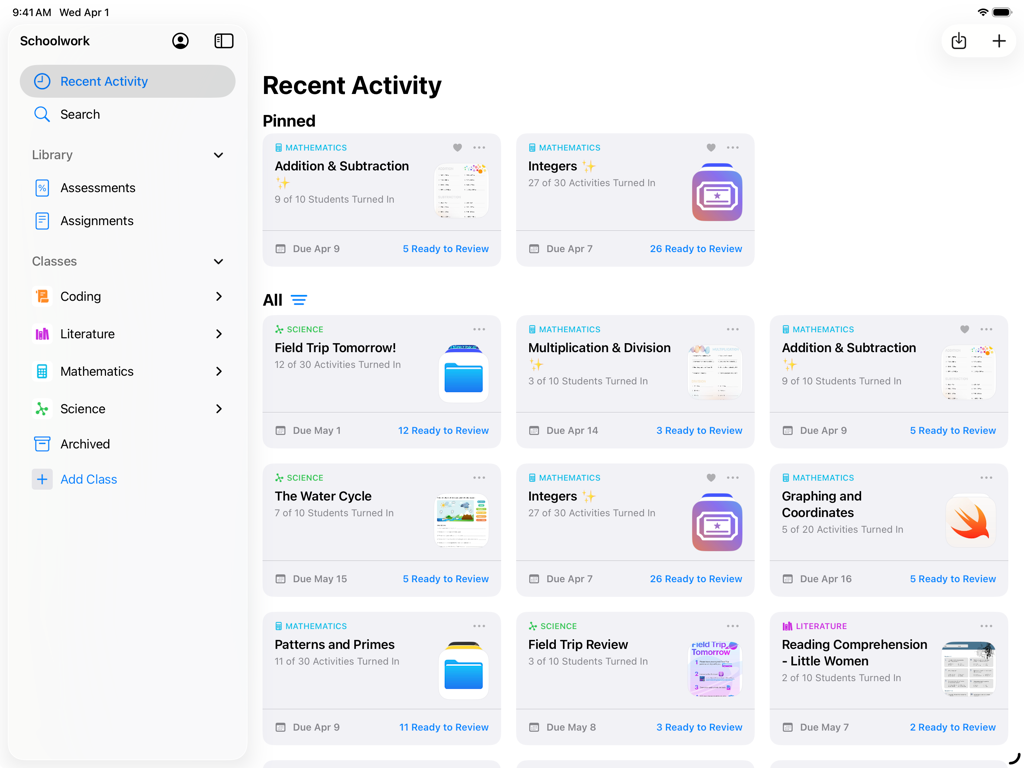
Dashboard-Ansicht der Schoolwork-App auf dem iPad, die vom Lehrer verwaltete Klassenaktivitäten und den Lernfortschritt der Schüler zeigt
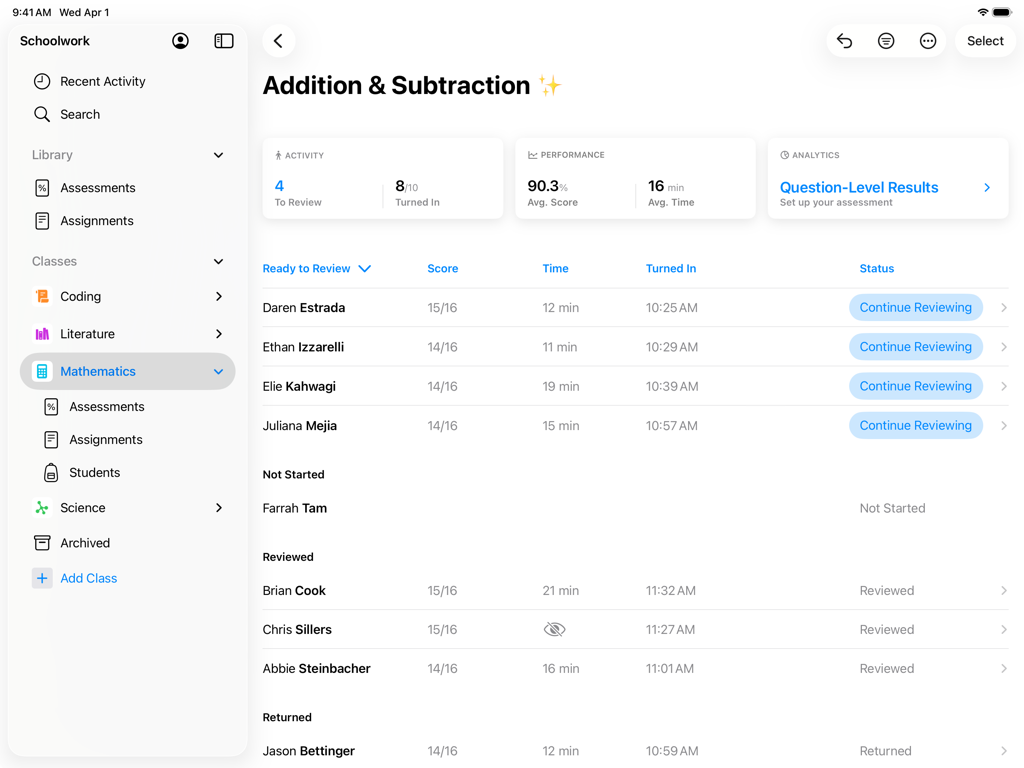
Teacher-Dashboard in der Schoolwork-App, das die Ergebnisse und den Fortschritt der Schüler für eine Mathematikaufgabe anzeigt
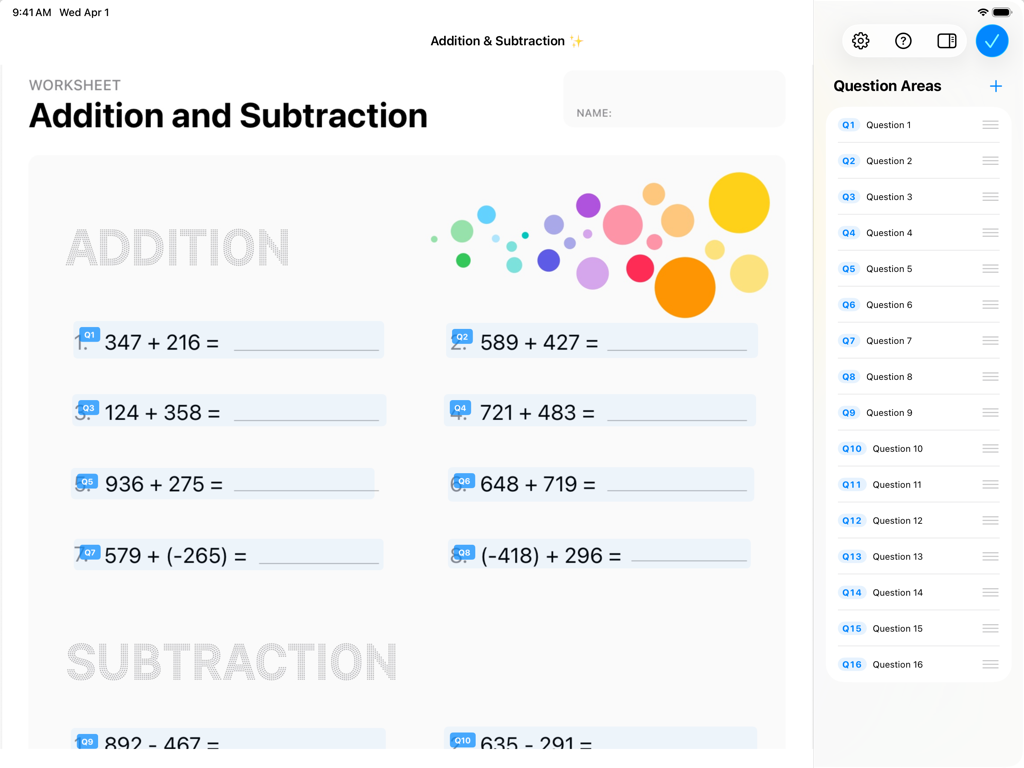
Apple Schoolwork App-Oberfläche, die ein digitales Mathematikarbeitsblatt mit Additionsaufgaben und einer Seitenleiste mit Fragenbereichen anzeigt.
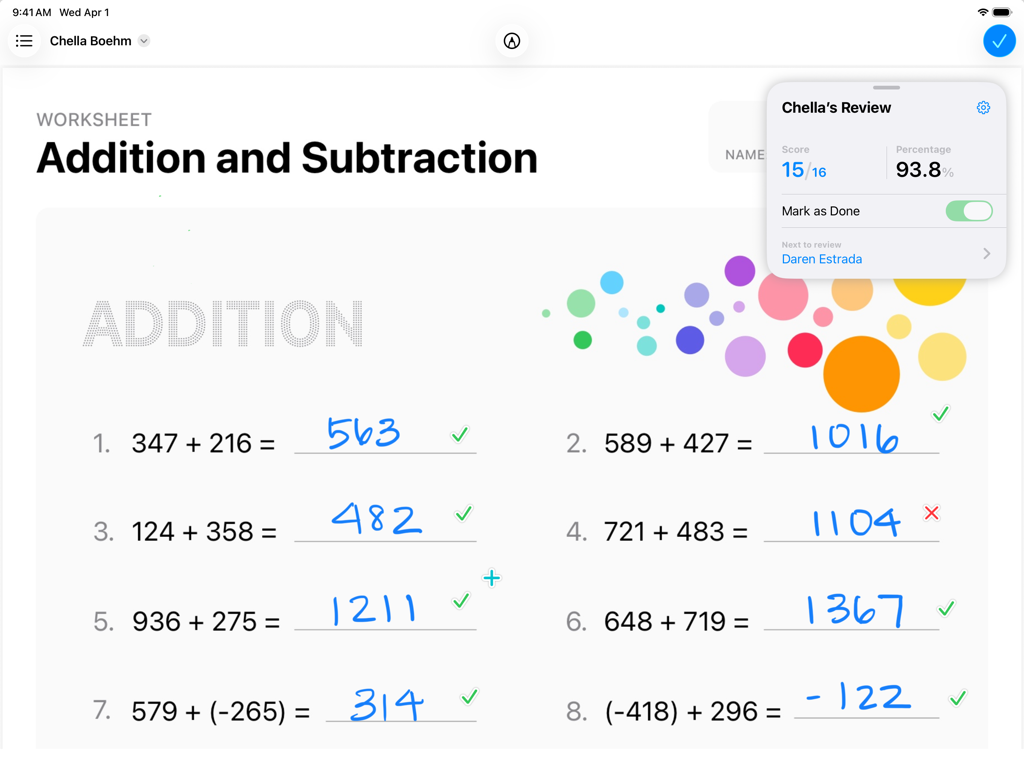
Ein Mathematikarbeitsblatt, das in der Apple Schoolwork-App auf einem iPad benotet wird und den Fortschritt und die handschriftlichen Antworten des Schülers zeigt.
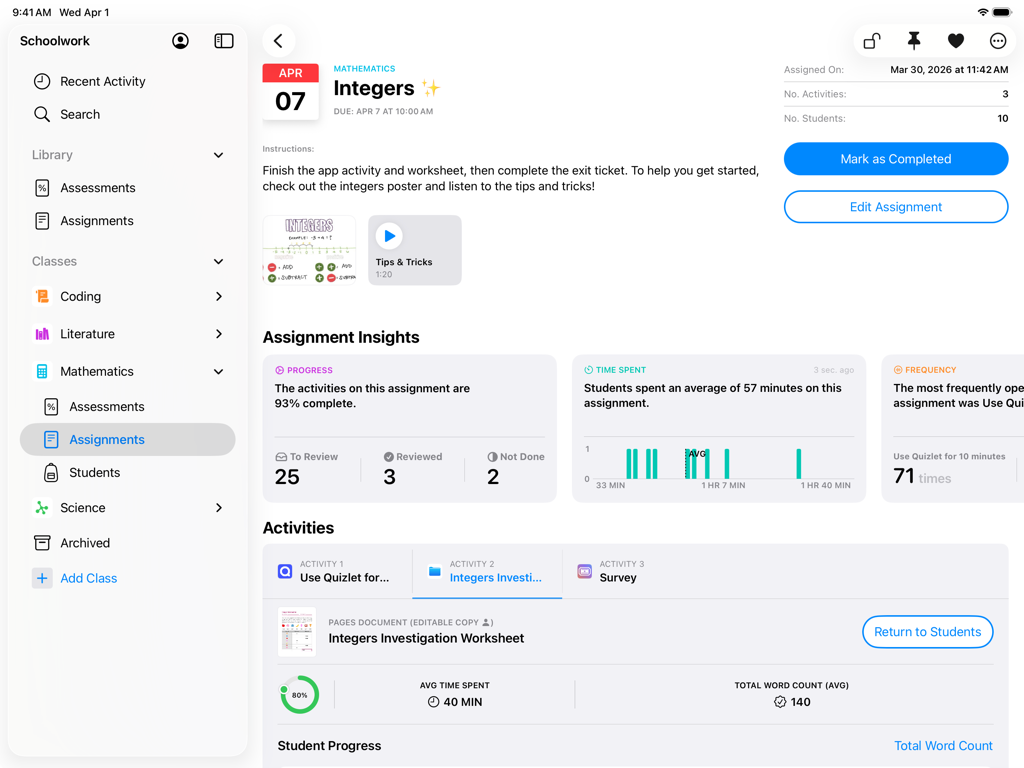
Apple Schoolwork App-Oberfläche auf dem iPad, die Einblicke in Mathematikaufgaben und die Verfolgung des Schülerfortschritts anzeigt.
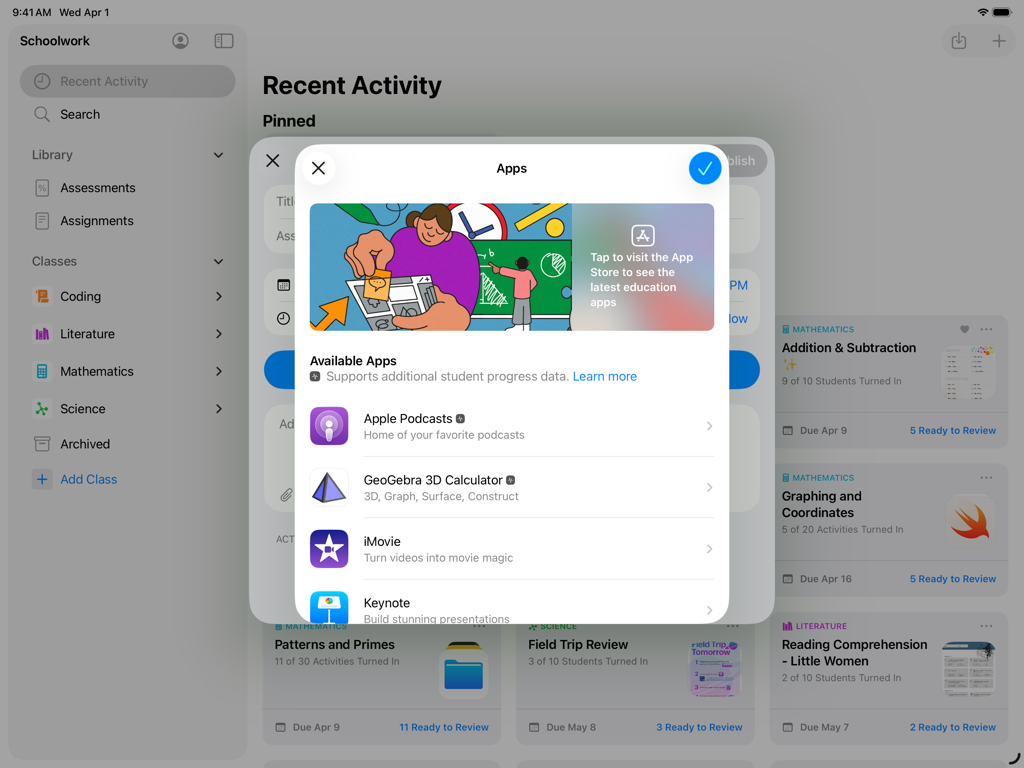
iPad-Screenshot der Schoolwork-App, der ein Menü zur Auswahl von Lern-Apps für Schüleraufgaben zeigt.
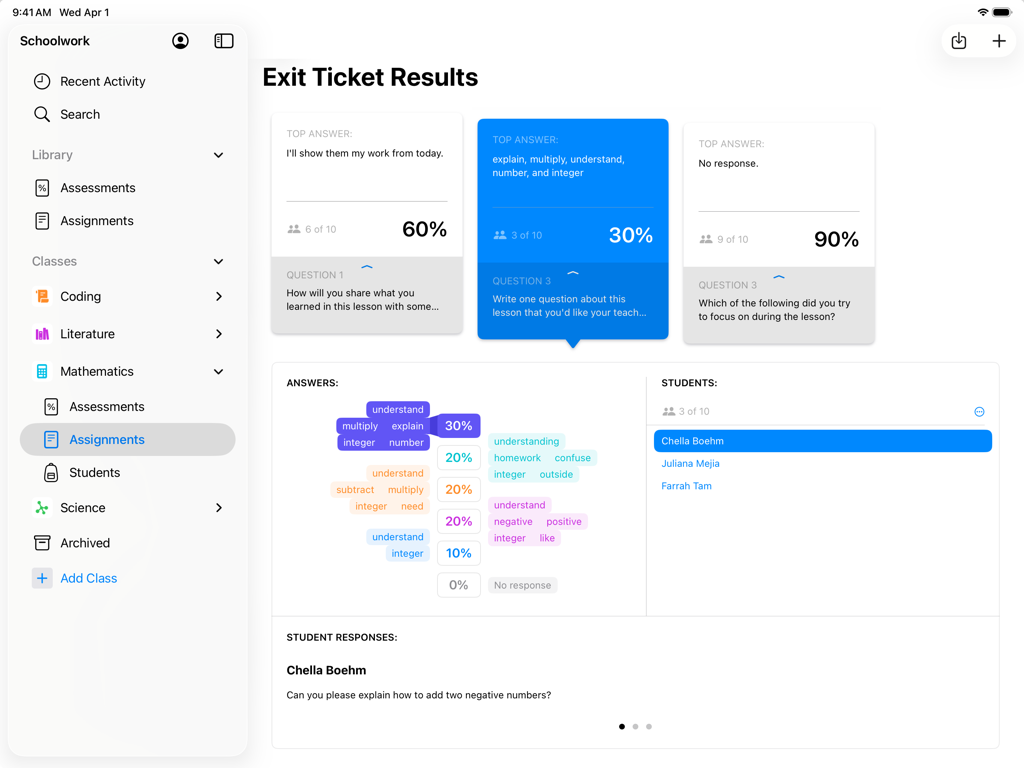
Lehreransicht von Exit-Ticket-Ergebnissen und Schülerbewertungsdaten in der Apple Schoolwork-App auf dem iPad
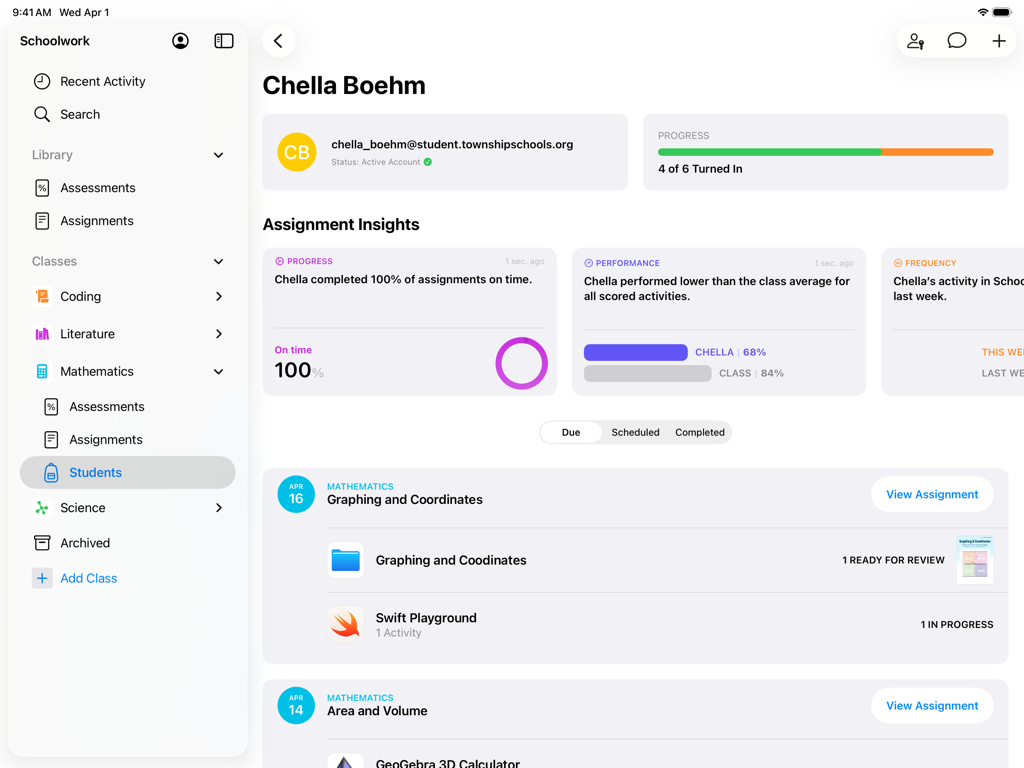
Eine Schülerprofilansicht in der Schoolwork-App, die den Aufgabenfortschritt und Leistungseinblicke zeigt
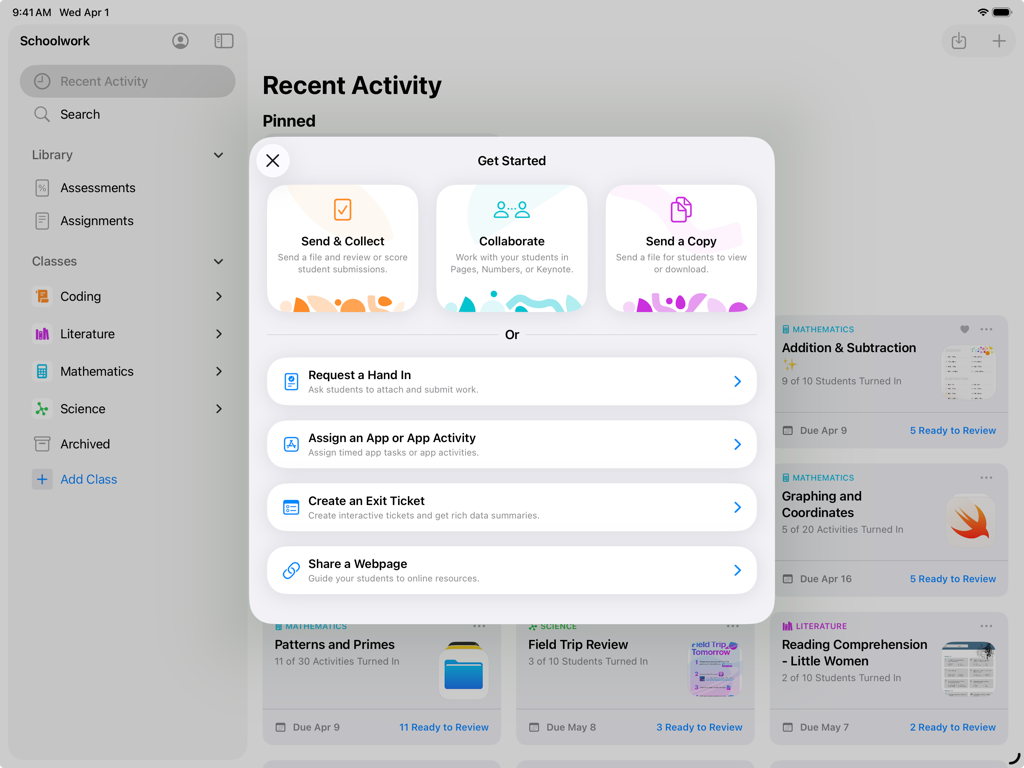
Schoolwork-App auf dem iPad, die das Menü 'Erste Schritte' mit Optionen für Aufgaben und Zusammenarbeit für Lehrkräfte anzeigt.
Beschreibung
Download
Ähnliche Apps
Top-gerankte Apps in derselben Kategorie

Duolingo - Language Lessons
Duolingo, Inc

Speak & Learn English: Learna
DEEP FLOW SOFTWARE SERVICES - FZCO

驾考宝典-科一科四驾驶证考试驾考通
Wuhan Jiakaobaodian Information Service Co., Ltd.

Toca Boca World
Toca Boca AB

Google Classroom
Google LLC

作业帮-中小学家长作业检查和辅导工具
Guangzhou Polar Future Culture Technology Co., Ltd

学信网
Student Information Consultation Service Co., Ltd.

Gauth: AI Study Companion
GAUTHTECH PTE. LTD.

ArtWorkout: Learn How to Draw
Aleksandr Ulitin
Diese Seite ist keine offizielle Seite der App oder ihres Entwicklers, sondern eine unabhängige redaktionelle Veröffentlichung, die zu Informations- und Kommentarzwecken erstellt wurde. Sofern nicht ausdrücklich anders angegeben, sind weder die App noch ihr Entwickler mit MWM, Apple, Google Play, dem App-Herausgeber oder dem Entwickler der App verbunden, von ihnen unterstützt, gesponsert, autorisiert oder anderweitig offiziell verbunden, und nichts auf dieser Seite impliziert, dass die App unter Verwendung der Dienste von MWM entwickelt wurde. Alle Marken, Logos, Screenshots und andere Inhalte bleiben Eigentum ihrer jeweiligen Inhaber.