Screen Mirroring Cast to TV
Herunterladen auf App Store

Diese Seite ist keine offizielle Seite der App oder ihres Entwicklers, sondern eine unabhängige redaktionelle Veröffentlichung, die zu Informations- und Kommentarzwecken erstellt wurde. Sofern nicht ausdrücklich anders angegeben, sind weder die App noch ihr Entwickler mit MWM, Apple, Google Play, dem App-Herausgeber oder dem Entwickler der App verbunden, von ihnen unterstützt, gesponsert, autorisiert oder anderweitig offiziell verbunden, und nichts auf dieser Seite impliziert, dass die App unter Verwendung der Dienste von MWM entwickelt wurde. Alle Marken, Logos, Screenshots und andere Inhalte bleiben Eigentum ihrer jeweiligen Inhaber.

Logo von Screen Mirroring Cast to TV
Herunterladen auf App Store

Screen Mirroring Cast to TV

Streamen Sie mühelos Webinhalte, Fotos und Musik von Ihrem iPhone in hoher Qualität und Echtzeit auf Roku, Fire TV, Chromecast oder jeden Smart TV.

Kennzahlen

Downloads

5K+

Bewertung

4.0/5

Bewertungen gesamt

0

Herausgeber

Anand Naidu

Kategorie

Productivity

Sprachen

1

Neueste Version

1.2

Größe

34.1 MB

Erstveröffentlichung

19. Juni 2024
Funktionen

Alles, was Sie lieben, jetzt auf dem großen Bildschirm

Erleben Sie totale Freiheit mit einer All-in-One-Casting-Lösung, die die Lücke zwischen Ihrem iPhone und jedem Smart-Gerät in Ihrem Zuhause schließt.

Universelle Kompatibilität

Überbrücken Sie die Lücke von Apple zu allem. Streamen Sie sofort von einer einzigen App auf Roku, Fire TV, Chromecast und Smart TVs.

Integriertes Web-Casting

Ein Video im Web gefunden? Nutzen Sie den integrierten Browser, um Online-Inhalte direkt auf Ihren Fernseher zu streamen und umständliche native Apps zu umgehen.

Die folgenden Screenshots und die Beschreibung stammen direkt aus dem offiziellen Store-Eintrag der App und sind Eigentum des Entwicklers.

App Store

Screenshots
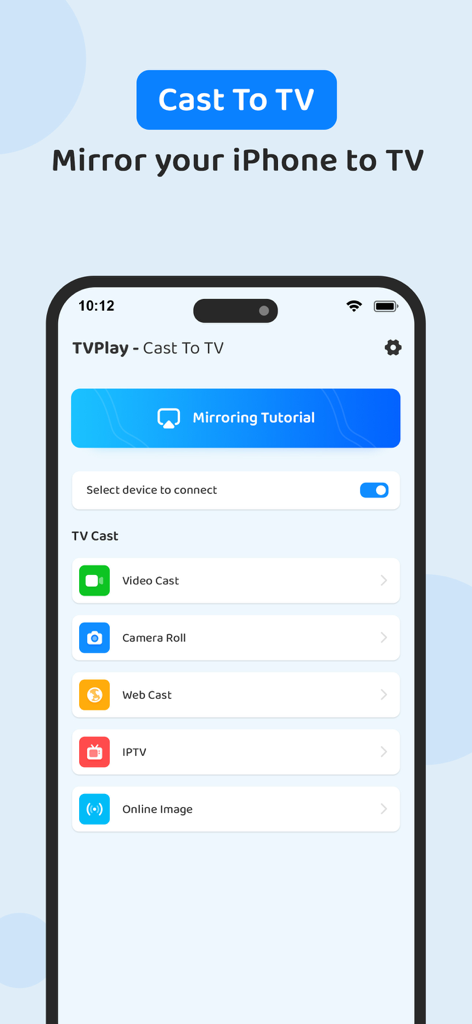
Screen Mirroring Cast to TV - Benutzeroberfläche der TVPlay Screen-Mirroring-App auf einem iPhone mit Optionen für Video-Casting und Bildschirm-Mirroring
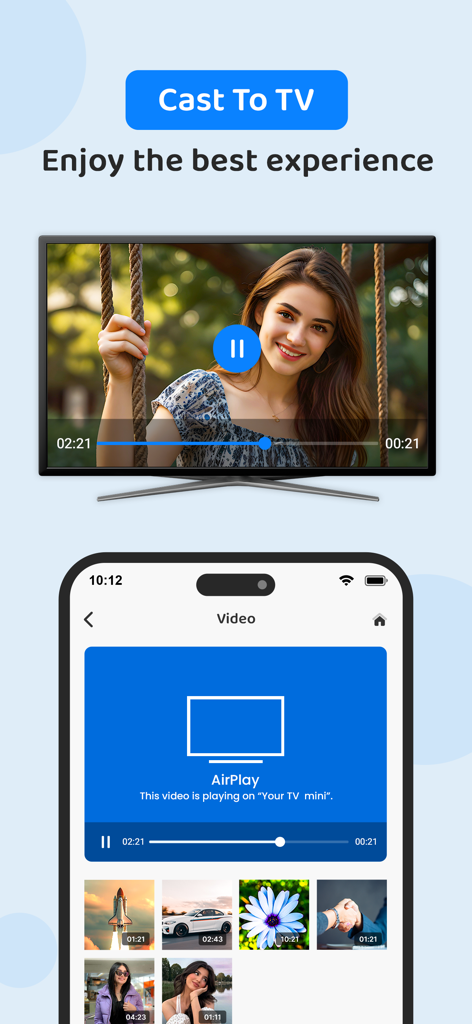
Benutzeroberfläche der TVPlay Screen-Mirroring-App auf einem iPhone mit Optionen für Video-Casting und Bildschirm-Mirroring

Screen Mirroring Cast to TV - Ein iPhone-Bildschirm, der mit der TVPlay-App ein Video auf einen Smart-TV spiegelt
Ein iPhone-Bildschirm, der mit der TVPlay-App ein Video auf einen Smart-TV spiegelt

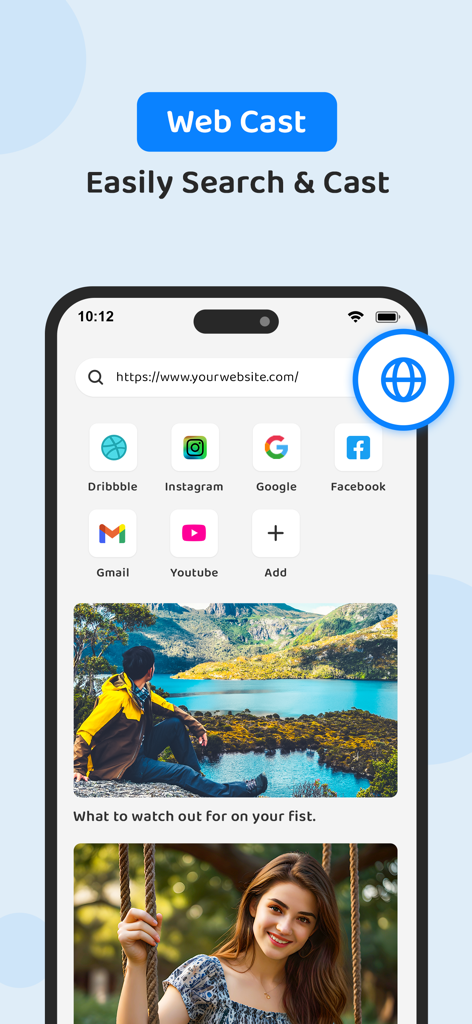
Screen Mirroring Cast to TV - Integrierte Webbrowser-Oberfläche zum Streamen von Online-Videos vom iPhone auf den TV
Integrierte Webbrowser-Oberfläche zum Streamen von Online-Videos vom iPhone auf den TV

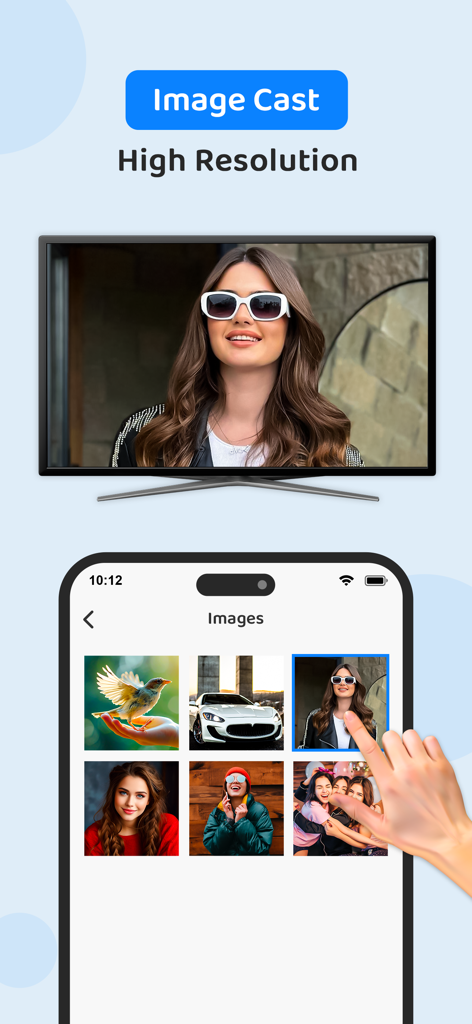
Screen Mirroring Cast to TV - Ein iPhone-Bildschirm, der ein hochauflösendes Foto einer Frau mit der TVPlay-App auf einen Smart-TV spiegelt
Ein iPhone-Bildschirm, der ein hochauflösendes Foto einer Frau mit der TVPlay-App auf einen Smart-TV spiegelt

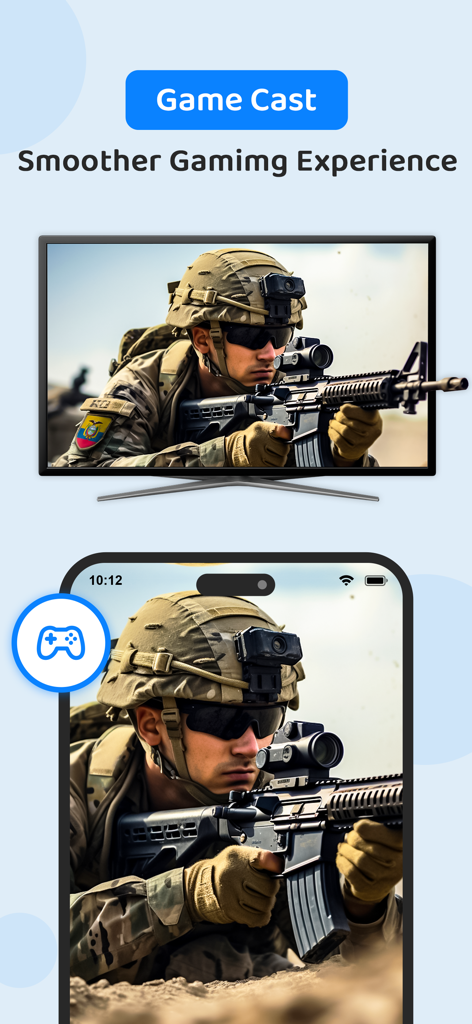
Screen Mirroring Cast to TV - iPhone-Bildschirm spiegelt ein militärisches Actionspiel auf einen großen Smart-TV
iPhone-Bildschirm spiegelt ein militärisches Actionspiel auf einen großen Smart-TV

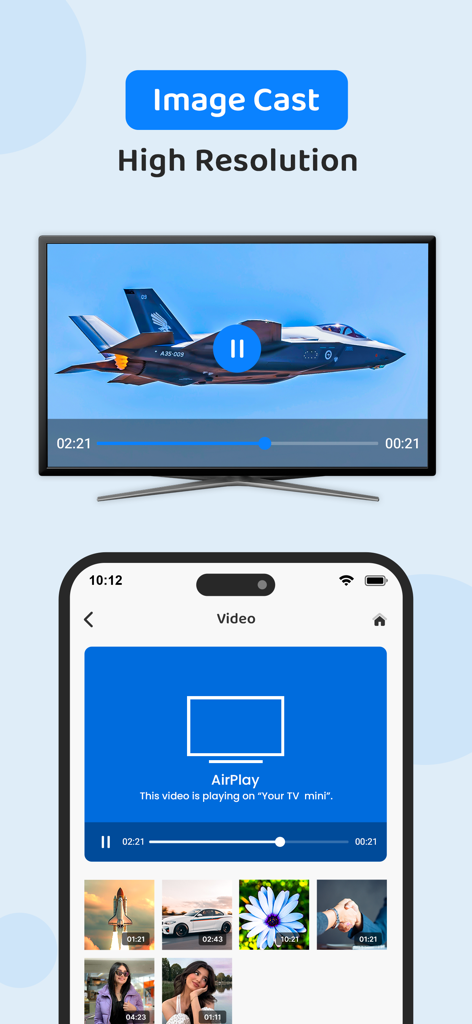
Screen Mirroring Cast to TV - Eine iPhone-Benutzeroberfläche, die ein hochauflösendes Bild eines Düsenflugzeugs auf einen Smart-TV-Bildschirm spiegelt

Eine iPhone-Benutzeroberfläche, die ein hochauflösendes Bild eines Düsenflugzeugs auf einen Smart-TV-Bildschirm spiegelt

Beschreibung

TVPlay - Cast to TV, helps you cast a small phone screen to big TV screen in high quality and real-time speed. You can easily access all types of media files, including mobile games, photos, music, videos & E-books on the big screen. With the TV play app, you can cast to TV and make screen share with your family or friends in simple steps. Cast to TV enables you to cast online videos and all local videos, music and images to TV, Chromecast, Roku, Amazon Fire Stick or Fire TV, Xbox, Apple TV or other DLNA Devices. Cast to TV and stream videos & movies on TV now! Features: • Easy to control TV with phone: pause, volume, forward/rewind, previous/next etc. Cast videos to tv. • Local playback for videos. • Auto search for available cast devices & streaming device. • Identify video, audio, photo files on your device automatically. • Inbuilt browser for web video cast. • Add local video, local audio to Play Queue. • Play media in shuffle, loop, repeat mode. • Design for video cast, music cast & photo slideshow cast. All Cast in One. With Cast to TV, you can cast to: • Chromecast • Smart TVs: Samsung, LG, Sony, Hisense, Xiaomi, Panasonic, etc. • Xbox One and Xbox 360 • Amazon Fire TV and Cast to Fire Stick • Apple TV and Airplay • Roku, Roku Stick and Roku TVs • Other DLNA receivers • Coming soon: Kodi, IPTV etc. If you want to cast video from phone to tv, you’d better try Cast to TV - Cast to Chromecast. Cast to Roku Easy to connect and cast to Roku. You can cast videos and music to Roku without limitations. Fast forward and backward can provide you with an excellent experience for watching movies. Just search videos from your favorite website and cast to Roku now! Cast to Chromecast Cast local video, photo slideshow, and music from phone to Chromecast easily and fast. Cast to Chromecast, Fire TV and other smart TVs with no feature limited. Cast web video to Chromecast, and enjoy the best experience of watching videos. Cast to Apple TV Cast both local files and online videos to Apple TV with the airplay function. Cast to Apple TV with the remote control to adjust the video progress and volume. Stream to TV From Phone With Cast to TV, you can stream videos to tv from phone without limitation. It helps you instantly stream videos, music and photos to your Smart TV, Chromecast, Amazon Fire Stick, etc. Stream to tv from phone is very dependent on Wi-Fi network and streaming device. Please make sure that your phone and streaming device is connected with the same Wi-Fi. And the format of the media is supported by streaming device. If you have troubles when you stream to tv or cast to Chromecast, you can try to reboot the Wi-Fi router and streaming device. Get unlimited access to all premium features of TVPlay by Subscribe Monthly TVPlay Pro at $1.99 and Yearly TVPlay Pro at $9.99 to use ads free versions of the premium app which can cancel anytime. • Privacy Policy: https://sites.google.com/view/anandnaidu-pp • Terms of Service: https://sites.google.com/view/anandnaidu-tou Best way to cast your phone screen to TV.

Download

Herunterladen auf App Store

Diese Seite ist keine offizielle Seite der App oder ihres Entwicklers, sondern eine unabhängige redaktionelle Veröffentlichung, die zu Informations- und Kommentarzwecken erstellt wurde. Sofern nicht ausdrücklich anders angegeben, sind weder die App noch ihr Entwickler mit MWM, Apple, Google Play, dem App-Herausgeber oder dem Entwickler der App verbunden, von ihnen unterstützt, gesponsert, autorisiert oder anderweitig offiziell verbunden, und nichts auf dieser Seite impliziert, dass die App unter Verwendung der Dienste von MWM entwickelt wurde. Alle Marken, Logos, Screenshots und andere Inhalte bleiben Eigentum ihrer jeweiligen Inhaber.








