Screen Mirroring+ for Roku

Screen Mirroring+ for Roku


Herunterladen auf App StoreHerunterladen auf Google Play
Logo von Screen Mirroring+ for Roku
Screen Mirroring+ für Roku: Hochwertige iPhone-zu-TV-Übertragung mit null Verzögerung

Die einfachste Möglichkeit, Ihre Fotos, Videos, Apps und Präsentationen auf Ihren Roku TV oder Streaming Stick zu spiegeln. Erleben Sie nahtlose Leistung auf dem großen Bildschirm ohne versteckte Kosten.

Herausgeber

Kraus und Karnath GbR 2Kit Consulting

Kategorie

Productivity

Downloads

676K+

Bewertung

3.5/5

Bewertungen gesamt

24K+

Sprachen

1

Erleben Sie den großen Bildschirm

Entdecken Sie die Oberfläche, die von 676K+ Nutzern verwendet wird.
Ein iPhone und ein Fernsehbildschirm, die beide dasselbe bunte, wellige Muster zeigen, um die Bildschirmspiegelungsfunktion zu demonstrieren

Ein iPhone und ein Fernsehbildschirm, die beide dasselbe bunte, wellige Muster zeigen, um die Bildschirmspiegelungsfunktion zu demonstrieren

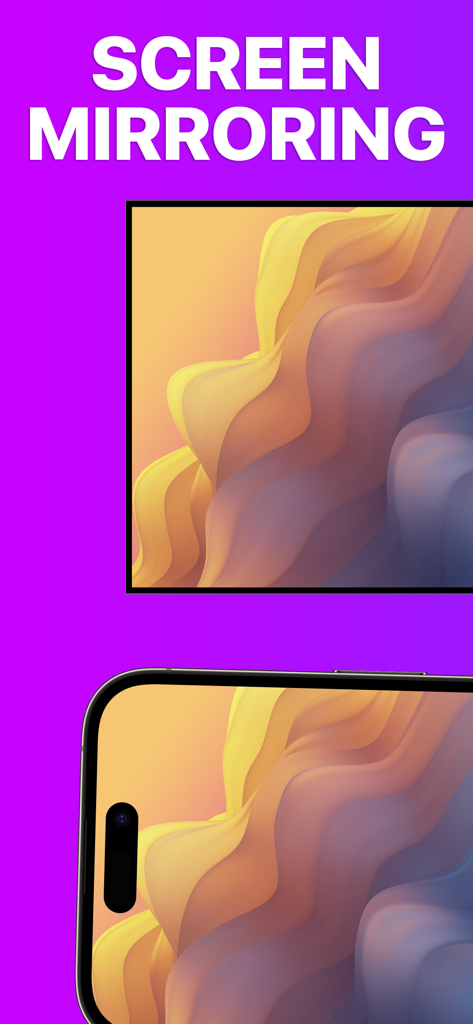
iPhone-Bildschirm auf einem Roku TV gespiegelt, der hochwertige abstrakte Kunst zeigt

iPhone-Bildschirm auf einem Roku TV gespiegelt, der hochwertige abstrakte Kunst zeigt

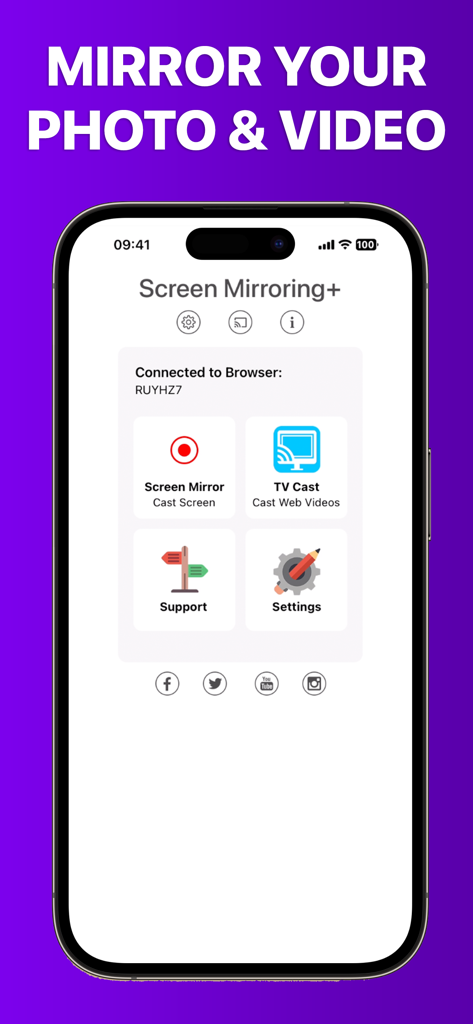
Startbildschirm der Screen Mirroring Plus App zum Übertragen von Medien vom iPhone auf Roku

Startbildschirm der Screen Mirroring Plus App zum Übertragen von Medien vom iPhone auf Roku

Ihre iPhone-Inhalte, größer als das Leben

Die Tools, die diese App auszeichnen, gewählt von 676K+ Nutzern.

Verzögerungsfreie Übertragung

Erleben Sie branchenführende Leistung mit einer Latenz von weniger als einer Sekunde. Perfekt zum Scrollen in sozialen Medien, Surfen im Web oder für Mobile Gaming auf dem großen Bildschirm.

📺

Familienfreundliches Casting

Teilen Sie sofort Urlaubsfotos, Heimvideos und Präsentationen von Ihrem iPhone oder iPad. Bringen Sie alle zusammen, ohne sich um einen kleinen Bildschirm drängen zu müssen.

💎

Keine versteckten Abonnements

Hören Sie auf, wöchentliche Gebühren oder teure Apple TV-Hardware zu bezahlen. Genießen Sie ein professionelles Dienstprogramm, das für preisbewusste Benutzer entwickelt wurde, die eine transparente, qualitativ hochwertige Leistung wünschen.

Bewertungsanalyse

Erkenntnisse aus Nutzerbewertungen.

Stimmungswert

9%
Negativ

Zusammenfassung

This mobile app receives overwhelmingly negative feedback, with most users reporting that the core screen mirroring functionality simply 'doesn't work' or is plagued by significant performance issues such as extreme lag, low resolution, and choppiness. Many reviewers express frustration over having paid for the app only to find it unusable, leading to frequent requests for refunds and complaints about wasted money. Users also highlighted difficulties with initial setup, a lack of intuitive instructions, and non-existent customer support. Specific version-related issues include Netflix content restrictions and incompatibility with iOS 18, overshadowing the few positive experiences with basic screen mirroring or services like Hulu.

Häufige Themen

Connectivity & Reliability(28)
Payment & Value(18)
Performance & Quality(11)
Ease of Use & Setup(5)
Customer Support(4)
Positive Screen Mirroring Experiences(3)

Über die App

Alles, was Sie über wissen müssen Screen Mirroring+ for Roku.

Beschreibung

Screen Mirroring+ for Roku is the easy mirror app to share your iPhone or iPad screen on your Roku Streaming Player, Roku Stick or Roku TV. It's the most advanced screen mirroring solution with zero delay and the highest screen quality. Mirror photos, videos, games, websites, apps, presentations, documents and spreadsheets on Roku. * SUPPORTED Roku Players: Roku TV, Roku Streaming Stick, Roku Express, Roku Premiere, Roku Ultra, Roku 2, Roku 3, Roku 4, Roku HD (2500), Roku LT (2400+2450) Player. Please make sure that firmware 5.1 or later is installed. * SUPPORTED Roku TVs: Hisense, Sharp, TCL, Insignia, Hitachi, Philips, Element, JVC, Metz, Coocaa, Westinghouse, Onn * NOT SUPPORTED Roku Players: Roku classic models (N1000, N1050, N1100, N1101), Roku 2000, 2050, 2100, Telstra TV, NOW TV Stick & Box, Sky Ticket (WOW TV). * Your iPhone/iPad and your Roku must be connected to the same wifi to enable screen mirroring. Please do not use VPN, Proxy, VLANS and Subnets. * Latency is supreme (below 1 second) when you have good wifi network conditions * No hidden subscriptions or costs * Black screen issues: Some third party apps prevent screen mirroring. When you try to mirror them, you will just see a black screen on your TV, for example with Netflix and Disney+. This is a restriction chosen by Netflix and others, so we cannot fix it at the moment. If you like the app and our constant work on it, please give the app a positive rating on the App Store. Many thanks in advance from the development & support team. Disclaimer: This app is not affiliated with Roku or any other trademark mentioned here. ROKU, the ROKU Logo, STREAMING STICK, ROKU TV, ROKU POWERED, the ROKU POWERED Logo, ROKU READY, the ROKU READY Logo, the purple fabric tag design, the purple d-pad design, "STOP DREAMING. START STREAMING.", "HAPPY STREAMING", "THERE'S A TON OF ENTERTAINMENT IN THIS LITTLE BOX," and "NOW THIS IS TV" are trademarks and/or registered trademarks of Roku, Inc. in the United States and other countries.

Neueste Version

3.6

Größe

21.4 MB

Erstveröffentlichung

24. Feb. 2019

Erleben Sie verzögerungsfreie Übertragung noch heute

Schließen Sie sich über 676.000 Nutzern an, die die Lücke zwischen iPhone und Roku schließen. Keine versteckten Abonnements, keine Verzögerungen – nur Ihre Lieblingsinhalte auf dem großen Bildschirm.

Herunterladen auf App StoreHerunterladen auf Google Play

App information, icons, screenshots, and descriptions displayed on this page are sourced from the Apple App Store and are the property of their respective developers. Download estimates and rankings are based on MWM's proprietary models and may not reflect actual figures. This page is provided for informational and analytical purposes only.

Believe this page infringes your intellectual property? File a dispute