
Screen Mirroring for Roku


Spiegeln Sie Ihre Lieblingsfotos, Spiele und Präsentationen drahtlos und ohne Verzögerung. Die zuverlässigste Lösung für Roku-Besitzer, die eine nahtlose Verbindung ohne Abonnement von ihrem iPhone oder iPad wünschen.
Herausgeber
Kategorie
ProductivityDownloads
3M+Bewertung
Bewertungen gesamt
70K+Sprachen
1Entdecken Sie die Oberfläche, die von 3M+ Nutzern verwendet wird.
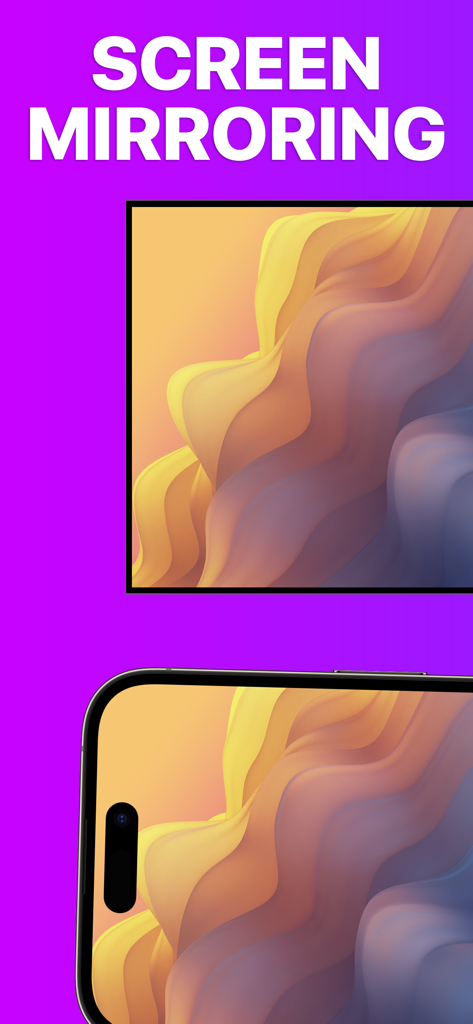

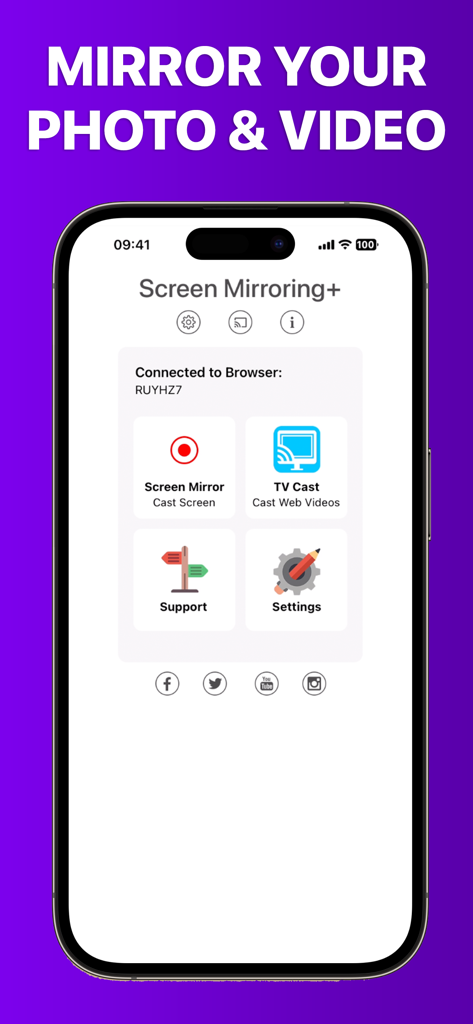
Die Tools, die diese App auszeichnen, gewählt von 3M+ Nutzern.
Erleben Sie blitzschnelles Screen-Sharing mit Latenzzeiten unter einer Sekunde, sodass sich Ihr Mobilgerät wie ein Teil Ihres Fernsehers anfühlt.
Hören Sie auf, das Telefon herumzureichen. Übertragen Sie Ihre gesamte Fotobibliothek und Heimvideos auf den großen Bildschirm, damit die ganze Familie sie gemeinsam genießen kann.
Perfekt für das Heimbüro. Spiegeln Sie Dokumente, Websites und Tabellenkalkulationen sofort drahtlos von Ihrem iPad auf jedes Roku-fähige Gerät.
Alles, was Sie über wissen müssen Screen Mirroring for Roku.
Beschreibung
Neueste Version
3.7
Größe
24.0 MB
Erstveröffentlichung
7. Juni 2019
Schließen Sie sich über 3 Millionen Nutzern an und genießen Sie die hochwertigste Bildschirmspiegelung für Ihr Roku-Gerät. Keine Verzögerung, keine versteckten Kosten, nur eine sofortige Verbindung.
Alles, was Sie über wissen müssen Screen Mirroring for Roku
Screen Mirroring für Roku ist eine App, die den Bildschirm Ihres iPhones oder iPads auf Roku Streaming Players, Roku Sticks oder Roku TVs teilt. Sie bietet fortschrittliches Screen Mirroring mit null Verzögerung und hoher Bildschirmqualität.
Screen Mirroring für Roku unterstützt Roku TV, Streaming Stick, Express, Premiere, Ultra, Roku 2, 3, 4, HD (2500) und LT (2400+2450) Players. Es unterstützt auch Roku TVs von Hisense, Sharp, TCL, Insignia, Hitachi, Philips, Element, JVC, Metz, Coocaa, Westinghouse und Onn.
Nein, einige Drittanbieter-Apps wie Netflix und Disney+ verhindern das Screen Mirroring. Der Versuch, sie zu spiegeln, führt zu einem schwarzen Bildschirm auf Ihrem Fernseher. Dies ist eine Einschränkung, die von diesen Apps auferlegt wird.
Nein, Screen Mirroring für Roku hat keine versteckten Abonnements oder Kosten. Die App bietet ihre Mirroring-Funktionalität ohne zusätzliche Gebühren.
Ihr iPhone/iPad und Ihr Roku-Gerät müssen mit demselben Wi-Fi-Netzwerk verbunden sein. Verwenden Sie keine VPNs, Proxys, VLANs oder Subnetze für eine optimale Funktionalität mit Screen Mirroring für Roku.
Ja, Screen Mirroring für Roku bietet eine hervorragende Latenz, typischerweise unter einer Sekunde, unter guten WLAN-Netzwerkbedingungen. Dies gewährleistet ein reibungsloses Mirroring-Erlebnis.
Screen Mirroring für Roku unterstützt keine klassischen Roku-Modelle (N1000, N1050, N1100, N1101), Roku 2000, 2050, 2100, Telstra TV, NOW TV Stick & Box oder Sky Ticket (WOW TV).
Ja, Screen Mirroring für Roku spiegelt Fotos, Videos, Spiele, Websites, Apps, Präsentationen, Dokumente und Tabellenkalkulationen von Ihrem iOS-Gerät auf Ihr Roku.
Apps mit ähnlichen Funktionen und Nutzererfahrung

InstantBits Inc

Sichuan FalconAI Technology Co., Ltd.

Mihkel Pikk

Ozuna Limited

TOGGLE APPS SP Z O O

AER SOFTWARE COMPANY LIMITED

SAND STUDIO CORPORATION LIMITED

Hainan Delta Software Co., Ltd

Dalma Innovation Solutions d.o.o.
App information, icons, screenshots, and descriptions displayed on this page are sourced from the Apple App Store and are the property of their respective developers. Download estimates and rankings are based on MWM's proprietary models and may not reflect actual figures. This page is provided for informational and analytical purposes only.
Believe this page infringes your intellectual property? File a dispute

