Screen mirroring - Miracast ·

Screen mirroring - Miracast ·

Herunterladen auf App Store
Logo von Screen mirroring - Miracast ·

Screen mirroring - Miracast ·: Ihr iPhone, verstärkt auf dem großen Bildschirm.

Streamen Sie mühelos Videos, Fotos und Apps auf jeden Smart TV. Verwandeln Sie Ihren Fernseher in eine interaktive Leinwand für Arbeit, Unterricht und Familienerinnerungen – ohne zusätzliche Hardware.

Herausgeber

Tektrify, Inc

Kategorie

Entertainment

Downloads

609K+

Bewertung

4.4/5

Bewertungen gesamt

5K+

Sprachen

1

Grenzenlose Vision

Entdecken Sie die Oberfläche, die von 609K+ Nutzern verwendet wird.
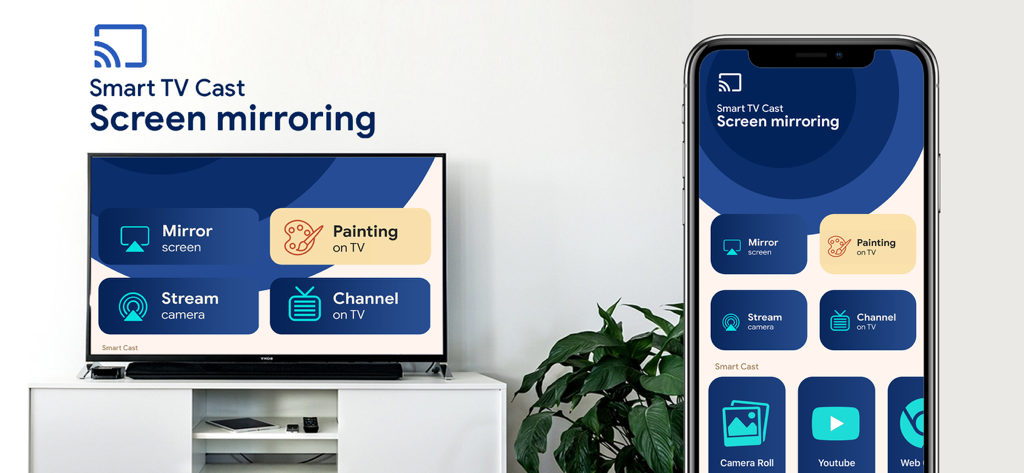
Ein iPhone und ein Smart TV, die die Screen-Mirroring-App-Oberfläche mit Optionen zum Spiegeln des Bildschirms und zum Malen auf dem Fernseher anzeigen.

Ein iPhone und ein Smart TV, die die Screen-Mirroring-App-Oberfläche mit Optionen zum Spiegeln des Bildschirms und zum Malen auf dem Fernseher anzeigen.

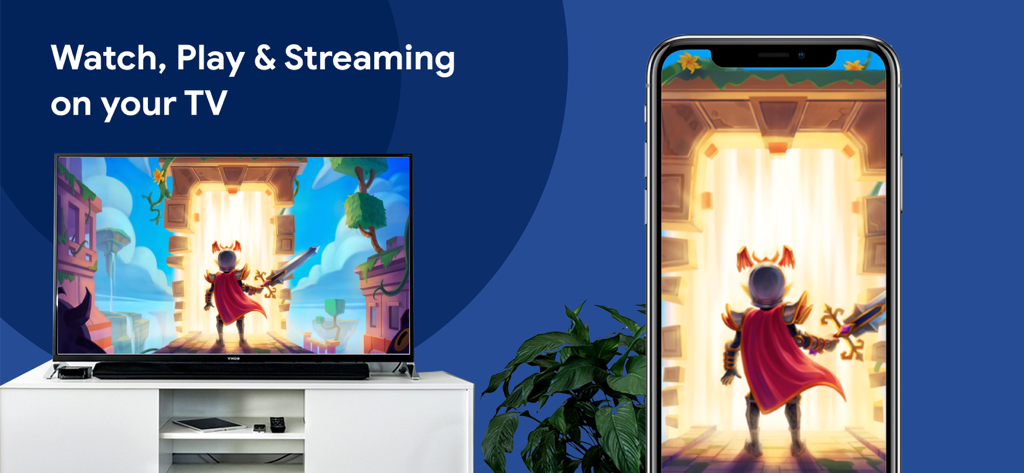
Ein iPhone, das ein Fantasy-Videospiel auf einen Großbildfernseher spiegelt

Ein iPhone, das ein Fantasy-Videospiel auf einen Großbildfernseher spiegelt

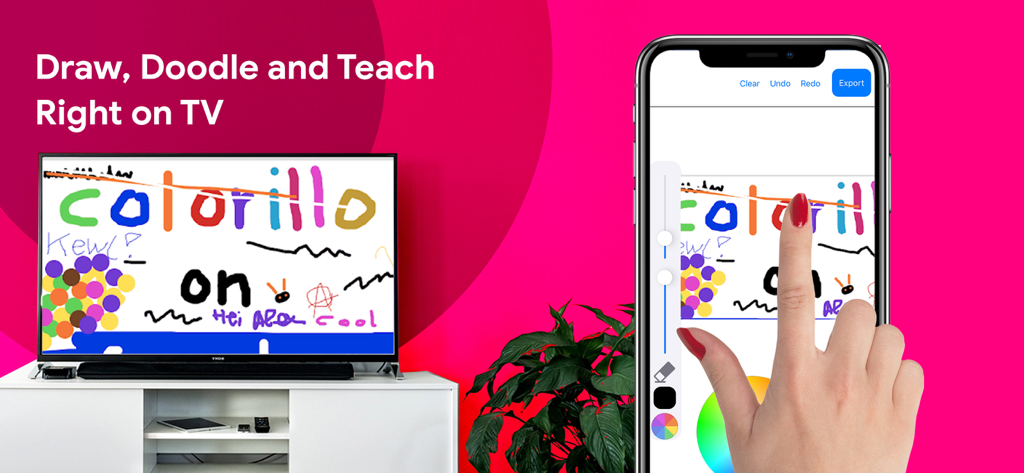
Eine Hand, die auf einem iPhone-Bildschirm zeichnet, wobei der Inhalt live auf einen großen Smart TV gespiegelt wird

Eine Hand, die auf einem iPhone-Bildschirm zeichnet, wobei der Inhalt live auf einen großen Smart TV gespiegelt wird

Erleben Sie alles auf dem großen Bildschirm

Die Tools, die diese App auszeichnen, gewählt von 609K+ Nutzern.

📺

Nahtlose universelle Spiegelung

Spiegeln Sie den Bildschirm Ihres iPhone oder iPad sofort auf jeden Smart TV. Keine teure Apple TV-Hardware oder unordentliche Kabel erforderlich.

🎨

Interaktives digitales Whiteboard

Zeichnen, kritzeln und unterrichten Sie direkt auf dem großen Bildschirm. Perfekt für den Heimunterricht, Fernunterricht oder kreatives Brainstorming.

📸

Soziales & professionelles Casting

Vom Präsentieren von Geschäfts-Folien bis zum Teilen von TikToks und Familienfotos – erwecken Sie Ihre Lieblingsinhalte in High Definition zum Leben.

Bewertungsanalyse

Erkenntnisse aus Nutzerbewertungen.

Stimmungswert

21%
Negativ

Zusammenfassung

Users express strong dissatisfaction with the app, primarily reporting that it 'doesn't work' or fails to connect to various devices like Roku, Marriott TVs, Samsung TVs, and Sony Bravia. Many reviews accuse the app of being a 'scam,' citing instances where it demands payment or subscription details before allowing any trial or functionality, and then still failing to perform as advertised. Frequent disconnections and a lack of essential features like slideshow options further contribute to a poor user experience. While a few users found it 'excellent' or 'amazing,' these positive comments are rare and overshadowed by widespread complaints about its core functionality and business model.

Häufige Themen

App Functionality(30)
Payment & Subscription(16)
Overall Positive Experience(10)
Intrusive Ads/UX(6)
Device Compatibility(5)
Stability & Performance(4)

Über die App

Alles, was Sie über wissen müssen Screen mirroring - Miracast ·.

Beschreibung

Miracast - Screen mirroring app will help mirror your device screen to your Smart TV. You can watch, play, streaming, draw, doodle and teach right on your big screen TV. We build-in all the smart cast features in this app #Features: - Cast your phone screen to TV screen. - Stream your Camera Live. This is Fun! - Channel on your TV. - Making presentation in a business meeting - Cast photos & videos to your TV - Stream your favorite apps on your big TV - Web video caster - Draw, Doodle and Teach Right on your TV. You can zoom in /out to draw full page. or change brush size, opacity & color. How to use this App? 1. Your device and TV must connect to the same network. 2. Click connect button on the app (top left) and choose your TV. 3. Select app features & enjoy your phone screen on the big screen PREMIUM SUBSCRIPTIONS √ Unlimited Screen mirroring HD √ Access all smart cast features * Choose from subscription option: - a monthly subscription start with a 3-day free trial - a yearly subscription start with a 3-day free trial – Payment will be charged to iTunes Account at confirmation of purchase. – Subscription automatically renews unless auto-renew is turned off at least 24-hours before the end of the current period. – Account will be charged for renewal within 24-hours prior to the end of the current period, and identify the cost of the renewal. – Subscriptions may be managed by the user and auto-renewal may be turned off by going to the user’s Account Settings after purchase. – Any unused portion of a free trial period, if offered, will be forfeited when the user purchases a subscription to that publication, where applicable. * Privacy Policy & Terms of Use: http://www.tektrify.com/privacypolicy/ Thanks you for choosing our product!

Neueste Version

1.2

Größe

122.3 MB

Erstveröffentlichung

10. Apr. 2020

Bereit, das große Bild zu sehen?

Schließen Sie sich über 600.000 Nutzern an, die sich von Kabeln verabschiedet haben. Verbinden Sie Ihr iPhone noch heute mit jedem Smart TV und beginnen Sie, Ihre Videos, Präsentationen und Erinnerungen in gestochen scharfem HD zu teilen.

Herunterladen auf App Store

App information, icons, screenshots, and descriptions displayed on this page are sourced from the Apple App Store and are the property of their respective developers. Download estimates and rankings are based on MWM's proprietary models and may not reflect actual figures. This page is provided for informational and analytical purposes only.

Believe this page infringes your intellectual property? File a dispute