Scrivener
Scrivener
Herunterladen auf App Store

Diese Seite ist keine offizielle Seite der App oder ihres Entwicklers, sondern eine unabhängige redaktionelle Veröffentlichung, die zu Informations- und Kommentarzwecken erstellt wurde. Sofern nicht ausdrücklich anders angegeben, sind weder die App noch ihr Entwickler mit MWM, Apple, Google Play, dem App-Herausgeber oder dem Entwickler der App verbunden, von ihnen unterstützt, gesponsert, autorisiert oder anderweitig offiziell verbunden, und nichts auf dieser Seite impliziert, dass die App unter Verwendung der Dienste von MWM entwickelt wurde. Alle Marken, Logos, Screenshots und andere Inhalte bleiben Eigentum ihrer jeweiligen Inhaber.

Logo von Scrivener
Herunterladen auf App Store

Scrivener

Verwandeln Sie unordentliche Ideen in ein poliertes Manuskript mit Werkzeugen, die für umfangreiche Projekte entwickelt wurden. Organisieren Sie Ihre Recherche, strukturieren Sie Ihre Geschichte und schreiben Sie ablenkungsfrei auf Ihrem iPhone und iPad.

Kennzahlen

Downloads

464K+

Bewertung

4.3/5

Bewertungen gesamt

3K+

Herausgeber

Literature & Latte Ltd

Kategorie

Productivity

Sprachen

10

Neueste Version

1.2.4

Größe

26.5 MB

Erstveröffentlichung

20. Juli 2016
Funktionen

Das ultimative Kommandozentrum für ernsthafte Autoren

Scrivener geht über einfaches Textverarbeitung hinaus und bietet ein professionelles Studio, das Ihnen hilft, komplexe, umfangreiche Projekte zu organisieren, zu entwerfen und abzuschließen.

Struktur ohne Stress

Teilen Sie Ihr Manuskript in handhabbare Abschnitte auf. Verwenden Sie den Binder, um Kapitel oder Szenen mit einem einfachen Drag-and-Drop neu anzuordnen, damit Ihre Geschichte organisch wachsen kann.

Ihre Recherche, immer zur Hand

Bewahren Sie Ihre Charakterzeichnungen, Karten und PDFs direkt neben Ihrem Entwurf auf. Zeigen Sie auf dem iPad Recherche und Schreiben nebeneinander an, um Ihren Fluss aufrechtzuerhalten, ohne die App wechseln zu müssen.

Die folgenden Screenshots und die Beschreibung stammen direkt aus dem offiziellen Store-Eintrag der App und sind Eigentum des Entwicklers.

App Store

Screenshots
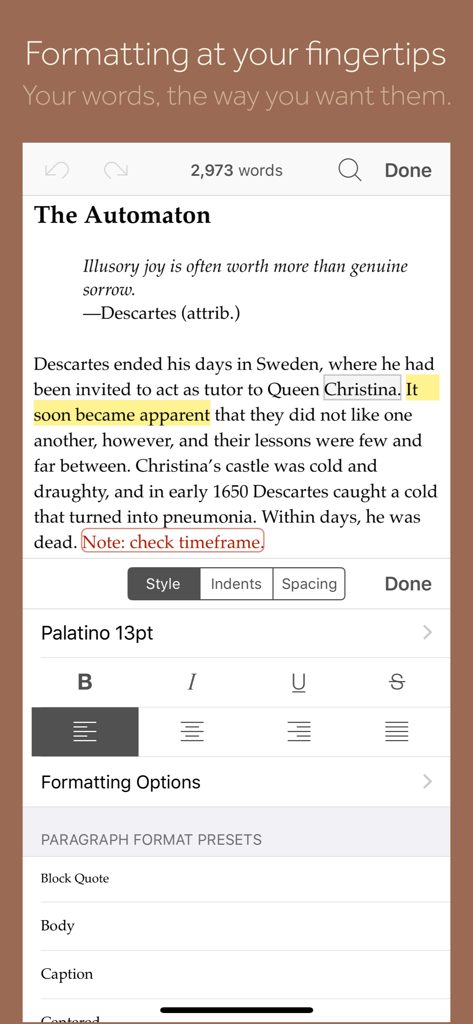
Scrivener - Mobile Ansicht der Scrivener-App, die einen Texteditor mit einem Formatierungsfenster für Stile, Schriftarten und Absatzvorlagen zeigt.
Mobile Ansicht der Scrivener-App, die einen Texteditor mit einem Formatierungsfenster für Stile, Schriftarten und Absatzvorlagen zeigt.

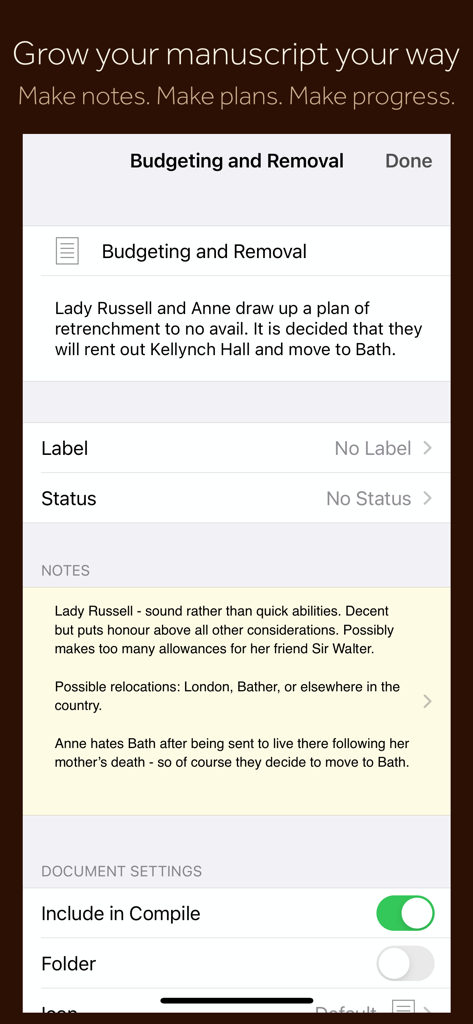
Scrivener - Scrivener-Mobile-App-Oberfläche, die Notizen zu Manuskriptabschnitten, Planungsmetadaten und Dokumenteinstellungen anzeigt.
Scrivener-Mobile-App-Oberfläche, die Notizen zu Manuskriptabschnitten, Planungsmetadaten und Dokumenteinstellungen anzeigt.

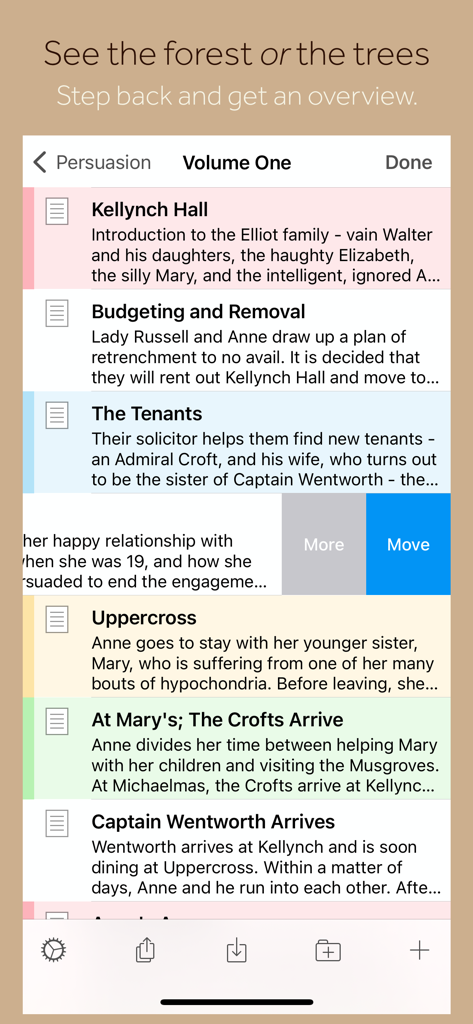
Scrivener - Scrivener-App-Oberfläche, die eine Liste von Manuskriptkapiteln und Zusammenfassungen auf dem iPhone zeigt.
Scrivener-App-Oberfläche, die eine Liste von Manuskriptkapiteln und Zusammenfassungen auf dem iPhone zeigt.

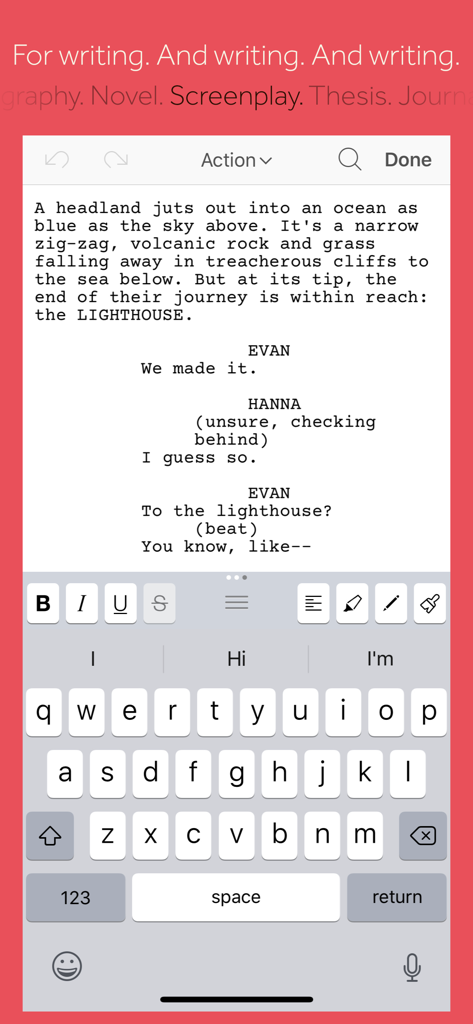
Scrivener - Scrivener-Mobile-App zeigt Drehbuch-Schreibmodus und Formatierungswerkzeuge auf einem iPhone.
Scrivener-Mobile-App zeigt Drehbuch-Schreibmodus und Formatierungswerkzeuge auf einem iPhone.

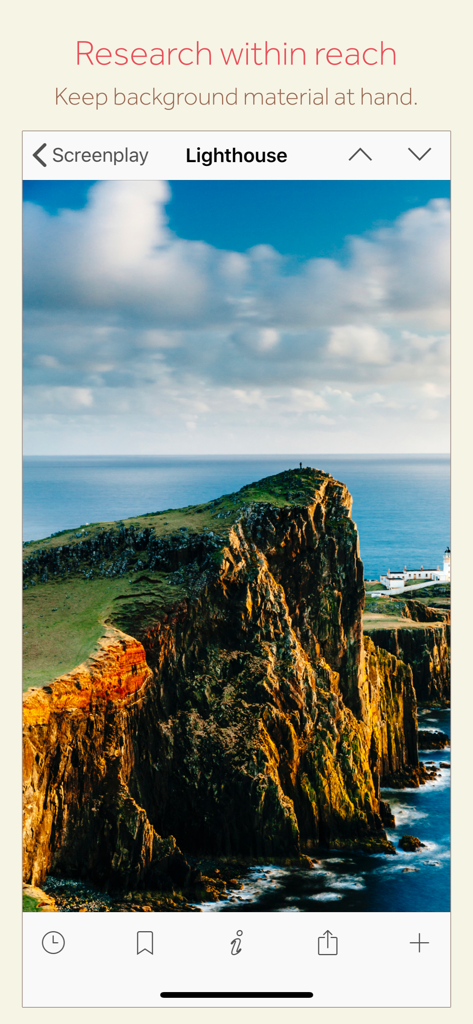
Scrivener - Scrivener-Mobile-App-Oberfläche, die ein Recherche-Bild eines Leuchtturms für ein Drehbuchprojekt zeigt.

Scrivener-Mobile-App-Oberfläche, die ein Recherche-Bild eines Leuchtturms für ein Drehbuchprojekt zeigt.

Beschreibung

“The biggest software advance for writers since the word processor.” —Michael Marshall Smith, bestselling author Typewriter. Ring-binder. Scrapbook. Scrivener combines all the writing tools you need to craft your first draft, from nascent notion to final full stop. Tailor-made for creating long manuscripts, Scrivener banishes page fright by allowing you to compose your text in any order, in sections as large or small as you like. Got a great idea but don’t know where it fits? Write when inspiration strikes and find its place later. Grow your manuscript organically, idea by idea. Whether you plan or plunge, Scrivener works your way: meticulously outline every last detail first, or hammer out a complete draft and restructure later. Or do a bit of both. All text sections in Scrivener are fully integrated with its outlining tools, so working with an overview of your manuscript is only ever a tap away, and turning Chapter Four into Chapter One is as simple as drag and drop. Need to refer to research? In Scrivener, your background material is always at hand. Write a description based on a photograph. Reference a video or PDF. Check for consistency with an earlier chapter. On the iPad, open two documents side-by-side; on the iPhone, flip between research and writing with just two taps. Once you’re ready to share your work with the world, simply compile everything into a single document for printing, or export to popular formats such as Word, PDF, Final Draft or plain text. You can even share using different formatting, so that you can write in your favorite font and still keep your editor happy. FEATURES Get Started • Interactive tutorial project • Keep each manuscript and supporting materials in a self-contained project • Import Word, RTF, Final Draft and plain text files • Easily split imported text into separate sections Get Writing • Write your manuscript in sections of any size • View all sections as a single text using the “Draft Navigator” (iPad only) • Quickly navigate sections using the “binder” sidebar • Format with fonts and presets • Comments, footnotes, links and highlights • Simple bullets and lists • Insert images • Pinch-zoom to resize text • Full-screen mode (iPad only) • Typewriter scrolling mode keeps typed text center-screen (iPad only) • Write a screenplay using scriptwriting mode • Live word and character counts • Set word and character count targets • Find and replace • Customizable keyboard row provides quick-access buttons for formatting, navigation and punctuation • Comprehensive keyboard shortcuts for external keyboard users • Dark mode Find Your Structure • Write in any order and reorganize later • Write a synopsis for any text section and see it in the outline • Expand, collapse and drill down into sections of your project • Rearrange sections as index cards on the corkboard (iPad only) • Project-wide search • Track ideas using labels and status • Apply custom icons to your sections Refer to Research • Import research material such as image, PDF and media files • View research files or other sections right alongside your writing (iPad only) • Every section has its own notes area for jotting down ideas • Supports multitasking split screen mode (supported devices only) Share Your Work • Compile to a single document for sharing or printing • Use different formatting in your exported or printed document • Export to Word, RTF, Final Draft, PDF or plain text • Convert rich text to Markdown for sharing with Markdown apps • Create and email zipped backups of your projects Work Anywhere • Use Dropbox to sync between devices and with the macOS and Windows versions of Scrivener* • Copy projects between devices via iTunes * Requires a Dropbox account (not compatible with iCloud). SUPPORT You can contact us at ios.support@literatureandlatte.com, visit our forums at http://www.literatureandlatte.com/forum, or find us @scrivenerapp on Twitter.

Download

Herunterladen auf App Store

Diese Seite ist keine offizielle Seite der App oder ihres Entwicklers, sondern eine unabhängige redaktionelle Veröffentlichung, die zu Informations- und Kommentarzwecken erstellt wurde. Sofern nicht ausdrücklich anders angegeben, sind weder die App noch ihr Entwickler mit MWM, Apple, Google Play, dem App-Herausgeber oder dem Entwickler der App verbunden, von ihnen unterstützt, gesponsert, autorisiert oder anderweitig offiziell verbunden, und nichts auf dieser Seite impliziert, dass die App unter Verwendung der Dienste von MWM entwickelt wurde. Alle Marken, Logos, Screenshots und andere Inhalte bleiben Eigentum ihrer jeweiligen Inhaber.