Search PubChem
Search PubChem
Herunterladen auf App Store

Diese Seite ist keine offizielle Seite der App oder ihres Entwicklers, sondern eine unabhängige redaktionelle Veröffentlichung, die zu Informations- und Kommentarzwecken erstellt wurde. Sofern nicht ausdrücklich anders angegeben, sind weder die App noch ihr Entwickler mit MWM, Apple, Google Play, dem App-Herausgeber oder dem Entwickler der App verbunden, von ihnen unterstützt, gesponsert, autorisiert oder anderweitig offiziell verbunden, und nichts auf dieser Seite impliziert, dass die App unter Verwendung der Dienste von MWM entwickelt wurde. Alle Marken, Logos, Screenshots und andere Inhalte bleiben Eigentum ihrer jeweiligen Inhaber.

Logo von Search PubChem
Herunterladen auf App Store

Search PubChem

Greifen Sie auf über 111 Millionen NIH-Verbindungen zu, visualisieren Sie 3D-Molekülstrukturen und automatisieren Sie komplexe Molaritätsberechnungen direkt an Ihrem Laborarbeitsplatz.

Kennzahlen

Downloads

700

Bewertung

5.0/5

Bewertungen gesamt

0

Herausgeber

Jae-Seung Lee

Kategorie

Education

Sprachen

1

Neueste Version

4.3

Größe

8.7 MB

Erstveröffentlichung

22. Apr. 2018
Funktionen

Präzisionschemie an Ihren Fingerspitzen

Überbrücken Sie die Lücke zwischen riesigen chemischen Datenbanken und der täglichen Laborarbeit. Entwickelt für Forscher und Studenten, die Geschwindigkeit, Genauigkeit und Portabilität fordern.

Direkter Zugriff auf die NIH-Datenbank

Suchen Sie über 111 Millionen Verbindungen über die PubChem-Integration. Erhalten Sie sofortigen Zugriff auf verifizierte Molekulargewichte, Formeln und Daten direkt am Laborarbeitsplatz.

Intelligentes Lösungsmanagement

Automatisieren Sie komplexe Molaritäts- und Massenberechnungen. Speichern Sie benutzerdefinierte Lösungsrezepte und wechseln Sie zwischen Einheiten wie mg, mol und mM, um manuelle Rechenfehler zu vermeiden.

Die folgenden Screenshots und die Beschreibung stammen direkt aus dem offiziellen Store-Eintrag der App und sind Eigentum des Entwicklers.

App Store

Screenshots
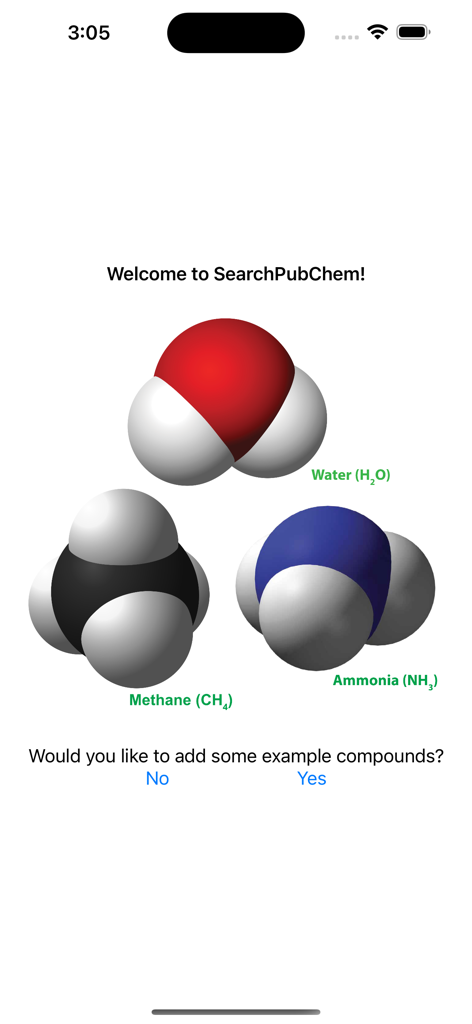
Search PubChem - Willkommensbildschirm der Search PubChem App, der 3D-Molekülmodelle von Wasser, Methan und Ammoniak anzeigt
Willkommensbildschirm der Search PubChem App, der 3D-Molekülmodelle von Wasser, Methan und Ammoniak anzeigt

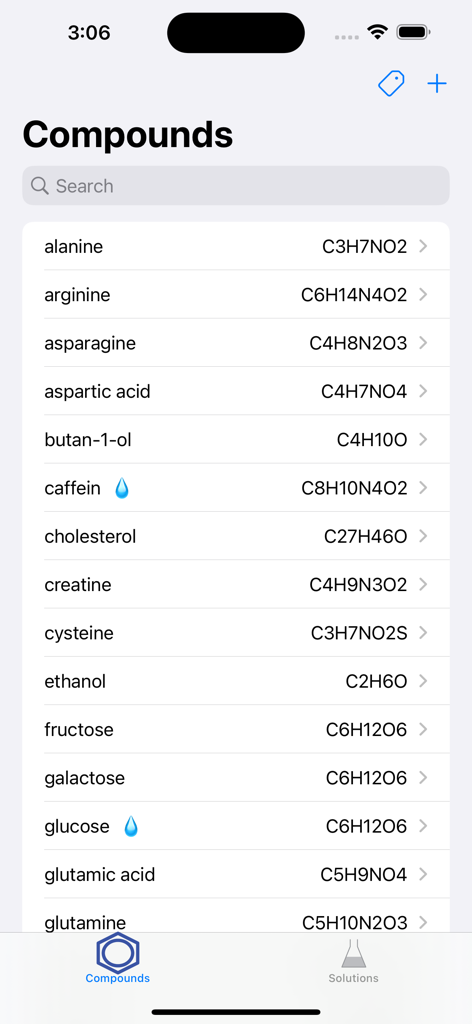
Search PubChem - Eine Liste chemischer Verbindungen und ihrer Molekülformeln in der mobilen Search PubChem App
Eine Liste chemischer Verbindungen und ihrer Molekülformeln in der mobilen Search PubChem App

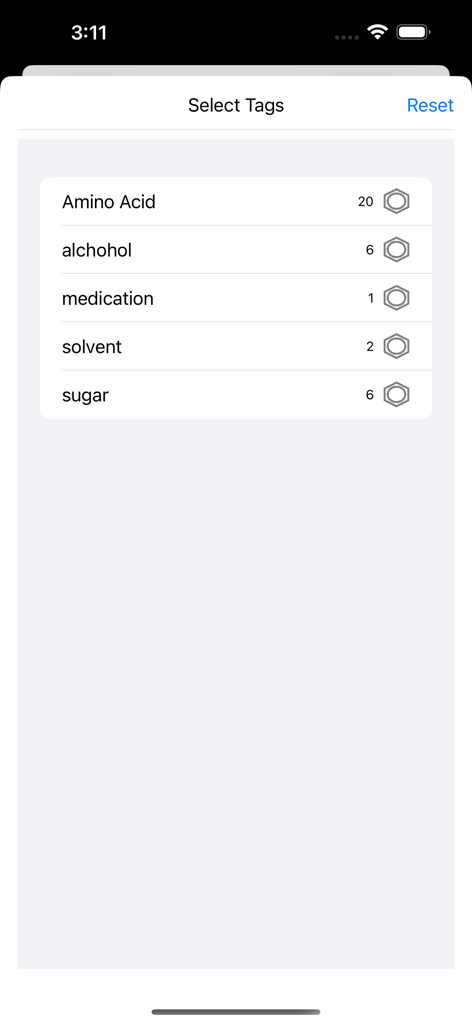
Search PubChem - Ein Bildschirm in der Search PubChem App zum Auswählen von Tags wie Aminosäure und Lösungsmittel
Ein Bildschirm in der Search PubChem App zum Auswählen von Tags wie Aminosäure und Lösungsmittel

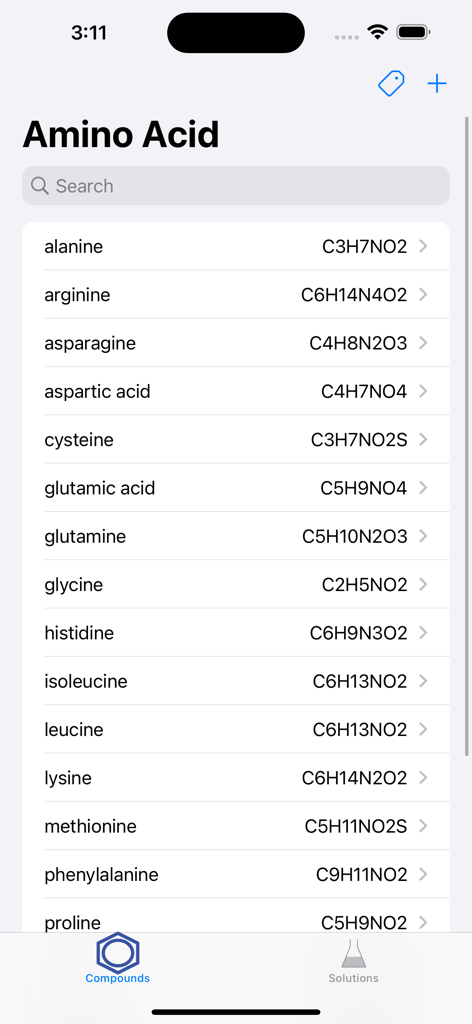
Search PubChem - Eine Liste von Aminosäureverbindungen und ihren Molekülformeln, angezeigt in der Benutzeroberfläche der mobilen Search PubChem App.
Eine Liste von Aminosäureverbindungen und ihren Molekülformeln, angezeigt in der Benutzeroberfläche der mobilen Search PubChem App.

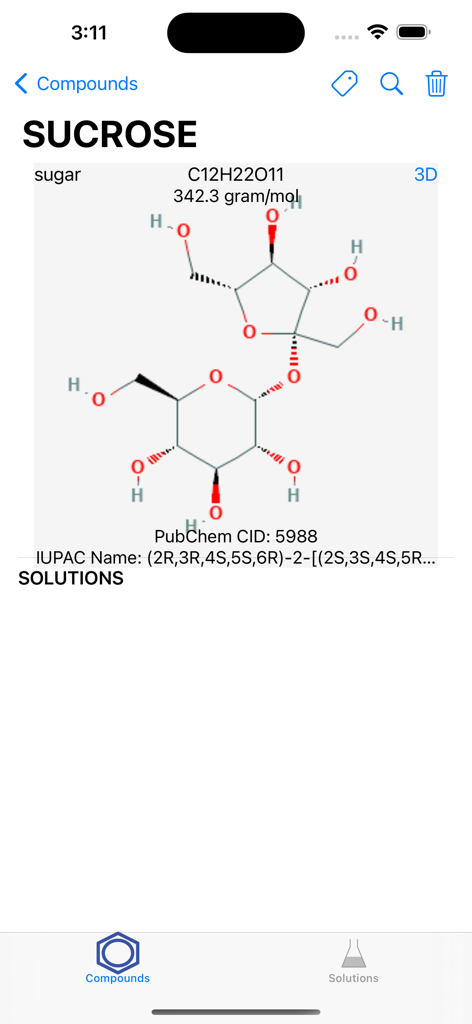
Search PubChem - Ein Screenshot, der die chemischen Details und die Molekularstruktur von Saccharose in der mobilen Search PubChem App zeigt
Ein Screenshot, der die chemischen Details und die Molekularstruktur von Saccharose in der mobilen Search PubChem App zeigt

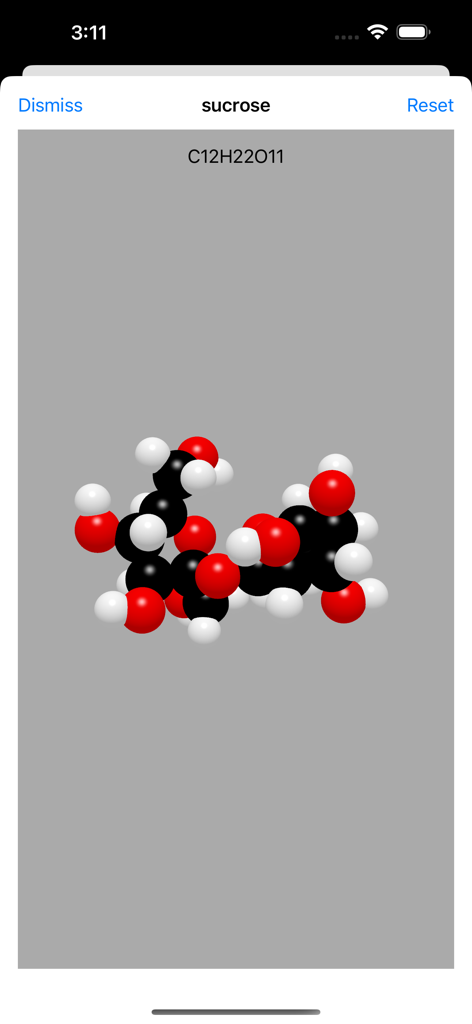
Search PubChem - 3D-Molekularstruktur von Saccharose, angezeigt in der Search PubChem App
3D-Molekularstruktur von Saccharose, angezeigt in der Search PubChem App

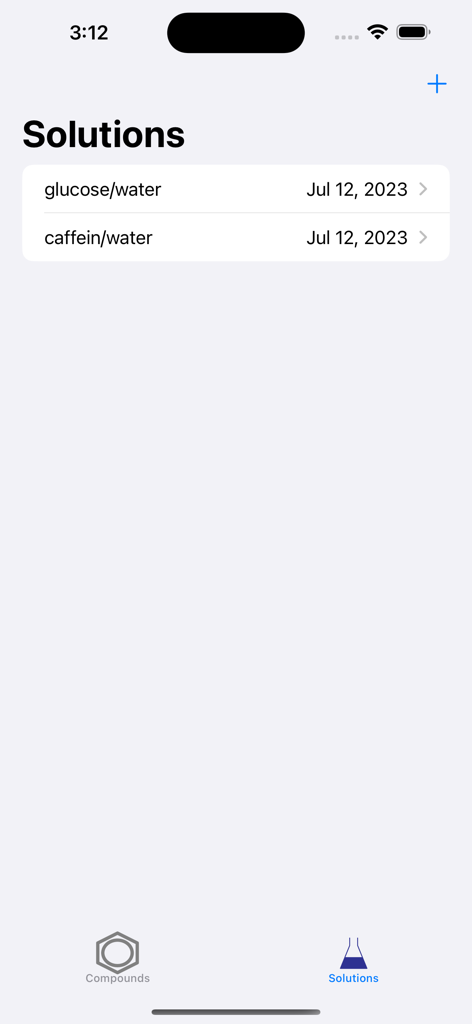
Search PubChem - Search PubChem App Lösungen Bildschirm mit einer Liste gespeicherter chemischer Mischungen
Search PubChem App Lösungen Bildschirm mit einer Liste gespeicherter chemischer Mischungen

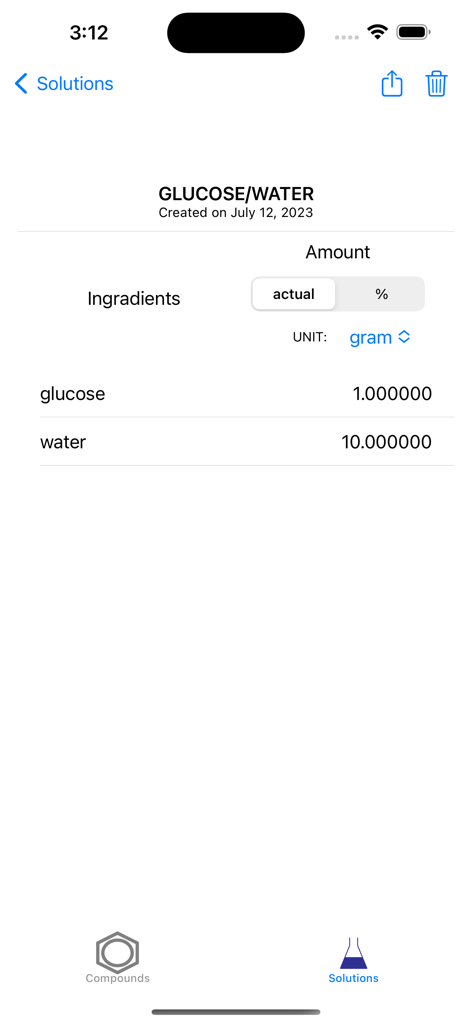
Search PubChem - Search PubChem App Bildschirm, der die Inhaltsstoffe und Gewichte für eine Glukose- und Wasserlösung zeigt.
Search PubChem App Bildschirm, der die Inhaltsstoffe und Gewichte für eine Glukose- und Wasserlösung zeigt.

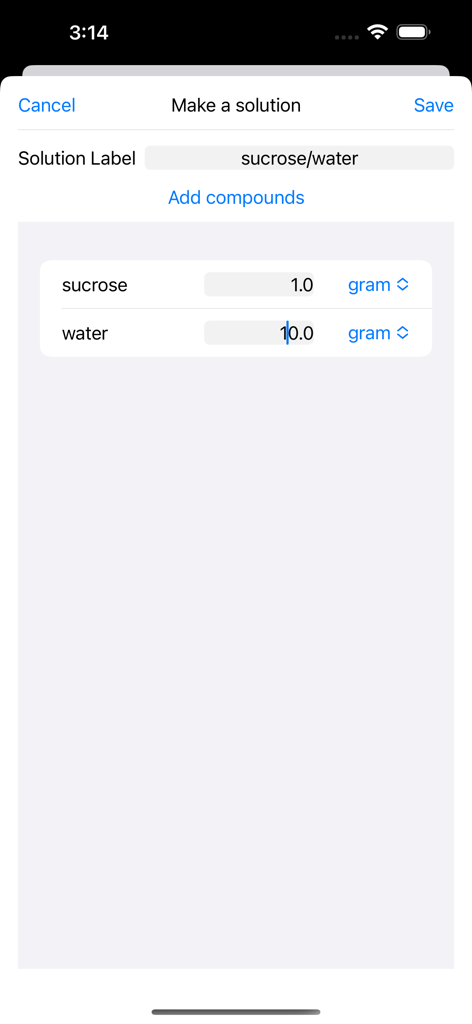
Search PubChem - Die Oberfläche zum Erstellen einer Lösung in der Search PubChem App, die die Mengen an Saccharose und Wasser in Gramm anzeigt

Die Oberfläche zum Erstellen einer Lösung in der Search PubChem App, die die Mengen an Saccharose und Wasser in Gramm anzeigt

Beschreibung

The app allows to search compounds through PubChem and helps to keep information on solutions made of those compounds. I. Compounds Tab Search the open chemistry database 'PubChem' at the National Institutes of Health (NIH) for chemical compounds. The app helps to find a compound by name from the collection of more than 111 million compounds. It downloads and stores the molecular formula, weight, and structure. Compounds 1. Selecting the "Compounds" tab will present a list of compounds. - If there are any solutions made of a compound, a droplet will appear next to the compound's name. 2. When a compound is selected, a view with the detailed information will appear. Follow the instruction in "Details for a compound". 3. When the "+" button is selected, a view for search will appear. Follow the instruction in "Search for a compound". Details for a compound 1. Click "Compounds" to return back to the table of compounds. 2. Click the magnifier icon to open the compound's PubChem page in the user's default web browser. 3. Click the trashcan icon to delete the compound. This function may not be available if there is a solution made of the compound. 4. Click one of the solutions made of the compound to display the information. See "Details for a solution" below. 5. Click "3D" to display a 3D structure. Use pan and pinch gestures to rotate and zoom the scene. Search for a compound 1. Select "Compound Name" ("CID") and type a compound name (PubChem CID). 2. Click "Search" to connect to PubChem. An activity indicator will appear until the search is finished. - If the search succeeds, the downloaded information will appear. - If the search fails, an alert will appear. 3. Click "Save" to store the information about a compound. 4. Click "Cancel" to dismiss the scene. II. Solutions Tab Choose compounds downloaded from PubChem and make a solution. The app allows to record a list of compounds with amounts dissolved in a solution. For the saved solutions, the app displays their compositions in gram and mol. Solutions 1. Selecting the "Solutions" tab will present a list of solutions. 2. When a solution is selected, a view with the detailed information will appear. Follow the instruction in "Details for a solution". 3. When the "+" button is selected, a view for search will appear. Follow the instruction in "Making a solution". Details for a solution 1. Click "Solutions" to return back to the table of compounds. 2. Click the 'action' icon to share a csv file containig the information about the solution. 3. Click the trashcan icon to delete the solution. 5. Choose the unit among gram, mg, mol, and mM. 6. Select one of compounds to display its structure and formula. See "Mini details for a compound" below. Making a solution 1. Click "Add Compounds" to bring a collection of compounds. See "Compounds collection" below. 2. The names of the compounds selected from "Compounds collection" will be displayed as “Solution Label”. A user can edit “Solution Label”. 3. The unit for the amount can be chosen among gram, mg, mol, and mM. 4. The amount may be entered. 5. Click "Save" to create and add a new solution. 6. Click "Cancel" to dismiss the scene. Compounds collection 1. Select or deselect compounds by clicking the images of compounds. 2. Selected compounds will be displayed. 3. Click "Done" to return back to "Making a solution". 5. Click "Cancel" to dismiss the scene.

Download

Herunterladen auf App Store

Diese Seite ist keine offizielle Seite der App oder ihres Entwicklers, sondern eine unabhängige redaktionelle Veröffentlichung, die zu Informations- und Kommentarzwecken erstellt wurde. Sofern nicht ausdrücklich anders angegeben, sind weder die App noch ihr Entwickler mit MWM, Apple, Google Play, dem App-Herausgeber oder dem Entwickler der App verbunden, von ihnen unterstützt, gesponsert, autorisiert oder anderweitig offiziell verbunden, und nichts auf dieser Seite impliziert, dass die App unter Verwendung der Dienste von MWM entwickelt wurde. Alle Marken, Logos, Screenshots und andere Inhalte bleiben Eigentum ihrer jeweiligen Inhaber.








