
Diese Seite ist keine offizielle Seite der App oder ihres Entwicklers, sondern eine unabhängige redaktionelle Veröffentlichung, die zu Informations- und Kommentarzwecken erstellt wurde. Sofern nicht ausdrücklich anders angegeben, sind weder die App noch ihr Entwickler mit MWM, Apple, Google Play, dem App-Herausgeber oder dem Entwickler der App verbunden, von ihnen unterstützt, gesponsert, autorisiert oder anderweitig offiziell verbunden, und nichts auf dieser Seite impliziert, dass die App unter Verwendung der Dienste von MWM entwickelt wurde. Alle Marken, Logos, Screenshots und andere Inhalte bleiben Eigentum ihrer jeweiligen Inhaber.

SELPHY Photo Layout
Von kreativen Collagen und individuellen Aufklebern bis hin zu professionellen Passfotos – gestalten und drucken Sie drahtlos von Ihrem Smartphone mit der Qualität, die Ihre Erinnerungen verdienen.
Downloads
3M+Bewertung
Bewertungen gesamt
85K+Herausgeber
Kategorie
Photo & VideoSprachen
13Neueste Version
4.2.0Größe
63.9 MBErstveröffentlichung
3. Sept. 2018Machen Sie aus Ihrer digitalen Galerie greifbare Erinnerungen
Der ultimative Begleiter für Ihren Canon SELPHY Drucker. Gestalten, dekorieren und drucken Sie mühelos hochwertige Fotos, Aufkleber und Layouts direkt von Ihrem Handy.
Kreative Collagen & Personalisierung
Erwecken Sie Ihre Notizbücher und Fotoalben mit individuellen Layouts, Stempeln und Rahmen zum Leben, die Ihren einzigartigen Stil zeigen.
Ihr eigenes ID-Foto-Studio zu Hause
Überspringen Sie die Warteschlange und sparen Sie Geld. Erstellen Sie in wenigen Minuten professionelle Pass- und Ausweisfotos mit Ihren Lieblings-Selfies.
Häufig gestellte Fragen
Alles, was Sie über wissen müssen SELPHY Photo Layout
Wofür wird die SELPHY Photo Layout App verwendet?
Die SELPHY Photo Layout App erstellt und speichert Bildlayouts für den Druck mit SELPHY-Druckern direkt von Ihrem Smartphone oder Tablet.
Welche SELPHY-Drucker sind mit der SELPHY Photo Layout App kompatibel?
Die SELPHY Photo Layout App ist mit Druckern der SELPHY CP-Serie (CP1500, CP1300, CP1200, CP910, CP900) und QX-Serie (QX20, SQUARE QX10) kompatibel.
Was sind die Systemanforderungen für die Installation der SELPHY Photo Layout App?
Die SELPHY Photo Layout App erfordert iOS 17/18 oder iPadOS 17/18 für den Betrieb.
Welche Bildformate unterstützt die SELPHY Photo Layout App?
Die SELPHY Photo Layout App unterstützt JPEG-, PNG- und HEIF-Bildformate für den Druck.
Kann ich Fotos vor dem Druck mit der SELPHY Photo Layout App dekorieren?
Ja, die SELPHY Photo Layout App ermöglicht es Ihnen, Fotos frei zu dekorieren und zu gestalten, indem Sie Funktionen wie Stempel, Text, Rahmen, Hintergründe und QR-Codes vor dem Druck verwenden.
Ermöglicht SELPHY Photo Layout den Druck von Ausweisfotos?
Ja, die SELPHY Photo Layout App unterstützt den Druck von Ausweisfotos, wie z. B. Pass- und Führerscheinbildern, speziell für SELPHY CP-Serie Drucker.
Wie verbindet sich die SELPHY Photo Layout App mit SELPHY-Druckern?
Die SELPHY Photo Layout App verbindet sich drahtlos mit SELPHY-Druckern. Für einige CP-Modelle (CP1300, CP1200, CP910, CP900) muss die App "Canon PRINT" separat installiert werden.
Welche Collage-Funktionen sind in der SELPHY Photo Layout App verfügbar?
Die SELPHY Photo Layout App bietet ein Collage-Menü, um mehrere Fotos anzuordnen. Dekorationsfunktionen umfassen Stempel, Rahmen, Text und eingebettete QR-Codes.
Verfügt die SELPHY Photo Layout App über eine automatische Layout-Funktion?
Ja, die SELPHY Photo Layout App verfügt über eine "Shuffle"-Funktion, die für SELPHY CP-Serie Drucker verfügbar ist und bis zu 20 Bilder automatisch auf einem Blatt zum Drucken anordnet.
Kann ich mit der SELPHY Photo Layout App frühere Fotos erneut drucken?
Ja, die SELPHY Photo Layout App verfügt über eine "Reprint"-Funktion, mit der Benutzer zusätzliche Kopien aus ihrer zuvor gedruckten Sammlung sowohl für die CP- als auch für die QX-Serie drucken können.
Die folgenden Screenshots und die Beschreibung stammen direkt aus dem offiziellen Store-Eintrag der App und sind Eigentum des Entwicklers.
App Store
Screenshots
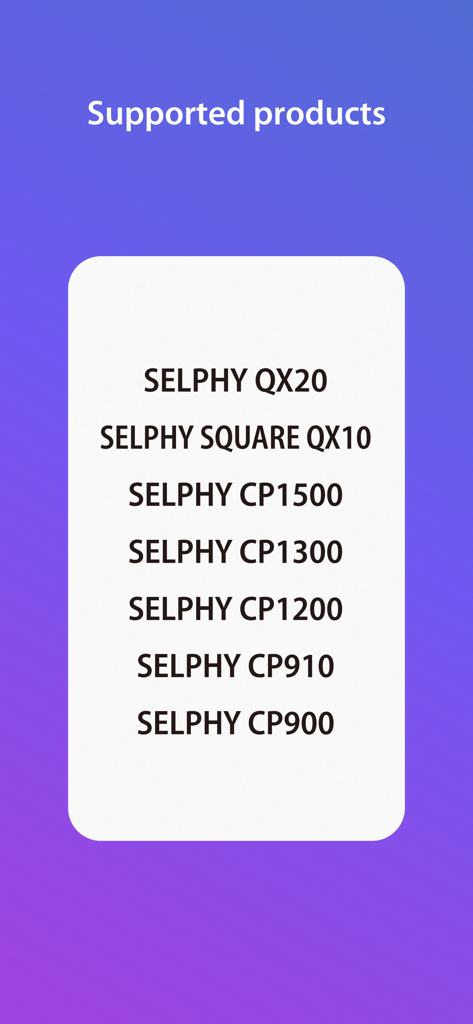
Liste der unterstützten Canon SELPHY Druckermodelle in der Photo Layout App
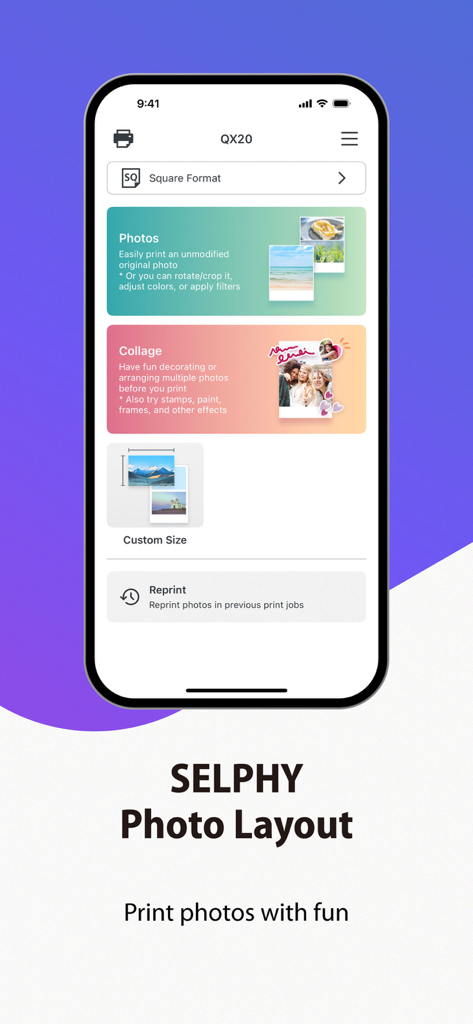
Startbildschirm der Canon SELPHY Photo Layout App mit Optionen zum Drucken von Fotos und Collagen.
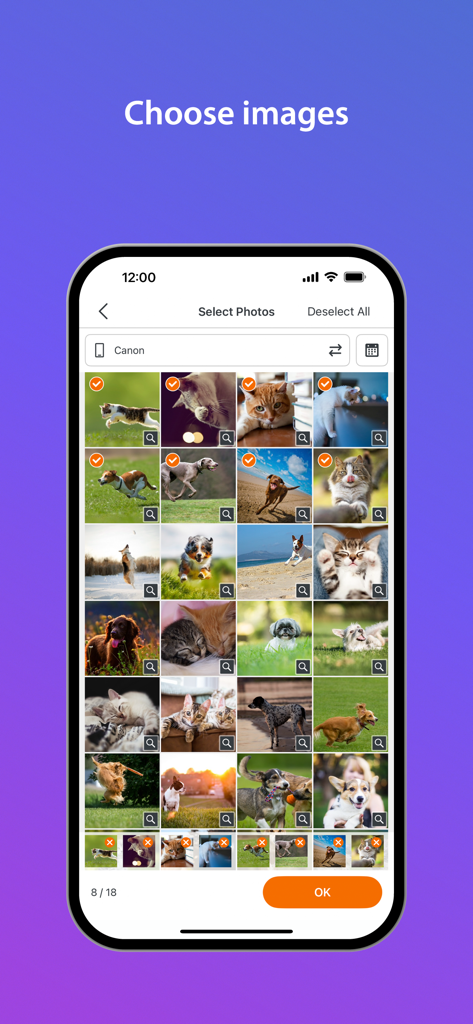
Smartphone-Bildschirm, der die Fotoauswahlgalerie in der SELPHY App anzeigt
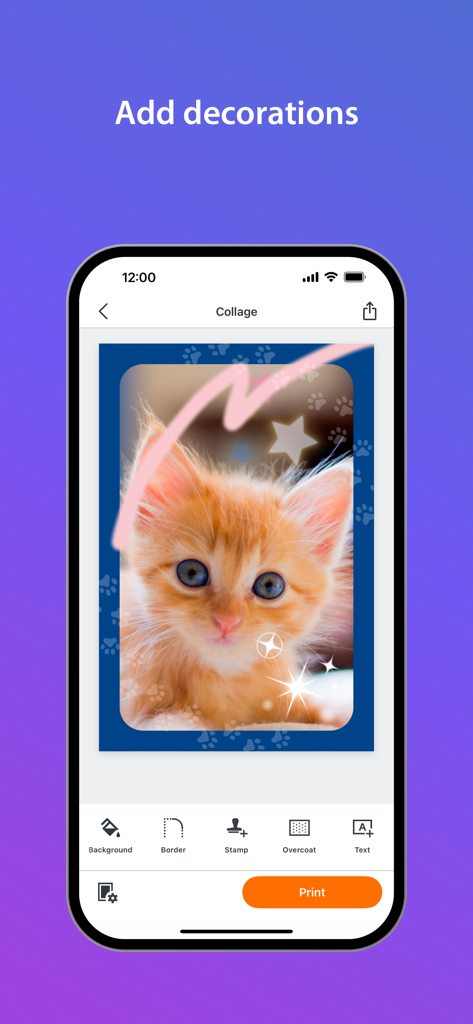
Dekorieren eines Katzenfotos im Collage-Editor der Canon SELPHY Photo Layout App
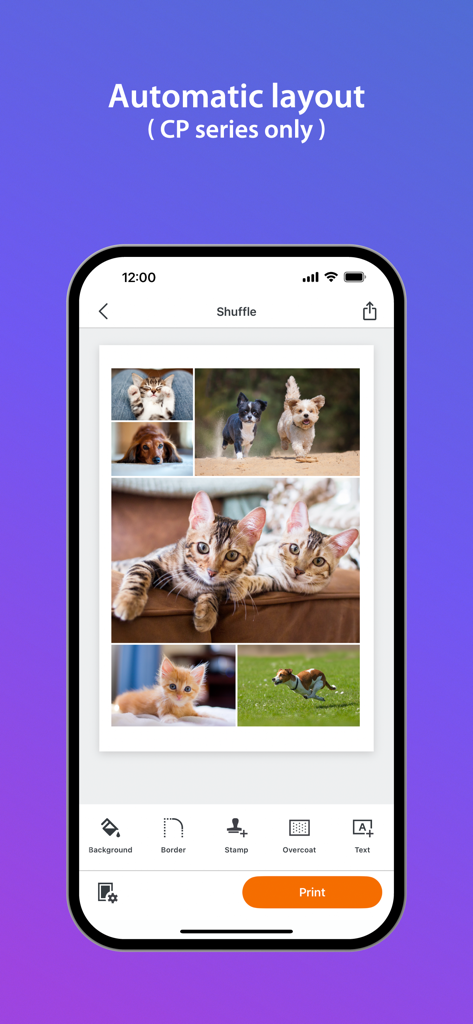
Smartphone-Bildschirm, der eine automatische Fotocollage von Haustieren in der SELPHY Photo Layout App anzeigt
Beschreibung
Download
Ähnliche Apps
Apps mit ähnlichen Funktionen und Nutzererfahrung

instax mini Link
FUJIFILM Corporation

instax mini Evo
FUJIFILM Corporation

Canon Mini Print
Canon U.S.A., Inc.

Polaroid
Polaroid International B.V.

KODAK Photo Printer
Prinics Co., Ltd

Phomemo
PHOMEMO PTE. LTD.

Epson Creative Print
Seiko Epson Corporation

HP Sprocket
C&A Marketing Inc.
NokoPrint - Mobile Printing
NokoPrint LLC
Diese Seite ist keine offizielle Seite der App oder ihres Entwicklers, sondern eine unabhängige redaktionelle Veröffentlichung, die zu Informations- und Kommentarzwecken erstellt wurde. Sofern nicht ausdrücklich anders angegeben, sind weder die App noch ihr Entwickler mit MWM, Apple, Google Play, dem App-Herausgeber oder dem Entwickler der App verbunden, von ihnen unterstützt, gesponsert, autorisiert oder anderweitig offiziell verbunden, und nichts auf dieser Seite impliziert, dass die App unter Verwendung der Dienste von MWM entwickelt wurde. Alle Marken, Logos, Screenshots und andere Inhalte bleiben Eigentum ihrer jeweiligen Inhaber.