ServicePlanner

ServicePlanner

Herunterladen auf App Store
Logo von ServicePlanner

ServicePlanner: Erweitern Sie Ihren Dienst und erreichen Sie Ihre geistigen Ziele

Der komplette Assistent für Jehovas Zeugen zur Verwaltung von Besuchen, zur Verfolgung von Dienststunden und zur Vereinfachung der monatlichen Berichterstattung – alles perfekt synchronisiert über Ihre Geräte.

Herunterladen auf App Store

Herausgeber

iMatt Solutions Limited

Kategorie

Productivity

Downloads

131K+

Bewertung

4.7/5

Bewertungen gesamt

400

Sprachen

17

Dienst auf einen Blick

Entdecken Sie die Oberfläche, die von 131K+ Nutzern verwendet wird.

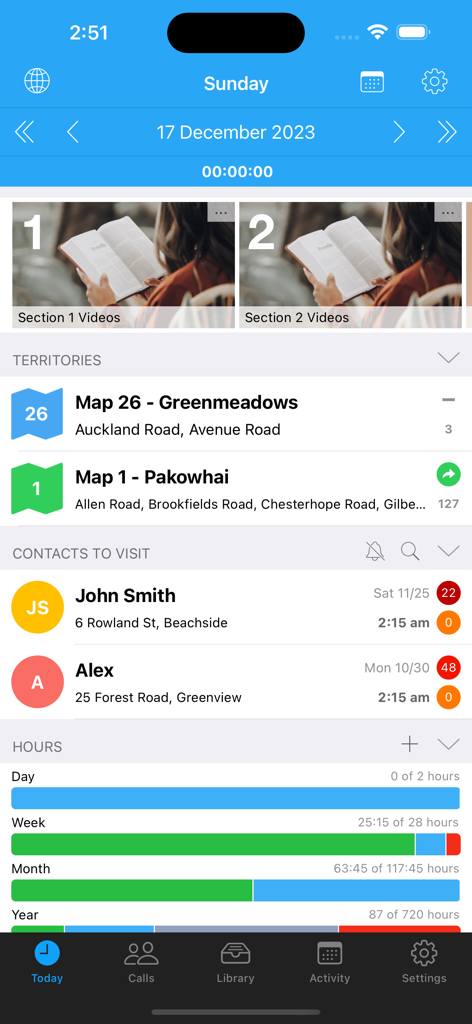
Der Bildschirm „Heute“ der ServicePlanner-App zeigt Dienstgebiete, geplante Kontakte und Fortschrittsbalken für Dienststunden an.
Der Bildschirm „Heute“ der ServicePlanner-App zeigt Dienstgebiete, geplante Kontakte und Fortschrittsbalken für Dienststunden an.

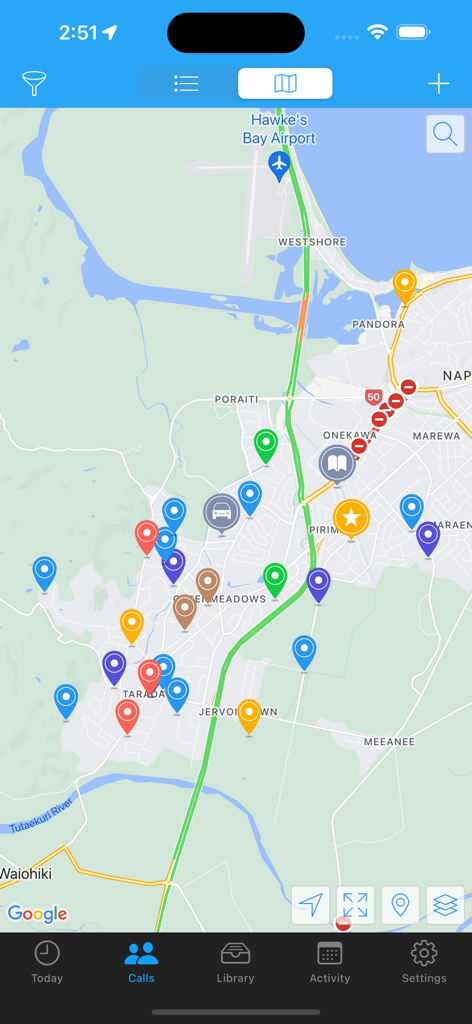
Eine Kartenansicht innerhalb der ServicePlanner-App, die farbige Pin-Markierungen für Kontakte im Außendienst und Gebietsstandorte anzeigt.
Eine Kartenansicht innerhalb der ServicePlanner-App, die farbige Pin-Markierungen für Kontakte im Außendienst und Gebietsstandorte anzeigt.

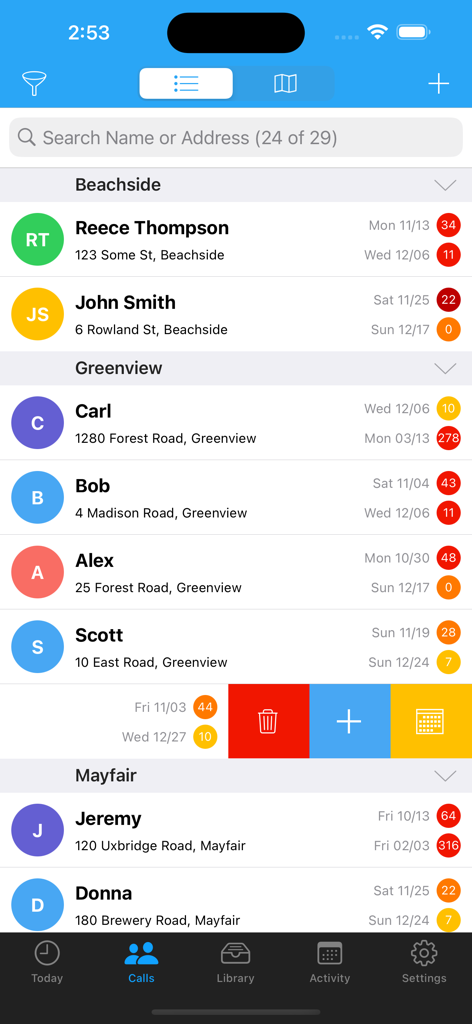
Eine Liste von Kontakten im Außendienst in der ServicePlanner-App, die die Besuchshistorie und Heatmap-Indikatoren anzeigt.
Eine Liste von Kontakten im Außendienst in der ServicePlanner-App, die die Besuchshistorie und Heatmap-Indikatoren anzeigt.

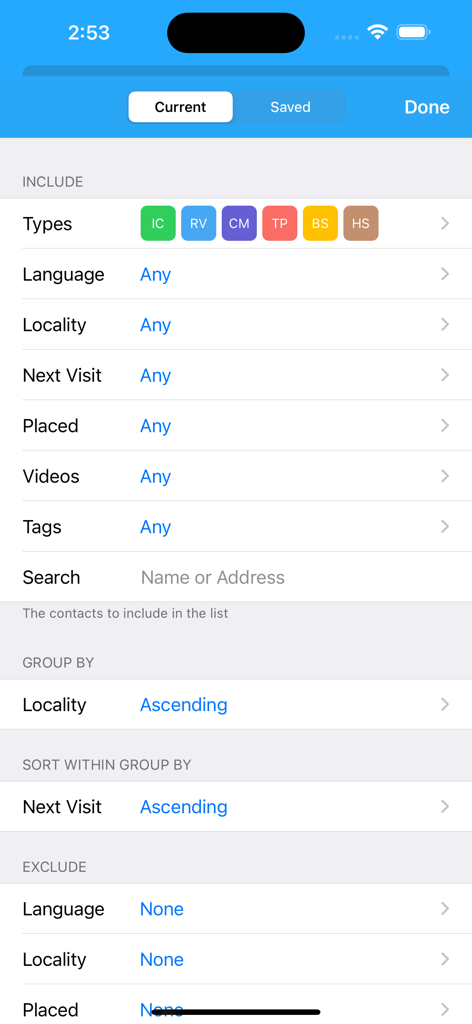
Erweiterte Optionen zum Filtern und Sortieren von Kontakten in der ServicePlanner-App, die Optionen zur Gruppierung nach Ort und Sortierung nach dem Datum des nächsten Besuchs anzeigen.
Erweiterte Optionen zum Filtern und Sortieren von Kontakten in der ServicePlanner-App, die Optionen zur Gruppierung nach Ort und Sortierung nach dem Datum des nächsten Besuchs anzeigen.

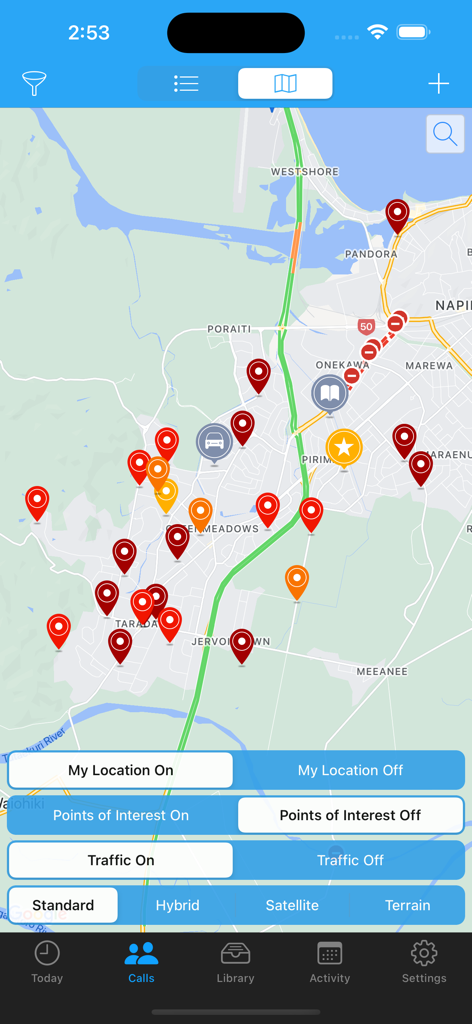
Die Kartenansicht der ServicePlanner-App, die farbcodierte Pins für Kontaktverwaltung und Dienst im Außendienst anzeigt.
Die Kartenansicht der ServicePlanner-App, die farbcodierte Pins für Kontaktverwaltung und Dienst im Außendienst anzeigt.

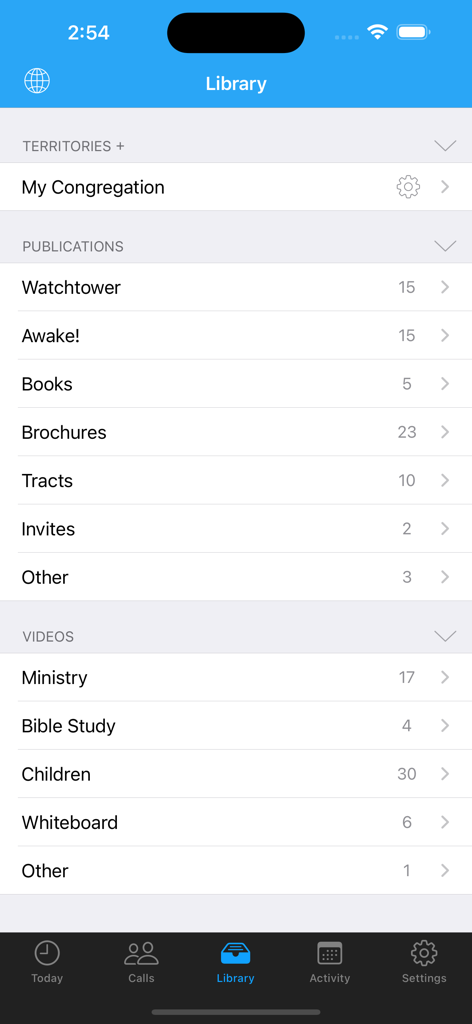
Oberfläche der ServicePlanner-App, die eine Bibliothek von Publikationen und Videos zeigt.
Oberfläche der ServicePlanner-App, die eine Bibliothek von Publikationen und Videos zeigt.

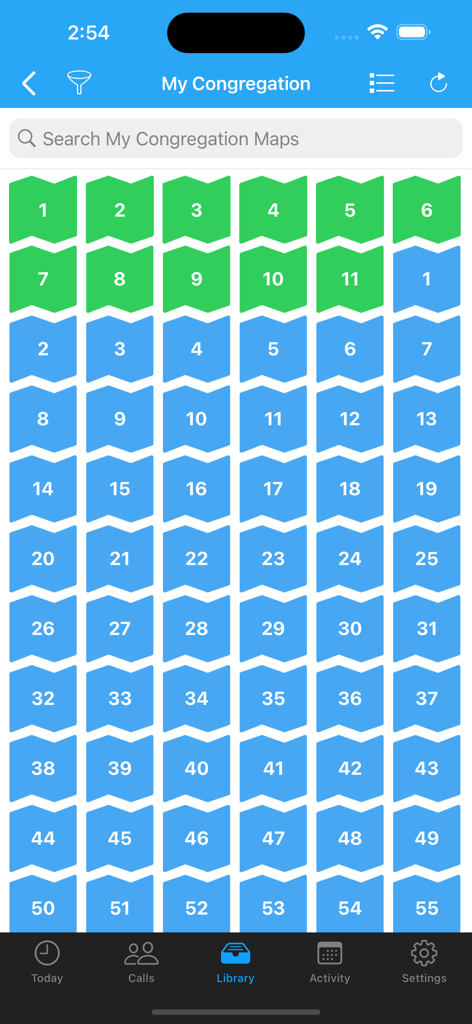
Raster von nummerierten grünen und blauen Gebietskarten in der ServicePlanner-App-Bibliothek.
Raster von nummerierten grünen und blauen Gebietskarten in der ServicePlanner-App-Bibliothek.

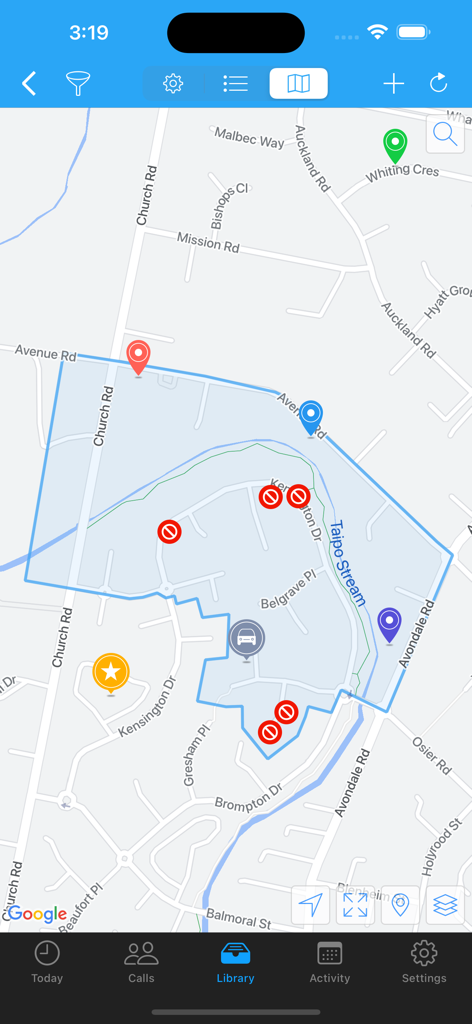
Kartenansicht der mobilen ServicePlanner-App, die einen hervorgehobenen Gebietsbereich und benutzerdefinierte Standortmarkierungen anzeigt.
Kartenansicht der mobilen ServicePlanner-App, die einen hervorgehobenen Gebietsbereich und benutzerdefinierte Standortmarkierungen anzeigt.

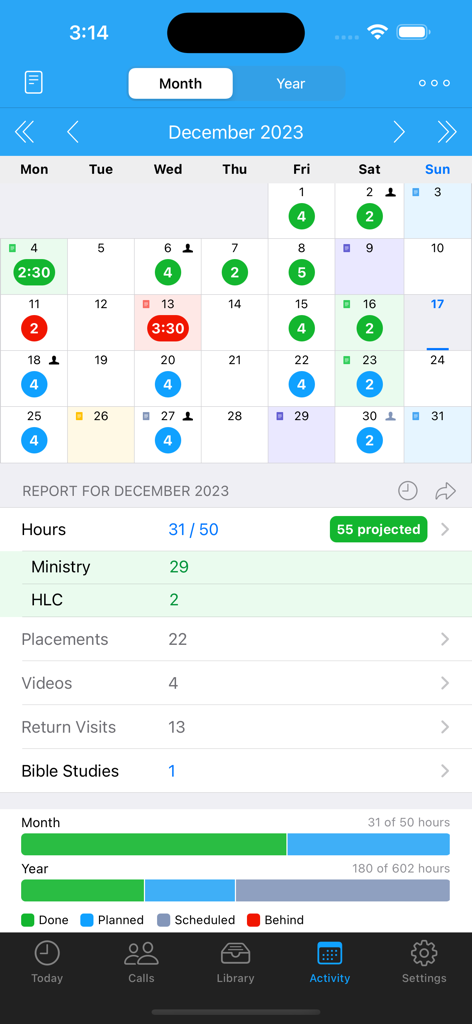
Monatlicher Aktivitätsbericht und Kalenderansicht in der ServicePlanner-App, die Dienststunden und geistige Ziele anzeigt.
Monatlicher Aktivitätsbericht und Kalenderansicht in der ServicePlanner-App, die Dienststunden und geistige Ziele anzeigt.

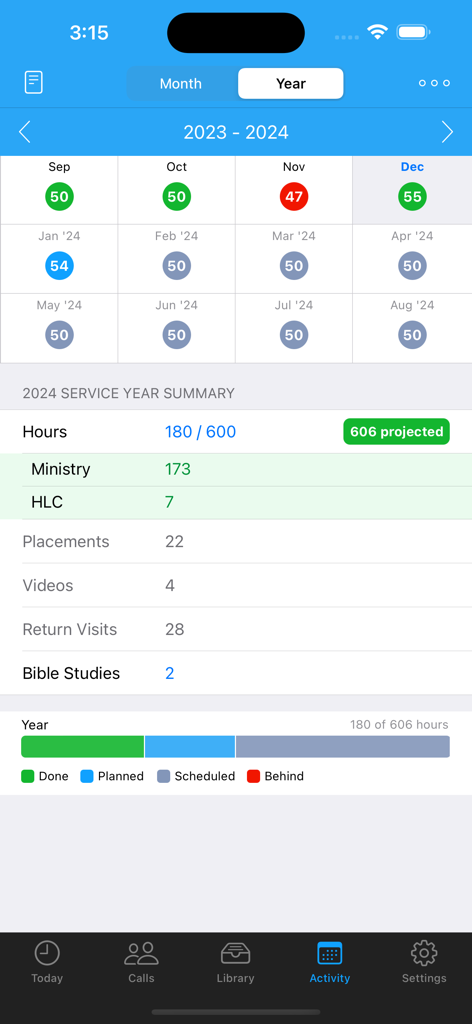
Aktivitätsbildschirm von ServicePlanner, der die Zusammenfassung des Dienstjahres und den Fortschritt bei den Dienstzielen anzeigt.

Aktivitätsbildschirm von ServicePlanner, der die Zusammenfassung des Dienstjahres und den Fortschritt bei den Dienstzielen anzeigt.

Bleiben Sie in Ihrem Dienst organisiert

Die Tools, die diese App auszeichnen, gewählt von 131K+ Nutzern.

📖

Intelligente Kontaktverwaltung

Verlieren Sie nie wieder den Überblick über interessierte Personen. Nutzen Sie visuelle Heatmaps und eine durchsuchbare Bibliothek, um Ihre Besuche und Publikationen mühelos zu verwalten.

⏱️

Zielorientierte Zeiterfassung

Bleiben Sie mit einem integrierten Timer, prognostizierten Stunden und einer speziellen Ansicht für den monatlichen und jährlichen Dienstfortschritt auf Kurs für Ihre Pionierziele.

📤

Nahtlose Berichterstattung und Weitergabe

Beseitigen Sie den Verwaltungsaufwand. Übermitteln Sie Ihren Monatsbericht in Sekundenschnelle per SMS oder WhatsApp und koordinieren Sie Absprachen sofort mit Ihren Dienstpartnern.

Über die App

Alles, was Sie über wissen müssen ServicePlanner.

Beschreibung

ServicePlanner is a Field Ministry and Contact Management app designed for Jehovah's Witnesses. • Dropbox Sync - automatically backup your data and sync across multiple devices. • Integration with Territory Helper. • Today Screen - quick access to the Timer, Videos, Publications, Website Browser, Activity Planner and your scheduled calls for the day. • Timer - record your time spent in the ministry or on "other" work (LDC etc). Tap the timer bar on the Today screen or force touch the app icon. • Contact Management - centrally manage your Calls with a searchable Contact list. Colours are carefully used to indicate the Contact Type and render a heat map showing if your visits are overdue or on schedule. Swipe or long-press on a Contact to quickly reschedule or update a contact. • Contact Visit History & Library - quickly access your call history with a list of previous visits. Colour again is used to visually indicate the Visit Type. Define your Next Visit Date and Plans. A central Library for each contact shows all of the publications you have ever placed with them. • Contact Filtering - powerful filtering allows you to define how you Group and Sort your calls. Search for Contacts using Tags, Language, Locality, Next Visit Date and more criteria. • Map View - get an overview of your Calls, search for addresses, place custom markers for the location of your Car, Territory, Kingdom Hall, your Home and more. You can tap+hold to create a new Contact straight from a map location. • Library - centrally manage Publications and Videos. Optionally add Cover Art to make it easier to visualise items. Video locations can be downloaded for offline use, or streamed to free up storage space. Add items to your Today screen. Note that the Library is empty by default, users will need to populate it themselves. • Websites - use the inbuilt browser to show web content. Bookmark your favourite websites. Supports Reader View with Themes. Reader View supports Chinese Pinyin, Zhuyin, Yale, Sidney Lau above Chinese characters when reading content from the official websites. • Monthly Activity - plan your daily activity with Planned Hours vs Actual Hours. Projected Hours indicate if you are on track with your time. • Service Year - see at a glance your hours per month and a summary of your activity for the Service Year. Projected Hours indicate if you are on target to reach your annual goal. OR ... * "Shared in Ministry" Mode - You can optionally switch both the Month and Annual calendars to just show a green tick when you shared in the ministry, instead of focussing on hours. • Scheduling - define your Annual, Monthly and Daily Hour Goals. These will then be used to track your progress for the Month and Year. Apply your Daily Schedule to your Month and view the Projected Hours - so easy to see if you will get your time in or if you need to alter your schedule. • Witnessing Partners - arrange your partners each day. Contact your witnessing partner by SMS, Phone, or messaging apps. Mark the arrangement as confirmed or not. Icons on the calendar indicate days with arranged partners. Optional integration with iOS calendars. • Reporting - support for multiple Hour Credits and Carry-Over Minutes. Your Monthly Report can be submitted using Email, TXT, Telegram, WhatsApp, LINE, Hourglass or NW Publisher. • "Other Hours" - log your non-ministry hours such as LDC or Branch Consultation work. Up to 5 "Other Hour" categories can be scheduled and planned alongside your Ministry Hours. Configure the category name (eg "LDC") and Reporting options in Settings. --- And this is just the beginning! Please check the website for details and support: www.serviceplanner.app Requirements: iOS 14+ Some mapping features require a connected device. All support and documentation is provided in English. Some cannot locate the app because they search for "Service Planner". The app is called "ServicePlanner".

Neueste Version

3.1.1

Größe

46.2 MB

Erstveröffentlichung

18. Aug. 2017

Bereit, Ihren Dienst zu vereinfachen?

Schließen Sie sich über 130.000 Verkündigern und Pionieren an, die ServicePlanner nutzen, um organisiert zu bleiben, ihre Ziele zu erreichen und sich auf das zu konzentrieren, was wirklich zählt.

Herunterladen auf App Store

App information, icons, screenshots, and descriptions displayed on this page are sourced from the Apple App Store and are the property of their respective developers. Download estimates and rankings are based on MWM's proprietary models and may not reflect actual figures. This page is provided for informational and analytical purposes only.

Believe this page infringes your intellectual property? File a dispute