SetMyCameraDF

SetMyCameraDF

Herunterladen auf App Store
Logo von SetMyCameraDF

SetMyCameraDF: Technische Präzision für jeden Schuss meistern

Der ultimative Feldassistent für ernsthafte Fotografen. Berechnen Sie die Schärfentiefe, messen Sie das Licht und visualisieren Sie das Sichtfeld mit professionellen Werkzeugen für DSLR, spiegellose und analoge Kameras.

Herausgeber

Roger Bauchspies

Kategorie

Photo & Video

Downloads

52K+

Bewertung

4.4/5

Bewertungen gesamt

0

Sprachen

30

Präzision auf Knopfdruck

Entdecken Sie die Oberfläche, die von 52K+ Nutzern verwendet wird.
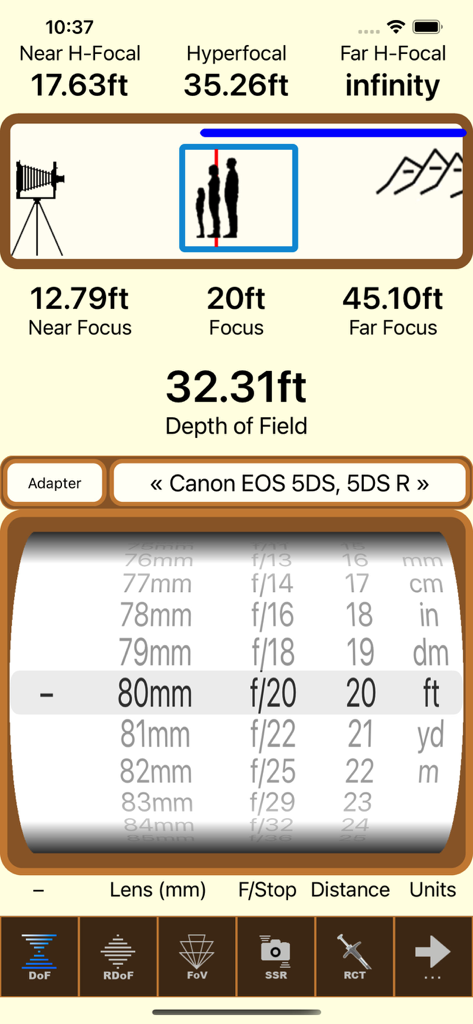
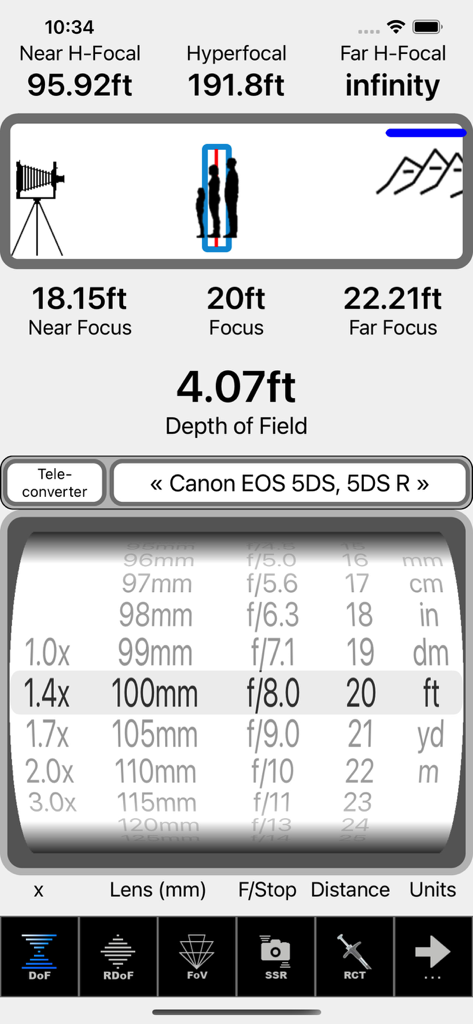
SetMyCameraDF App-Oberfläche mit Berechnungen der Schärfentiefe und hyperfokalen Distanzen für professionelle Fotografen

SetMyCameraDF App-Oberfläche mit Berechnungen der Schärfentiefe und hyperfokalen Distanzen für professionelle Fotografen

SetMyCamera Schärfentiefe und hyperfokale Distanzrechner-Oberfläche

SetMyCamera Schärfentiefe und hyperfokale Distanzrechner-Oberfläche

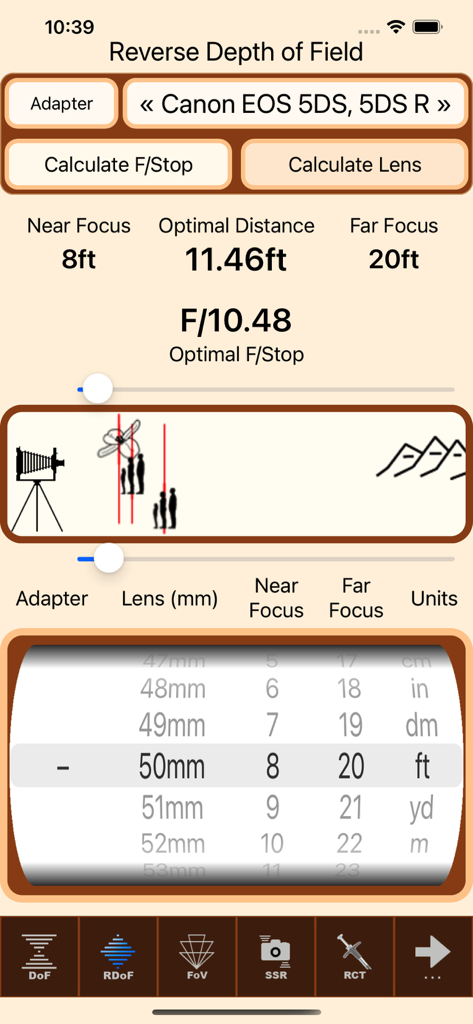
Oberfläche der SetMyCameraDF-App, die den Umkehr-Schärfentiefe-Rechner mit Kameraeinstellungen und einem Entfernungsrad anzeigt.

Oberfläche der SetMyCameraDF-App, die den Umkehr-Schärfentiefe-Rechner mit Kameraeinstellungen und einem Entfernungsrad anzeigt.

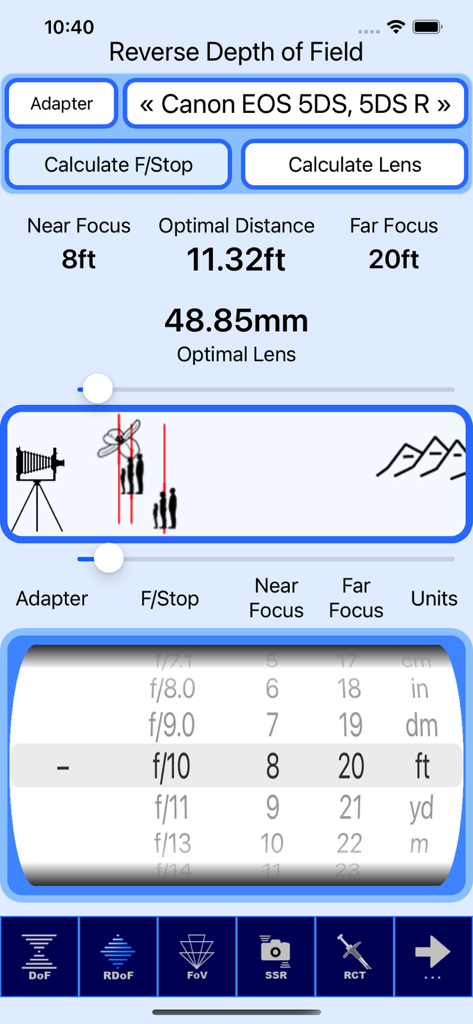
Oberfläche der SetMyCameraDF-App, die Umkehr-Schärfentiefe-Berechnungen für eine Canon EOS Kamera anzeigt

Oberfläche der SetMyCameraDF-App, die Umkehr-Schärfentiefe-Berechnungen für eine Canon EOS Kamera anzeigt

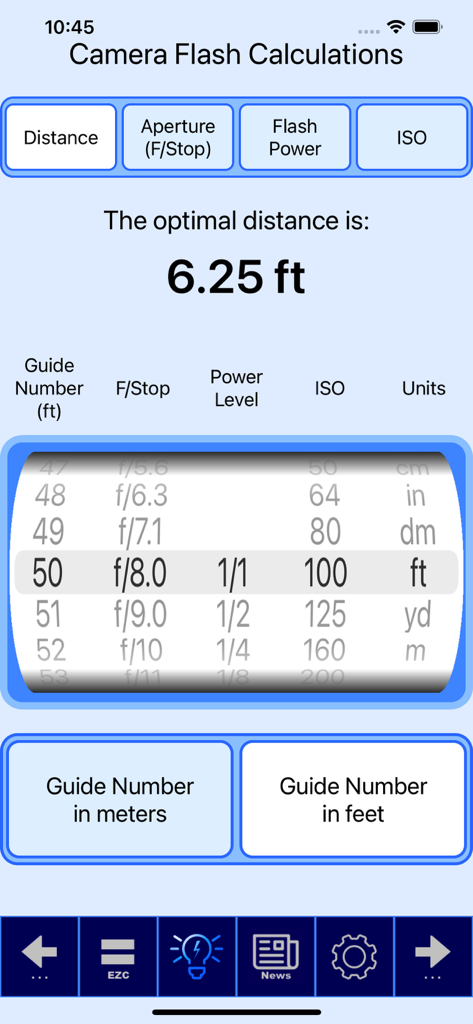
Kamera-Blitzberechnungswerkzeug in der SetMyCamera-App, das optimale Entfernungseinstellungen basierend auf Leitwert, Blende und ISO anzeigt.

Kamera-Blitzberechnungswerkzeug in der SetMyCamera-App, das optimale Entfernungseinstellungen basierend auf Leitwert, Blende und ISO anzeigt.

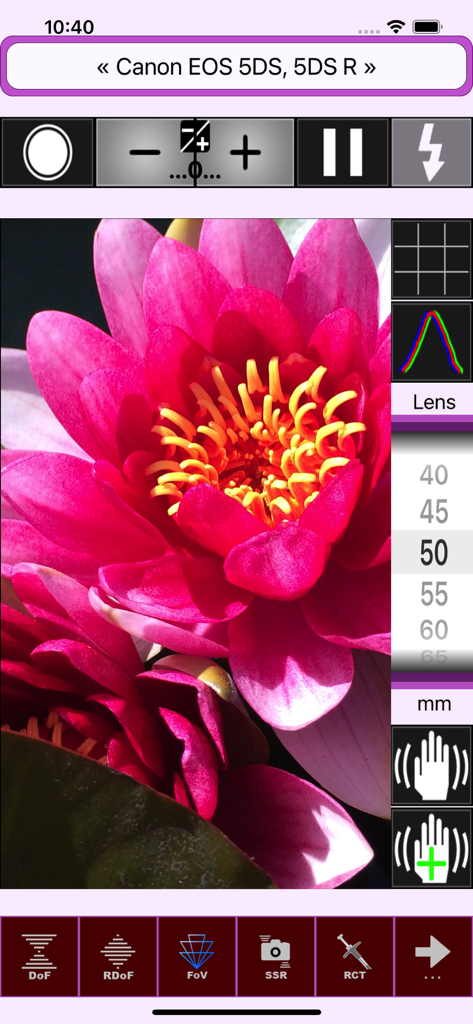
SetMyCameraDF Sichtfeld-Visualisierer mit rosa Blume und Überlagerungen von Kameraeinstellungen

SetMyCameraDF Sichtfeld-Visualisierer mit rosa Blume und Überlagerungen von Kameraeinstellungen

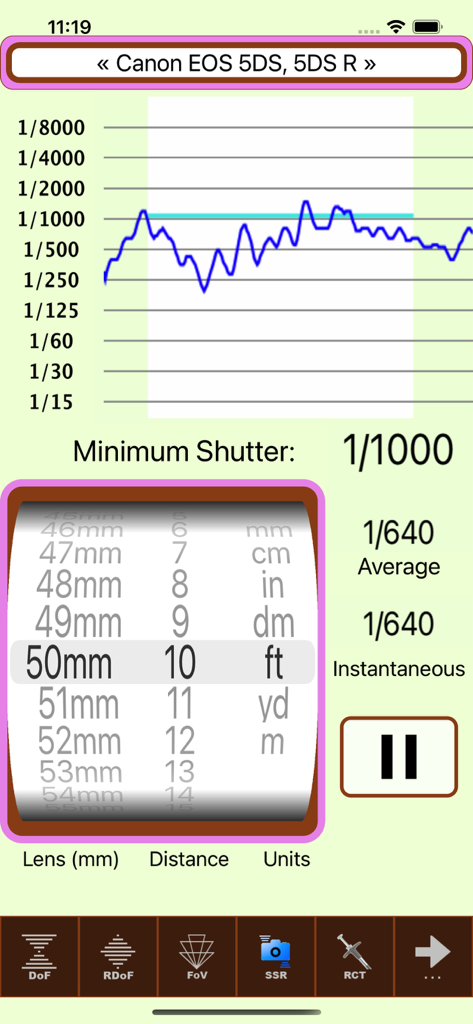
Oberfläche der SetMyCamera Fotografie-App, die Empfehlungen für die Verschlusszeit für eine Canon DSLR zeigt

Oberfläche der SetMyCamera Fotografie-App, die Empfehlungen für die Verschlusszeit für eine Canon DSLR zeigt

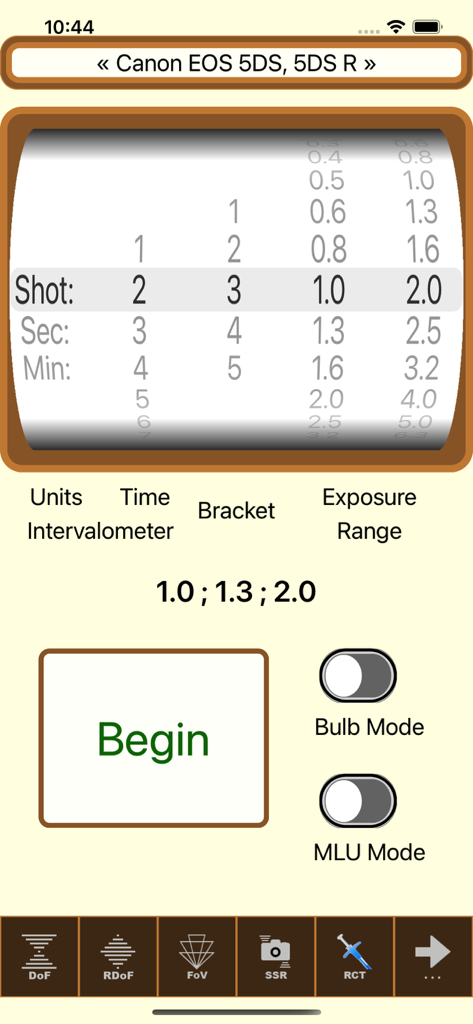
Oberfläche zur Einstellung des Intervallometers und der Belichtungsreihenautomatik in der SetMyCameraDF-App

Oberfläche zur Einstellung des Intervallometers und der Belichtungsreihenautomatik in der SetMyCameraDF-App

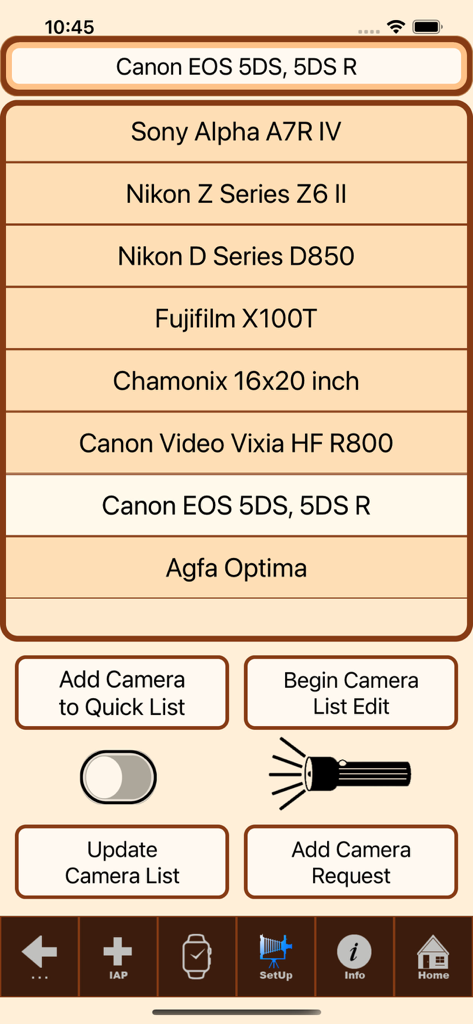
Bildschirm zur Auswahl des Kameramodells in SetMyCameraDF mit verschiedenen DSLR- und spiegellosen Optionen

Bildschirm zur Auswahl des Kameramodells in SetMyCameraDF mit verschiedenen DSLR- und spiegellosen Optionen

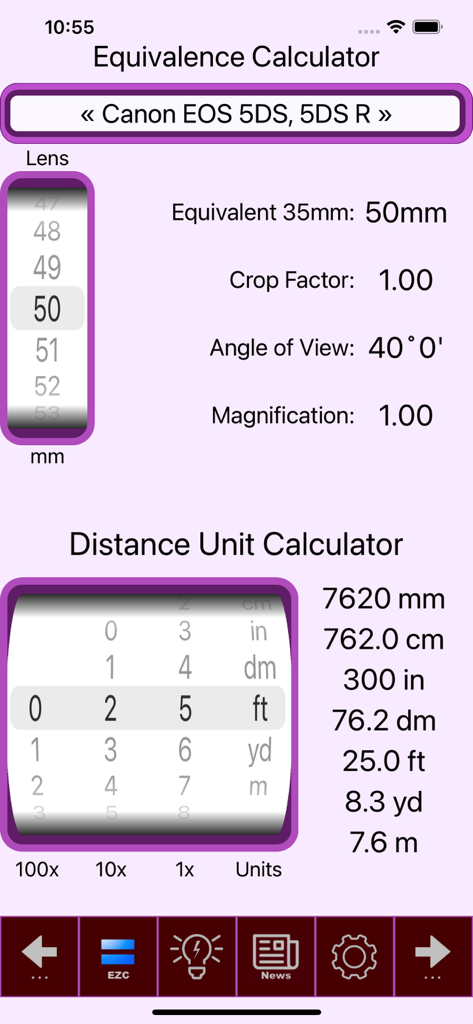
Oberfläche der SetMyCamera-App, die Rechner für Objektiväquivalenz und Einheitenumrechnung für Fotografen anzeigt

Oberfläche der SetMyCamera-App, die Rechner für Objektiväquivalenz und Einheitenumrechnung für Fotografen anzeigt

Die technische Kunst der Fotografie meistern

Die Tools, die diese App auszeichnen, gewählt von 52K+ Nutzern.

📐

Präzise Schärfentiefe

Berechnen Sie hyperfokale Distanzen und Bokeh mit animierten Grafiken. Nutzen Sie unser einzigartiges Umkehr-Schärfentiefe-Tool, um die genaue Blende für Ihren spezifischen Fokusbereich zu ermitteln.

☀️

Professionelle Lichtmessung

Erhalten Sie genaue Belichtungsmesswerte für Umgebungs- und Auflicht. Unerlässlich für manuelle Fotografen und Film-Enthusiasten, die Berechnungen für Reziprozität und Sunny 16 benötigen.

Nahtloser Workflow im Feld

Greifen Sie direkt auf Ihrer Apple Watch auf kritische Berechnungen zu. Halten Sie Ihre Hände am Equipment, während Sie Sichtfeldvisualisierungen und Empfehlungen zur Verschlusszeit anzeigen.

Über die App

Alles, was Sie über wissen müssen SetMyCameraDF.

Beschreibung

Are you ready to take your photography to the next level? Look no further than SetMyCamera! With SetMyCamera’s advanced tools, you will be able to create visually stunning images with exceptional technical expertise. Imagine capturing award-winning photos in no time! SetMyCamera is your secret weapon for taking control of camera settings. SetMyCamera offers various base versions, each of which can be upgraded to the full feature set. For a complete list of features, head over to SetMyCamera.com. SetMyCamera Df includes features for mid range camera setting options. What is SetMyCamera? SetMyCamera is the ultimate photography app for all your photography needs. Whether you are a pro or a beginner, use digital or film cameras, capturing videos or photos, SetMyCamera has you covered. SetMyCamera offers a range of features, including depth of field, composition assistance, light metering, print resolutions, flash settings, and more. You can even learn about reciprocity, field of view, angle of view, depth of field, f/stop, shutter speed, ISO, and hyperfocal distances. SetMyCamera also supports accessories like filters, diopters, bellows, speed boosters, extension tubes, and teleconverters. SetMyCamera has an in-app tutorial to help you get started. Settings are easily adjusted using a thumbwheel or slider, and animated graphics make learning a breeze. Here are some SetMyCamera features: Traditional depth of field: This feature helps you find the perfect depth of field by entering aperture (f/stop) and subject distance. An animated graphic shows what you are setting. Reverse depth of field: This unique feature lets you set the perfect aperture (f/stop) or lens focal length by entering the near and far in-focus distances. An animated graphic helps you visualize the settings. Light meter: This handy tool measures the available ambient light, whether it’s the light the camera sees or the light that falls on the subject. It even includes a sunny 16 light guide. Photo shoot notes: The built-in notes database is perfect for your photo shoots to make your photography experience easier and more organized. Print size calculator: This tool helps you convert your photos into high-quality prints based on your camera. Field of view visualizer: This feature enables you to preview your photo capture. It utilizes your iPhone or iPad’s camera and offers various options, including histograms, the rule of thirds, hot spot detection, and adjustable exposure settings. Angle of view calculator: This tool helps you position your camera according to the lens and subject, considering the camera distance. Flash configuration: This tool eliminates the guesswork when setting up flash photos. Exposure value, neutral density filter, and reciprocity calculations: SetMyCamera can also calculate these values for you. Shutter speed recommendations: This tool helps you choose the right shutter speed to avoid blurry photos. Standard conversion information: SetMyCamera includes standard conversion information for cameras and field information. A wide range of cameras and settings: SetMyCamera has an extensive list of pre-defined cameras or you can define your own. Included is support for both Imperial and Metric units. User-Friendly: Customizable interface with selectable themes including dark mode, and support for over 30 languages. SetMyCamera is compatible with iPhone and iPad. On iPhone, an Apple Watch app is included. A MacOS version is available for your desktop or laptop. Some features may require in-app purchases. For a comparison chart of included features, visit https://setmycamera.com/products/compare/. What others say: “SetMyCamera assists depth of field calculations and serves as a great teaching tool” – MacWorld SetMyCamera respects your privacy and doesn’t collect user data. For more information, visit SetMyCamera.com. https://setmycamera.com/SMC_PP/SMC_PrivacyPolicy.html https://setmycamera.com/SMC_PP/SMC_TermsOfUse.html

Neueste Version

1.7.15

Größe

30.1 MB

Erstveröffentlichung

25. Juli 2012

Bereit, die technische Kunst der Fotografie zu meistern?

Schließen Sie sich über 50.000 Fotografen an, die SetMyCamera nutzen, um Rätselraten zu vermeiden und technische Exzellenz zu erreichen. Laden Sie noch heute Ihren ultimativen Feldassistenten für iPhone, iPad und Apple Watch herunter.

Herunterladen auf App Store

App information, icons, screenshots, and descriptions displayed on this page are sourced from the Apple App Store and are the property of their respective developers. Download estimates and rankings are based on MWM's proprietary models and may not reflect actual figures. This page is provided for informational and analytical purposes only.

Believe this page infringes your intellectual property? File a dispute