ShotBOT

ShotBOT

Herunterladen auf App Store
Logo von ShotBOT

ShotBOT: Der professionelle Standard für das VFX-Datenmanagement am Set

Eliminieren Sie kostspielige Fehler in der Postproduktion mit präziser Nachverfolgung, Teradek-Integration und umfassender Berichterstattung. Entwickelt von Branchenveteranen, um den Hochdruckanforderungen moderner Film- und TV-Sets gerecht zu werden.

Herunterladen auf App Store

Herausgeber

Todd Freese

Kategorie

Photo & Video

Downloads

2K+

Bewertung

1.0/5

Bewertungen gesamt

0

Sprachen

1

Präzision am Set

Entdecken Sie die Oberfläche, die von 2K+ Nutzern verwendet wird.
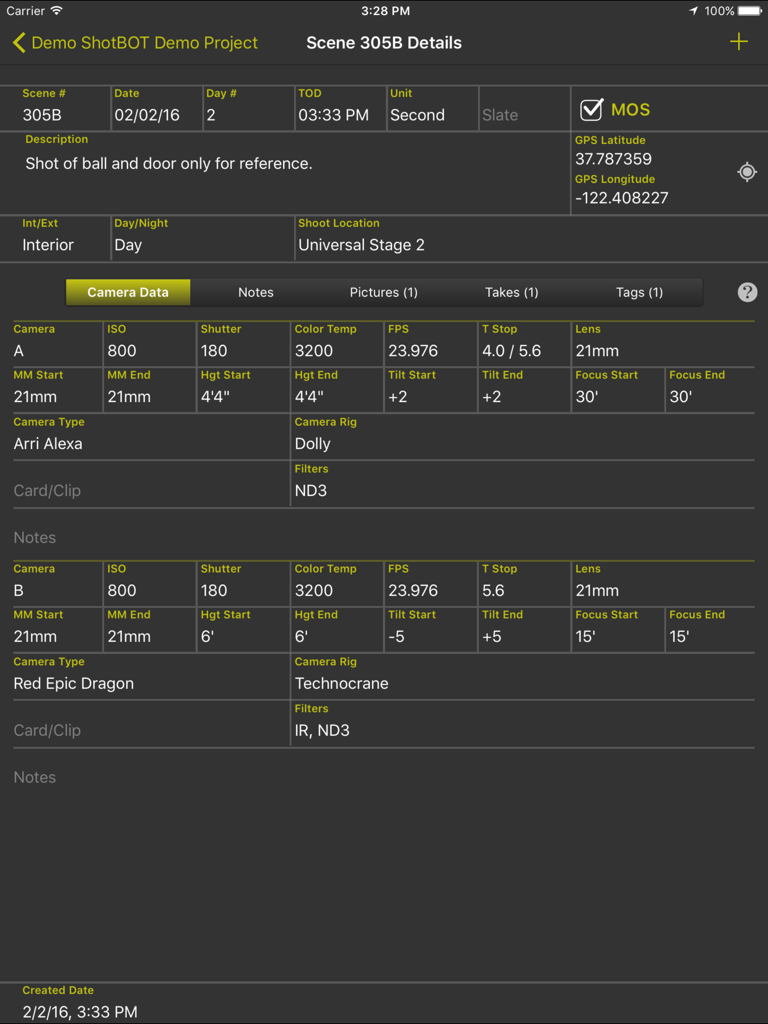
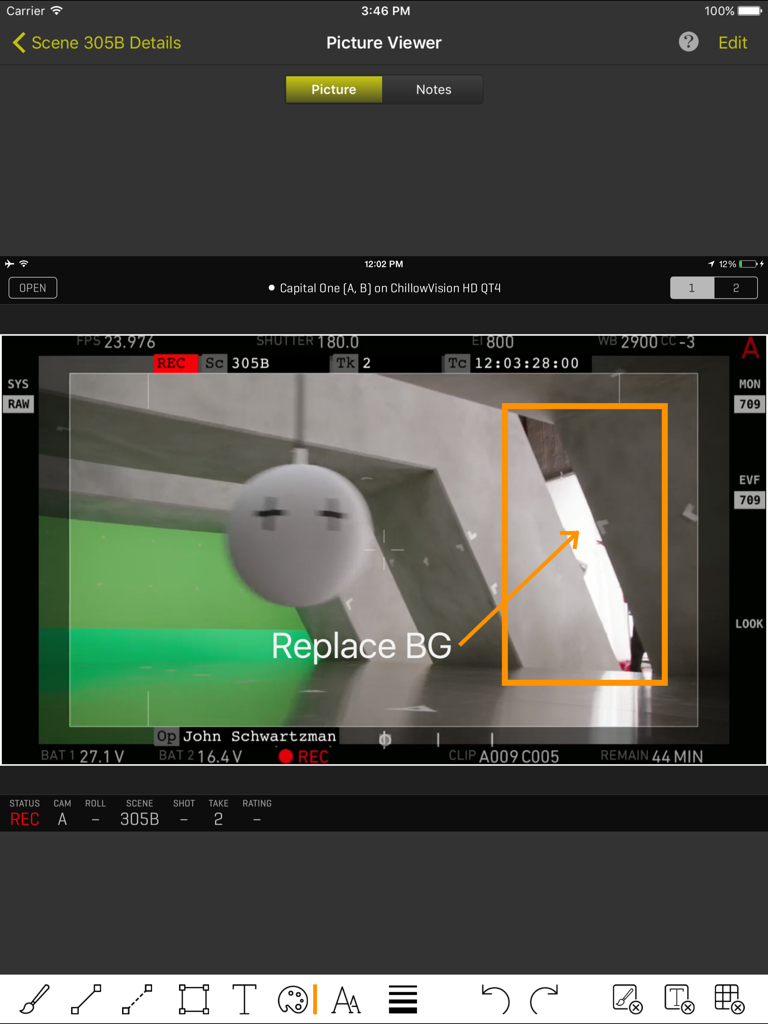
ShotBOT App-Oberfläche mit detaillierten Kamera-Metadaten und Szeneninformationen auf einem iPad

ShotBOT App-Oberfläche mit detaillierten Kamera-Metadaten und Szeneninformationen auf einem iPad

ShotBOT iPad-Oberfläche, die einen Kamera-Frame-Grab mit professionellen VFX-Annotationen und Szenen-Metadaten zeigt.

ShotBOT iPad-Oberfläche, die einen Kamera-Frame-Grab mit professionellen VFX-Annotationen und Szenen-Metadaten zeigt.

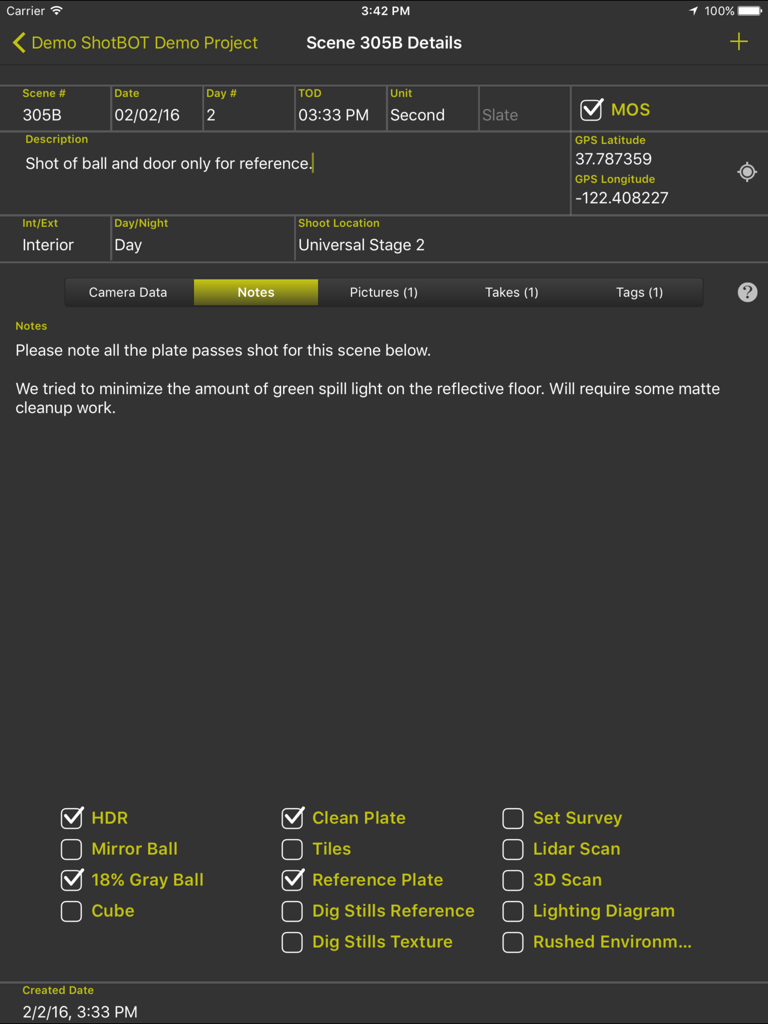
ShotBOT App-Oberfläche auf dem iPad mit VFX-Szenendetails, Notizen und technischen Checkboxen für die Filmproduktion.

ShotBOT App-Oberfläche auf dem iPad mit VFX-Szenendetails, Notizen und technischen Checkboxen für die Filmproduktion.

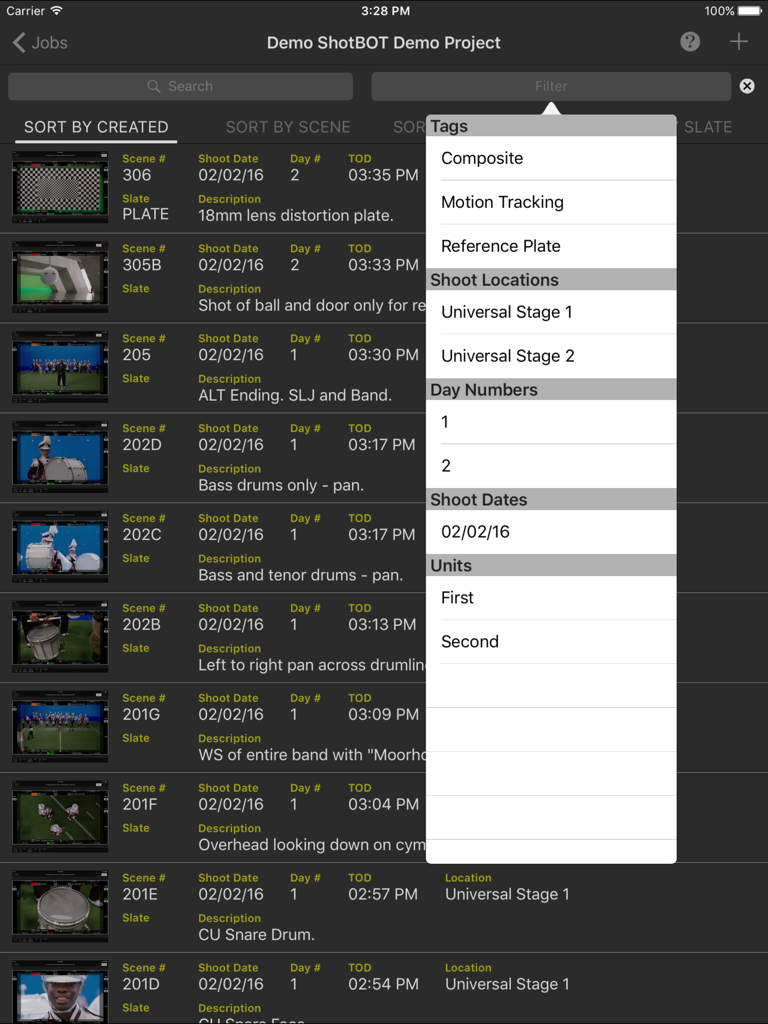
ShotBOT iPad App-Oberfläche mit einer Liste von VFX-Szenen und einem geöffneten Filtermenü mit Tags und Drehorten

ShotBOT iPad App-Oberfläche mit einer Liste von VFX-Szenen und einem geöffneten Filtermenü mit Tags und Drehorten

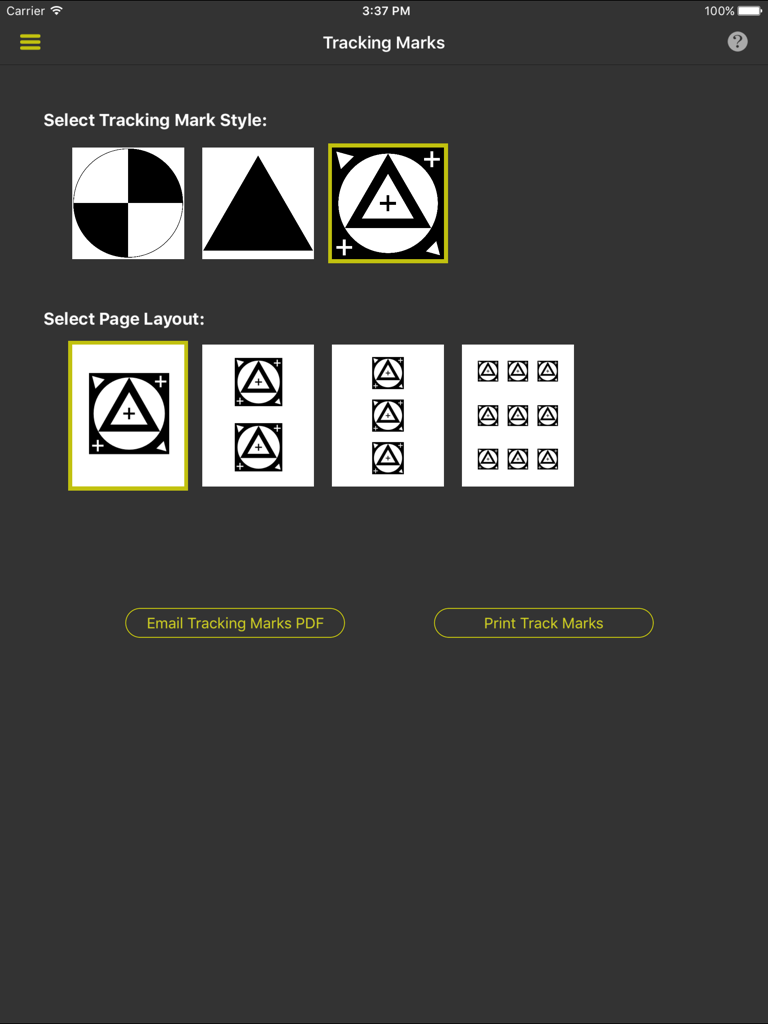
Oberfläche zur Auswahl von VFX-Tracking-Markierungsstilen und Drucklayouts in ShotBOT

Oberfläche zur Auswahl von VFX-Tracking-Markierungsstilen und Drucklayouts in ShotBOT

Gebaut für die Härten der Produktion

Die Tools, die diese App auszeichnen, gewählt von 2K+ Nutzern.

🎯

Standardisierte Datenfelder der Branche

Verwenden Sie keine generischen Notiz-Apps mehr. Erfassen Sie alles, von T-Stops und Objektivhöhen bis hin zu HDR-Flags und Graukugel-Referenzen, mit spezialisierten Feldern für die schnelle Eingabe.

🎬

Drahtlose Video-Integration

Verbinden Sie sich direkt mit Teradek-Encodern, um Referenzbilder zu erfassen und Live-Video-Feeds anzuzeigen. So stellen Sie sicher, dass Ihre visuellen Notizen perfekt mit der Kameraperspektive übereinstimmen.

📄

Automatisierte professionelle Berichterstattung

Generieren Sie sofort umfassende VFX-Drehberichte oder exportieren Sie strukturierte Daten, um die Lücke zwischen physischer Produktion und Postproduktionssoftware zu schließen.

Über die App

Alles, was Sie über wissen müssen ShotBOT.

Beschreibung

ShotBOT is designed for professional visual effects supervisors, to use during production, to take all the necessary production notes when shooting visual effects scenes. It tracks all the VFX needs for film, TV, documentaries, music videos and commercial production. This app is designed by someone who has spent 20 years shooting visual effects. All advanced features are sold via in-app purchases so you only need to buy what you need. For more detailed information on ShotBOT, please check out our web site for demo screencasts and a comprehensive FAQ page. FEATURES -ShotBOT has all the fields you would expect. A full list of fields is at the bottom of this page. -Track general scenes or individual takes. -Print or email a comprehensive shooting report to your VFX artists after the shoot. -Built in drawing feature to create diagrams or annotate pictures. -App-wide built in help screens to explain every feature. -Supports multi-camera shoots. -Full support for user defined presets for all commonly used fields. Includes default set of presets for professional production. Entering the data for a scene is very fast! -Scenes can be tagged to group sets of scenes together for complete organization of the scenes. -Take pictures or import existing images for scene reference. -View and grab frames from a wireless, live video feed from the camera. (Requires Teradek wireless encoder and in-app purchase) -Print a variety of different style tracking marks in a variety of sizes. (Requires in-app purchase) -Two different interface styles. Dark for indoor, Light for outdoor. You will always be able to view screen content without blinding your eyes. -Export your data so you can import it into your own post production tracking software. (Require in-app purchase) -Optional ShotBOT Cloud option to backup your data in realtime and sync between multiple devices. (Require in-app purchase) JOB FIELDS -Job Number -Episode Name and Number -Working Title -Agency and Client Name -Product Description -Production Company Name -Default FPS -Job Description SCENE FIELDS -Scene Number -Scene Description -Slate -Shot Date, Day Number, Time of day. -Unit (First unit, second unit, plate unit) -MOS or Sync sound. -Interior/Exterior -Day, Night, or Day For Night -Shoot Location -Scene Notes -Flags for: HDR, Mirror Ball, 18% Gray Ball, Cube, Clean Plate, Tiles, Ref Plates, Dig Stills Ref, Dig Stills Texture, Set Survey, Lidar Scan, 3D Scan, Lighting Diagram, Rushed Enviroment. CAMERA FIELDS -Camera ID -Camera Type -Camera Rig -Card/Clip Info -Filters -ISO -Shutter -Color Temp -FPS -T Stop -Lens -MM Start & End -Camera Height Start & End -Camera Tilt Start & End -Camera Focus Start & End -Camera Notes TAKE FIELDS -Take Number -Hero or Circled Take Flag -Take Notes

Neueste Version

1.62

Größe

60.0 MB

Erstveröffentlichung

25. Juni 2015

Sind Sie bereit, Ihren VFX-Workflow am Set zu optimieren?

Schließen Sie sich den Branchenprofis und Datensammlern an, die ShotBOT für die hochpräzise Nachverfolgung vertrauen. Laden Sie es jetzt herunter und erstellen Sie professionelle VFX-Berichte direkt von Ihrem iPad.

Herunterladen auf App Store

App information, icons, screenshots, and descriptions displayed on this page are sourced from the Apple App Store and are the property of their respective developers. Download estimates and rankings are based on MWM's proprietary models and may not reflect actual figures. This page is provided for informational and analytical purposes only.

Believe this page infringes your intellectual property? File a dispute