Show IP Widget
Show IP Widget
Herunterladen auf App Store

Diese Seite ist keine offizielle Seite der App oder ihres Entwicklers, sondern eine unabhängige redaktionelle Veröffentlichung, die zu Informations- und Kommentarzwecken erstellt wurde. Sofern nicht ausdrücklich anders angegeben, sind weder die App noch ihr Entwickler mit MWM, Apple, Google Play, dem App-Herausgeber oder dem Entwickler der App verbunden, von ihnen unterstützt, gesponsert, autorisiert oder anderweitig offiziell verbunden, und nichts auf dieser Seite impliziert, dass die App unter Verwendung der Dienste von MWM entwickelt wurde. Alle Marken, Logos, Screenshots und andere Inhalte bleiben Eigentum ihrer jeweiligen Inhaber.


Logo von Show IP Widget
Herunterladen auf App Store

Show IP Widget

Überwachen Sie Ihre externe IP-Adresse, Ihren ISP und Ihren Standort mit einem Widget, das Datenschutz und Batterielaufzeit in den Vordergrund stellt. Verifizieren Sie sofort Ihre VPN-Verbindung und Ihren Netzwerkstatus direkt von Ihrem Startbildschirm aus, ohne jegliche Datenverfolgung.

Kennzahlen

Downloads

100

Bewertung

1.0/5

Bewertungen gesamt

0

Herausgeber

TGFMedia

Kategorie

Utilities

Sprachen

1

Neueste Version

1.3

Größe

0.6 MB

Erstveröffentlichung

5. März 2025
Funktionen

Vollständige Netzwerksichtbarkeit

Das unverzichtbare Dienstprogramm für technisch versierte Benutzer, die sofortigen, sicheren und effizienten Zugriff auf ihren Netzwerkstatus benötigen.

Intelligentes Widget für den Startbildschirm

Überwachen Sie Ihre externe IP-Adresse, Ihren Netzwerkbetreiber und Ihren geografischen Standort, ohne jemals eine App öffnen zu müssen.

Eiserner Datenschutz

Keine Datensammlung, keine Verfolgung und keine serverseitige Speicherung. Ihre Netzwerkdetails bleiben auf Ihrem Gerät.

Die folgenden Screenshots und die Beschreibung stammen direkt aus dem offiziellen Store-Eintrag der App und sind Eigentum des Entwicklers.

App Store

Screenshots
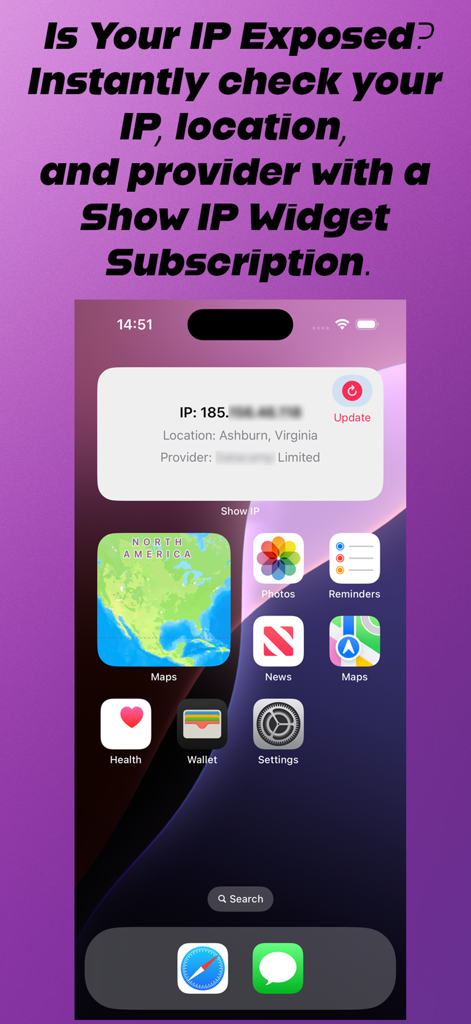
Show IP Widget - iPhone-Startbildschirm mit dem Show IP Widget, das Netzwerk- und Standortdaten anzeigt
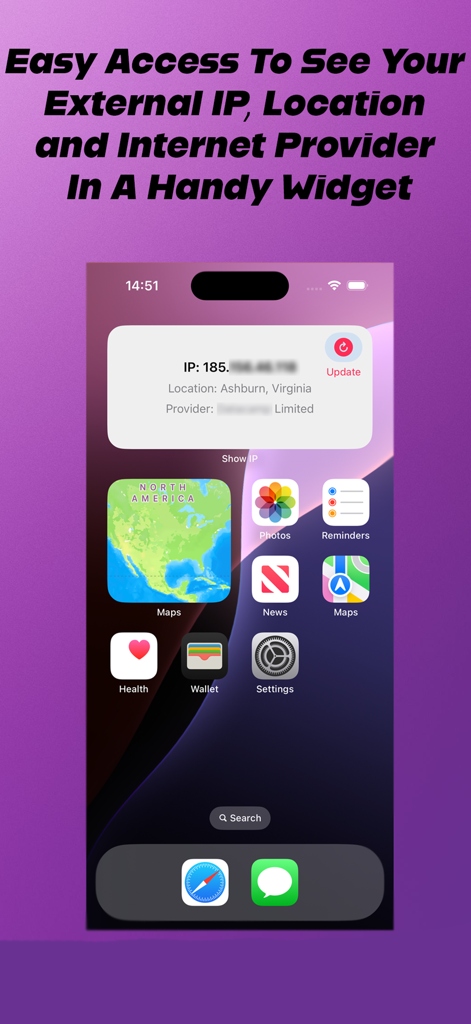
iPhone-Startbildschirm mit dem Show IP Widget, das Netzwerk- und Standortdaten anzeigt

Show IP Widget - iPhone-Startbildschirm, der das Show IP Widget mit externer IP-Adresse und Netzwerkbetreiberdetails anzeigt
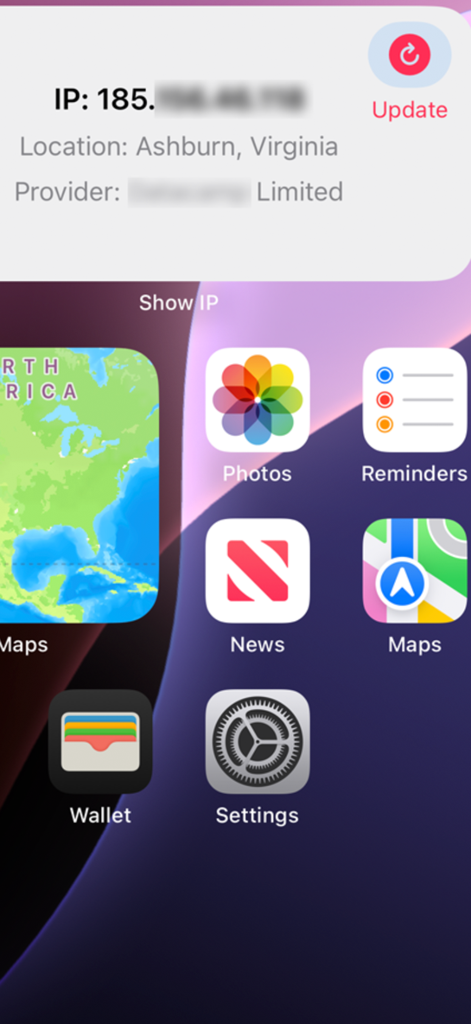
iPhone-Startbildschirm, der das Show IP Widget mit externer IP-Adresse und Netzwerkbetreiberdetails anzeigt

Show IP Widget - Show IP Widget auf dem iPhone-Startbildschirm, das IP-Adresse, Standort und ISP-Informationen des Netzwerks anzeigt

Show IP Widget auf dem iPhone-Startbildschirm, das IP-Adresse, Standort und ISP-Informationen des Netzwerks anzeigt

Beschreibung

Show IP Widget displays your External IP address, network provider, and geographic location (based on your IP), ensuring you always have a clear understanding of your online presence. Top Features 1.Real-Time Updates Show IP Widget constantly monitors your network and updates its display in real-time. Any changes to your network status, such as switching from Wi-Fi to mobile data or reconnecting after a device unlock, are instantly reflected on the widget after pressing the update button. 2.Manual Refresh Button Want to check your network status instantly? The widget includes a convenient refresh button that allows you to manually update the information at any time. 3.Privacy-First Design We take your privacy seriously. Show IP Widget retrieves your IP address from publicly available online data about your connection, but all other processing is handled locally on your device. Show IP Widget does not collect personal data or track your activity. 4.Battery Efficiency We’ve designed Show IP Widget to operate efficiently, ensuring that it has minimal impact on your device’s battery life. Unlike other apps that run background processes or consume excessive resources, this widget is optimized for low power usage. 5.Seamless Integration Once installed, Show IP Widget integrates effortlessly with your home screen. You can resize and position the widget to fit your layout preferences, making it both functional and visually appealing. How It Works 1. Install the app and add the widget to your home screen, allowing notifications so the widget can monitor network changes for you. 2. The widget will automatically detect and display your current IP address, location, and internet provider. 3. Updates occur automatically when you refresh the widget by tapping the update button. 4. Reopen the main app after a device restart to ensure full functionality. Privacy Commitment Unlike many other IP display apps, we don’t save, sell, or share your information with third parties. Your IP address and network details are only displayed locally on your device, ensuring complete privacy. The only data retrieved is limited to what is publicly available online about your connection. No data is stored on our servers, so you can use the app with confidence, knowing that your personal information stays with you. Privacy is at the core of our app, and we’re committed to maintaining the highest standards of data security and transparency. Who Can Use It? Show IP Widget is perfect for anyone who wants to stay informed about their network connection. • Values privacy and prefers apps that don’t track or store their data. • Needs quick access to their IP address, network provider, and connection details. Permissions To function effectively, the app needs the following permissions: • Network Access: To retrieve your IP address and network details. • Run at Startup: Ensures the widget is ready and functional after a device reboot. We only request permissions essential for the app’s functionality and do not use them for any other purpose. Privacy Policy Our privacy commitment is simple: your data is yours. We do not collect, share, or sell your information. Everything processed by the app stays on your device. You can view our full privacy policy within the app or on our website.

Download

Herunterladen auf App Store

Diese Seite ist keine offizielle Seite der App oder ihres Entwicklers, sondern eine unabhängige redaktionelle Veröffentlichung, die zu Informations- und Kommentarzwecken erstellt wurde. Sofern nicht ausdrücklich anders angegeben, sind weder die App noch ihr Entwickler mit MWM, Apple, Google Play, dem App-Herausgeber oder dem Entwickler der App verbunden, von ihnen unterstützt, gesponsert, autorisiert oder anderweitig offiziell verbunden, und nichts auf dieser Seite impliziert, dass die App unter Verwendung der Dienste von MWM entwickelt wurde. Alle Marken, Logos, Screenshots und andere Inhalte bleiben Eigentum ihrer jeweiligen Inhaber.








