Smart PDF Document Scanner

Smart PDF Document Scanner

Herunterladen auf App Store
Logo von Smart PDF Document Scanner

Intelligenter PDF-Dokumentenscanner: Die Wahl des Profis für gestochen scharfe Scans

Ersetzen Sie klobige Bürohardware durch hochleistungsfähige Perspektivkorrektur und ein einzigartiges farbcodiertes Tagging-System, das für Ihren mobilen Workflow entwickelt wurde.

Herunterladen auf App Store

Herausgeber

Qrayon, LLC

Kategorie

Business

Downloads

13K+

Bewertung

4.5/5

Bewertungen gesamt

0

Sprachen

1

Präzision auf einen Blick

Entdecken Sie die Oberfläche, die von 13K+ Nutzern verwendet wird.
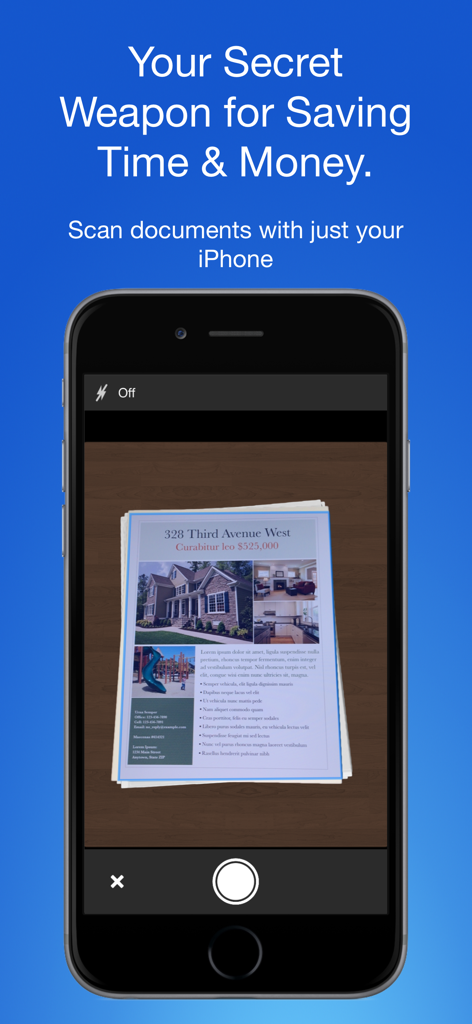
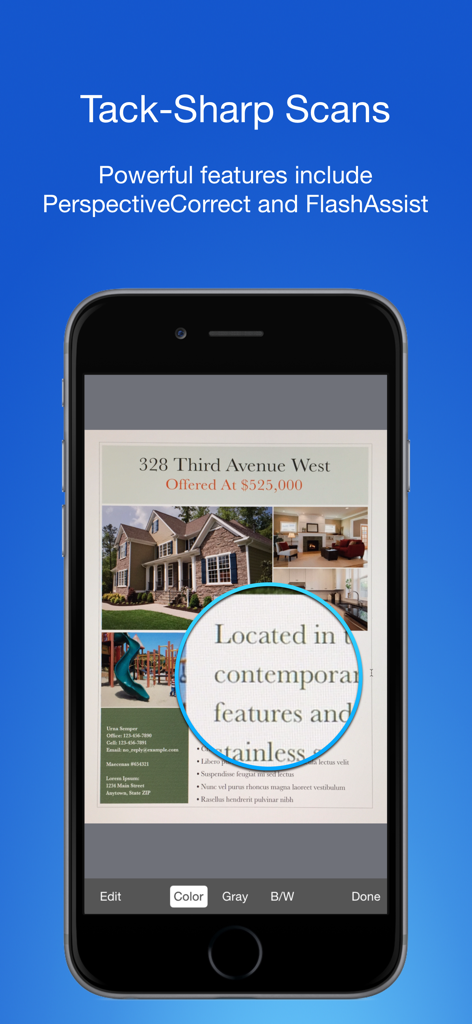
iPhone-Bildschirm, der die Smart PDF Dokumentenscanner-App beim Erfassen eines Immobiliendokuments zeigt

iPhone-Bildschirm, der die Smart PDF Dokumentenscanner-App beim Erfassen eines Immobiliendokuments zeigt

Mobile App-Oberfläche, die hochwertiges Dokumentenscannen mit scharfer Textvergrößerung zeigt.

Mobile App-Oberfläche, die hochwertiges Dokumentenscannen mit scharfer Textvergrößerung zeigt.

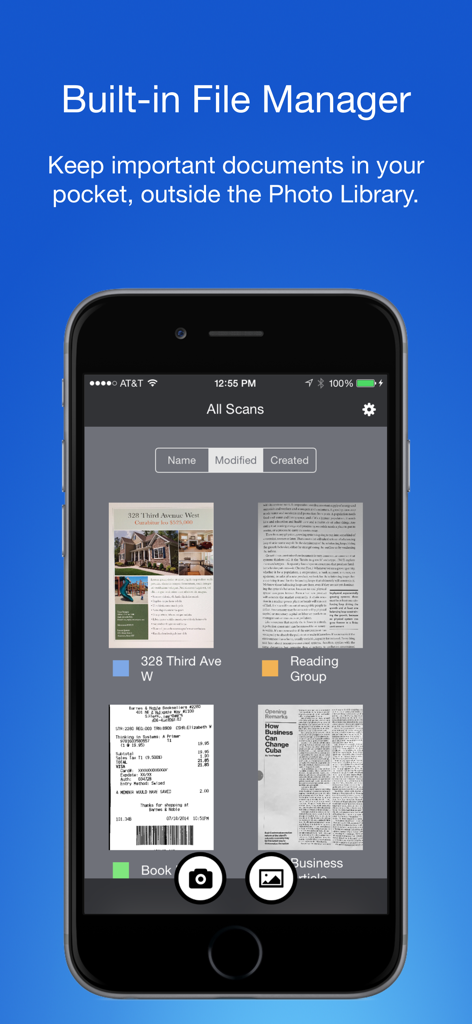
Smart PDF Dokumentenscanner-App, die den integrierten Dateimanager mit farbcodierten Tags für eine organisierte Dokumentenverwaltung zeigt

Smart PDF Dokumentenscanner-App, die den integrierten Dateimanager mit farbcodierten Tags für eine organisierte Dokumentenverwaltung zeigt

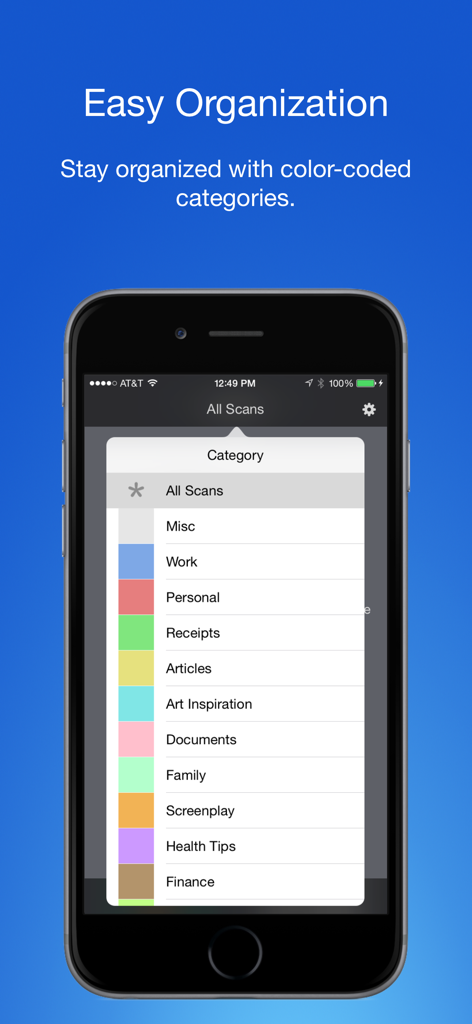
Smartphone-Bildschirm mit farbcodierten Tags und Kategorien zur Organisation gescannter Dokumente

Smartphone-Bildschirm mit farbcodierten Tags und Kategorien zur Organisation gescannter Dokumente

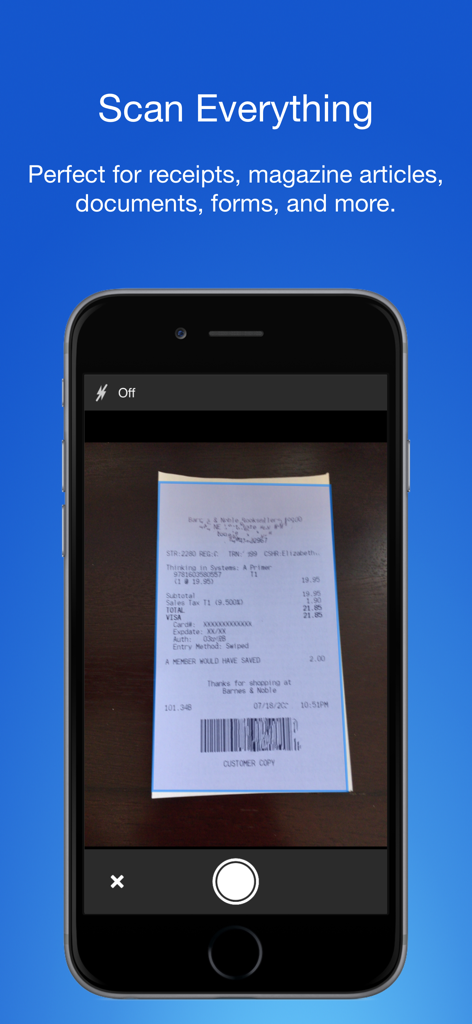
Smart PDF Dokumentenscanner-App auf einem iPhone, die eine Ladenquittung erfasst

Smart PDF Dokumentenscanner-App auf einem iPhone, die eine Ladenquittung erfasst

Der einzige Scanner, den ein Profi braucht

Die Tools, die diese App auszeichnen, gewählt von 13K+ Nutzern.

📄

Kristallklare Scans

Automatische Perspektivkorrektur und FlashAssist sorgen dafür, dass jeder Vertrag und jede Quittung scharf, professionell und versandfertig aussieht.

🏷️

Mühelose Organisation

Verabschieden Sie sich von starren Ordnersystemen. Unsere farbcodierte Kennzeichnung ermöglicht es Ihnen, Dokumente in Sekundenschnelle mit nur einem Tippen zu kategorisieren und zu finden.

🔒

Trennung von Arbeit und Privatleben

Wahren Sie Ihre Grenzen, indem Sie Geschäftsunterlagen in einem dedizierten Hub aufbewahren, komplett getrennt von Ihrer persönlichen Fotobibliothek.

Über die App

Alles, was Sie über wissen müssen Smart PDF Document Scanner.

Beschreibung

Ditch the office scanner! Just snap a photo of your document, and get a PDF file you can instantly send to your colleagues, all from your phone or iPad. TACK SHARP SCANS That processor in your phone is quite a little monster. Smart Scanner uses it fully to make the best possible scans. Even full-page articles come out tack-sharp and easy to read. It automatically detects the page edges and corrects for perspective. Pick full-color scans, grayscale, or black-and-white for maximum legibility. FlashAssist can take perfect scans even in poor lighting conditions. You can even change the correction and enhancement settings after the fact. POWERFUL COLOR-CODED ORGANIZATION Scanning is just half the problem. You need a good way to keep all your documents organized, and easy to find later. Smart Scanner uses a simple tagging system that is much easier and more powerful than the regular folder system. File documents under custom color-coded categories with just a couple taps. Browse and sort files by category with a couple more. It's the way filing should work. FOR ALL YOUR SCANNING NEEDS + Quickly scan and send contracts and forms + Keep scans of important documents in your pocket, separate form the Photo Library + Scan all your travel receipts for easy expense reports + Keep digital copies of your notes and sketches + Scan articles to read later + And more! TIPS AND TRICKS Here are a few tips to get the best scans: + Place your document on a darker surface to improve the edge auto-detection. + You can drag the corners of the blue rectangle to fine tune it after taking a photo. + Make sure there is adequate lighting. Use the flash in low-light conditions. + You can tap on a page to edit its scan settings (including edges) after the fact.

Neueste Version

2.5

Größe

19.4 MB

Erstveröffentlichung

5. Dez. 2016

Bereit, den Büroscanner loszuwerden?

Schließen Sie sich über 13.000 Fachleuten an, die Smart Scanner für gestochen scharfe PDFs und mühelose, farbcodierte Organisation unterwegs vertrauen.

Herunterladen auf App Store

App information, icons, screenshots, and descriptions displayed on this page are sourced from the Apple App Store and are the property of their respective developers. Download estimates and rankings are based on MWM's proprietary models and may not reflect actual figures. This page is provided for informational and analytical purposes only.

Believe this page infringes your intellectual property? File a dispute