
Diese Seite ist keine offizielle Seite der App oder ihres Entwicklers, sondern eine unabhängige redaktionelle Veröffentlichung, die zu Informations- und Kommentarzwecken erstellt wurde. Sofern nicht ausdrücklich anders angegeben, sind weder die App noch ihr Entwickler mit MWM, Apple, Google Play, dem App-Herausgeber oder dem Entwickler der App verbunden, von ihnen unterstützt, gesponsert, autorisiert oder anderweitig offiziell verbunden, und nichts auf dieser Seite impliziert, dass die App unter Verwendung der Dienste von MWM entwickelt wurde. Alle Marken, Logos, Screenshots und andere Inhalte bleiben Eigentum ihrer jeweiligen Inhaber.


Smart Printer App: iPrint Scan
Verbinden Sie sich nahtlos mit über 1.200 Druckermodellen. Drucken Sie Dokumente, Versandetiketten und kreative Poster mit Ein-Klick-Einfachheit und voller Sicherheit direkt von Ihrem Mac oder iPhone.
Downloads
1K+Bewertung
Bewertungen gesamt
0Herausgeber
Kategorie
BusinessSprachen
35Neueste Version
1.3Größe
28.6 MBErstveröffentlichung
7. Mai 2025Ihre kabellose All-in-One-Druckzentrale
Eliminieren Sie technische Hürden und überflüssige Herstellersoftware mit einer einzigen, leistungsstarken App, die für Ihr iPhone, iPad und Mac entwickelt wurde.
Universelle Kompatibilität
Verzichten Sie auf die verschiedenen Hersteller-Apps. Stellen Sie sofort eine Verbindung zu über 1.200 Druckermodellen her, darunter HP, Canon, Epson und Brother, über WLAN, Bluetooth oder USB.
Professionelles Scannen & Vorlagen
Verwandeln Sie Ihr Gerät in einen tragbaren Scanner oder verwenden Sie integrierte Vorlagen zum Drucken von Versandetiketten, Planern und Postern – perfekt für Etsy-Verkäufer und Remote-Arbeiter.
Die folgenden Screenshots und die Beschreibung stammen direkt aus dem offiziellen Store-Eintrag der App und sind Eigentum des Entwicklers.
App Store
Screenshots
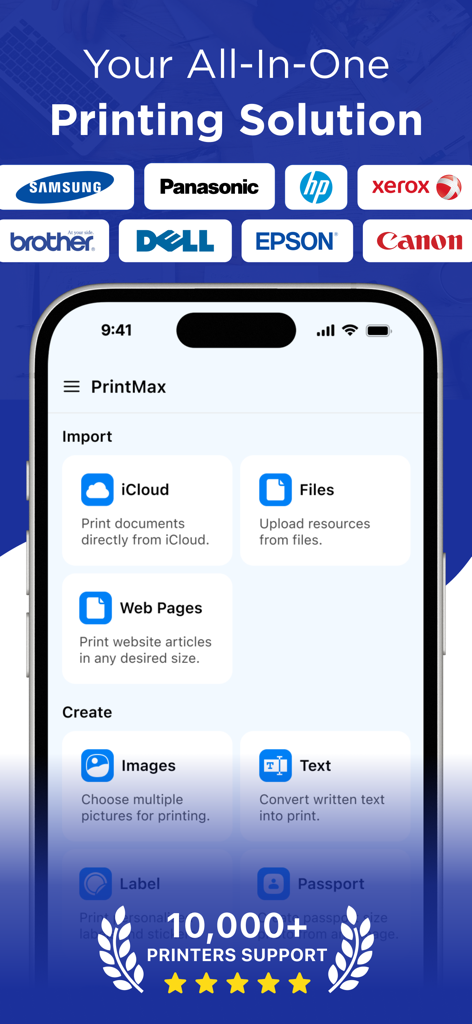
Startbildschirm der PrintMax-App mit Import- und Erstellungsoptionen sowie Logos verschiedener unterstützter Druckermarken
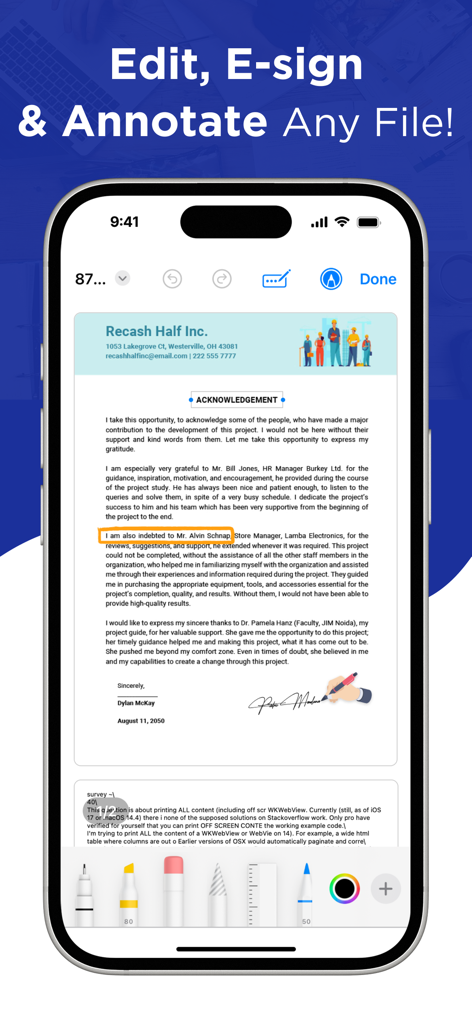
Ein Smartphone-Bildschirm mit der Benutzeroberfläche der Smart Printer App zur Bearbeitung, elektronischen Signatur und Anmerkung digitaler Dokumente.
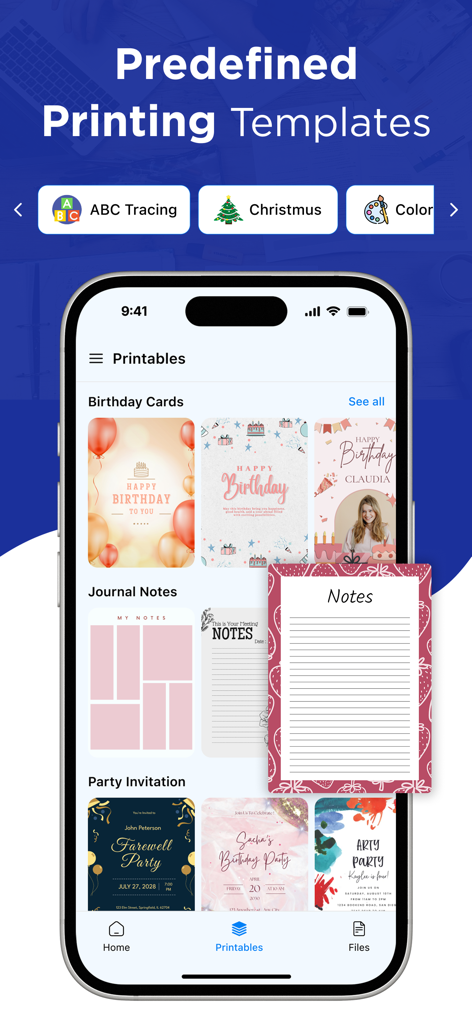
Oberfläche der Smart Printer App, die vordefinierte Druckvorlagen für Geburtstagsglückwünsche, Journalnotizen und Party-Einladungen anzeigt
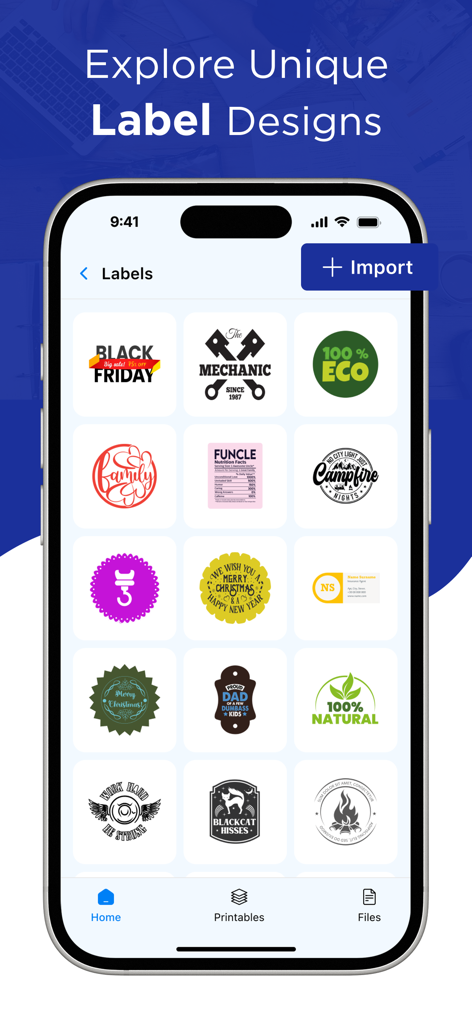
Oberfläche der Smart Printer App, die eine Vielzahl einzigartiger Etikettenvorlagen zum Drucken zeigt.
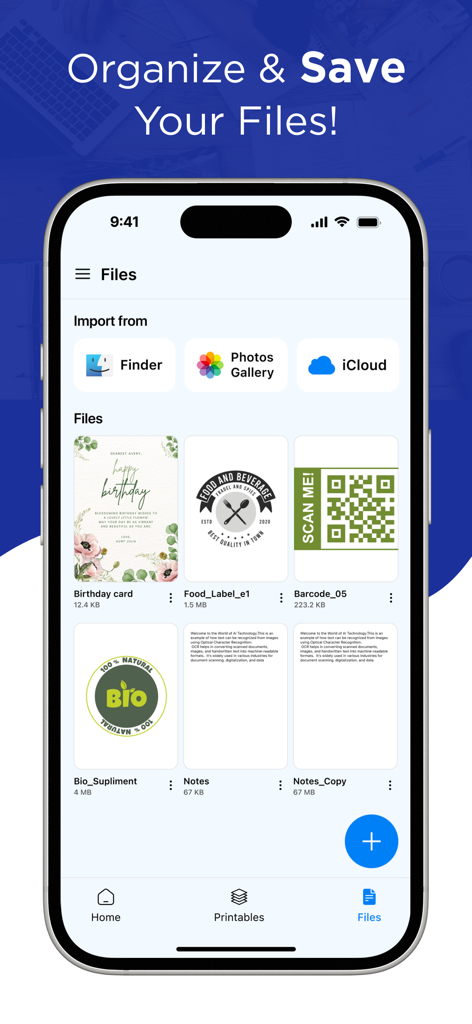
iPhone-Bildschirm mit der Dateiverwaltungs- und Importoberfläche der Smart Printer App mit Optionen für iCloud und Fotos.
Beschreibung
Download
Ähnliche Apps
Apps mit ähnlichen Funktionen und Nutzererfahrung

Diese Seite ist keine offizielle Seite der App oder ihres Entwicklers, sondern eine unabhängige redaktionelle Veröffentlichung, die zu Informations- und Kommentarzwecken erstellt wurde. Sofern nicht ausdrücklich anders angegeben, sind weder die App noch ihr Entwickler mit MWM, Apple, Google Play, dem App-Herausgeber oder dem Entwickler der App verbunden, von ihnen unterstützt, gesponsert, autorisiert oder anderweitig offiziell verbunden, und nichts auf dieser Seite impliziert, dass die App unter Verwendung der Dienste von MWM entwickelt wurde. Alle Marken, Logos, Screenshots und andere Inhalte bleiben Eigentum ihrer jeweiligen Inhaber.