
Diese Seite ist keine offizielle Seite der App oder ihres Entwicklers, sondern eine unabhängige redaktionelle Veröffentlichung, die zu Informations- und Kommentarzwecken erstellt wurde. Sofern nicht ausdrücklich anders angegeben, sind weder die App noch ihr Entwickler mit MWM, Apple, Google Play, dem App-Herausgeber oder dem Entwickler der App verbunden, von ihnen unterstützt, gesponsert, autorisiert oder anderweitig offiziell verbunden, und nichts auf dieser Seite impliziert, dass die App unter Verwendung der Dienste von MWM entwickelt wurde. Alle Marken, Logos, Screenshots und andere Inhalte bleiben Eigentum ihrer jeweiligen Inhaber.


Smart Switch my Phone
Kabel? Bluetooth? Internet? Alles überflüssig. Die App liefert die Superkraft, Datentransfers zu entmystifizieren.
Downloads
2.5M+Bewertung
Bewertungen gesamt
123Herausgeber
Kategorie
ProductivitySprachen
24Neueste Version
16.3.3Größe
104.1 MBErstveröffentlichung
16. Feb. 2022Eine Bewertung der App aus der Perspektive eines Tech-Analysten, spezialisiert auf Datenmigrationslösungen für Smartphone-Nutzer.
Analyse der Kernfunktionen von 'Smart Switch my Phone'
Geräteübergreifende Kompatibilität (Cross-Platform)
Die App unterstützt die Übertragung von Daten zwischen verschiedenen Betriebssystemen, beispielsweise von Android zu iOS und umgekehrt.
Kabellose Datenübertragung
Die App ermöglicht die Datenübertragung über einen lokalen WLAN-Hotspot, wodurch keine Internetverbindung, Kabel oder Bluetooth erforderlich sind.
Intuitive Bedienung und QR-Code-Verbindung
Die Anwendung verfügt über eine gut gestaltete und benutzerfreundliche Oberfläche, die den Datentransfer durch einfaches Scannen eines QR-Codes initiiert.
Umfassende Datenmigration
Es ermöglicht die Übertragung einer breiten Palette von Datentypen, darunter Kontakte, Fotos, Videos, Nachrichten und Musik.
Sichere End-to-End-Verschlüsselung
Die übertragenen Daten sind durch eine Ende-zu-Ende-Verschlüsselung geschützt, was die Sicherheit und den Datenschutz der Nutzer gewährleistet.
Schnelle Übertragungsgeschwindigkeiten
Das Tool ermöglicht den schnellen Transfer großer Datenmengen, wobei die Geschwindigkeiten bis zu 200 Mal höher sind als bei Bluetooth.
Selektive Datenübertragung
Es bietet die Möglichkeit, gezielt auszuwählen, welche Dateien und Datentypen übertragen werden sollen, einschließlich eines Moduls für die Übertragung einzelner Dateien.
Geschätzte Transferzeit
Nach der Auswahl der zu übertragenden Daten zeigt die App eine geschätzte Fertigstellungszeit an, um den Nutzer zu informieren.
Häufig gestellte Fragen
Alles, was Sie über wissen müssen Smart Switch my Phone
How does Smart Switch my Phone transfer data?
Smart Switch my Phone transfers data by creating a WiFi hotspot. It operates without requiring an internet connection, physical cables, or Bluetooth, facilitating direct device-to-device transfer.
What types of data can Smart Switch my Phone transfer?
Smart Switch my Phone transfers contacts, photos, videos, messages, and music. Users can select specific data types or even share single files between devices.
Is data transfer secure with Smart Switch my Phone?
Yes, data transfer with Smart Switch my Phone is secure. It uses end-to-end encryption for all data being transferred between devices.
Does Smart Switch my Phone support cross-platform data transfer?
Yes, Smart Switch my Phone supports cross-platform data transfer. It allows users to move data between any device and iPhone, including Android to iOS and vice versa.
What are the subscription plans for Smart Switch my Phone?
Smart Switch my Phone offers a Monthly subscription for $3.99, a Quarterly for $5.99, and an Annual for $9.99. All prices include applicable local sales taxes.
How fast is data transfer with Smart Switch my Phone?
Data transfer speeds with Smart Switch my Phone are up to 200 times faster than Bluetooth. This allows for large amounts of data to be transferred quickly.
How do I initiate a data transfer using Smart Switch my Phone?
The sender selects files, presses "Share," and the app creates a personal hotspot with a QR code. The receiver scans this QR code to establish the connection and begin the transfer.
Die folgenden Screenshots und die Beschreibung stammen direkt aus dem offiziellen Store-Eintrag der App und sind Eigentum des Entwicklers.
App Store
Screenshots
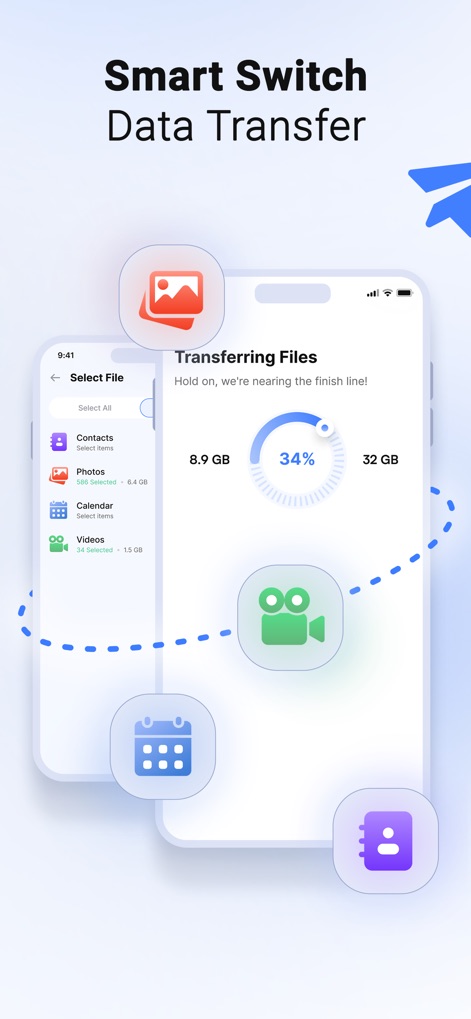
Die App ermöglicht die Auswahl spezifischer Dateitypen wie 'Fotos' und 'Kontakte' und zeigt gleichzeitig den Fortschritt der Übertragung in einem intuitiven Kreisdiagramm an.
Daten einfach übertragen
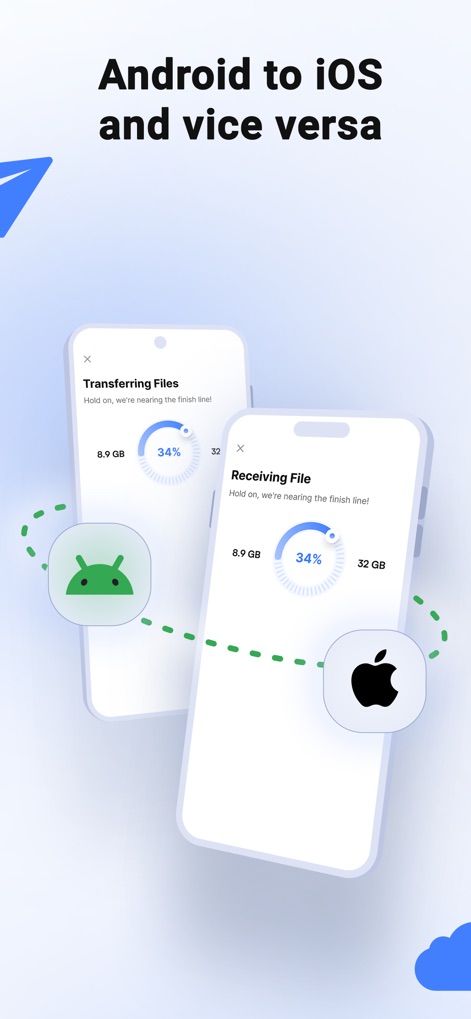
Nutzer können problemlos Daten zwischen einem Android- und einem iOS-Gerät übertragen, wobei die Fortschrittsanzeige auf beiden Bildschirmen die Synchronisation des Vorgangs visualisiert.
Plattformübergreifender Wechsel
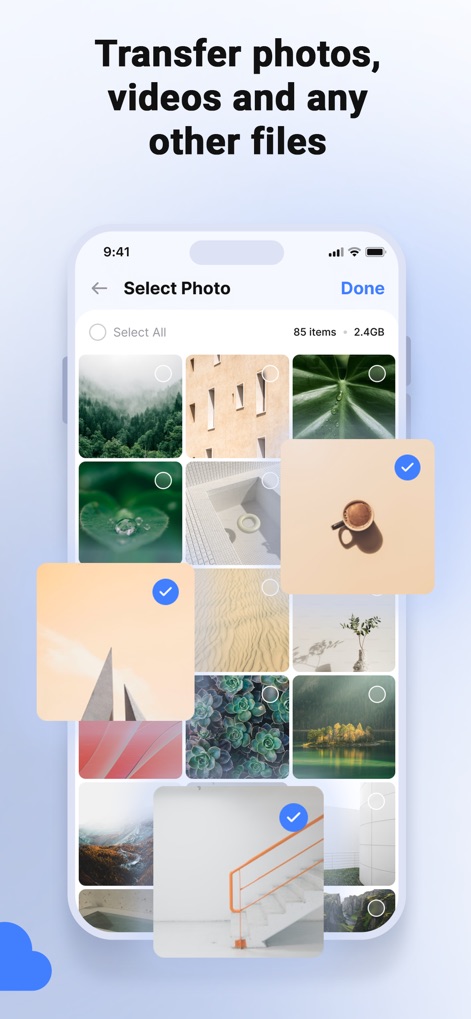
Dieses Tool bietet eine übersichtliche Galerieansicht zur Auswahl spezifischer Bilder, während die angezeigte Anzahl der Elemente ('85 items') und deren Gesamtgröße die Kontrolle über den Transfer vereinfachen.
Medieninhalte auswählen
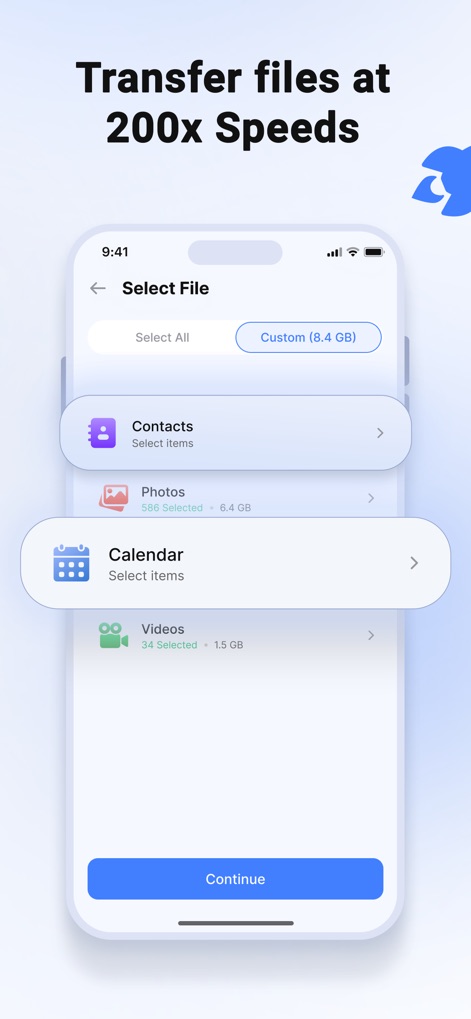
Die App ermöglicht eine präzise Auswahl verschiedener Datenkategorien wie 'Kontakte' und 'Videos', und Nutzer können sofort die kumulierte Größe ('Custom (8.4 GB)') der zu übertragenden Dateien einsehen.
Schnelle Datenwahl
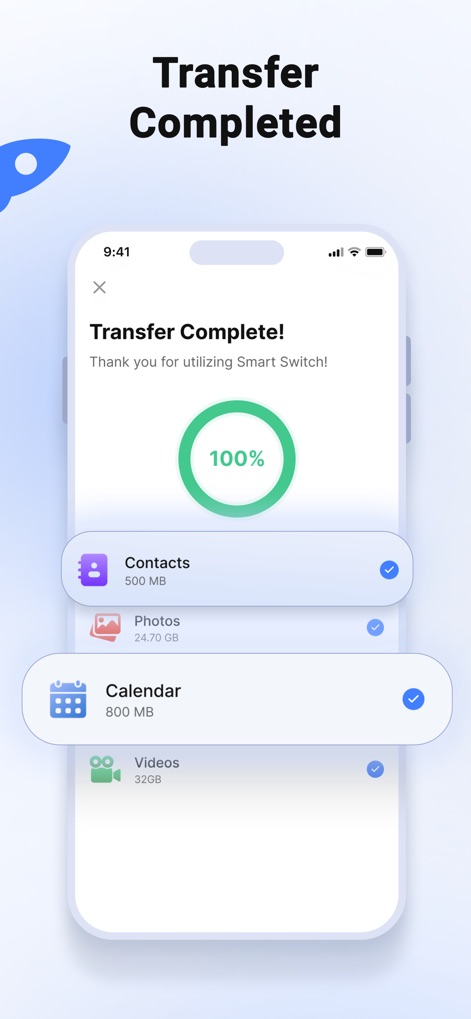
Nach erfolgreicher Übertragung bestätigt die App den Abschluss mit einer 100%-Anzeige und einer detaillierten Auflistung aller übertragenen Kategorien, wie 'Fotos' und 'Kalender', inklusive ihrer jeweiligen Dateigrößen.
Transfer abgeschlossen
Beschreibung
Download
Ähnliche Apps
Apps mit ähnlichen Funktionen und Nutzererfahrung

Data Transfer - Copy My Data
Simple Health Limited

互传 - 快速换机数据迁移智能助手
家呈 郭

Copy My Data - Smart Transfer
Red Sky Labs, SOCIEDAD LIMITADA
Smart Switch - Copy My Data
学斌 林
Copy My Data - Mobile Transfer
KHD Plaza LLC

Phone Clone - Smart Switch .
俊杰 刘

Smart Switch: Data Transfer
Zadore Tracy
Smart Switch: Copy & Move Data
JW Marketing group s.r.o.
手机同步传输-同步转移数据文件
冰 杜
Diese Seite ist keine offizielle Seite der App oder ihres Entwicklers, sondern eine unabhängige redaktionelle Veröffentlichung, die zu Informations- und Kommentarzwecken erstellt wurde. Sofern nicht ausdrücklich anders angegeben, sind weder die App noch ihr Entwickler mit MWM, Apple, Google Play, dem App-Herausgeber oder dem Entwickler der App verbunden, von ihnen unterstützt, gesponsert, autorisiert oder anderweitig offiziell verbunden, und nichts auf dieser Seite impliziert, dass die App unter Verwendung der Dienste von MWM entwickelt wurde. Alle Marken, Logos, Screenshots und andere Inhalte bleiben Eigentum ihrer jeweiligen Inhaber.