Snippety - Snippets Manager
Herunterladen auf App Store

Diese Seite ist keine offizielle Seite der App oder ihres Entwicklers, sondern eine unabhängige redaktionelle Veröffentlichung, die zu Informations- und Kommentarzwecken erstellt wurde. Sofern nicht ausdrücklich anders angegeben, sind weder die App noch ihr Entwickler mit MWM, Apple, Google Play, dem App-Herausgeber oder dem Entwickler der App verbunden, von ihnen unterstützt, gesponsert, autorisiert oder anderweitig offiziell verbunden, und nichts auf dieser Seite impliziert, dass die App unter Verwendung der Dienste von MWM entwickelt wurde. Alle Marken, Logos, Screenshots und andere Inhalte bleiben Eigentum ihrer jeweiligen Inhaber.


Logo von Snippety - Snippets Manager
Herunterladen auf App Store

Snippety - Snippets Manager

Automatisieren Sie wiederholtes Tippen mit intelligenten Platzhaltern und KI-Integration. Synchronisieren Sie Ihre persönliche Bibliothek über iPhone, iPad und Mac mit einem einzigen, einmaligen Kauf – keine Abonnements erforderlich.

Kennzahlen

Downloads

5K+

Bewertung

4.8/5

Bewertungen gesamt

100

Herausgeber

Wojciech Kulik

Kategorie

Productivity

Sprachen

1

Neueste Version

9.1.47

Größe

28.0 MB

Erstveröffentlichung

8. Sept. 2020
Funktionen

Steigern Sie Ihre Effizienz

Das ultimative Toolkit für Profis, die ihre Zeit schätzen. Automatisieren Sie wiederholtes Tippen, nutzen Sie die Kraft der KI und synchronisieren Sie Ihren Workflow über das gesamte Apple-Ökosystem hinweg.

Sofortige Texterweiterung

Verwandeln Sie kurze Schlüsselwörter mit der dedizierten Snippety-Tastatur sofort in vollständige Vorlagen, Codeblöcke oder E-Mails.

Integrierter KI-Assistent

Entwerfen Sie professionelle Antworten, korrigieren Sie Tippfehler und fassen Sie Text direkt aus jedem Textfeld zusammen, ohne die App wechseln zu müssen.

Die folgenden Screenshots und die Beschreibung stammen direkt aus dem offiziellen Store-Eintrag der App und sind Eigentum des Entwicklers.

App Store

Screenshots
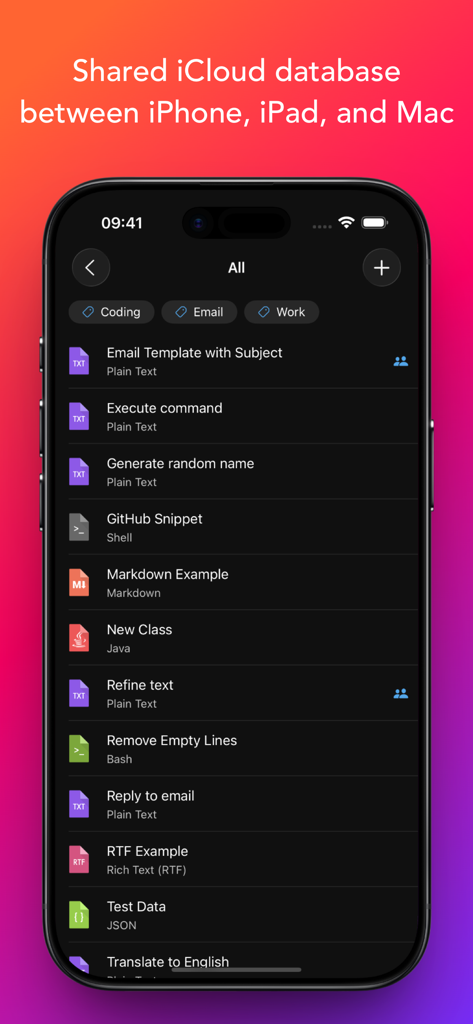
Snippety - Snippets Manager - Snippety-App auf einem iPhone, die eine Liste von Text- und Code-Snippets mit einer iCloud-Synchronisierungsüberschrift anzeigt.
Snippety-App auf einem iPhone, die eine Liste von Text- und Code-Snippets mit einer iCloud-Synchronisierungsüberschrift anzeigt.

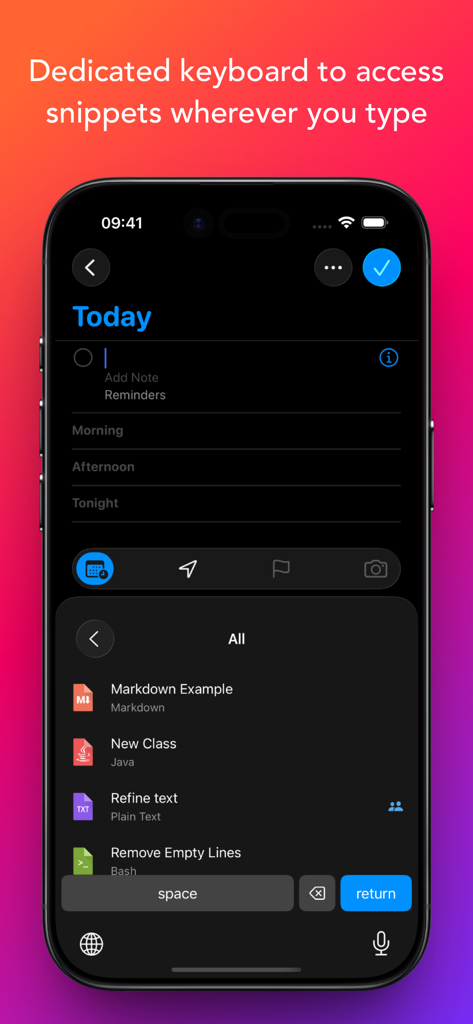
Snippety - Snippets Manager - iPhone-Screenshot, der die benutzerdefinierte Snippety-Tastatur mit einer Liste gespeicherter Snippets zur einfachen Einfügung zeigt
iPhone-Screenshot, der die benutzerdefinierte Snippety-Tastatur mit einer Liste gespeicherter Snippets zur einfachen Einfügung zeigt

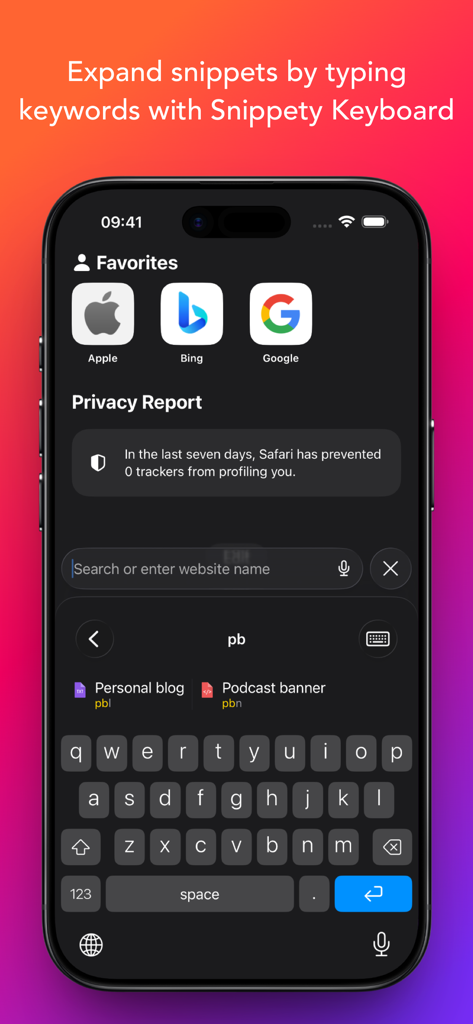
Snippety - Snippets Manager - iPhone-Bildschirm, der zeigt, wie die benutzerdefinierte Snippety-Tastatur Snippets durch Eingabe eines kurzen Schlüsselworts erweitert.
iPhone-Bildschirm, der zeigt, wie die benutzerdefinierte Snippety-Tastatur Snippets durch Eingabe eines kurzen Schlüsselworts erweitert.

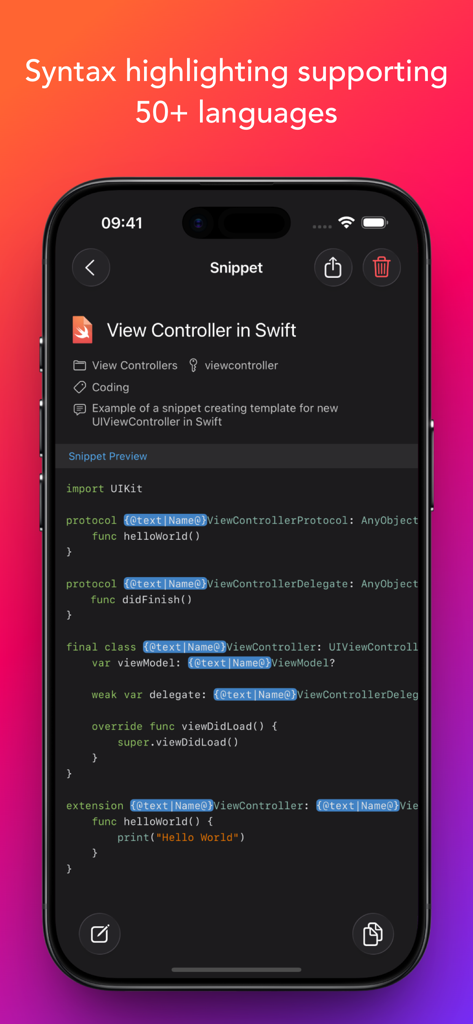
Snippety - Snippets Manager - Snippety-App zeigt ein Swift-Code-Snippet mit Syntaxhervorhebung auf einem iPhone.
Snippety-App zeigt ein Swift-Code-Snippet mit Syntaxhervorhebung auf einem iPhone.

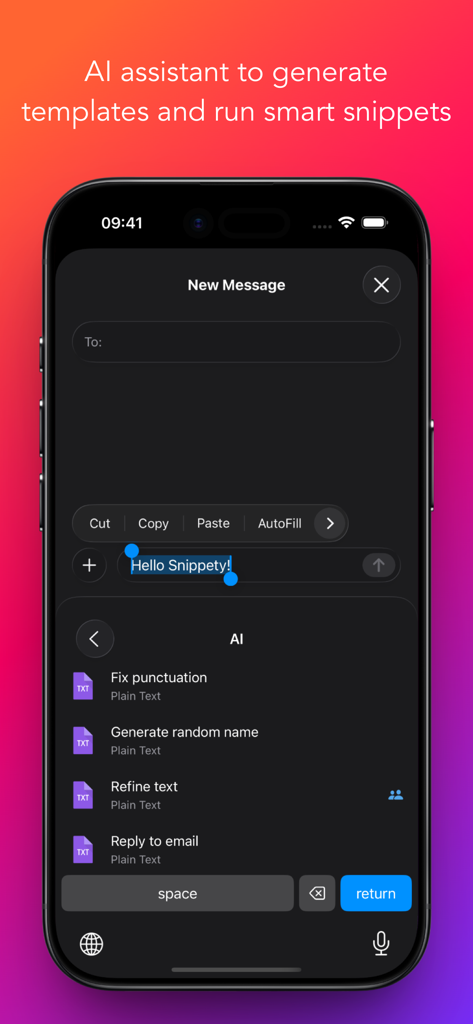
Snippety - Snippets Manager - Snippety-Tastatur auf dem iPhone, die KI-Assistentenoptionen wie Zeichensetzung korrigieren und Text verfeinern anzeigt
Snippety-Tastatur auf dem iPhone, die KI-Assistentenoptionen wie Zeichensetzung korrigieren und Text verfeinern anzeigt

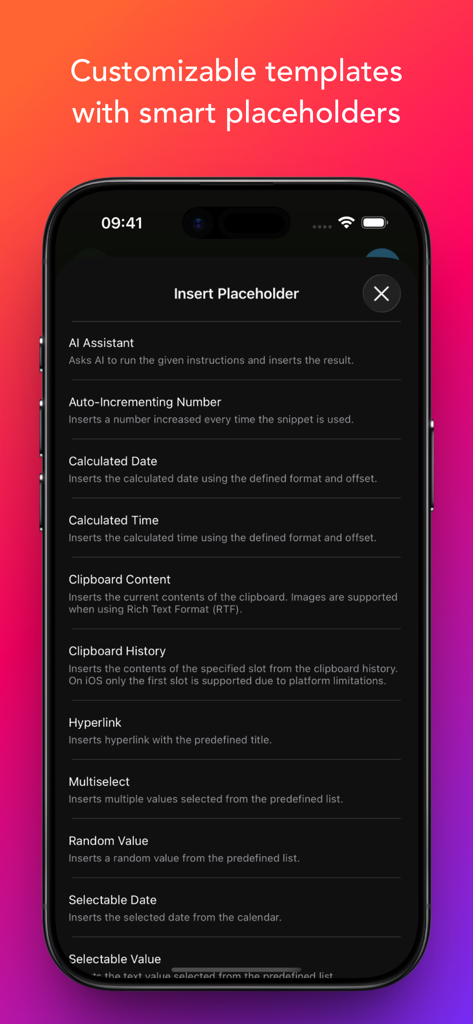
Snippety - Snippets Manager - Eine Liste von intelligenten Platzhalteroptionen in der Snippety-App, einschließlich KI-Assistent und berechnetem Datum
Eine Liste von intelligenten Platzhalteroptionen in der Snippety-App, einschließlich KI-Assistent und berechnetem Datum

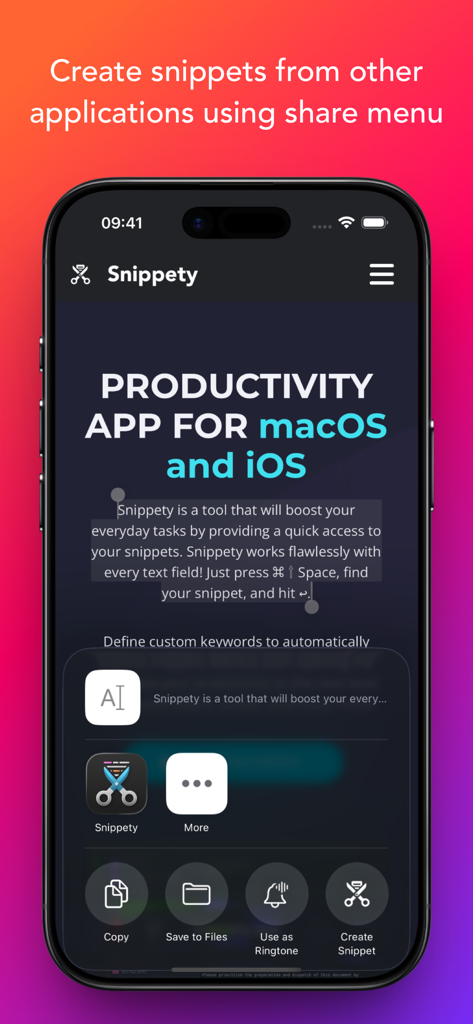
Snippety - Snippets Manager - Oberfläche, die die Integration der Snippety-App in das iOS-Freigabemenü zur Erstellung von Snippets aus anderen Anwendungen zeigt.
Oberfläche, die die Integration der Snippety-App in das iOS-Freigabemenü zur Erstellung von Snippets aus anderen Anwendungen zeigt.

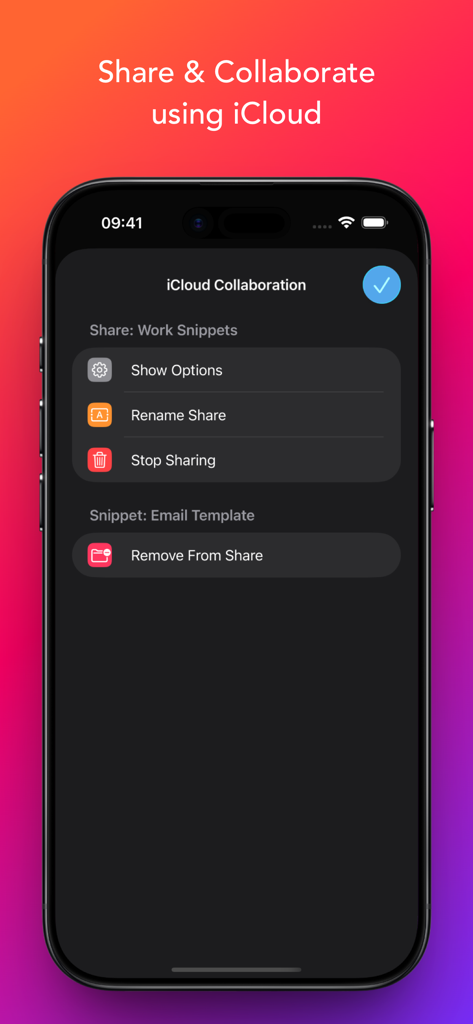
Snippety - Snippets Manager - Oberfläche zum Teilen und Zusammenarbeiten an Snippets über iCloud innerhalb der Snippety-App.

Oberfläche zum Teilen und Zusammenarbeiten an Snippets über iCloud innerhalb der Snippety-App.

Beschreibung

Snippety boosts productivity by providing instant access to your snippets. Create reusable templates from frequently used sentences, code fragments, email templates, test data, and more. Snippety integrates seamlessly with any text field. Simply install the Snippety Keyboard and switch to it while typing. You can also create snippets directly from selected text using the share menu. The app uses iCloud to synchronize your database across all devices: iPhone, iPad, and Mac. Install Snippety on all your devices and experience an immediate productivity boost! Instruct Snippety to generate templates or insert placeholders automatically. Create smart snippets with the AI Assistant, and have it fix typos, summarize text, translate, or even reply to emails. Soon, you won't be able to live without your personalized collection of smart snippets. NOTE: Snippety Keyboard works with snippets in any language, but the keyboard itself allows typing English letters only. Keyboard input is used to fill placeholders, search, or expand snippets by keyword, and these features are limited to the English alphabet. These limitations do NOT affect the app - only the Snippety Keyboard. Seamless Integration: • Dedicated Snippety Keyboard to let you access your snippets wherever you type. • Snippety Keyboard lets you easily switch between typing and expanding keywords. Select Snippet Expander, type a predefined keyword, and the snippet will expand automatically. • Snippety Keyboard supports QWERTY, QWERTZ, AZERTY, and Dvorak layouts, allowing you to search snippets and fill placeholders directly from the keyboard. • Share menu extension to create text snippets from any application. • Minimalistic and beautiful design adjusted to light and dark mode. Smart Placeholders: • Create reusable templates by replacing customizable parts with smart placeholders. • Take advantage of 19 smart placeholders: auto-incrementing number, AI assistant, calculated date, calculated time, clipboard content, random value, hyperlink, selectable date, selectable value, multiselect, selected text, snippet reference, text transformation, text variable, text variable reference, and multiline text variable. MacOS application supports also script, clipboard history, and file content placeholders. • Avoid repeating the same parameters, with Snippety you can insert the same value into multiple places of your template. User-friendly: • Snippety is always focused on its users. Many of the features that you can see in the application were suggested by users. Snippety is always open to great ideas! • No subscriptions and hidden fees! You pay once and you get Snippety for iOS, iPad, and Mac with lifetime access and updates! • Easy contact to provide feedback, ask questions, or share your ideas. Most emails are replied to within one day. AI Integration: • Enable AI features in all your applications by using AI placeholders. • Access AI directly from Snippety Keyboard without opening the app. • Ask Snippety to generate templates and insert placeholders using AI computing power. • Smart AI assistant placeholder is ready to perform any task for you using the selected text or clipboard content. iCloud Collaboration: • Share selected snippets with co-workers, friends, or across your personal devices, even if they use different Apple IDs. • The new collaboration is built using native Apple technologies, ensuring your data remains secure and never passes through third-party servers. • Control who can access each shared snippet and choose between read-only or write permissions. Flexible: • Syntax highlighting supporting 50+ formats. • Rich Text (RTF), HTML, and Markdown support (with images). Unlimited access: • Enable iCloud synchronization to share your snippets between Mac, iPhone, and iPad. • Share snippets using secure links.

Download

Herunterladen auf App Store

Diese Seite ist keine offizielle Seite der App oder ihres Entwicklers, sondern eine unabhängige redaktionelle Veröffentlichung, die zu Informations- und Kommentarzwecken erstellt wurde. Sofern nicht ausdrücklich anders angegeben, sind weder die App noch ihr Entwickler mit MWM, Apple, Google Play, dem App-Herausgeber oder dem Entwickler der App verbunden, von ihnen unterstützt, gesponsert, autorisiert oder anderweitig offiziell verbunden, und nichts auf dieser Seite impliziert, dass die App unter Verwendung der Dienste von MWM entwickelt wurde. Alle Marken, Logos, Screenshots und andere Inhalte bleiben Eigentum ihrer jeweiligen Inhaber.








