SoftMaker Presentations
Herunterladen auf App Store

Diese Seite ist keine offizielle Seite der App oder ihres Entwicklers, sondern eine unabhängige redaktionelle Veröffentlichung, die zu Informations- und Kommentarzwecken erstellt wurde. Sofern nicht ausdrücklich anders angegeben, sind weder die App noch ihr Entwickler mit MWM, Apple, Google Play, dem App-Herausgeber oder dem Entwickler der App verbunden, von ihnen unterstützt, gesponsert, autorisiert oder anderweitig offiziell verbunden, und nichts auf dieser Seite impliziert, dass die App unter Verwendung der Dienste von MWM entwickelt wurde. Alle Marken, Logos, Screenshots und andere Inhalte bleiben Eigentum ihrer jeweiligen Inhaber.


Logo von SoftMaker Presentations
Herunterladen auf App Store

SoftMaker Presentations

Geben Sie sich nicht länger mit "Lite"-Mobil-Apps zufrieden. Entwerfen, bearbeiten und liefern Sie pixelgenaue .pptx-Dateien mit vollen Desktop-Funktionen, nahtloser Cloud-Integration und null Formatierungsverlust – wo auch immer sich Ihr Büro befindet.

Kennzahlen

Downloads

40K+

Bewertung

4.7/5

Bewertungen gesamt

0

Herausgeber

SoftMaker Software GmbH

Kategorie

Productivity

Sprachen

28

Neueste Version

1229.0909

Größe

79.7 MB

Erstveröffentlichung

6. Juni 2022
Funktionen

Kompromisslose Präsentationsleistung für Profis

Erleben Sie die volle Suite an Desktop-Tools auf Ihrem Mobilgerät. Von hochauflösender PPTX-Bearbeitung bis hin zu atemberaubenden Animationen – erstellen und präsentieren Sie ohne Grenzen.

Nahtlose PowerPoint-Kompatibilität

Öffnen und speichern Sie .pptx-Dateien mit 100 % Genauigkeit. Keine kaputten Layouts oder fehlenden Schriftarten – nur perfekte Präsentationen, die auf all Ihren Geräten funktionieren.

Desktop-Leistung, mobile Agilität

Nutzen Sie die vollständige Menüleistenoberfläche auf dem iPad und optimierte Werkzeugleisten auf dem iPhone. Masterfolien, Autoformen und erweiterte Grafiken sind jetzt in Ihrer Tasche.

Die folgenden Screenshots und die Beschreibung stammen direkt aus dem offiziellen Store-Eintrag der App und sind Eigentum des Entwicklers.

App Store

Screenshots
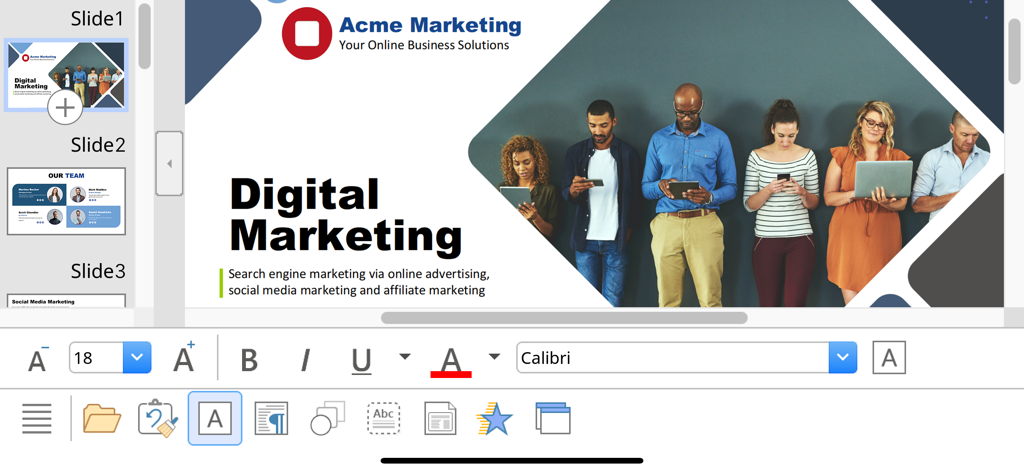
SoftMaker Presentations - SoftMaker Presentations mobile Oberfläche, die eine digitale Marketing-Folie mit Textbearbeitungs- und Formatierungswerkzeugen zeigt.
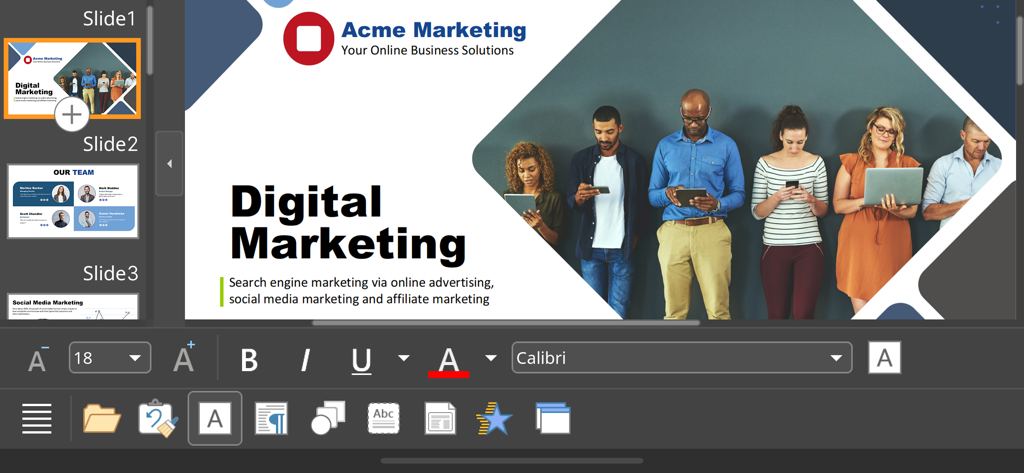
SoftMaker Presentations mobile Oberfläche, die eine digitale Marketing-Folie mit Textbearbeitungs- und Formatierungswerkzeugen zeigt.

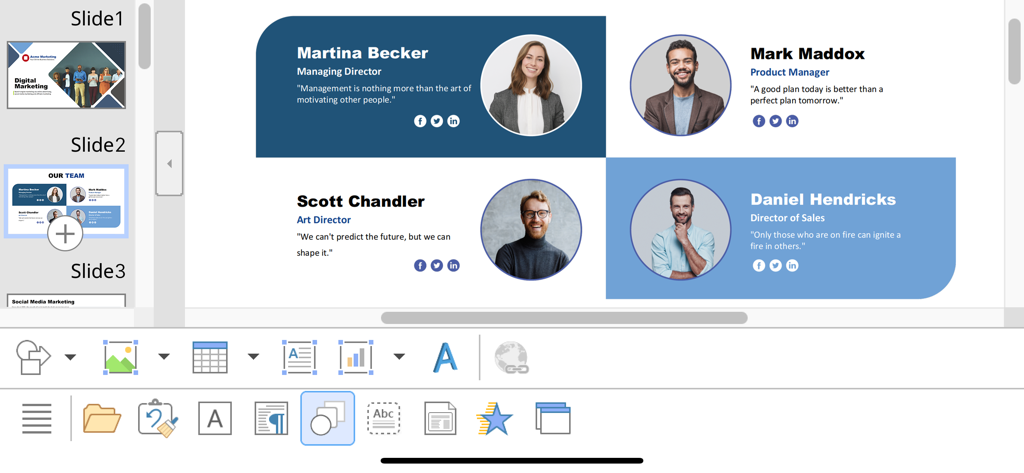
SoftMaker Presentations - Bearbeiten einer Team-Profil-Folie in der SoftMaker Presentations App unter iOS
Bearbeiten einer Team-Profil-Folie in der SoftMaker Presentations App unter iOS

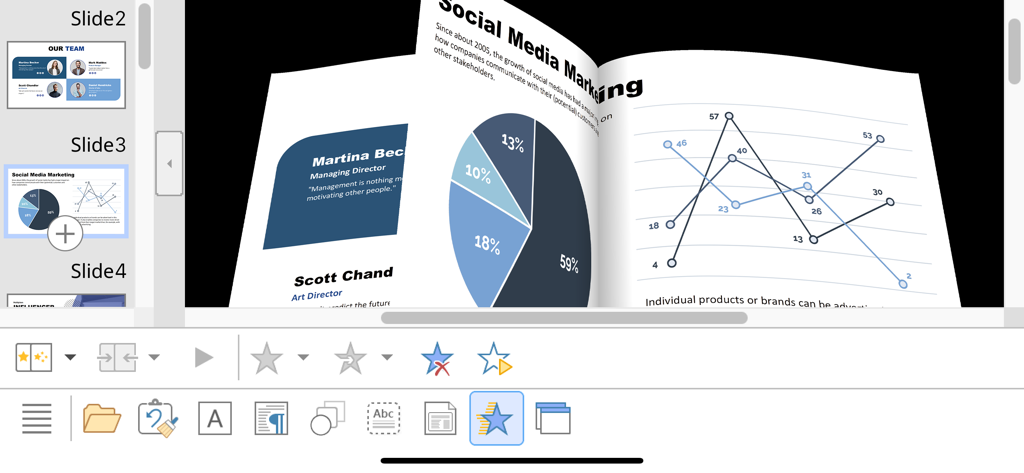
SoftMaker Presentations - 3D-Folienübergangsanimation in SoftMaker Presentations auf dem iPhone, die Marketingdiagramme und Datengrafiken zeigt
3D-Folienübergangsanimation in SoftMaker Presentations auf dem iPhone, die Marketingdiagramme und Datengrafiken zeigt

SoftMaker Presentations - SoftMaker Presentations mobile App-Oberfläche, die eine digitale Marketing-Präsentationsfolie bearbeitet

SoftMaker Presentations mobile App-Oberfläche, die eine digitale Marketing-Präsentationsfolie bearbeitet

Beschreibung

■ Presentations ► The only complete Office presentation program for your PowerPoint files ► Work on your PowerPoint presentations wherever and whenever you want. ► When working on the go, take advantage of a feature set that you would otherwise only know from your PC or Mac. ► Almost all features can be used permanently free of charge. The complete set of features that you know from Microsoft PowerPoint or Presentations on your Mac or PC is now offered by Presentations on your iPhone and iPad. Compatibility without compromise: Presentations uses the Microsoft Office PPTX format as its native format. This guarantees seamless data exchange. You can open your presentations directly in Microsoft PowerPoint without having to convert them. Intuitive operation on iPhone and iPad: Presentations always provides an ideal user experience, regardless of whether you're using it on your iPhone or an iPad. On an iPhone, you can use the practical toolbars with just one finger. On an iPad, you work with ribbons similar to those on your Mac or PC. Save locally or in the cloud: Presentations not only enables you to open and save documents stored on your device, but it also allows you to access your files in iCloud, Dropbox, OneDrive and all other cloud storage services. The Presentations user interface is available in English, German, French, Spanish, Italian and more than 20 other languages. Presentations brings the features of a desktop presentation program to your iPhone and iPad. You shouldn't settle for less. ■ Working with files ► Presentation files can be losslessly exchanged with Presentations for Mac, Windows and Linux. ► Open and save PPTX and PPT files with full fidelity from PowerPoint 97 to 2021 and PowerPoint 365 ► Export complete presentations as picture files or HTML web pages ■ Designing ► Numerous attractive design templates do the design work for you. ► Each template includes many matching color schemes. ► Slide layouts and slide masters ■ Comprehensive graphics functions ► Draw and design directly in the presentation ► PowerPoint-compatible AutoShapes ► Insert pictures in a range of file formats ► Great graphics functions such as mirror effects, soft shadows and transparencies ► Crop pictures, change brightness, contrast and gamma ► Drawings can be filled with colors, patterns, pictures and gradients. ► TextArt function for striking font effects ■ Animations and slide transitions ► Hundreds of different object and text animations ► Numerous breathtaking animations and slide transitions based on OpenGL ■ Flexible slide shows ► Both user-controlled and automatic slide shows without presenters (kiosk function) ► Interaction with the presentation via a virtual pen and highlighter ► Handouts for the audience ► Integrated slide sorter for managing and reordering slides ■ Other features Almost all features of Presentations for iOS can be used free of charge. The following additional features are available to you via an inexpensive subscription: ► Printing ► Export to PDF and PDF/A ► Sharing documents directly from Presentations ► Charts ► Photo albums ► Summary slides ► Free customer support A single subscription unlocks these features simultaneously in Presentations, TextMaker and PlanMaker for iOS. License agreement: https://www.apple.com/legal/internet-services/itunes/dev/stdeula/

Download

Herunterladen auf App Store

Diese Seite ist keine offizielle Seite der App oder ihres Entwicklers, sondern eine unabhängige redaktionelle Veröffentlichung, die zu Informations- und Kommentarzwecken erstellt wurde. Sofern nicht ausdrücklich anders angegeben, sind weder die App noch ihr Entwickler mit MWM, Apple, Google Play, dem App-Herausgeber oder dem Entwickler der App verbunden, von ihnen unterstützt, gesponsert, autorisiert oder anderweitig offiziell verbunden, und nichts auf dieser Seite impliziert, dass die App unter Verwendung der Dienste von MWM entwickelt wurde. Alle Marken, Logos, Screenshots und andere Inhalte bleiben Eigentum ihrer jeweiligen Inhaber.








