
Diese Seite ist keine offizielle Seite der App oder ihres Entwicklers, sondern eine unabhängige redaktionelle Veröffentlichung, die zu Informations- und Kommentarzwecken erstellt wurde. Sofern nicht ausdrücklich anders angegeben, sind weder die App noch ihr Entwickler mit MWM, Apple, Google Play, dem App-Herausgeber oder dem Entwickler der App verbunden, von ihnen unterstützt, gesponsert, autorisiert oder anderweitig offiziell verbunden, und nichts auf dieser Seite impliziert, dass die App unter Verwendung der Dienste von MWM entwickelt wurde. Alle Marken, Logos, Screenshots und andere Inhalte bleiben Eigentum ihrer jeweiligen Inhaber.

SonoPhone for Sonos
Müde von der Komplexität der offiziellen App? Holen Sie sich die Kontrolle zurück mit einer saubereren, stabileren und auf Geschwindigkeit ausgelegten Benutzeroberfläche. Verwalten Sie mühelos Ihre S1- und S2-Geräte in einer Ansicht mit weniger Taps und absoluter Zuverlässigkeit.
Downloads
124K+Bewertung
Bewertungen gesamt
700Herausgeber
Kategorie
MusicSprachen
4Neueste Version
1.8.11Größe
13.2 MBErstveröffentlichung
18. Feb. 2014Holen Sie sich die Kontrolle über Ihr Sonos-System zurück
SonoPhone wurde für Geschwindigkeit und Zuverlässigkeit entwickelt und bietet die optimierte Hochleistungs-Oberfläche, auf die ernsthafte Sonos-Besitzer gewartet haben.
Sofortiges Abspielen, weniger Taps
Überspringen Sie das Menü-Tauchen. Mit 'Touch To Play' und der aggregierten Suche können Sie Ihre Lieblingsalben und Wiedergabelisten mit einem einzigen Tippen statt einer Reihe von Klicks starten.
Vereinigte S1- & S2-Unterstützung
Hören Sie auf, zwischen Legacy-Apps zu wechseln. Steuern Sie Ihre ältere S1-Hardware und moderne S2-Geräte von einer einzigen, vereinheitlichten Liste aus und behalten Sie Ihr gesamtes Multiroom-Ökosystem griffbereit.
Die folgenden Screenshots und die Beschreibung stammen direkt aus dem offiziellen Store-Eintrag der App und sind Eigentum des Entwicklers.
App Store
Screenshots
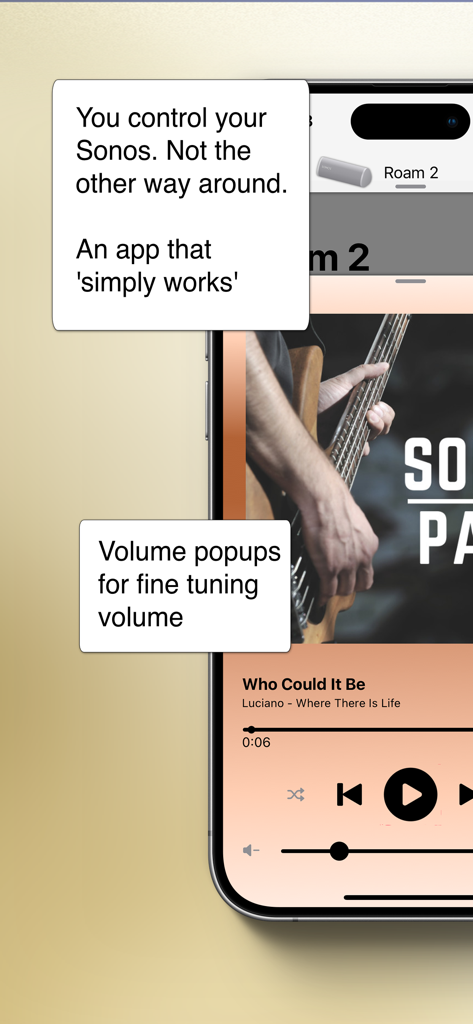
SonoPhone für Sonos-App zeigt Musikwiedergabesteuerungen und Lautstärke-Feinabstimmungs-Popups für einen Roam 2-Lautsprecher an
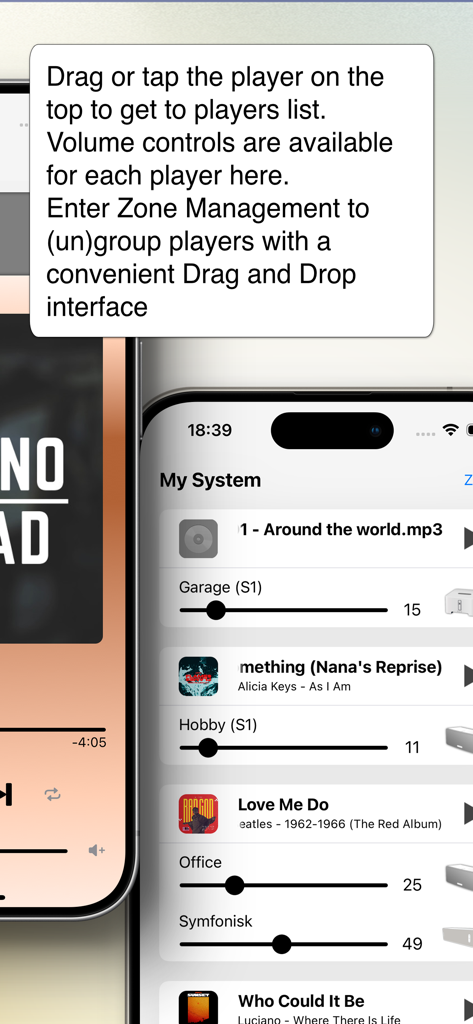
Die Benutzeroberfläche der SonoPhone-App zeigt eine Liste von Sonos-Lautsprechern mit individuellen Lautstärkereglern für das Multiroom-Management an.
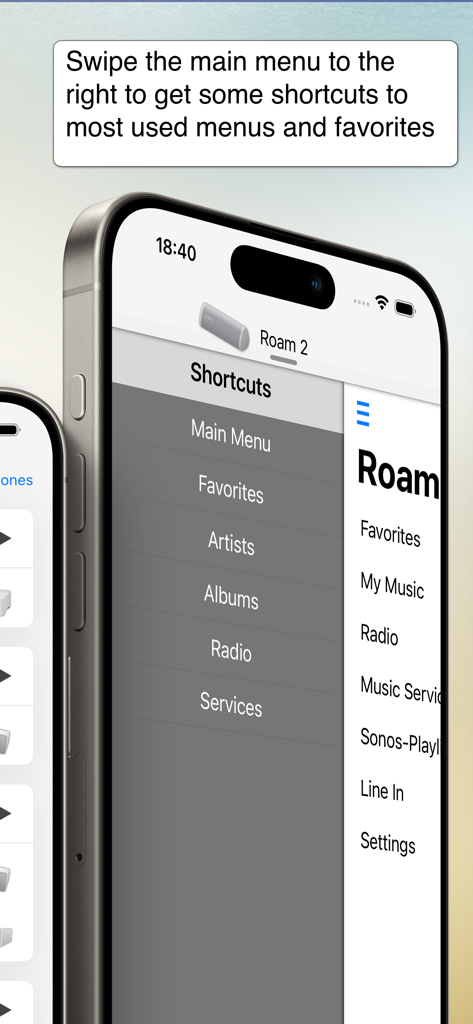
SonoPhone für Sonos-App zeigt das Seitenmenü mit Verknüpfungen für eine einfache Navigation an
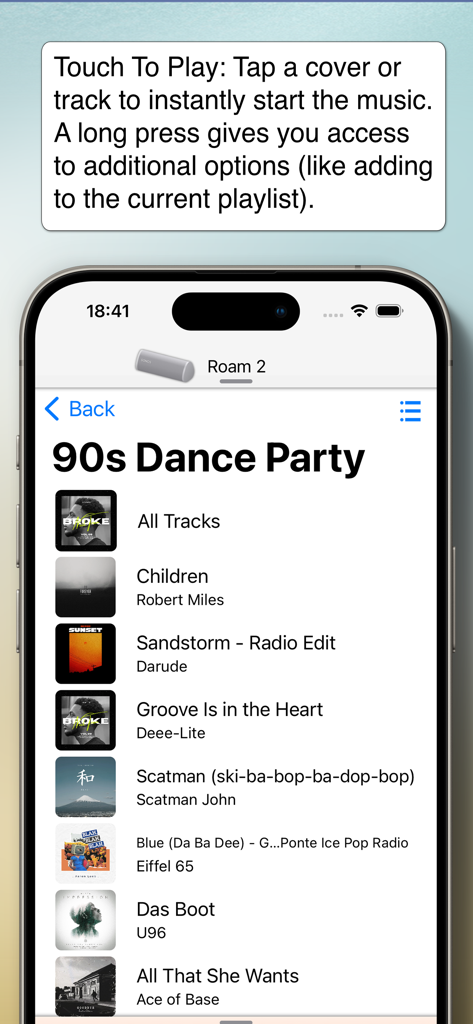
SonoPhone-App zeigt eine 90er-Jahre-Dance-Party-Playlist und die Touch-To-Play-Funktion an
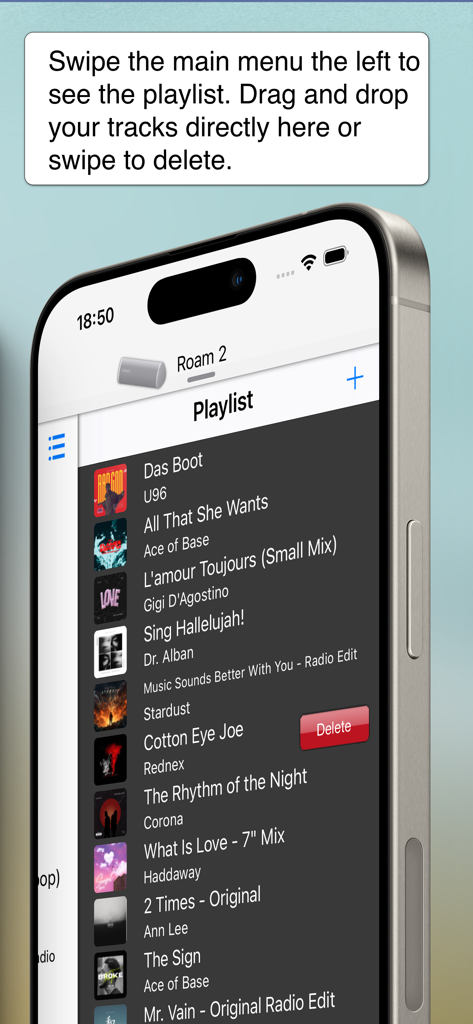
SonoPhone für Sonos-App-Oberfläche zeigt die Playlist-Verwaltung mit Wischgeste zum Löschen an
Beschreibung
Download
Ähnliche Apps
Top-gerankte Apps in derselben Kategorie

Spotify: Music and Podcasts
Spotify

YouTube Music
Google LLC

Shazam: Find Music & Concerts
Apple Inc.

SoundCloud: The Music You Love
SoundCloud Global Limited & Co KG

Suno - AI Songs & Music
Suno Inc.

QQ音乐 - 听我想听
Tencent Technology (Shenzhen) Company Limited

Audiomack - Play Music Offline
Audiomack, Inc.

GuitarTuna: Tune & Play Guitar
Yousician Ltd

BandLab – Music Maker & Beats
BandLab Singapore Pte Ltd
Diese Seite ist keine offizielle Seite der App oder ihres Entwicklers, sondern eine unabhängige redaktionelle Veröffentlichung, die zu Informations- und Kommentarzwecken erstellt wurde. Sofern nicht ausdrücklich anders angegeben, sind weder die App noch ihr Entwickler mit MWM, Apple, Google Play, dem App-Herausgeber oder dem Entwickler der App verbunden, von ihnen unterstützt, gesponsert, autorisiert oder anderweitig offiziell verbunden, und nichts auf dieser Seite impliziert, dass die App unter Verwendung der Dienste von MWM entwickelt wurde. Alle Marken, Logos, Screenshots und andere Inhalte bleiben Eigentum ihrer jeweiligen Inhaber.