Sony | Creators' App for ENT
Herunterladen auf App Store

Diese Seite ist keine offizielle Seite der App oder ihres Entwicklers, sondern eine unabhängige redaktionelle Veröffentlichung, die zu Informations- und Kommentarzwecken erstellt wurde. Sofern nicht ausdrücklich anders angegeben, sind weder die App noch ihr Entwickler mit MWM, Apple, Google Play, dem App-Herausgeber oder dem Entwickler der App verbunden, von ihnen unterstützt, gesponsert, autorisiert oder anderweitig offiziell verbunden, und nichts auf dieser Seite impliziert, dass die App unter Verwendung der Dienste von MWM entwickelt wurde. Alle Marken, Logos, Screenshots und andere Inhalte bleiben Eigentum ihrer jeweiligen Inhaber.


Logo von Sony | Creators' App for ENT
Herunterladen auf App Store

Sony | Creators' App for ENT

Optimieren Sie Ihre Broadcast-Produktion mit schnellen Kamera-zu-Mobile-Übertragungen, unternehmensweitem Metadatenmanagement und direkter Integration mit Sony C3 Portal und Ci Media Cloud.

Kennzahlen

Downloads

1K+

Bewertung

1.1/5

Bewertungen gesamt

100

Herausgeber

Sony Corporation

Kategorie

Utilities

Sprachen

6

Neueste Version

2025.2

Größe

57.0 MB

Erstveröffentlichung

2. Dez. 2021
Funktionen

Beschleunigen Sie Ihren Produktions-Workflow

Die wesentliche Brücke zwischen Ihren professionellen Sony-Kameras und der Cloud. Speziell für ENG-Teams, Sport-Broadcaster und unternehmensweite Medienteams entwickelt, um Inhalte in Echtzeit zu liefern.

Sofortige Geschwindigkeit zum Sendezeitpunkt

Umgehen Sie die physische Übergabe. Laden Sie hochwertige Videoclips direkt von Ihrer Kamera über 5G in C3 Portal oder Ci Media Cloud hoch, damit Ihre Nachrichtenredaktion oder Ihre Cutter das Material erhalten, während es noch aktuell ist.

Automatisierte Story-Metadaten

Vermeiden Sie Verwirrung in der Postproduktion. Ordnen Sie während des Übertragungsprozesses automatisch Story-Metadaten und Tags zu, damit Ihr Team suchen, filtern und mit der Bearbeitung beginnen kann, sobald der Upload abgeschlossen ist.

Die folgenden Screenshots und die Beschreibung stammen direkt aus dem offiziellen Store-Eintrag der App und sind Eigentum des Entwicklers.

App Store

Screenshots
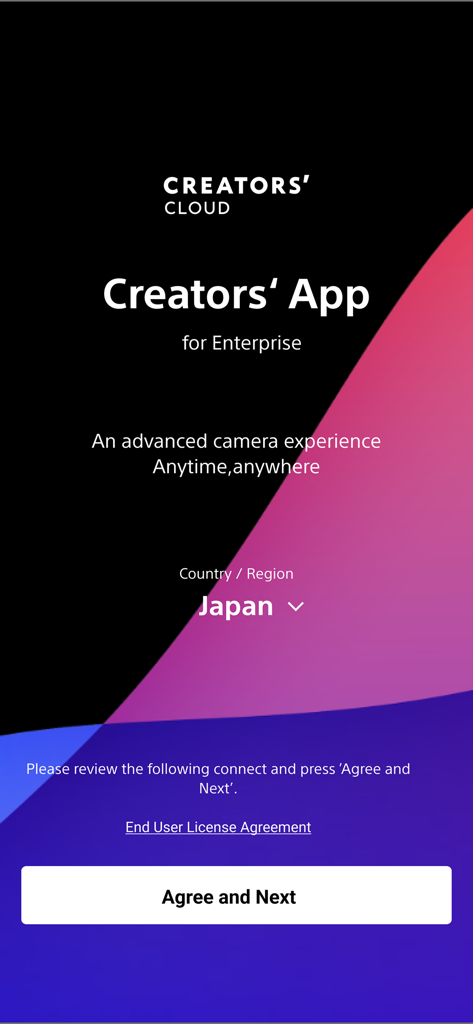
Sony | Creators' App for ENT - Willkommensbildschirm für die Sony Creators App für Enterprise, der die Regionsauswahl und die Schaltfläche zur Zustimmung zeigt
Willkommensbildschirm für die Sony Creators App für Enterprise, der die Regionsauswahl und die Schaltfläche zur Zustimmung zeigt

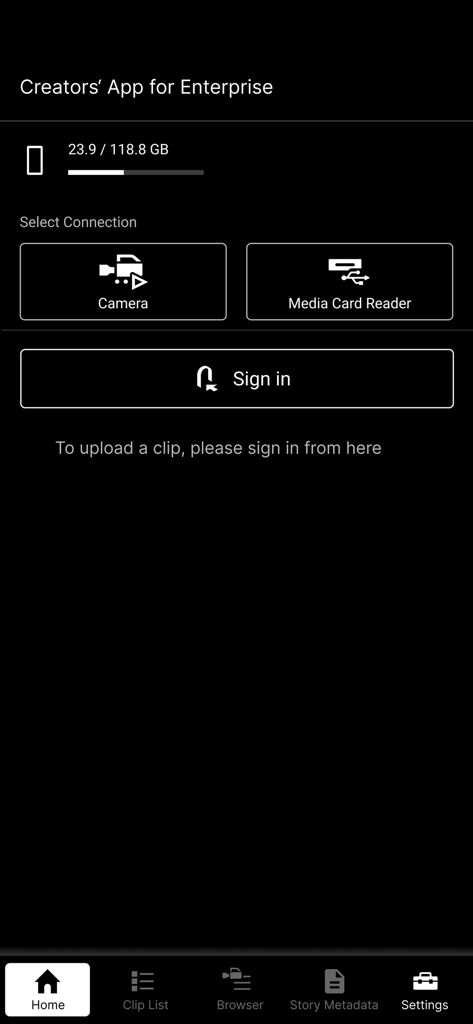
Sony | Creators' App for ENT - Startbildschirm der Sony Creators' App für Enterprise mit Verbindungsoptionen für Kameras und Lesegeräte für Speicherkarten.
Startbildschirm der Sony Creators' App für Enterprise mit Verbindungsoptionen für Kameras und Lesegeräte für Speicherkarten.

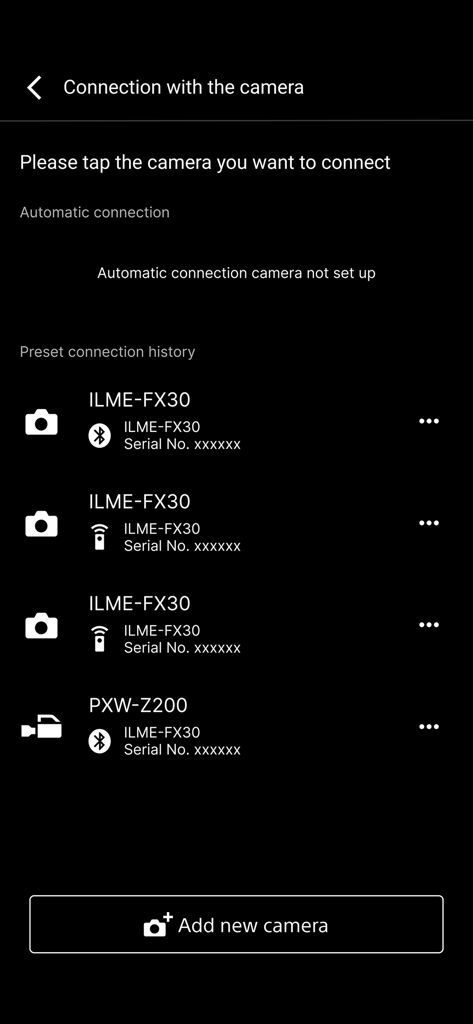
Sony | Creators' App for ENT - Eine Liste gekoppelter professioneller Sony-Kameras im Verbindungsmenü der Creators App für Enterprise
Eine Liste gekoppelter professioneller Sony-Kameras im Verbindungsmenü der Creators App für Enterprise

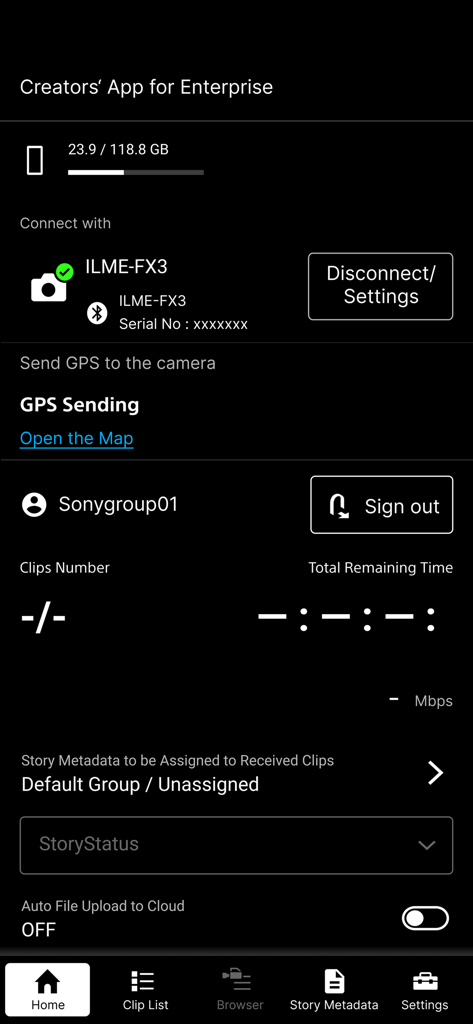
Sony | Creators' App for ENT - Startbildschirm der Sony Creators App für Enterprise mit angeschlossener Kamera und Optionen für Cloud-Uploads
Startbildschirm der Sony Creators App für Enterprise mit angeschlossener Kamera und Optionen für Cloud-Uploads

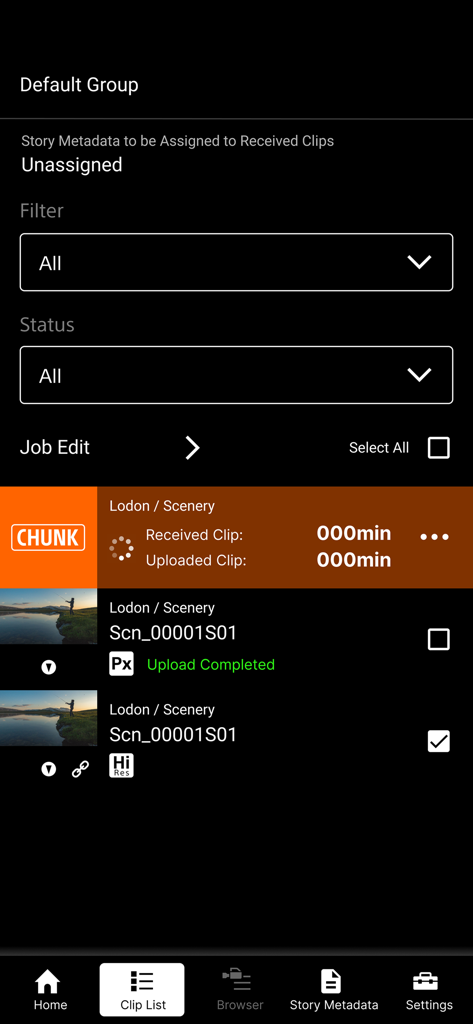
Sony | Creators' App for ENT - Sony Creators App für ENT Clip-Listen-Oberfläche, die den Upload-Status von Videos und die Verwaltung von hochauflösenden Dateien zeigt.
Sony Creators App für ENT Clip-Listen-Oberfläche, die den Upload-Status von Videos und die Verwaltung von hochauflösenden Dateien zeigt.

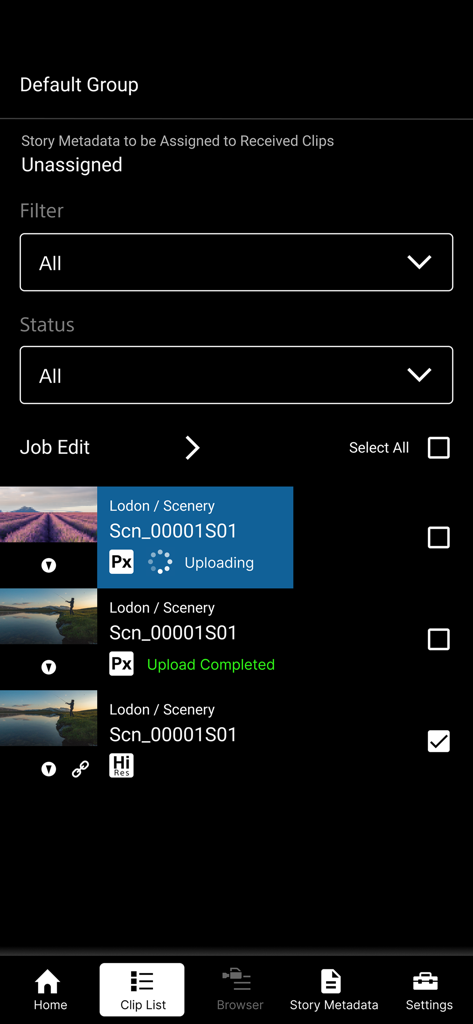
Sony | Creators' App for ENT - Sony Creators App für Enterprise, die eine Liste von Videoclips und den Upload-Status anzeigt

Sony Creators App für Enterprise, die eine Liste von Videoclips und den Upload-Status anzeigt

Beschreibung

※ Important Update Notice After this update, you will need to sign in to the service to display video clips that were saved prior to this update (including those imported in offline mode). "Creators' App for Enterprise (Abbreviation: C'App for ENT)" is an app for uploading video clips by connecting cameras to Sony’s C3 Portal and Ci Media Cloud (both are cloud services) via a smartphone. For details about C3 Portal, refer to the following. https://pro.sony/en_GB/technology/wireless-workflow/c3-portal For details about Ci Media Cloud, refer to the following. https://www.cimediacloud.com/ New features in version 2025.2 ■ Support for Sony camera model PXW-Z300/Z380. ■ Support for feature that send GPS information to the supported camera. ■ Enhanced user experience (UX). Existing features ■ Simple Camera Connection + Simple connection (via USB) to camera by scanning QR code displayed on the camera *1 + Simple connection (via USB) to camera by bluetooth pairing with the camera *8 + Simple connection (via USB) to camera by using Remote Shooting feature *9 ■ Transfer Video Clips from Camera to Smartphone ■ Upload Video Clips from Smartphone to cloud services ■ Load from Card Reader *2*3 ■ Auto Upload and Assign + Auto upload clips to cloud services when transferring clips to the smartphone (ON/OFF selectable) + Assign story metadata automatically when transferring clips to the smartphone (C3 Portal only) ■ Display Video Clip List + Play video clips *4 + Edit essence marks *5 ■ Camera Browser + List video clips saved on Sony camera + Transfer video clips from Sony camera to smartphone via this app + Play video clips saved on Sony camera *4 ■ Upload Job Edit + Editable video clip upload order + Can change upload status while viewing video clips Features for C3 Portal ■ Manage Story Metadata + Create and edit story metadata *6 + Display and assign story metadata allocated to groups, as well as the logged in user + Supports file attachments *7 Feature for Ci Media Cloud ■ Support File Request Code + Upload video clips to Ci Media Cloud using file request codes without Ci user account + Edit metadata information of file request *1 Refer to the Web Help for information about supported cameras. *2 Refer to the Web Help for information about verified card readers. *3 Media formatted in exFAT format may not be recognized, depending on the device. *4 Thumbnail image or playback image of interlaced proxy clips may not be displayed properly, depending on the device. *5 Video clips recorded by cameras other than Sony cameras (not all models) are not supported. *6 Items that can be edited will vary depending on the user. *7 Restricted to files that can be recognized by the smartphone. *8 Refer to the Web Help for information about supported cameras. *9 Refer to the Web Help for information about supported cameras. ■ Operating Environment iOS 16 to 18 ■ Web Help Page For details about usage, refer to the following help pages. https://helpguide.sony.net/promobile/c3p_app/v2/en/index.html ■ Other This application is not guaranteed to work on all smartphones and tablets. Note that we do not respond individually to inquiries from customers about this application and its services. You can report vulnerabilities related to this application and service via the “SECURE @ SONY” website. URL: https://secure.sony.net/

Download

Herunterladen auf App Store

Diese Seite ist keine offizielle Seite der App oder ihres Entwicklers, sondern eine unabhängige redaktionelle Veröffentlichung, die zu Informations- und Kommentarzwecken erstellt wurde. Sofern nicht ausdrücklich anders angegeben, sind weder die App noch ihr Entwickler mit MWM, Apple, Google Play, dem App-Herausgeber oder dem Entwickler der App verbunden, von ihnen unterstützt, gesponsert, autorisiert oder anderweitig offiziell verbunden, und nichts auf dieser Seite impliziert, dass die App unter Verwendung der Dienste von MWM entwickelt wurde. Alle Marken, Logos, Screenshots und andere Inhalte bleiben Eigentum ihrer jeweiligen Inhaber.








