
Diese Seite ist keine offizielle Seite der App oder ihres Entwicklers, sondern eine unabhängige redaktionelle Veröffentlichung, die zu Informations- und Kommentarzwecken erstellt wurde. Sofern nicht ausdrücklich anders angegeben, sind weder die App noch ihr Entwickler mit MWM, Apple, Google Play, dem App-Herausgeber oder dem Entwickler der App verbunden, von ihnen unterstützt, gesponsert, autorisiert oder anderweitig offiziell verbunden, und nichts auf dieser Seite impliziert, dass die App unter Verwendung der Dienste von MWM entwickelt wurde. Alle Marken, Logos, Screenshots und andere Inhalte bleiben Eigentum ihrer jeweiligen Inhaber.


Sony | Imaging Edge Mobile
Der nervenaufreibende Tanz zwischen Kamera und Smartphone hat ein Ende: Diese App diktiert Ihrer Sony-Hardware, wie sie sich anpasst, nicht umgekehrt.
Downloads
12.5M+Bewertung
Bewertungen gesamt
45.1KHerausgeber
Kategorie
Photo & VideoSprachen
18Neueste Version
7.8.3Größe
52.6 MBErstveröffentlichung
9. Jan. 2012Analyse der Sony Imaging Edge Mobile App
Eine Bewertung der Kernfunktionen für engagierte Sony-Fotografen
Bild- und Videoübertragung
Es ermöglicht Nutzern, Bilder und Videos nahtlos von der Kamera auf ein Smartphone oder Tablet zu übertragen, einschließlich automatischer Hintergrundübertragung und der Möglichkeit, Inhalte von ausgeschalteten Kameras zu übertragen, was den Workflow erheblich beschleunigt und das Teilen vereinfacht.
Fernsteuerung der Kamera
Dieses Tool ermöglicht die Fernauslösung von Fotos und Videos über das Smartphone, inklusive Live-View-Funktion. Dies ist besonders vorteilhaft für Langzeitbelichtungen, Makroaufnahmen und Situationen, in denen Kamerabewegungen vermieden werden sollen, um die kreative Kontrolle zu maximieren.
Speichern und Anwenden von Kameraeinstellungen
Es ermöglicht Nutzern, bis zu 20 Kameraeinstellungen in der App zu speichern und bei Bedarf auf kompatible Kameras anzuwenden. Dies optimiert den Workflow erheblich durch schnelle Konfiguration für verschiedene Aufnahmeszenarien und sorgt für Konsistenz.
Geotagging und Standortinformationen
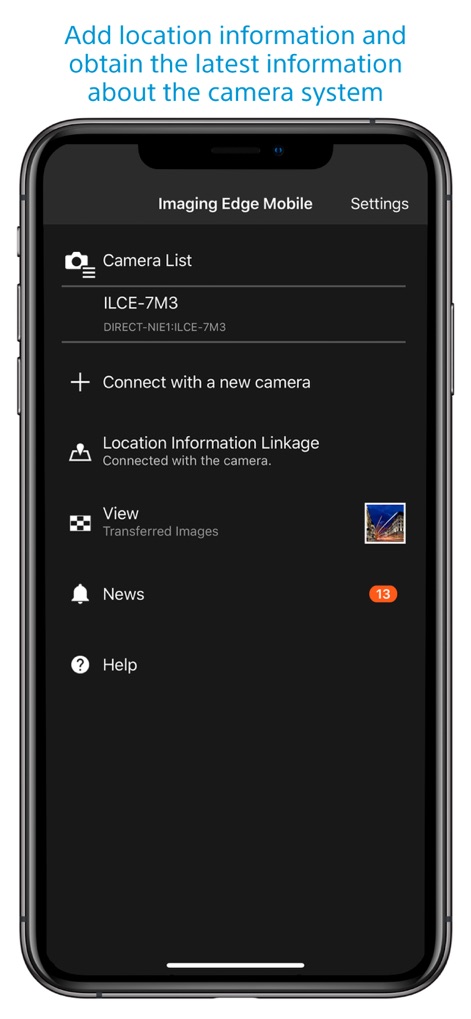
Die App bietet die Möglichkeit, Standortinformationen des Smartphones mit den von der Kamera aufgenommenen Bildern zu verknüpfen. Dies ist besonders nützlich für Reise- und Landschaftsfotografen zur besseren Organisation und Nachverfolgung ihrer Werke.
Häufig gestellte Fragen
Alles, was Sie über wissen müssen Sony | Imaging Edge Mobile
How does Sony | Imaging Edge Mobile transfer images and videos?
Imaging Edge Mobile transfers images and videos from a camera to a smartphone or tablet. It supports automatic background transfers after shooting and can handle high bit rate video files, including 4K.
Does Sony | Imaging Edge Mobile support 4K video transfer?
Yes, Imaging Edge Mobile can transfer high bit rate video files, including 4K, from a camera to a smartphone or tablet. The availability of video transfer varies depending on the smartphone.
Does Sony | Imaging Edge Mobile allow remote camera shooting?
Yes, Imaging Edge Mobile enables remote shooting of a camera. Users can capture photos and videos while checking the camera's live view on their smartphone, useful for long-exposure or macro shots.
How does Sony | Imaging Edge Mobile add location information to photos?
Imaging Edge Mobile adds location information by linking with compatible cameras to embed smartphone-acquired data into captured images. For cameras without linkage, it adds location info to photos saved on the smartphone during remote shooting.
What operating systems does Sony | Imaging Edge Mobile support?
Imaging Edge Mobile supports iOS operating systems ranging from iOS 17.7 to iOS 18.6. The app's functionality is not guaranteed with all smartphones/tablets.
Can Sony | Imaging Edge Mobile save camera settings?
Yes, Imaging Edge Mobile allows users to save up to 20 camera settings within the app. These saved settings can then be applied to compatible cameras with the same model name.
Does Sony | Imaging Edge Mobile support automatic image transfer?
Yes, Imaging Edge Mobile features an automatic background transfer function. Images are transferred to the smartphone as they are captured, eliminating the need for manual selection after shooting.
Die folgenden Screenshots und die Beschreibung stammen direkt aus dem offiziellen Store-Eintrag der App und sind Eigentum des Entwicklers.
App Store
Screenshots
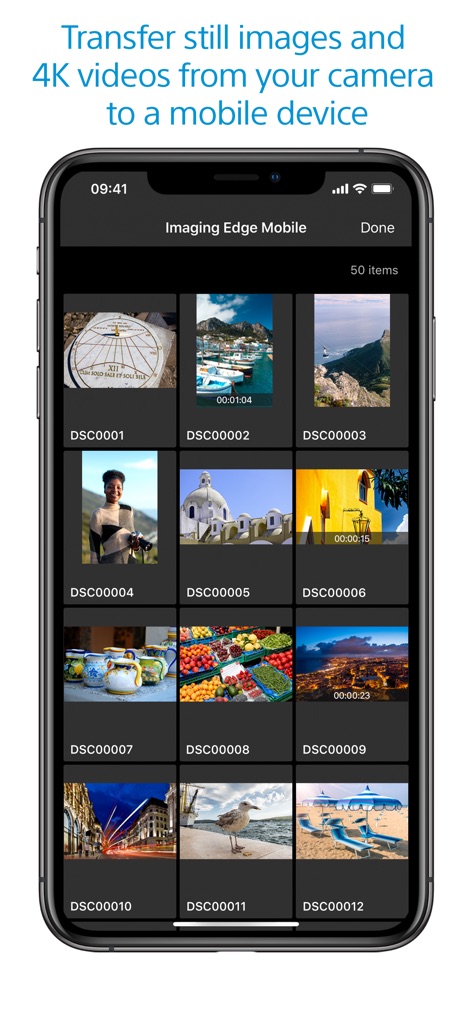
Medienübertragung & Galerie
Die App präsentiert eine organisierte Galerieansicht mit zahlreichen Vorschaubildern von Mediendateien und zeigt klar die Gesamtzahl der Elemente an.
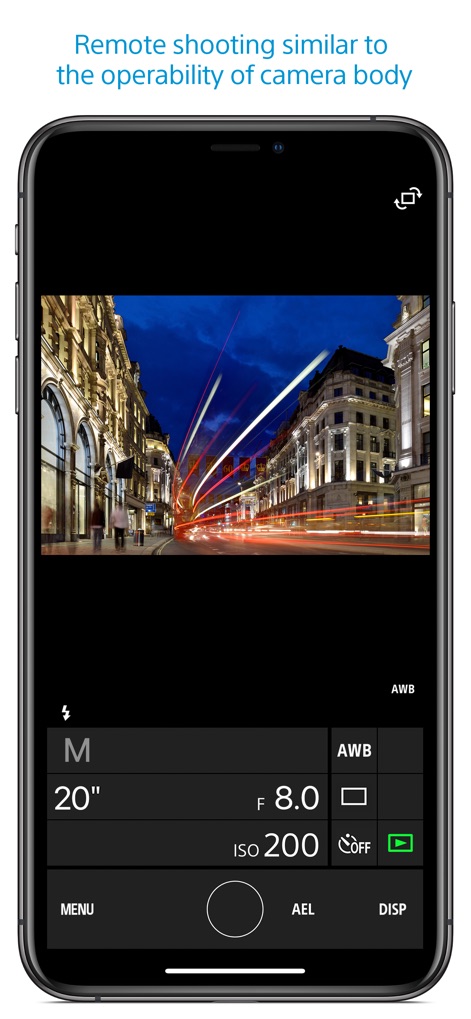
Präzise Fernsteuerung
Dieses Tool ermöglicht präzises Fernauslösen mit einer Live-Vorschau des Motivs und bietet direkten Zugriff auf wichtige Einstellungen wie Verschlusszeit und Blende.
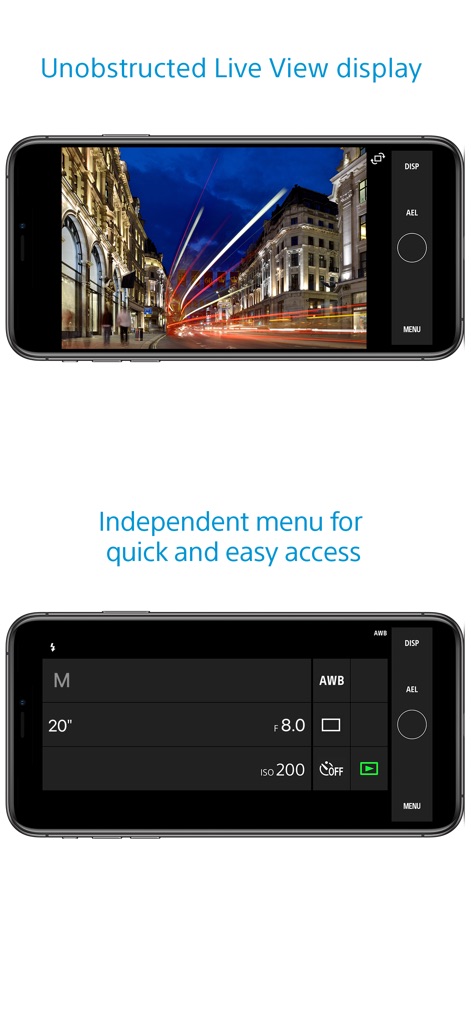
Unverdeckte Live-Ansicht
Nutzer profitieren von einer unverdeckten Live-Ansicht des Motivs, die durch die Reduzierung von Überlagerungen auf dem Bildschirm eine klare Darstellung gewährleistet und wichtige Bedienelemente seitlich positioniert.
Manuelle Belichtungsregelung
Die detaillierte Ansicht der Kameraeinstellungen erlaubt Nutzern die manuelle Anpassung von Werten wie ISO und Blende für volle kreative Kontrolle über ihre Aufnahmen.
Beschreibung
Download
Ähnliche Apps
Apps mit ähnlichen Funktionen und Nutzererfahrung

DJI Mimo
SZ DJI TECHNOLOGY CO., LTD

DJI Ronin
SZ DJI TECHNOLOGY CO., LTD

Roku TV Remote Control & Cast
Aleh Piashkou

Remote for Hisense TV.
Duscov Stepan

Alpha Linker - Camera Transfer
恒茂 刘

MyCentsys Pro
Centurion Systems (Pty) Ltd

Roku TV Remote Control・
Artur Belov

Luminair
Synthe FX, LLC

FUJIFILM XApp
FUJIFILM Corporation
Diese Seite ist keine offizielle Seite der App oder ihres Entwicklers, sondern eine unabhängige redaktionelle Veröffentlichung, die zu Informations- und Kommentarzwecken erstellt wurde. Sofern nicht ausdrücklich anders angegeben, sind weder die App noch ihr Entwickler mit MWM, Apple, Google Play, dem App-Herausgeber oder dem Entwickler der App verbunden, von ihnen unterstützt, gesponsert, autorisiert oder anderweitig offiziell verbunden, und nichts auf dieser Seite impliziert, dass die App unter Verwendung der Dienste von MWM entwickelt wurde. Alle Marken, Logos, Screenshots und andere Inhalte bleiben Eigentum ihrer jeweiligen Inhaber.