
Diese Seite ist keine offizielle Seite der App oder ihres Entwicklers, sondern eine unabhängige redaktionelle Veröffentlichung, die zu Informations- und Kommentarzwecken erstellt wurde. Sofern nicht ausdrücklich anders angegeben, sind weder die App noch ihr Entwickler mit MWM, Apple, Google Play, dem App-Herausgeber oder dem Entwickler der App verbunden, von ihnen unterstützt, gesponsert, autorisiert oder anderweitig offiziell verbunden, und nichts auf dieser Seite impliziert, dass die App unter Verwendung der Dienste von MWM entwickelt wurde. Alle Marken, Logos, Screenshots und andere Inhalte bleiben Eigentum ihrer jeweiligen Inhaber.


SOOP - Live Streaming
Die App verwandelt dich in einen Bildschirm-Mogul: Du diktierst, was, wann und wie du Live-Inhalte konsumierst. Kein Warten, keine Kompromisse.
Downloads
5M+Bewertung
Bewertungen gesamt
87.6KHerausgeber
Kategorie
EntertainmentSprachen
5Neueste Version
8.23.1Größe
389.6 MBErstveröffentlichung
4. Dez. 2009Eine Bewertung der wesentlichen Merkmale und deren Wirkung auf die Zielgruppe der digital nativen Live-Streaming-Konsumenten.
Analyse der Kernfunktionen von SOOP - Live Streaming
Premium-Funktionen (Werbefreiheit, Time Machine, Multiview)
Ermöglicht ein ununterbrochenes, werbefreies und funktionsreiches Seherlebnis, einschließlich Rückspulfunktion für verpasste Szenen und Multiview für gleichzeitige Streams.
Interaktive Community und Kommunikation
Fördert die direkte Interaktion zwischen Streamern und Zuschauern, stärkt die Community und ermöglicht den aktiven Austausch durch Live-Übertragungen und VODs.
Kurzform-Videoinhalte ('Catch')
Bietet schnelle, unterhaltsame und leicht konsumierbare Kurzvideos, ideal für den schnellen Konsum und das Teilen.
Benachrichtigungen für Lieblings-Streams
Stellt sicher, dass Nutzer keine Live-Streams oder wichtigen Ankündigungen ihrer bevorzugten Streamer verpassen.
Schneller Zugriff auf Lieblings-Streamer
Erleichtert den sofortigen Zugang zu bevorzugten Live-Inhalten und personalisiert das Nutzererlebnis auf dem Startbildschirm.
Exklusive Originalinhalte
Bietet einzigartige, plattformeigene Unterhaltung, die Zuschauer an SOOP bindet und neue Anreize schafft.
Häufig gestellte Fragen
Alles, was Sie über wissen müssen SOOP - Live Streaming
What is SOOP?
SOOP is a streaming platform focused on participation and communication. It offers a variety of content, including live broadcasts, VODs, and original content, allowing users to discover and interact with streamers.
What types of content are available on SOOP?
SOOP offers various content, including live broadcasts, VODs, short and fun 'Catch' content, and exclusive SOOP original content from partners like SSL and Cinety.
How does SOOP help users find content?
SOOP allows users to easily discover various content by navigating categories through its navigation menu. Users can also see their favorite streamers directly on the front screen.
What is SOOP Quick View Plus?
SOOP Quick View Plus is a subscription feature that allows users to skip VOD advertisements, participate in live broadcasts without video ads, rewatch missed scenes, and use a multi-view function for two broadcasts.
Does SOOP include VAT in its pass prices?
Yes, all pass prices for SOOP include VAT. The total amount may vary due to Apple's commission and pricing policies for each country.
How do I cancel my SOOP Quick View Plus subscription on iOS?
Users cancel iOS subscriptions via iTunes [Account Settings > Manage Subscriptions] or iOS [Settings > Apple ID > Subscriptions]. The subscription remains active until the current billing period ends.
Does the SOOP app require any mandatory permissions?
No, the SOOP app states that it has no required permissions. Users can utilize the service without granting any mandatory permissions.
What optional permissions does the SOOP app request?
The SOOP app requests optional permissions for the Camera (streaming), Microphone (streaming audio), Photo Library (attaching channel images), and Notifications (stream alerts, announcements).
Can SOOP users stream their own content?
Yes, users can become streamers on SOOP. The platform supports participation and communication, allowing individuals to broadcast and interact with various users.
Are SOOP iOS subscriptions automatically renewed?
Yes, SOOP iOS subscriptions are billed monthly and automatically renewed on the same date as the original purchase date, unless canceled at least 24 hours before the period ends.
Die folgenden Screenshots und die Beschreibung stammen direkt aus dem offiziellen Store-Eintrag der App und sind Eigentum des Entwicklers.
App Store
Screenshots
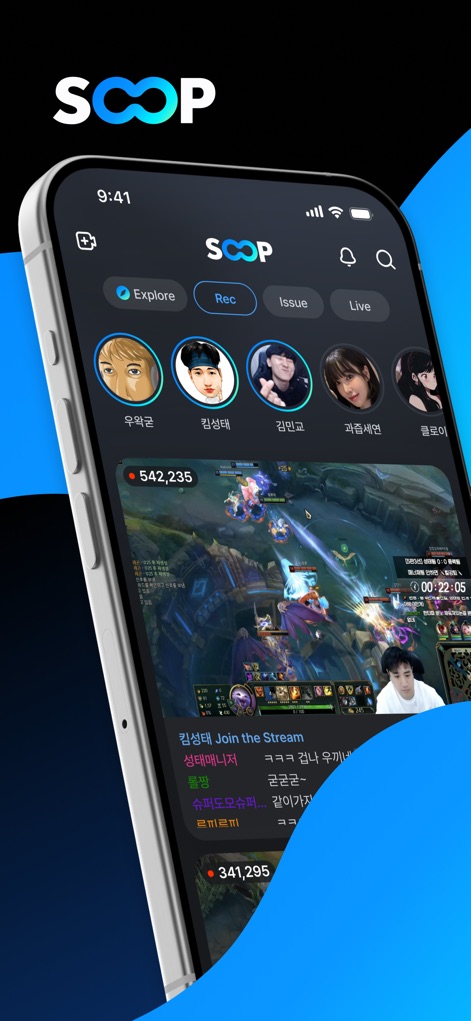
Nutzer entdecken hier die Favoriten-Streams direkt über die Profil-Avatare und tauchen sofort in spannende Live-Gaming-Sessions mit interaktiven Chat-Overlays ein.
Live-Stream-Zentrale
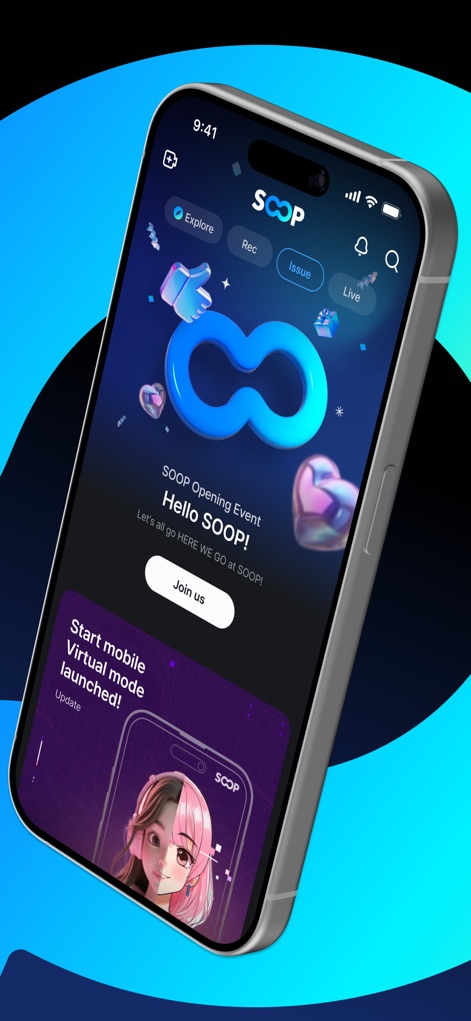
Die App präsentiert prominent auffällige Event-Banner für besondere Anlässe, die durch ansprechende Grafiken mit 3D-Elementen und klare Call-to-Action-Buttons zum Mitmachen einladen.
Event-Highlights Entdecken
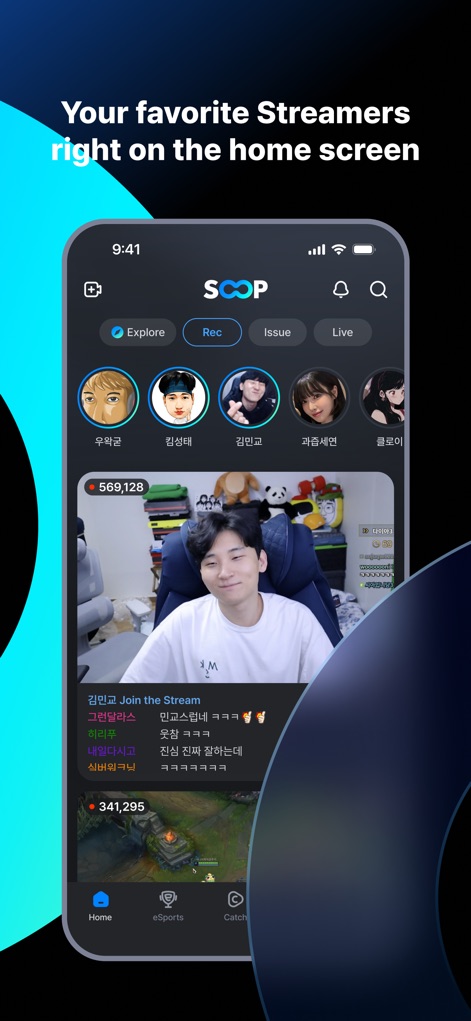
Diese Ansicht ermöglicht Nutzern den direkten Zugriff auf ihre personalisierten Streamer-Profile oben auf dem Bildschirm und bietet eine sofortige Vorschau beliebter Live-Inhalte, die gerade stattfinden.
Favoriten Direkt Starten
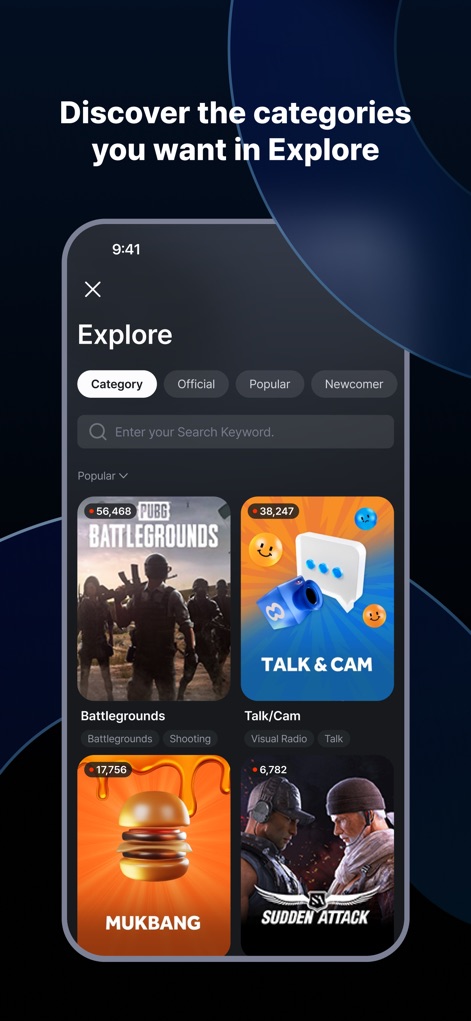
Im Explore-Bereich können Nutzer durch vielfältige Inhaltskategorien navigieren, um neue Streams zu entdecken, unterstützt durch eine intuitive Suchfunktion und Filteroptionen wie „Popular“ und „Newcomer“.
Inhalte Schnell Finden
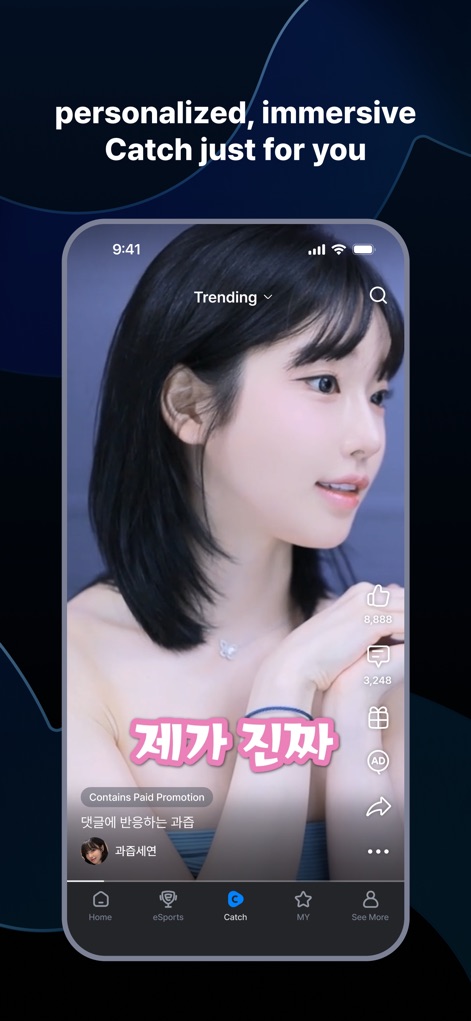
Nutzer können hier kurze, vertikale Videoformate entdecken, die speziell auf ihre Interessen zugeschnitten sind, und direkt über Interaktions-Buttons wie Likes und Teilen mit dem Content interagieren.
Kurzvideos Genießen
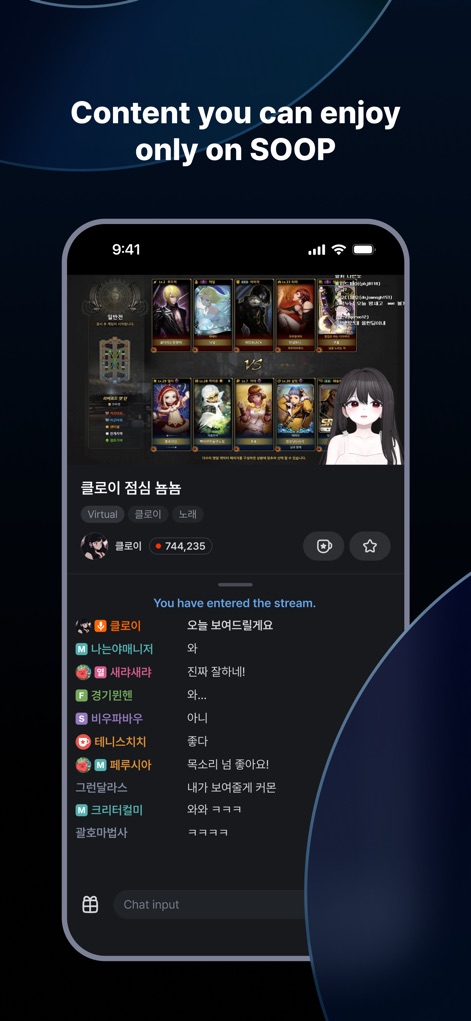
Dieses Bild zeigt einzigartige, exklusive Inhalte, darunter Streams mit virtuellen Avataren, und bietet eine Echtzeit-Chatfunktion, die eine direkte Kommunikation zwischen Nutzern und Streamern ermöglicht.
Exklusive Erlebnisse Live
Beschreibung
Download
Ähnliche Apps
Apps mit ähnlichen Funktionen und Nutzererfahrung

快手
Beijing Kwai Technology Co., Ltd.

映客直播
Beijing MeeLive Network Technology Co., Ltd.

Plamfy: Watch Streams&Go Live
Plamfy Limited

ビデオ通話 マシェトーク-電話で顔の見せ合い・ビデオチャット
MachevaraTalk inc.

Kako: Live, Vídeo & Chat
KAKO TECHNOLOGY CO., LTD

C2 Live - Live Streaming
C2 Capital Group, Inc.

KK-直播交友娱乐平台
Hangzhou Miluoxing Technology (Group) Co., Ltd

Piko Live: Live, Chat, Stream
FUTURISTIC SUPER LEARNING PRIVATE LIMITED

Pluto: Live Chat & Talk
POMFRET CAVE LIMITED
Diese Seite ist keine offizielle Seite der App oder ihres Entwicklers, sondern eine unabhängige redaktionelle Veröffentlichung, die zu Informations- und Kommentarzwecken erstellt wurde. Sofern nicht ausdrücklich anders angegeben, sind weder die App noch ihr Entwickler mit MWM, Apple, Google Play, dem App-Herausgeber oder dem Entwickler der App verbunden, von ihnen unterstützt, gesponsert, autorisiert oder anderweitig offiziell verbunden, und nichts auf dieser Seite impliziert, dass die App unter Verwendung der Dienste von MWM entwickelt wurde. Alle Marken, Logos, Screenshots und andere Inhalte bleiben Eigentum ihrer jeweiligen Inhaber.