
Diese Seite ist keine offizielle Seite der App oder ihres Entwicklers, sondern eine unabhängige redaktionelle Veröffentlichung, die zu Informations- und Kommentarzwecken erstellt wurde. Sofern nicht ausdrücklich anders angegeben, sind weder die App noch ihr Entwickler mit MWM, Apple, Google Play, dem App-Herausgeber oder dem Entwickler der App verbunden, von ihnen unterstützt, gesponsert, autorisiert oder anderweitig offiziell verbunden, und nichts auf dieser Seite impliziert, dass die App unter Verwendung der Dienste von MWM entwickelt wurde. Alle Marken, Logos, Screenshots und andere Inhalte bleiben Eigentum ihrer jeweiligen Inhaber.


Sophos Intercept X for Mobile
Schützen Sie Ihre Daten und Privatsphäre mit branchenführender WLAN-Bedrohungserkennung, einem sicheren QR-Scanner und Multi-Faktor-Authentifizierung für die moderne Remote-Arbeitskraft.
Downloads
258K+Bewertung
Bewertungen gesamt
100Herausgeber
Kategorie
UtilitiesSprachen
10Neueste Version
9.7.13Größe
112.0 MBErstveröffentlichung
12. Juli 2016Professionelle Sicherheit für Ihr mobiles Leben
Konsolidieren Sie Ihre digitale Abwehr mit vertrauenswürdigen Tools, die zum Schutz Ihres Netzwerks, Ihrer Passwörter und Ihrer Identität entwickelt wurden.
Schutz im öffentlichen WLAN
Arbeiten Sie sicher von überall mit automatischer Erkennung von Netzwerkbedrohungen und Man-in-the-Middle-Angriffen.
Anti-Phishing QR-Scanner
Scannen Sie mit Zuversicht. Jede URL wird sofort mit der SophosLabs-Datenbank abgeglichen, um bösartige Websites zu blockieren.
Die folgenden Screenshots und die Beschreibung stammen direkt aus dem offiziellen Store-Eintrag der App und sind Eigentum des Entwicklers.
App Store
Screenshots
Sophos Intercept X for Mobile Startbildschirm mit einem orangefarbenen X-Logo
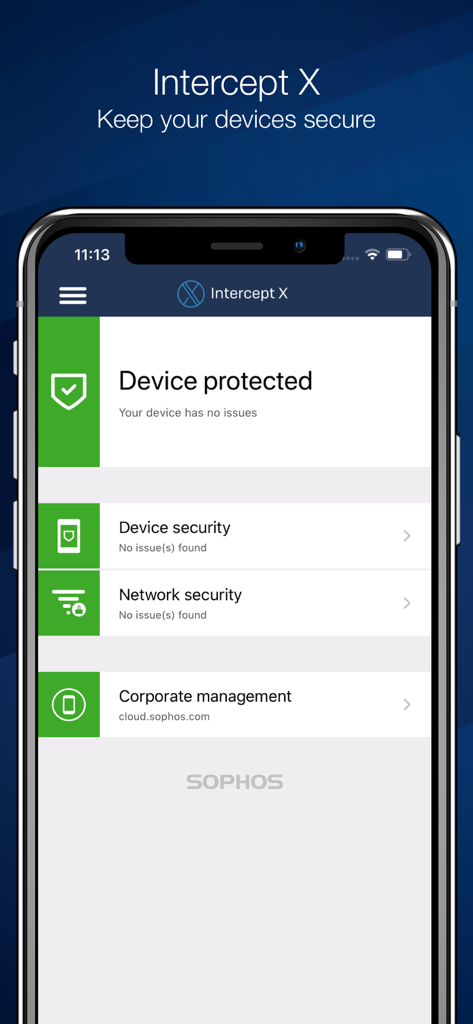
Sophos Intercept X Mobile App Dashboard zeigt den geschützten Gerätestatus auf einem iPhone an
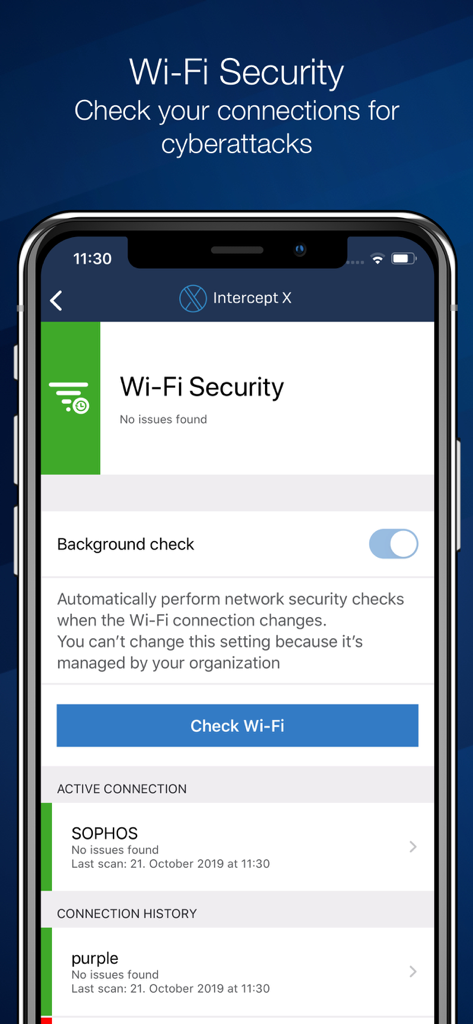
Sophos Intercept X App-Oberfläche für WLAN-Sicherheitsüberprüfung und Hintergrundverbindungsprüfungen
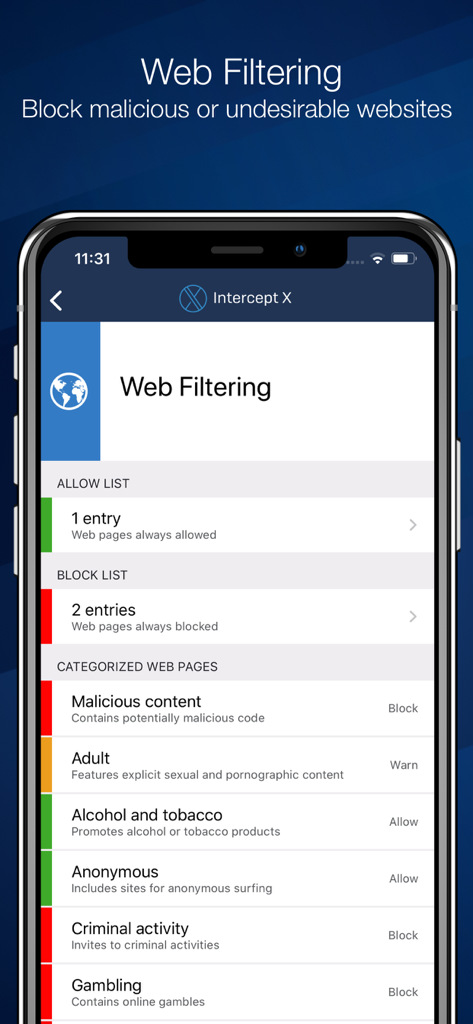
Sophos Intercept X for Mobile Web-Filter-Oberfläche zeigt Kategorien zum Blockieren bösartiger und unerwünschter Websites an
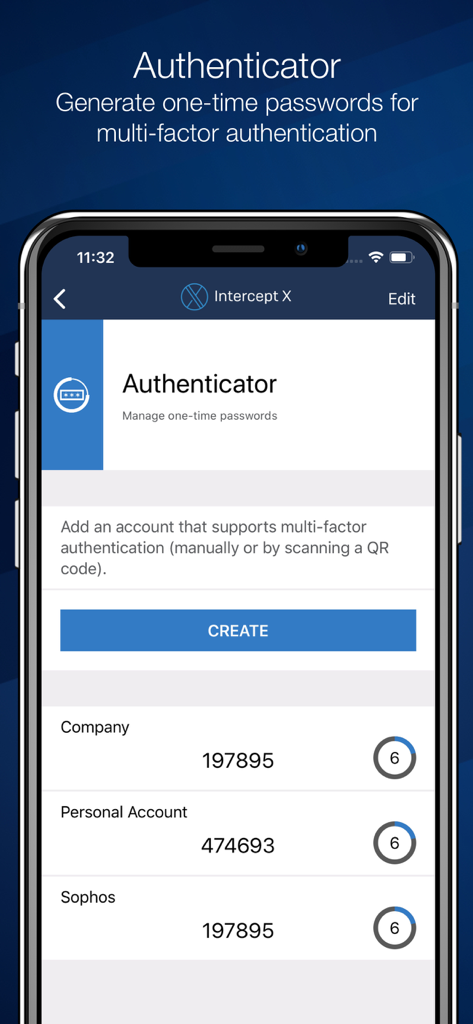
Sophos Intercept X Authenticator-Oberfläche mit Einmalpasswörtern für Unternehmens- und Privatkonten
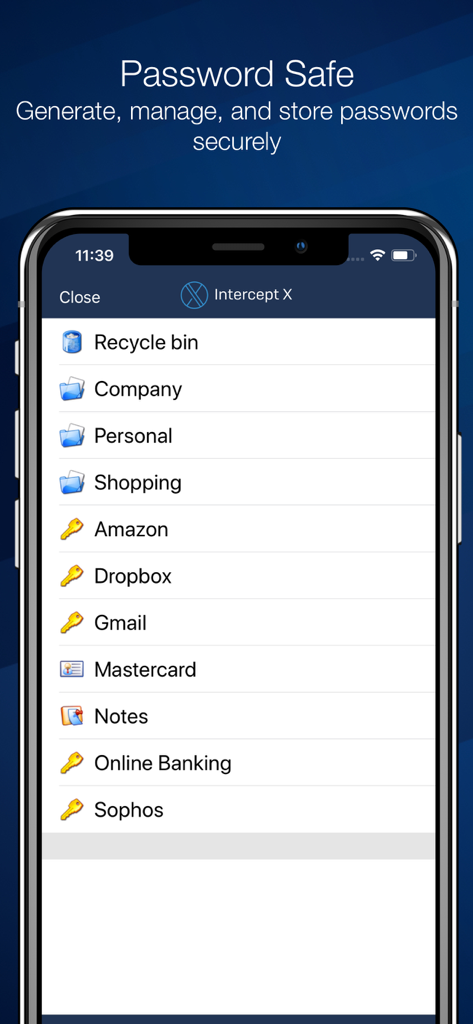
Sophos Intercept X for Mobile Passwort-Safe-Oberfläche zeigt eine Liste von gespeicherten Kontenkategorien und Service-Logins an
Beschreibung
Download
Ähnliche Apps
Top-gerankte Apps in derselben Kategorie

Google LLC

Google Chrome
Google LLC

中国移动(手机营业厅)
China Mobile Online Services Co., Ltd.

Google Authenticator
Google LLC

CNH do Brasil
Servicos e Informacoes do Brasil

Cleanup: Phone Storage Cleaner
DEEP FLOW SOFTWARE SERVICES - FZCO

gov.br
Servicos e Informacoes do Brasil

Microsoft Edge: AI Browser
Microsoft Corporation

Super VPN Fly 2026
YUNFAN TECHNOLOGY CO., LIMITED
Diese Seite ist keine offizielle Seite der App oder ihres Entwicklers, sondern eine unabhängige redaktionelle Veröffentlichung, die zu Informations- und Kommentarzwecken erstellt wurde. Sofern nicht ausdrücklich anders angegeben, sind weder die App noch ihr Entwickler mit MWM, Apple, Google Play, dem App-Herausgeber oder dem Entwickler der App verbunden, von ihnen unterstützt, gesponsert, autorisiert oder anderweitig offiziell verbunden, und nichts auf dieser Seite impliziert, dass die App unter Verwendung der Dienste von MWM entwickelt wurde. Alle Marken, Logos, Screenshots und andere Inhalte bleiben Eigentum ihrer jeweiligen Inhaber.