
Diese Seite ist keine offizielle Seite der App oder ihres Entwicklers, sondern eine unabhängige redaktionelle Veröffentlichung, die zu Informations- und Kommentarzwecken erstellt wurde. Sofern nicht ausdrücklich anders angegeben, sind weder die App noch ihr Entwickler mit MWM, Apple, Google Play, dem App-Herausgeber oder dem Entwickler der App verbunden, von ihnen unterstützt, gesponsert, autorisiert oder anderweitig offiziell verbunden, und nichts auf dieser Seite impliziert, dass die App unter Verwendung der Dienste von MWM entwickelt wurde. Alle Marken, Logos, Screenshots und andere Inhalte bleiben Eigentum ihrer jeweiligen Inhaber.


Sound Editor: Audio Changer
Ihr iPhone ist kein Spielzeug mehr, es ist ein mobiles Tonstudio. MWMs Kreation verwandelt Ihr Mobilgerät in eine ernste Produktionsmaschine.
Downloads
750k+Bewertung
Bewertungen gesamt
1.6KHerausgeber
Kategorie
MusicSprachen
11Neueste Version
1.11.3Größe
166.3 MBErstveröffentlichung
22. Dez. 2017Eine technische Bewertung der Leistungsfähigkeit und Zielgruppenrelevanz für mobile Audioproduzenten.
Analyse der Kernfunktionen von 'Sound Editor: Audio Changer'
KI-Instrumentenisolation
Es ermöglicht die schnelle Isolation von Gesang, Gitarre, Bass, Schlagzeug und anderen Instrumenten mittels KI, wodurch Spuren in einzelne Stems getrennt und der Mischprozess optimiert werden können.
Multitrack Audio Editor
Die App ermöglicht die gleichzeitige Bearbeitung von bis zu 5 Multitracks für umfassende und geschichtete Projekte, was komplexe Arrangements und professionelles Mastering auf Mobilgeräten unterstützt.
Leistungsstarker Equalizer & Audioeffekte
Die App verfügt über einen 8-Band-Equalizer zur präzisen Klangabstimmung und bietet professionelle Audioeffekte wie Reverb, Delay und Chorus, die auf Master- oder Einzelspuren anwendbar sind.
Universelle Audioformat-Unterstützung
Die App unterstützt den nahtlosen Import und Export von Audio in allen gängigen Formaten wie WAV, AIFF, MP3, M4A und FLAC, um umfassende Kompatibilität zu gewährleisten.
Grundlegende Bearbeitungswerkzeuge
Dieses Tool bietet präzise Funktionen zum Schneiden, Kopieren, Einfügen, Trimmen und Löschen von Audioregionen sowie Fade In/Out für nahtlose Übergänge und das Einfügen von Stille.
Hochqualitativer Sound Recorder
Dieses Tool bietet einen hochqualitativen Sound Recorder mit unbegrenzter Aufnahmezeit zum Festhalten von Ideen, Proben und Live-Darbietungen.
Die folgenden Screenshots und die Beschreibung stammen direkt aus dem offiziellen Store-Eintrag der App und sind Eigentum des Entwicklers.
App Store
Screenshots
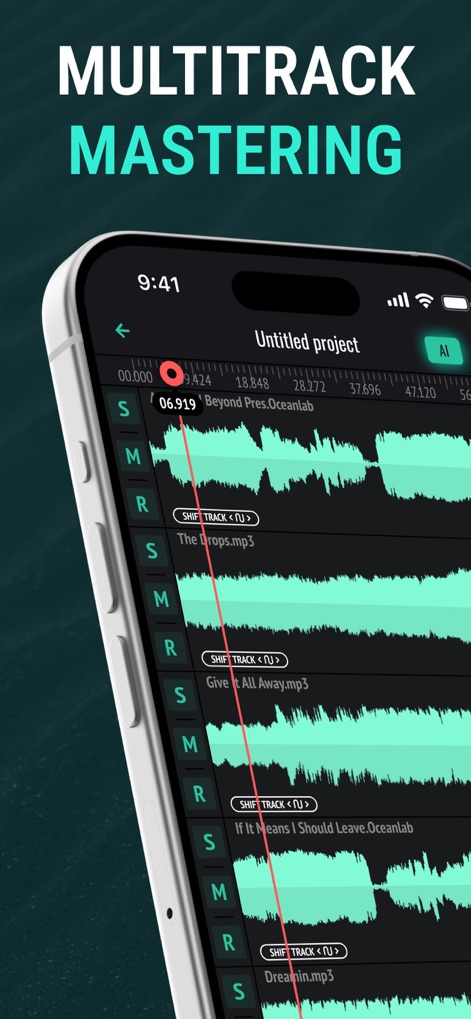
Nutzer erleben die detaillierte Multitrack-Ansicht, die bis zu fünf parallele Audiospuren darstellt, und sehen die intuitiven S/M/R-Buttons zur individuellen Steuerung jeder Spur.
Multitrack Präzision
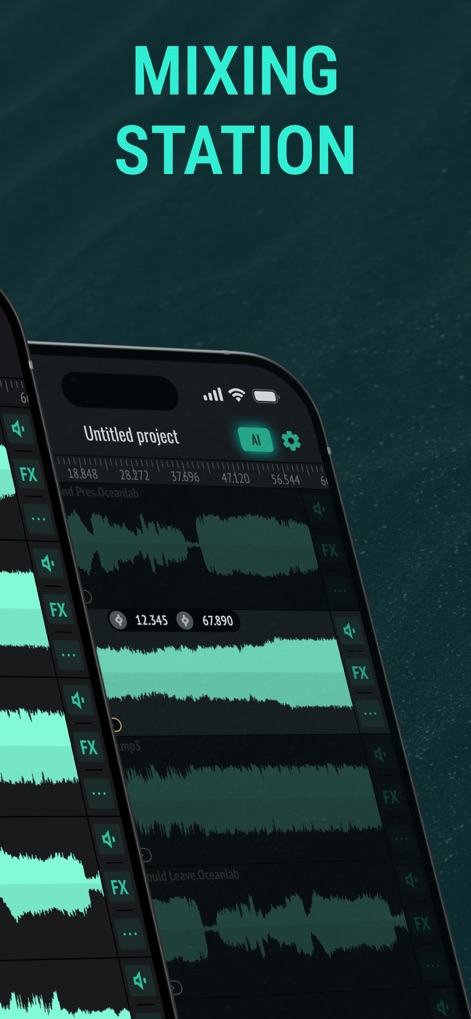
Die Ansicht zeigt eine leistungsstarke Mixing Station, auf der Nutzer durch die "FX"-Buttons individuelle Effekte auf jede Spur anwenden und über das Zahnrad-Icon globale Einstellungen anpassen können.
Dynamisches Mixing

Dieses Bild präsentiert den umfassenden 8-Band Equalizer der App, wo Nutzer mittels der vertikalen Frequenzschieberegler und der präzisen Hz-Anzeigen den Klang ihrer Audiodateien detailliert anpassen können.
Präziser 8-Band EQ
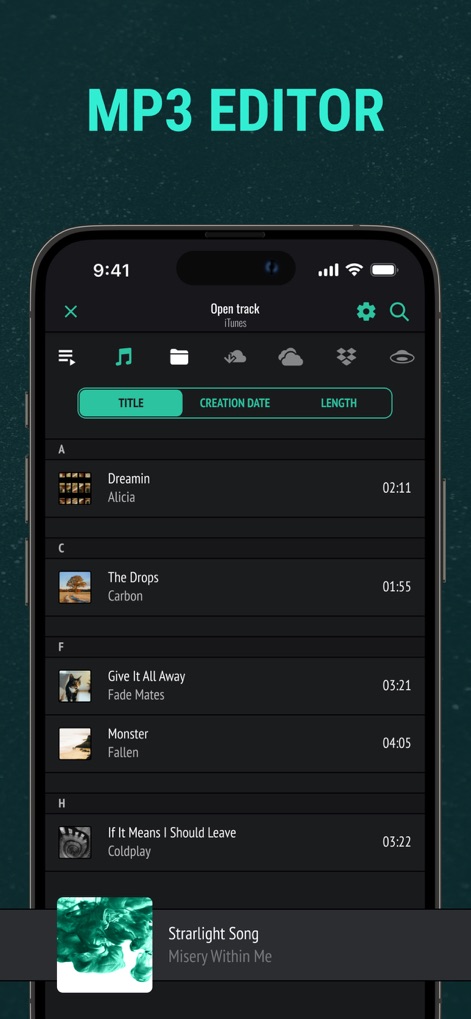
Die App zeigt eine übersichtliche Dateiverwaltung, in der Nutzer eine Liste ihrer importierten Audiodateien mit Titeln und Längen sehen und über die integrierten Icons nahtlos von iTunes oder Cloud-Diensten importieren können.
Umfangreicher Import
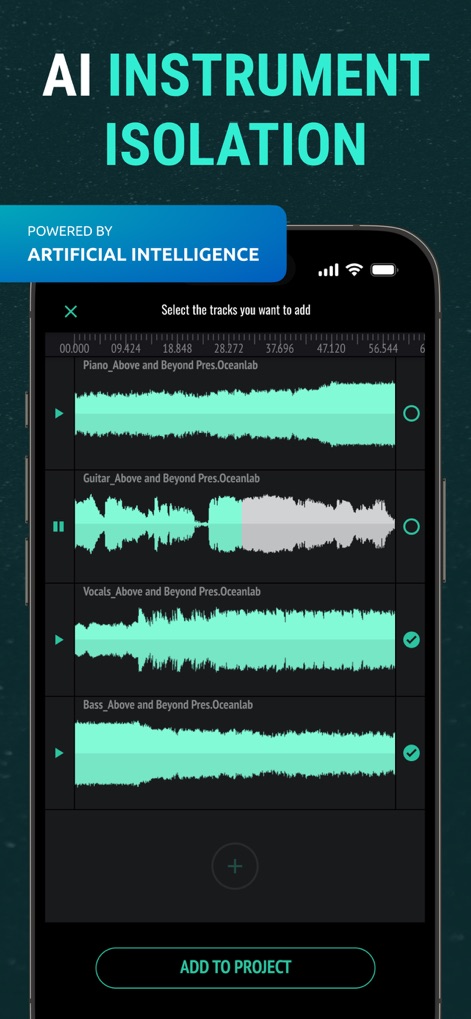
Hier wird die fortschrittliche KI-Instrumententrennung demonstriert, die automatisch einzelne Spuren wie "Vocals" und "Bass" isoliert, unterstützt durch das sichtbare "Powered by Artificial Intelligence"-Banner.
KI-Instrumententrennung
Beschreibung
Download
Ähnliche Apps
Top-gerankte Apps in derselben Kategorie

Spotify: Music and Podcasts
Spotify

YouTube Music
Google LLC

Shazam: Find Music & Concerts
Apple Inc.

SoundCloud: The Music You Love
SoundCloud Global Limited & Co KG

Suno - AI Songs & Music
Suno Inc.

QQ音乐 - 听我想听
Tencent Technology (Shenzhen) Company Limited

Audiomack - Play Music Offline
Audiomack, Inc.

GuitarTuna: Tune & Play Guitar
Yousician Ltd

BandLab – Music Maker & Beats
BandLab Singapore Pte Ltd
Diese Seite ist keine offizielle Seite der App oder ihres Entwicklers, sondern eine unabhängige redaktionelle Veröffentlichung, die zu Informations- und Kommentarzwecken erstellt wurde. Sofern nicht ausdrücklich anders angegeben, sind weder die App noch ihr Entwickler mit MWM, Apple, Google Play, dem App-Herausgeber oder dem Entwickler der App verbunden, von ihnen unterstützt, gesponsert, autorisiert oder anderweitig offiziell verbunden, und nichts auf dieser Seite impliziert, dass die App unter Verwendung der Dienste von MWM entwickelt wurde. Alle Marken, Logos, Screenshots und andere Inhalte bleiben Eigentum ihrer jeweiligen Inhaber.