
Diese Seite ist keine offizielle Seite der App oder ihres Entwicklers, sondern eine unabhängige redaktionelle Veröffentlichung, die zu Informations- und Kommentarzwecken erstellt wurde. Sofern nicht ausdrücklich anders angegeben, sind weder die App noch ihr Entwickler mit MWM, Apple, Google Play, dem App-Herausgeber oder dem Entwickler der App verbunden, von ihnen unterstützt, gesponsert, autorisiert oder anderweitig offiziell verbunden, und nichts auf dieser Seite impliziert, dass die App unter Verwendung der Dienste von MWM entwickelt wurde. Alle Marken, Logos, Screenshots und andere Inhalte bleiben Eigentum ihrer jeweiligen Inhaber.

SoundFonts
Verwandle dein iOS-Gerät in einen leistungsstarken polyphonen Synthesizer. Importiere jede SF2-Datei, schließe deinen MIDI-Controller an und integriere ihn nahtlos in GarageBand, Logic oder AUM.
Downloads
30K+Bewertung
Bewertungen gesamt
200Herausgeber
Kategorie
EntertainmentSprachen
1Neueste Version
2.31.1Größe
194.9 MBErstveröffentlichung
19. Feb. 2019Das ultimative Soundmodul für dein mobiles Studio
Verwandle dein iPad oder iPhone in einen leistungsstarken polyphonen Synthesizer. Importiere Tausende von kostenlosen Sounds und spiele sie mit der präzisen Latenz ab, die du für professionelle Produktionen benötigst.
Unbegrenzte Soundbibliotheken
Importiere jede SF2-Datei direkt aus iCloud. Greife auf Tausende von kostenlosen Vintage- und modernen Instrumenten zu, ohne jemals für teure Erweiterungspakete bezahlen zu müssen.
Pro AUv3-Integration
Führe SoundFonts als Plugin in GarageBand, AUM oder Logic Pro aus. Erstelle komplexe Layer und nimm professionelle Mehrspuraufnahmen in deiner bevorzugten DAW auf.
Die folgenden Screenshots und die Beschreibung stammen direkt aus dem offiziellen Store-Eintrag der App und sind Eigentum des Entwicklers.
App Store
Screenshots
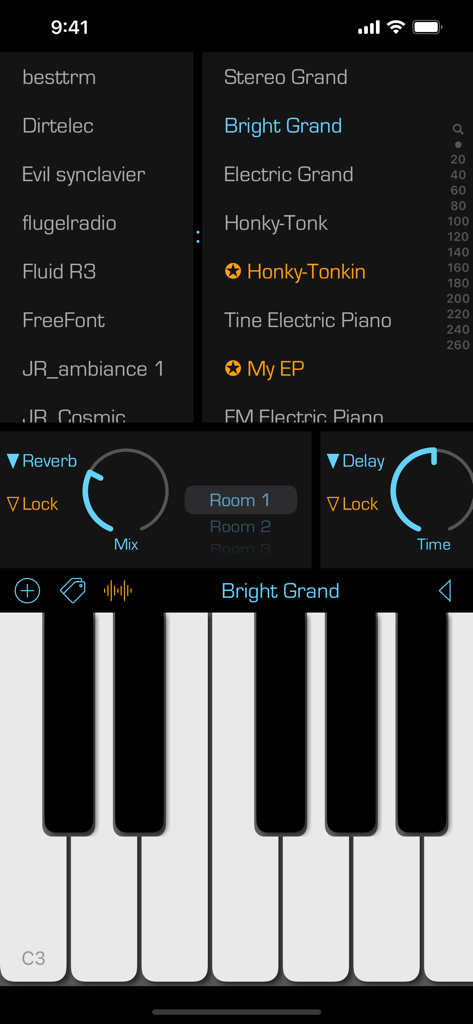
SoundFonts iOS App-Oberfläche mit Piano-Keyboard-Sound-Patches und Audioeffekt-Steuerelementen
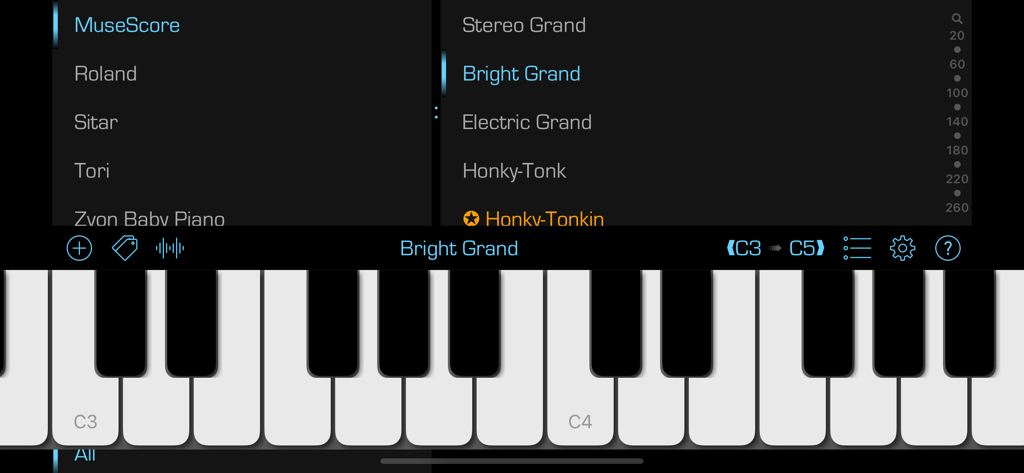
Die SoundFonts App-Oberfläche zeigt ein virtuelles Piano-Keyboard mit Menüs zur Soundauswahl für verschiedene Instrumente und Patches.
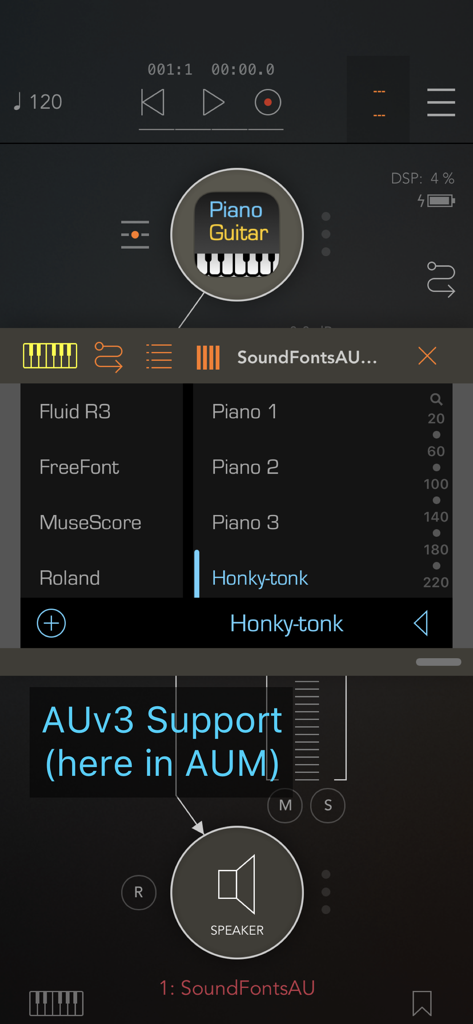
SoundFonts AUv3 Plugin-Oberfläche, ausgeführt in AUM mit ausgewähltem Honky-tonk-Patch
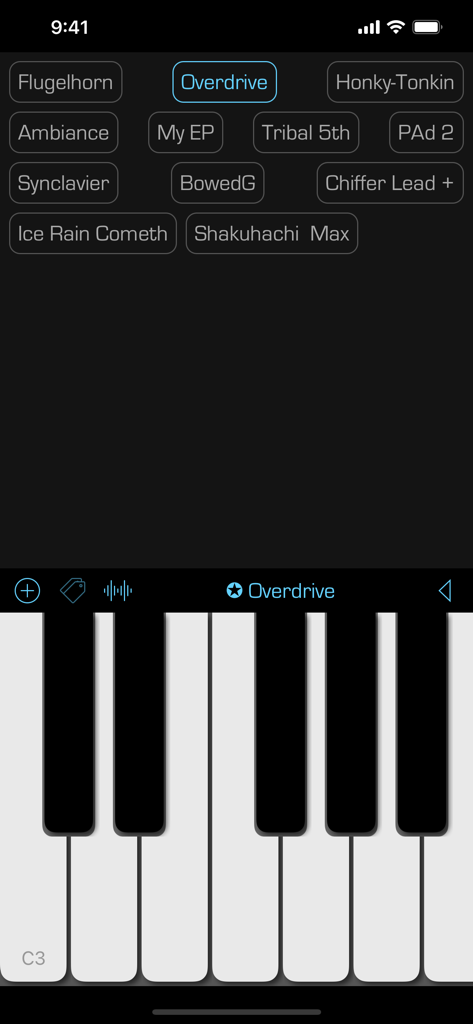
SoundFonts Mobile App-Oberfläche zeigt ein virtuelles Piano-Keyboard und ein Raster von Sound-Presets
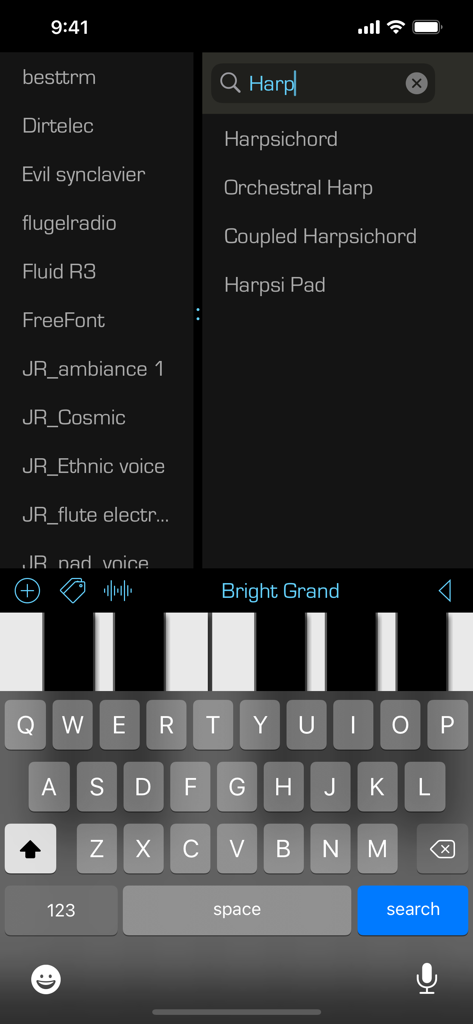
SoundFonts App-Oberfläche zeigt eine Suche nach Harfeninstrumenten-Patches und ein virtuelles Piano-Keyboard
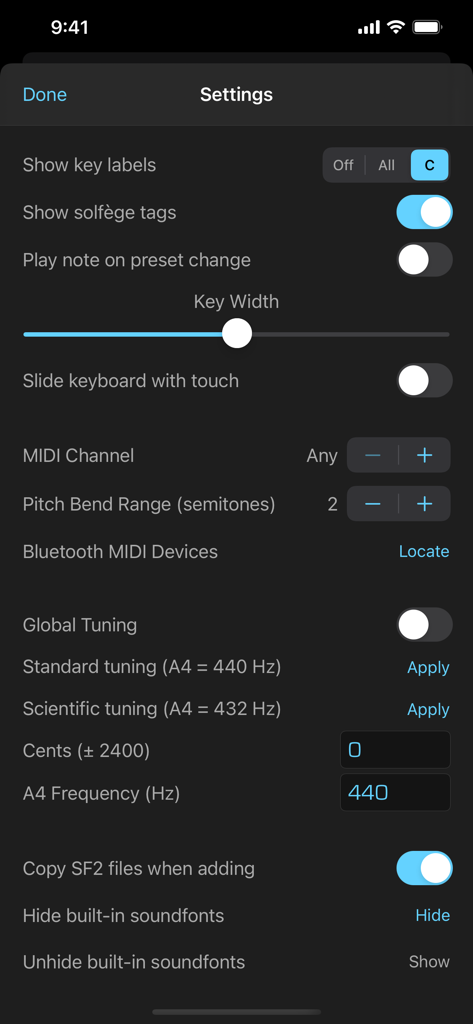
Einstellungsbildschirm der SoundFonts App mit MIDI- und globalen Stimmungskonfigurationsoptionen
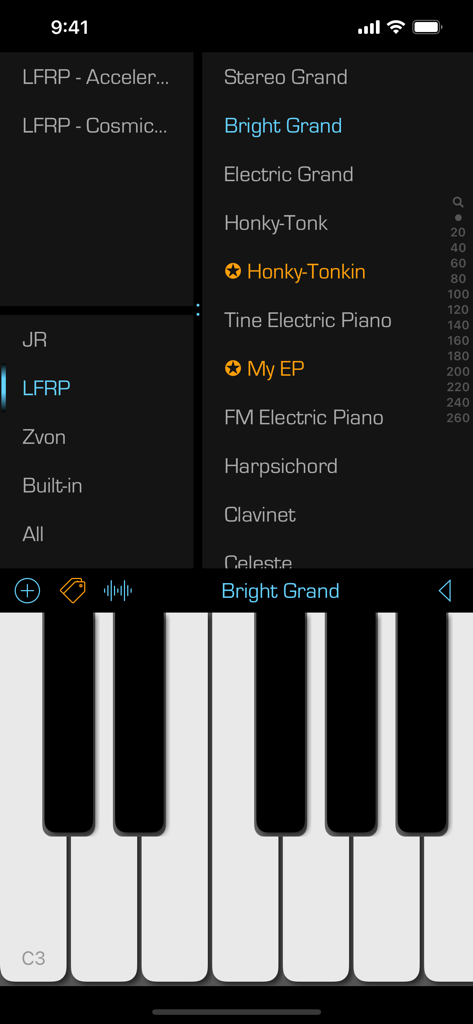
Oberfläche der SoundFonts Mobile App, die eine Liste von Instrumenten-Patches und eine Piano-Tastatur anzeigt
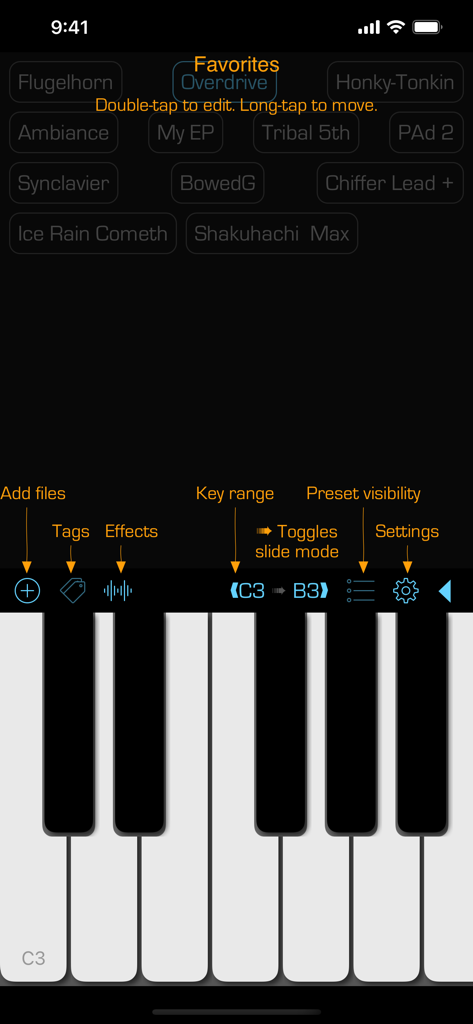
Die Benutzeroberfläche der SoundFonts App zeigt eine Piano-Tastatur und eine Liste von bevorzugten Sound-Presets an.
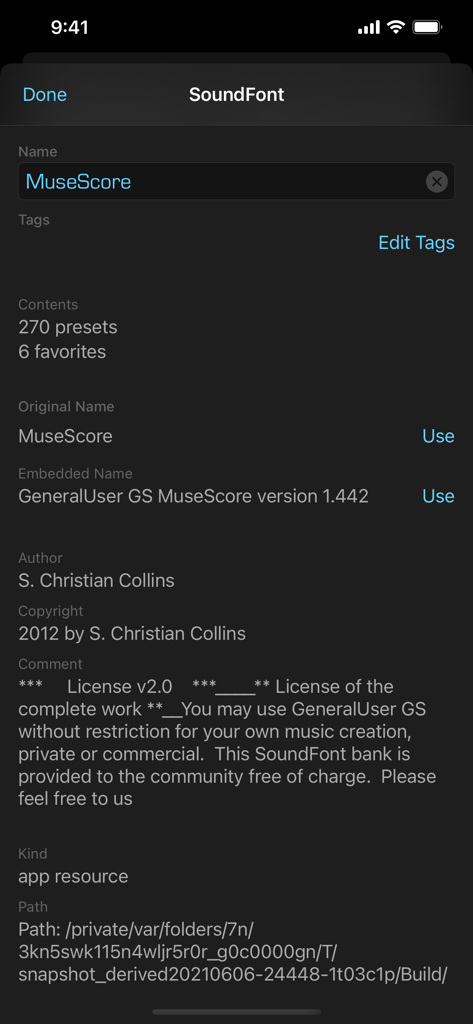
Oberfläche der SoundFonts App, die detaillierte Metadaten und Lizenzinformationen für ein Soundfont namens MuseScore anzeigt.
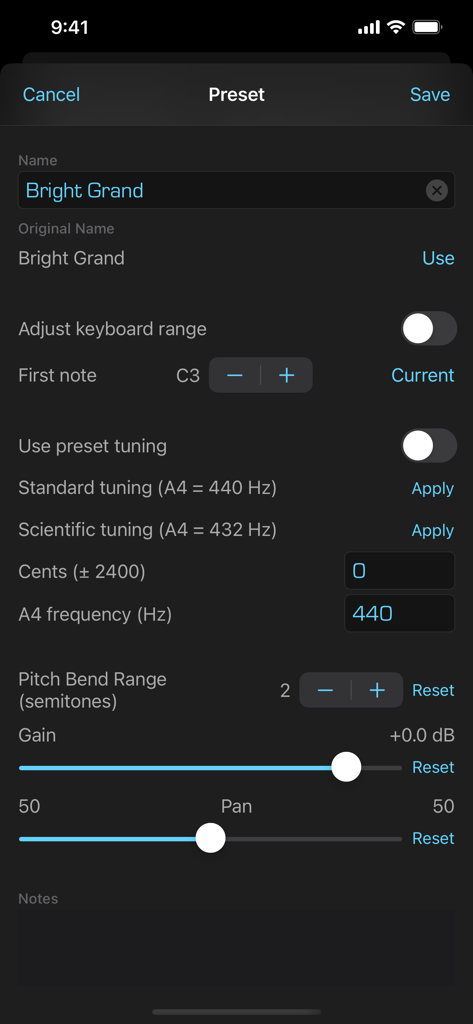
Oberfläche zur Bearbeitung von Soundfont-Presets mit Stimmungs- und Bereichssteuerungen
Beschreibung
Download
Ähnliche Apps
Top-gerankte Apps in derselben Kategorie

TikTok - Videos, Shop & LIVE
TIKTOK PTE. LTD.

Netflix
Netflix, Inc.

Freecash - Get Paid Real Money
256 REWARDS LTD

DramaBox - Stream Drama Shorts
STORYMATRIX PTE. LTD

HBO Max: Stream Movies & TV
WarnerMedia Global Digital Services, LLC

Amazon Prime Video
AMZN Mobile LLC

NetShort - Popular Dramas & TV
NETSTORY PTE. LTD.

ReelShort - Stream Drama & TV
New Leaf Publishing, Inc.

Disney+
Disney Electronic Content, Inc.
Diese Seite ist keine offizielle Seite der App oder ihres Entwicklers, sondern eine unabhängige redaktionelle Veröffentlichung, die zu Informations- und Kommentarzwecken erstellt wurde. Sofern nicht ausdrücklich anders angegeben, sind weder die App noch ihr Entwickler mit MWM, Apple, Google Play, dem App-Herausgeber oder dem Entwickler der App verbunden, von ihnen unterstützt, gesponsert, autorisiert oder anderweitig offiziell verbunden, und nichts auf dieser Seite impliziert, dass die App unter Verwendung der Dienste von MWM entwickelt wurde. Alle Marken, Logos, Screenshots und andere Inhalte bleiben Eigentum ihrer jeweiligen Inhaber.