
Diese Seite ist keine offizielle Seite der App oder ihres Entwicklers, sondern eine unabhängige redaktionelle Veröffentlichung, die zu Informations- und Kommentarzwecken erstellt wurde. Sofern nicht ausdrücklich anders angegeben, sind weder die App noch ihr Entwickler mit MWM, Apple, Google Play, dem App-Herausgeber oder dem Entwickler der App verbunden, von ihnen unterstützt, gesponsert, autorisiert oder anderweitig offiziell verbunden, und nichts auf dieser Seite impliziert, dass die App unter Verwendung der Dienste von MWM entwickelt wurde. Alle Marken, Logos, Screenshots und andere Inhalte bleiben Eigentum ihrer jeweiligen Inhaber.


Speak News - RSS news reader
Verwandeln Sie jeden RSS-Feed, jede Webseite oder Google News-Suche in ein ablenkungsfreies Audioerlebnis. Bleiben Sie informiert beim Pendeln, Sport oder Arbeiten mit Siri-integrierter Sprachausgabe und natürlichen internationalen Stimmen.
Downloads
< 1kBewertung
Bewertungen gesamt
3Herausgeber
Kategorie
NewsSprachen
1Neueste Version
2.26.0Größe
10.5 MBErstveröffentlichung
10. Sept. 2016Mühelose Information, ganz ohne Blickkontakt
Speak News verwandelt Ihre kuratierten RSS-Feeds und Webseiten in einen hochwertigen Audiostream, entwickelt für produktivitätsorientierte Profis und Nutzer, die auf Barrierefreiheit angewiesen sind.
Sprachgesteuerte Produktivität
Behalten Sie die Straße oder Ihre Aufgaben im Blick. Nutzen Sie Siri-Befehle und Kopfhörer-Fernbedienungen, um Ihre Nachrichten während des Pendelns oder Trainings freihändig zu hören.
Algorithmus-freie Kuratierung
Holen Sie sich die Kontrolle über Ihre Medien zurück. Importieren Sie Ihre Feedly-Bibliothek oder OPML-Dateien, um nur die Quellen zu hören, denen Sie vertrauen – völlig frei von Social-Media-Filtern.
Die folgenden Screenshots und die Beschreibung stammen direkt aus dem offiziellen Store-Eintrag der App und sind Eigentum des Entwicklers.
App Store
Screenshots
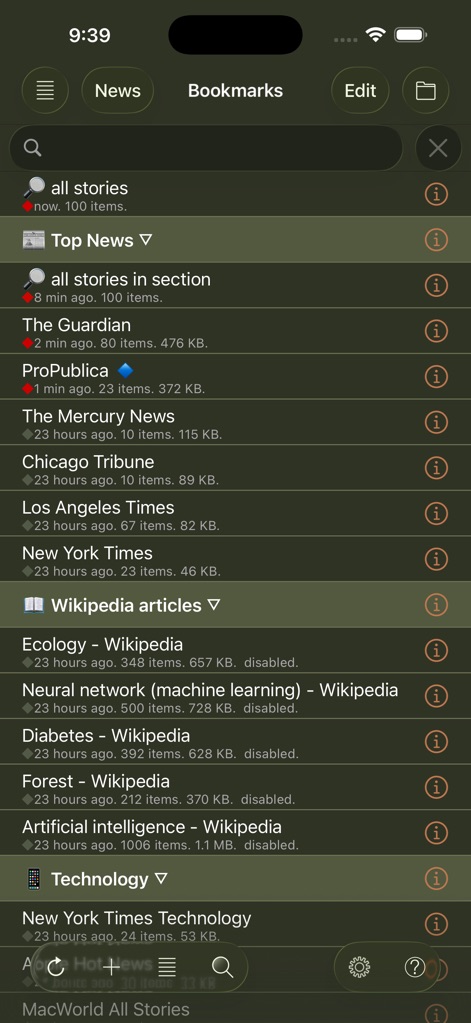
speak-news-rss-bookmarks-list
Eine Liste von Newsfeed-Lesezeichen und Wikipedia-Artikeln in der Benutzeroberfläche der Speak News App.
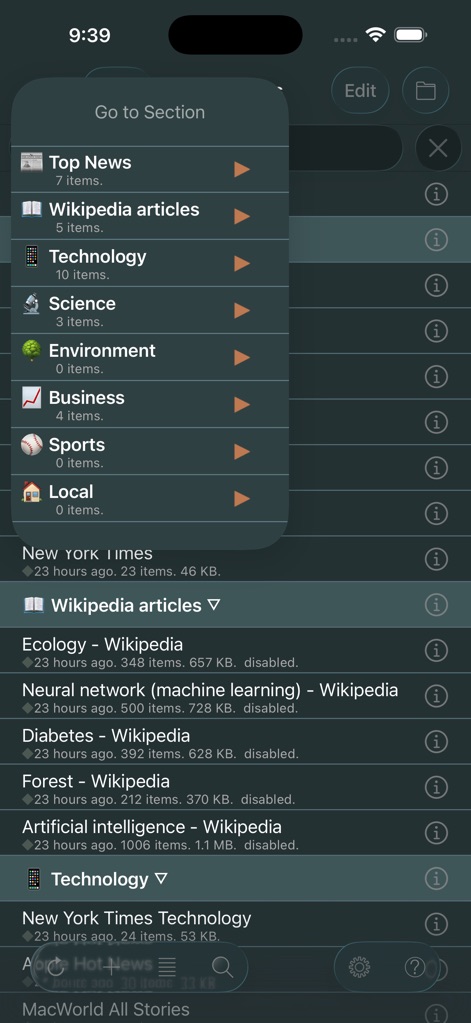
speak-news-rss-navigation-menu
Benutzeroberfläche der Speak News App mit dem Navigationsmenü 'Gehe zu Abschnitt' mit Nachrichtenkategorien wie Top-News und Technologie im Dunkelmodus

speak-news-rss-feed-interface
Benutzeroberfläche der Speak News App mit einer Liste von Schlagzeilen in einem kontrastreichen Dunkelmodus-Design mit Audiowiedergabesteuerung.
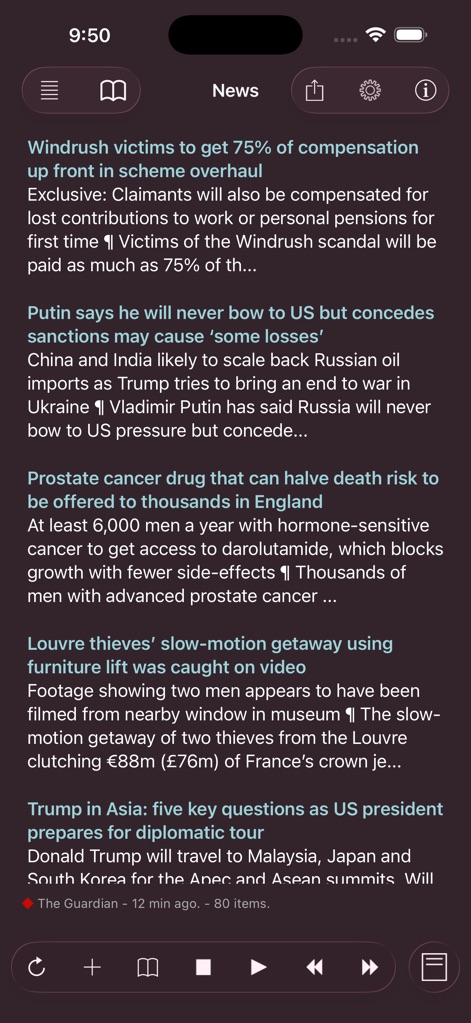
speak-news-rss-reader-feed-dark-mode
Ein Screenshot des Speak News RSS-Readers mit einer Liste von Schlagzeilen in einer Dunkelmodus-Oberfläche mit Wiedergabesteuerung.
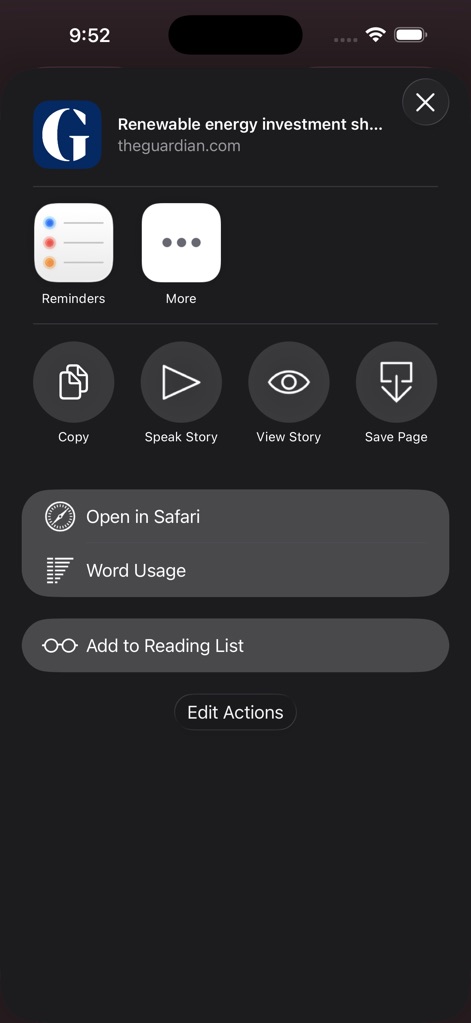
speak-news-share-sheet-actions
Ein Screenshot des Aktionsmenüs der Speak News App auf iOS mit Optionen wie 'Geschichte vorlesen' und 'Wortverwendung' für einen Nachrichtenartikel
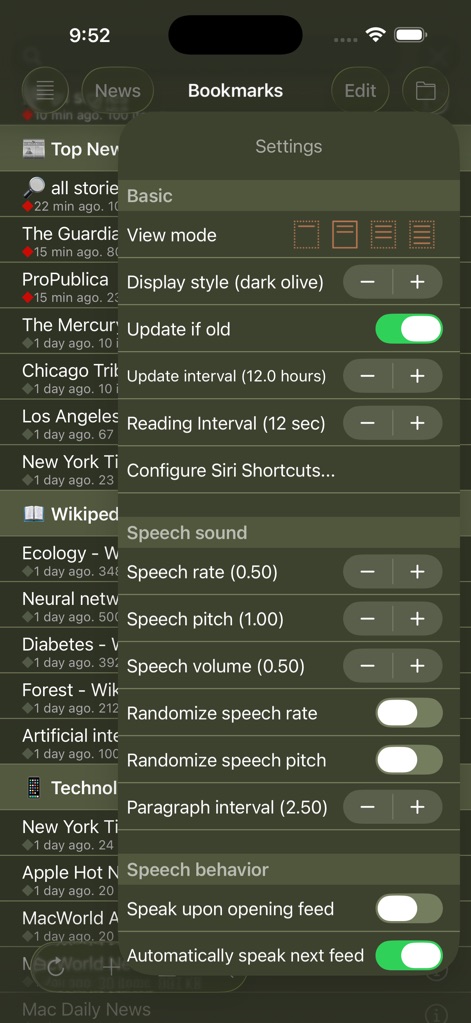
speak-news-settings-menu
Einstellungen der Speak News App mit Optionen für Sprachausgabe und Anzeige
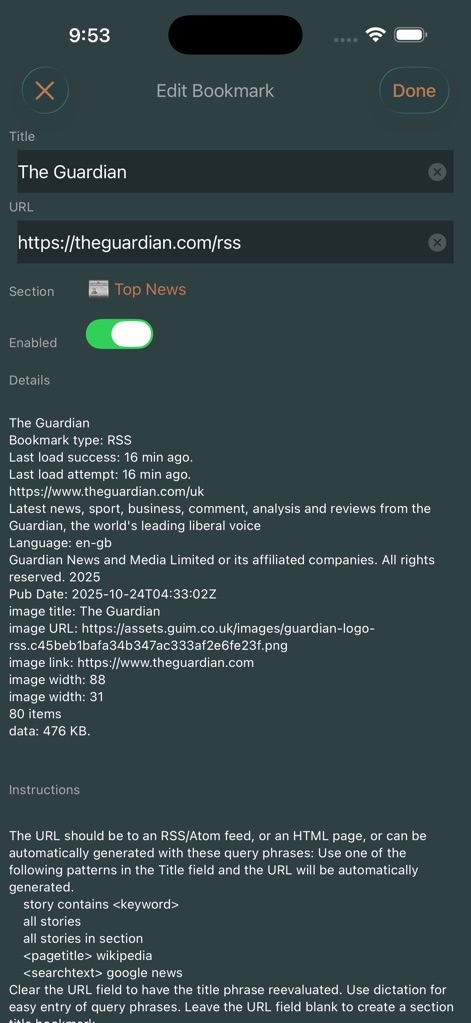
speak-news-edit-bookmark-rss
Bildschirm zum Bearbeiten von Lesezeichen in der Speak News App mit Details zum RSS-Feed und Einstellungen für The Guardian.

speak-news-voice-library
Menü 'Stimmenbibliothek' in Speak News mit internationalen Sprachausgabeoptionen
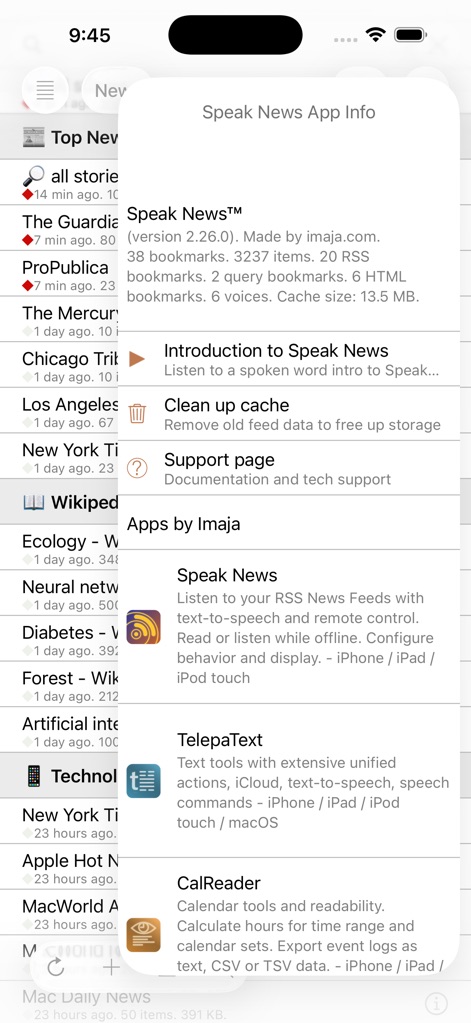
speak-news-app-info
App-Info-Modal für Speak News mit Versionsdetails und Statistiken

speak-news-rss-reader-dark-mode
Benutzeroberfläche der Speak News App mit einem Wikipedia-Artikel über Ökologie in der Dunkelmodus-Textansicht
Beschreibung
Download
Ähnliche Apps
Top-gerankte Apps in derselben Kategorie

X
X Corp.

REDDIT, INC.

Substack
Substack Inc.

NYTimes: US and Global News
The New York Times Company

Nextdoor: Neighborhood Network
Nextdoor.com, Inc.

CrimeRadar Dispatch Audio
Scoopz Inc.

NewsBreak: Local News & Alerts
Particle Media Inc.

Ground News
Snapwise Inc.

Google News
Google LLC
Diese Seite ist keine offizielle Seite der App oder ihres Entwicklers, sondern eine unabhängige redaktionelle Veröffentlichung, die zu Informations- und Kommentarzwecken erstellt wurde. Sofern nicht ausdrücklich anders angegeben, sind weder die App noch ihr Entwickler mit MWM, Apple, Google Play, dem App-Herausgeber oder dem Entwickler der App verbunden, von ihnen unterstützt, gesponsert, autorisiert oder anderweitig offiziell verbunden, und nichts auf dieser Seite impliziert, dass die App unter Verwendung der Dienste von MWM entwickelt wurde. Alle Marken, Logos, Screenshots und andere Inhalte bleiben Eigentum ihrer jeweiligen Inhaber.