
Diese Seite ist keine offizielle Seite der App oder ihres Entwicklers, sondern eine unabhängige redaktionelle Veröffentlichung, die zu Informations- und Kommentarzwecken erstellt wurde. Sofern nicht ausdrücklich anders angegeben, sind weder die App noch ihr Entwickler mit MWM, Apple, Google Play, dem App-Herausgeber oder dem Entwickler der App verbunden, von ihnen unterstützt, gesponsert, autorisiert oder anderweitig offiziell verbunden, und nichts auf dieser Seite impliziert, dass die App unter Verwendung der Dienste von MWM entwickelt wurde. Alle Marken, Logos, Screenshots und andere Inhalte bleiben Eigentum ihrer jeweiligen Inhaber.


Speaker Polarity
Erzielen Sie perfekte akustische Ausrichtung mit branchenführender DSP-Analyse. Überprüfen Sie sofort die Polarität für Heimkinos, Auto-Audioanlagen und professionelle Systeme, um sicherzustellen, dass Ihr Sound niemals außer Phase ist.
Downloads
193K+Bewertung
Bewertungen gesamt
100Herausgeber
Kategorie
MusicSprachen
8Neueste Version
5.1Größe
26.4 MBErstveröffentlichung
14. Okt. 2008Optimieren Sie Ihre Klangbühne
Beseitigen Sie Phasenfehler und schöpfen Sie das volle Potenzial Ihres Audiosystems mit professionellen Polaritätstests aus.
Wissenschaftliche Genauigkeit
Nutzen Sie fortschrittliche DSP-Analyse, um sicherzustellen, dass sich jeder Lautsprecherkonus perfekt synchron bewegt und verlorener Bass und Klarheit wiederhergestellt werden.
Universelle Anwendung
Von DIY-Auto-Audio-Projekten bis hin zu komplexen Heimkinos und professionellen Studios – überprüfen Sie mühelos jeden Verkabelungsterminal.
Die folgenden Screenshots und die Beschreibung stammen direkt aus dem offiziellen Store-Eintrag der App und sind Eigentum des Entwicklers.
App Store
Screenshots
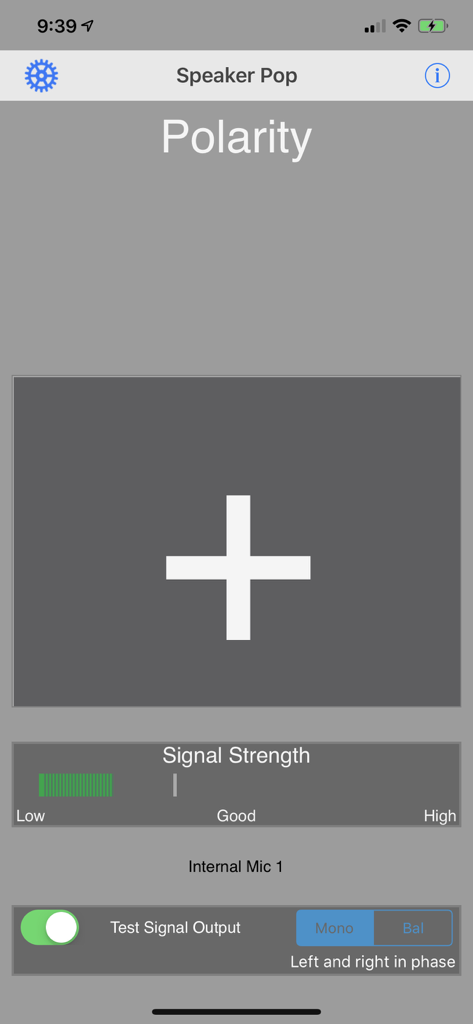
Oberfläche der Lautsprecherpolaritäts-App, die ein großes Pluszeichen anzeigt, das die richtige Lautsprecherphase anzeigt, zusammen mit einem Signalstärkemesser.
Beschreibung
Download
Ähnliche Apps
Top-gerankte Apps in derselben Kategorie

Spotify: Music and Podcasts
Spotify

YouTube Music
Google LLC

Shazam: Find Music & Concerts
Apple Inc.

SoundCloud: The Music You Love
SoundCloud Global Limited & Co KG

Suno - AI Songs & Music
Suno Inc.

QQ音乐 - 听我想听
Tencent Technology (Shenzhen) Company Limited

Audiomack - Play Music Offline
Audiomack, Inc.

GuitarTuna: Tune & Play Guitar
Yousician Ltd

BandLab – Music Maker & Beats
BandLab Singapore Pte Ltd
Diese Seite ist keine offizielle Seite der App oder ihres Entwicklers, sondern eine unabhängige redaktionelle Veröffentlichung, die zu Informations- und Kommentarzwecken erstellt wurde. Sofern nicht ausdrücklich anders angegeben, sind weder die App noch ihr Entwickler mit MWM, Apple, Google Play, dem App-Herausgeber oder dem Entwickler der App verbunden, von ihnen unterstützt, gesponsert, autorisiert oder anderweitig offiziell verbunden, und nichts auf dieser Seite impliziert, dass die App unter Verwendung der Dienste von MWM entwickelt wurde. Alle Marken, Logos, Screenshots und andere Inhalte bleiben Eigentum ihrer jeweiligen Inhaber.