Speech Assistant AAC
Herunterladen auf App Store

Diese Seite ist keine offizielle Seite der App oder ihres Entwicklers, sondern eine unabhängige redaktionelle Veröffentlichung, die zu Informations- und Kommentarzwecken erstellt wurde. Sofern nicht ausdrücklich anders angegeben, sind weder die App noch ihr Entwickler mit MWM, Apple, Google Play, dem App-Herausgeber oder dem Entwickler der App verbunden, von ihnen unterstützt, gesponsert, autorisiert oder anderweitig offiziell verbunden, und nichts auf dieser Seite impliziert, dass die App unter Verwendung der Dienste von MWM entwickelt wurde. Alle Marken, Logos, Screenshots und andere Inhalte bleiben Eigentum ihrer jeweiligen Inhaber.

Logo von Speech Assistant AAC
Herunterladen auf App Store

Speech Assistant AAC

Das intuitivste, anpassbarste und erschwinglichste Kommunikationstool für Aphasie, ALS und Autismus. Stärken Sie sich mit ultrarealistischen KI-Stimmen und einer einfachen Einmalzahlung.

Kennzahlen

Downloads

166K+

Bewertung

4.6/5

Bewertungen gesamt

200

Herausgeber

Ton Schalke

Kategorie

Medical

Sprachen

7

Neueste Version

5.8.4

Größe

139.5 MB

Erstveröffentlichung

3. Sept. 2016
Funktionen

Fordern Sie Ihre Stimme selbstbewusst zurück

Ein leistungsstarkes, intuitives Text-to-Speech-Tool, das Unabhängigkeit für Menschen mit Sprachbeeinträchtigungen bietet – ohne die Last monatlicher Abonnements.

Natürliche, lebensechte KI-Stimmen

Kommunizieren Sie mit hochwertigen KI-Stimmen von ElevenLabs oder Apples Personal Voice, damit Sie wie Sie selbst klingen und nicht wie ein Computer.

Mühelose Konversation mit nur einem Tippen

Organisieren Sie Ihre Sätze in benutzerdefinierten Kategorien mit Fotos und Symbolen für den sofortigen Zugriff bei Arztbesuchen, sozialen Anlässen oder Telefonaten.

Die folgenden Screenshots und die Beschreibung stammen direkt aus dem offiziellen Store-Eintrag der App und sind Eigentum des Entwicklers.

App Store

Screenshots
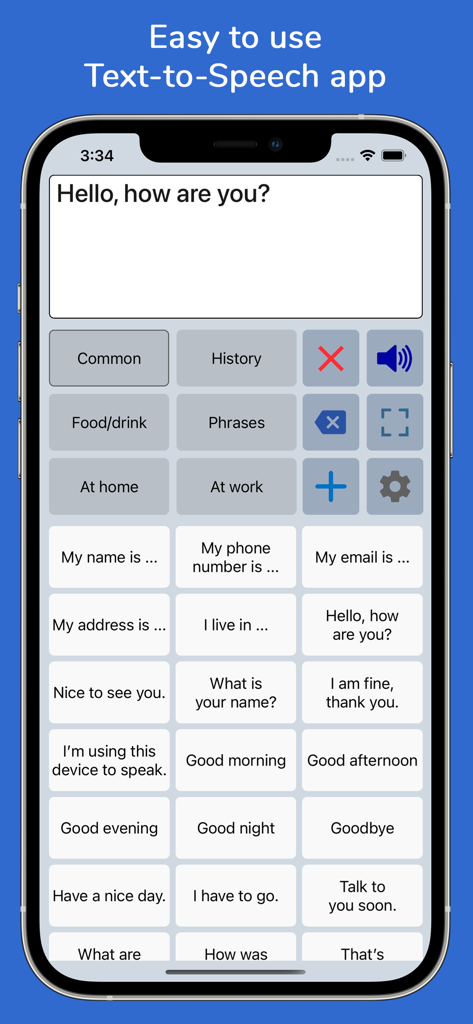
Speech Assistant AAC - Benutzeroberfläche der Speech Assistant AAC App mit kategorisierten Kommunikationstasten auf einem iPhone
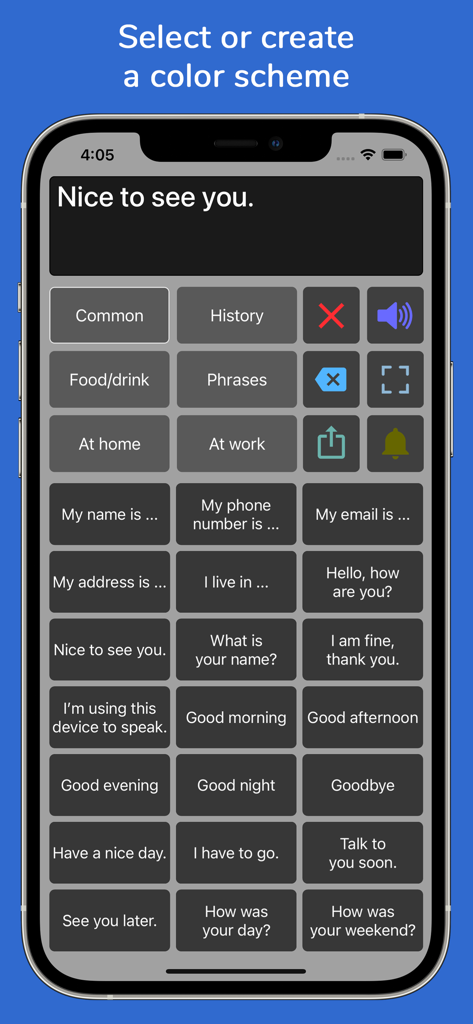
Benutzeroberfläche der Speech Assistant AAC App mit kategorisierten Kommunikationstasten auf einem iPhone

Speech Assistant AAC - Benutzeroberfläche der Speech Assistant AAC App mit dunkelgrauem Farbschema und kategorisierten Satz-Schaltflächen zur Sprachunterstützung.
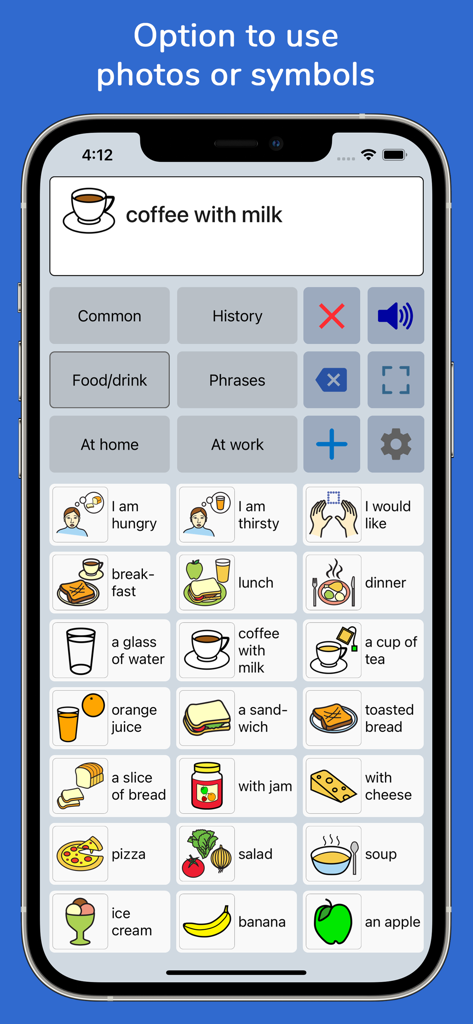
Benutzeroberfläche der Speech Assistant AAC App mit dunkelgrauem Farbschema und kategorisierten Satz-Schaltflächen zur Sprachunterstützung.

Speech Assistant AAC - Benutzeroberfläche von Speech Assistant AAC mit einem Raster von Kommunikationssymbolen für verschiedene Speisen und Getränke auf einem iPhone
Benutzeroberfläche von Speech Assistant AAC mit einem Raster von Kommunikationssymbolen für verschiedene Speisen und Getränke auf einem iPhone

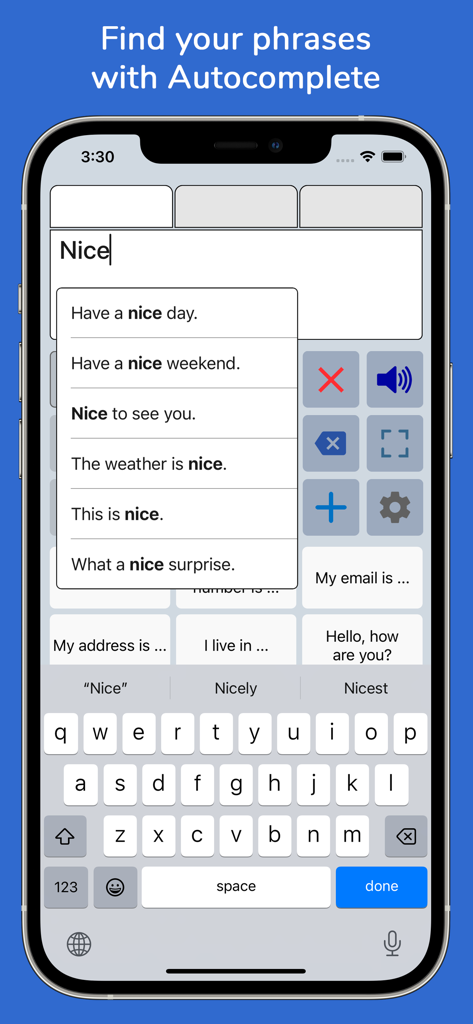
Speech Assistant AAC - Smartphone-Bildschirm von Speech Assistant AAC mit der Autovervollständigungsfunktion für Satzvorschläge
Smartphone-Bildschirm von Speech Assistant AAC mit der Autovervollständigungsfunktion für Satzvorschläge

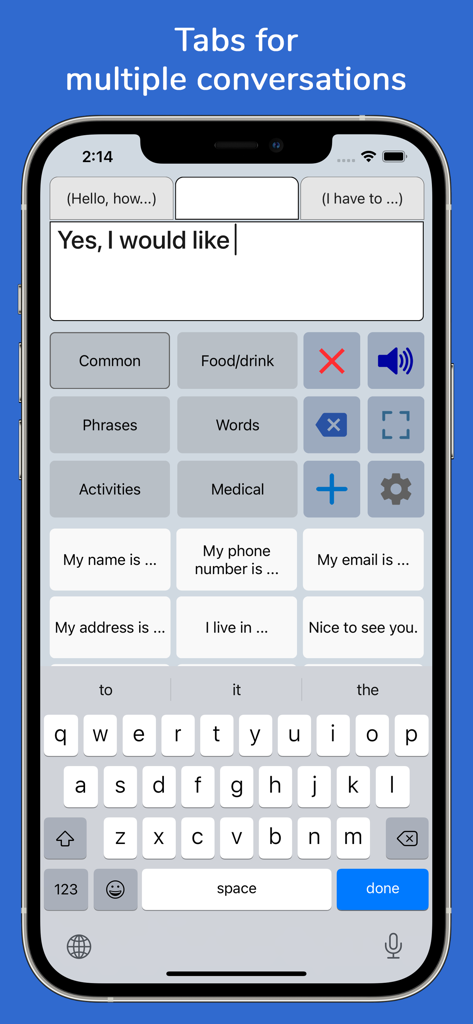
Speech Assistant AAC - Benutzeroberfläche der Speech Assistant AAC App auf einem iPhone mit mehreren Konversations-Tabs und Satz-Schaltflächen
Benutzeroberfläche der Speech Assistant AAC App auf einem iPhone mit mehreren Konversations-Tabs und Satz-Schaltflächen

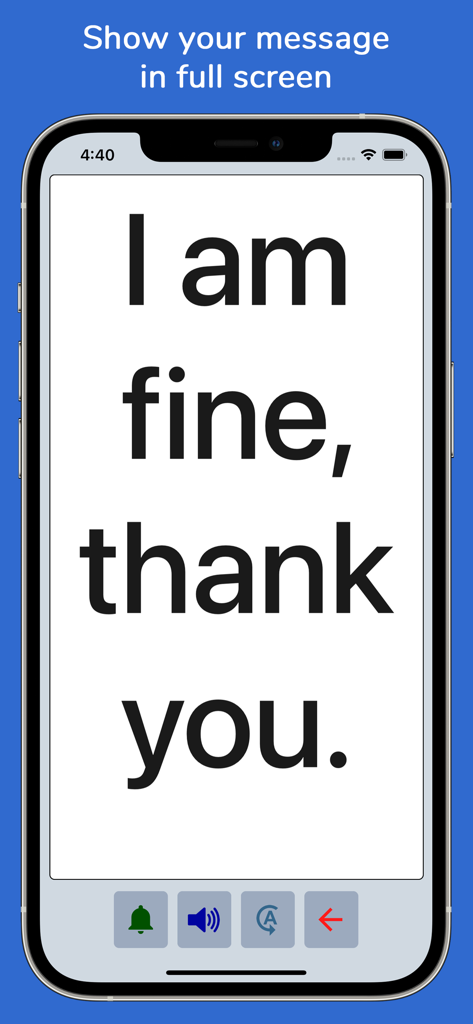
Speech Assistant AAC - Speech Assistant AAC App, die eine Nachricht in großer Schrift auf einem iPhone-Bildschirm für eine klare Kommunikation anzeigt.
Speech Assistant AAC App, die eine Nachricht in großer Schrift auf einem iPhone-Bildschirm für eine klare Kommunikation anzeigt.

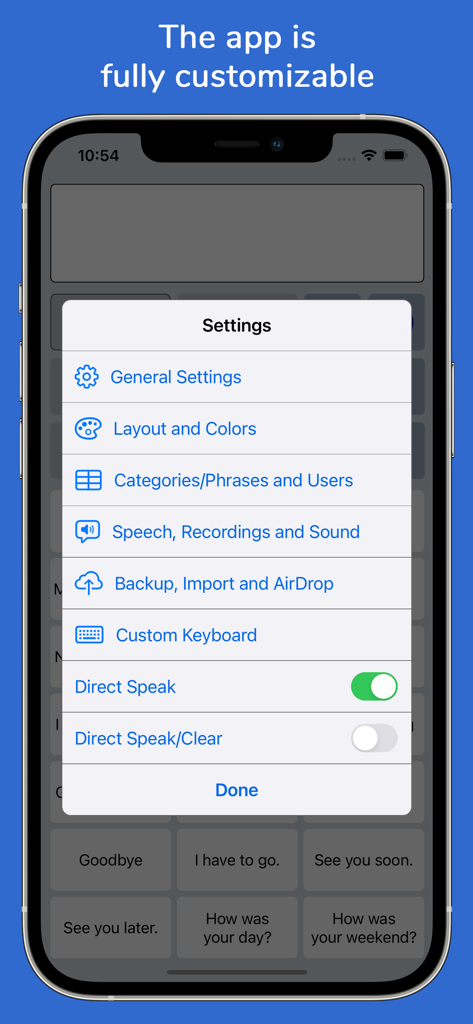
Speech Assistant AAC - Einstellungsmenü der Speech Assistant AAC App auf einem iPhone mit verschiedenen Anpassungsoptionen.
Einstellungsmenü der Speech Assistant AAC App auf einem iPhone mit verschiedenen Anpassungsoptionen.

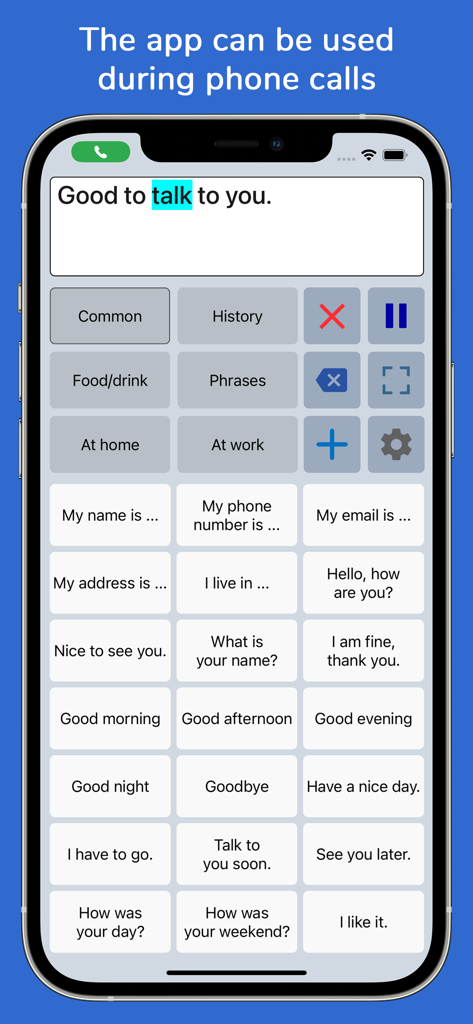
Speech Assistant AAC - Benutzeroberfläche der Speech Assistant AAC App mit Satz-Schaltflächen und einem Textfeld, das während eines Telefonats verwendet wird.
Benutzeroberfläche der Speech Assistant AAC App mit Satz-Schaltflächen und einem Textfeld, das während eines Telefonats verwendet wird.

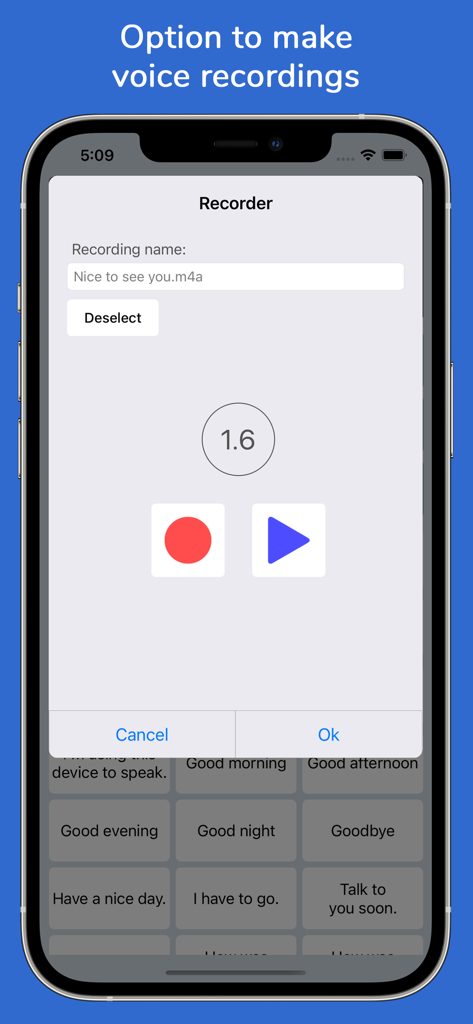
Speech Assistant AAC - iPhone-Oberfläche der Speech Assistant AAC App mit dem Sprachaufzeichnungstool für benutzerdefinierte Sätze.
iPhone-Oberfläche der Speech Assistant AAC App mit dem Sprachaufzeichnungstool für benutzerdefinierte Sätze.

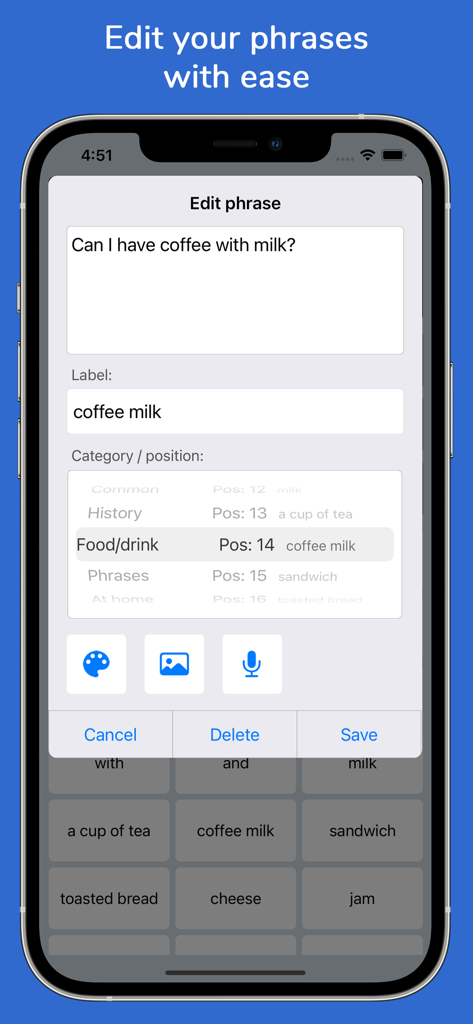
Speech Assistant AAC - Benutzeroberfläche, die den Bildschirm zum Bearbeiten von Sätzen in der Speech Assistant AAC App zeigt

Benutzeroberfläche, die den Bildschirm zum Bearbeiten von Sätzen in der Speech Assistant AAC App zeigt

Beschreibung

Speech Assistant AAC is a text-to-speech app designed for people who are speech impaired, for example due to Aphasia, MND/ALS, Autism, Stroke, Cerebral Palsy or other speech problems. With the app you can create categories and save phrases on buttons for quick access and easy communication. You can also type messages using the iOS keyboard. The app is affordable with a one-time payment and no subscription. Key features • Easy to use and fully customizable to your needs and preferences. • Categories and subcategories to organize your phrases. • History feature to quickly access previously entered phrases. • Option to add symbols, emoji or photos to the buttons. • Full screen mode to display your messages in large font. • Autocomplete feature to display phrase suggestions in a drop-down list. • Tabs for multiple conversations. • Designed for iPhone and iPad, supports both portrait and landscape orientation. • Supports Apple Watch. • Backup to iCloud, Mail or AirDrop. Voices • You can choose a voice from any of the iOS system voices. • Supports ElevenLabs voices, giving you the option to use highly realistic AI professional voice clones. • Supports Apple's Personal Voice. • Option to create voice recordings for the buttons and to import voice recordings. Phone calls • The app can also be used while making Phone and FaceTime calls. • This works with iOS system voices and with iOS 18 also with ElevenLabs voices and regular recordings (app setting). Categories and phrases • Add, change or delete your own (sub)categories and phrases. • You can create an unlimited number of categories to organize your phrases for quick access. • Create user profiles with their own categories, phrases and settings for multi-language support or different individuals. • Easily edit category and phrase buttons with a long press. • With Backup to iCloud or AirDrop you can transfer your categories and phrases to another iPhone/iPad. Fully Customizable • The size of the buttons, the textbox and the text can be adjusted. • The app has various color schemes and you can also create a personal color scheme. • You can change the order of the buttons with drag and drop. Full screen • Show your message full screen with a very large font. • Useful for communicating in a noisy environment. • You can rotate the text to show your message to the person opposite of you. Speech • The rate and pitch of the speech can be adjusted. • Option to speak each Word or Character directly while typing. • Optional highlighting of the spoken words. • Pause and resume speaking by tapping the speak button (optional setting). Apple Watch • The Watch app can especially be useful for communicating short messages. • On the go, you don't have to pick up your phone and can quicky communicate with the app on your wrist. Other features • Button to share your message to mail, text and social media. • Connect a bluetooth keyboard and create shortcuts for actions. • A custom keyboard can be enabled in the settings with customizable size, color and layout. • Abbreviations expansion to reduce keystrokes. • Attention sound button on Main and Full screen. • Option to select symbols from the set of 3400 Mulberry Symbols (mulberrysymbols.org). About the app • This app is developed by ASoft. • The app does not collect any data, so all your conversations stay private. • One-time payment, there is no subscription fee. • The app has won an innovation award: The Vodafone Mobiles For Good Challenge. • The app does not require an internet connection. • For feedback or questions, please contact: speechassistant@asoft.nl. • On www.asoft.nl you can find more information such as a user manual.

Download

Herunterladen auf App Store

Diese Seite ist keine offizielle Seite der App oder ihres Entwicklers, sondern eine unabhängige redaktionelle Veröffentlichung, die zu Informations- und Kommentarzwecken erstellt wurde. Sofern nicht ausdrücklich anders angegeben, sind weder die App noch ihr Entwickler mit MWM, Apple, Google Play, dem App-Herausgeber oder dem Entwickler der App verbunden, von ihnen unterstützt, gesponsert, autorisiert oder anderweitig offiziell verbunden, und nichts auf dieser Seite impliziert, dass die App unter Verwendung der Dienste von MWM entwickelt wurde. Alle Marken, Logos, Screenshots und andere Inhalte bleiben Eigentum ihrer jeweiligen Inhaber.