
Diese Seite ist keine offizielle Seite der App oder ihres Entwicklers, sondern eine unabhängige redaktionelle Veröffentlichung, die zu Informations- und Kommentarzwecken erstellt wurde. Sofern nicht ausdrücklich anders angegeben, sind weder die App noch ihr Entwickler mit MWM, Apple, Google Play, dem App-Herausgeber oder dem Entwickler der App verbunden, von ihnen unterstützt, gesponsert, autorisiert oder anderweitig offiziell verbunden, und nichts auf dieser Seite impliziert, dass die App unter Verwendung der Dienste von MWM entwickelt wurde. Alle Marken, Logos, Screenshots und andere Inhalte bleiben Eigentum ihrer jeweiligen Inhaber.


Split Screen & Dual Browser
Stoppen Sie das ständige Wechseln von Tabs. Entfesseln Sie das volle Potenzial Ihres Geräts, indem Sie zwei Websites nebeneinander durchsuchen, recherchieren und streamen, mit professioneller Effizienz.
Downloads
1K+Bewertung
Bewertungen gesamt
0Herausgeber
Kategorie
UtilitiesSprachen
1Neueste Version
1.0Größe
5.6 MBErstveröffentlichung
29. Okt. 2025Meistern Sie Ihr mobiles Multitasking
Verschwenden Sie keine Zeit mehr mit dem Wechseln zwischen Tabs. Entfesseln Sie das volle Potenzial Ihres iPhones oder iPads, indem Sie zwei aktive Browserfenster nebeneinander ausführen, für ein Produktivitäts-Erlebnis im Desktop-Stil.
Parallele Browsing-Effizienz
Recherchieren, lernen oder einkaufen Sie gleichzeitig auf zwei verschiedenen Websites. Eliminieren Sie die kognitive Belastung durch den App-Wechsel und halten Sie Ihren Workflow flüssig.
Präzise Workspace-Kontrolle
Passen Sie Ihre Ansicht mit größenverstellbaren Dual-Fenstern an. Ziehen Sie den mittleren Trenner, um sich auf das Wesentliche zu konzentrieren, sei es ein Video-Tutorial oder ein komplexes Datenblatt.
Die folgenden Screenshots und die Beschreibung stammen direkt aus dem offiziellen Store-Eintrag der App und sind Eigentum des Entwicklers.
App Store
Screenshots
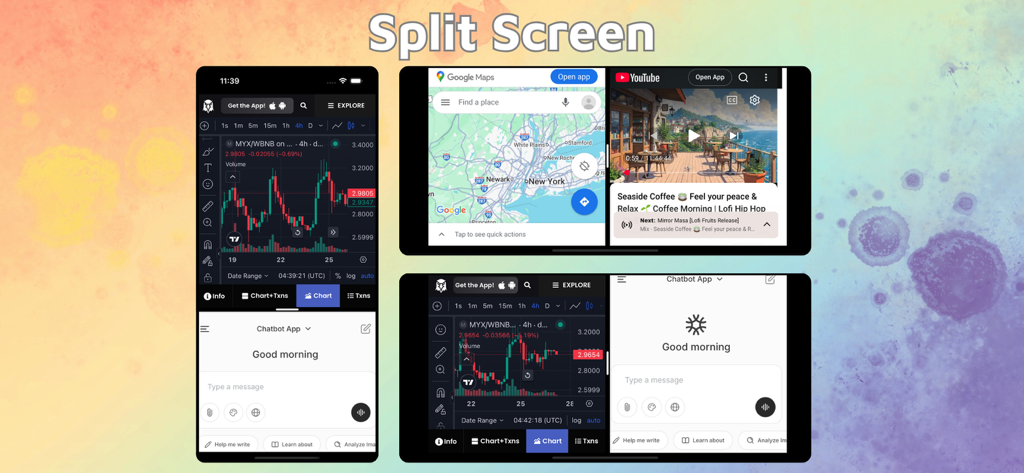
Split-Screen-Oberfläche, die Dual-Browser-Fenster für Multitasking auf iPhone und iPad anzeigt.
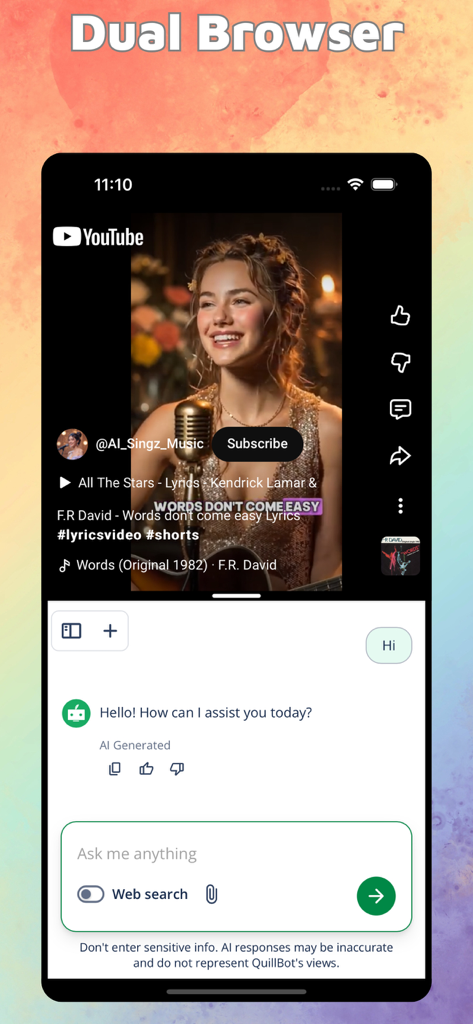
iPhone-Bildschirm im Split-Screen-Modus, der gleichzeitig ein YouTube-Video und eine KI-Chat-Oberfläche anzeigt
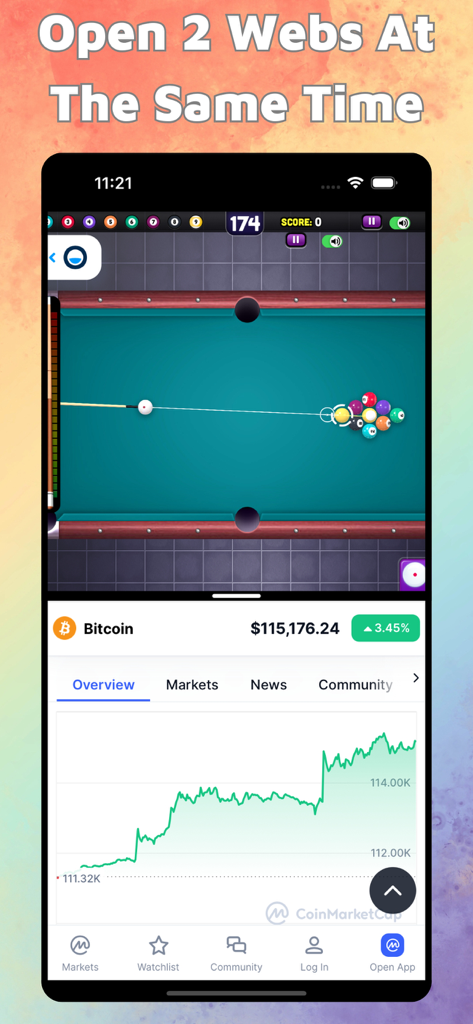
iPhone Split-Screen-Oberfläche, die gleichzeitig ein Poolspiel und eine Bitcoin-Preisdiagramm anzeigt
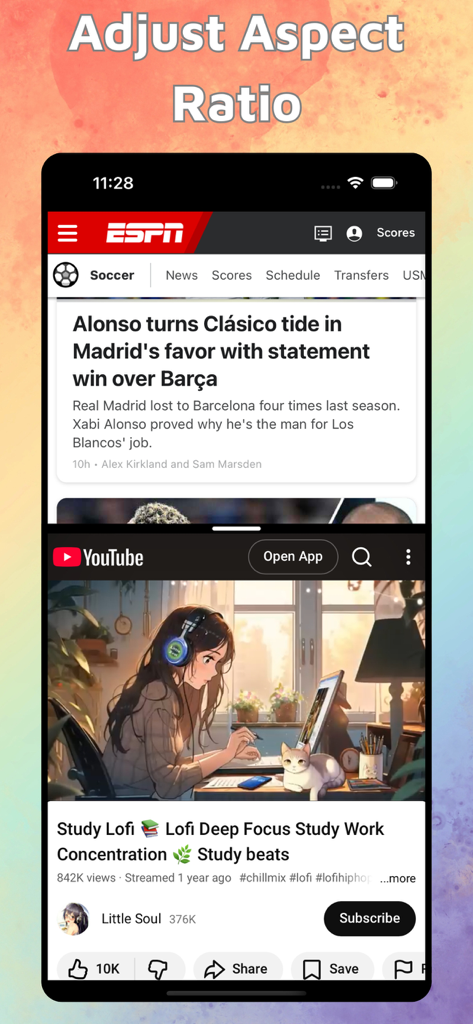
iPhone Split-Screen, das gleichzeitig ESPN-Nachrichten und ein YouTube-Lofi-Studienvideo anzeigt
Beschreibung
Download
Ähnliche Apps
Top-gerankte Apps in derselben Kategorie

Google LLC

Google Chrome
Google LLC

中国移动(手机营业厅)
China Mobile Online Services Co., Ltd.

Google Authenticator
Google LLC

CNH do Brasil
Servicos e Informacoes do Brasil

Cleanup: Phone Storage Cleaner
DEEP FLOW SOFTWARE SERVICES - FZCO

gov.br
Servicos e Informacoes do Brasil

中国电信-全国统一官方服务平台
CHINA TELECOM Corporation Ltd.

Microsoft Edge: AI Browser
Microsoft Corporation
Diese Seite ist keine offizielle Seite der App oder ihres Entwicklers, sondern eine unabhängige redaktionelle Veröffentlichung, die zu Informations- und Kommentarzwecken erstellt wurde. Sofern nicht ausdrücklich anders angegeben, sind weder die App noch ihr Entwickler mit MWM, Apple, Google Play, dem App-Herausgeber oder dem Entwickler der App verbunden, von ihnen unterstützt, gesponsert, autorisiert oder anderweitig offiziell verbunden, und nichts auf dieser Seite impliziert, dass die App unter Verwendung der Dienste von MWM entwickelt wurde. Alle Marken, Logos, Screenshots und andere Inhalte bleiben Eigentum ihrer jeweiligen Inhaber.