Split Screen - Multitasking
Herunterladen auf App Store

Diese Seite ist keine offizielle Seite der App oder ihres Entwicklers, sondern eine unabhängige redaktionelle Veröffentlichung, die zu Informations- und Kommentarzwecken erstellt wurde. Sofern nicht ausdrücklich anders angegeben, sind weder die App noch ihr Entwickler mit MWM, Apple, Google Play, dem App-Herausgeber oder dem Entwickler der App verbunden, von ihnen unterstützt, gesponsert, autorisiert oder anderweitig offiziell verbunden, und nichts auf dieser Seite impliziert, dass die App unter Verwendung der Dienste von MWM entwickelt wurde. Alle Marken, Logos, Screenshots und andere Inhalte bleiben Eigentum ihrer jeweiligen Inhaber.

Logo von Split Screen - Multitasking
Herunterladen auf App Store

Split Screen - Multitasking

Höre auf, Tabs zu wechseln, und fange an, mehr zu erledigen. Schaue Videos, während du durch soziale Medien scrollst, oder vergleiche Produkte beim Einkaufen – alles auf dem geteilten Bildschirm deines iPhones.

Kennzahlen

Downloads

10K+

Bewertung

4.2/5

Bewertungen gesamt

0

Herausgeber

Supagarn Pattananuchart

Kategorie

Utilities

Sprachen

1

Neueste Version

1.8

Größe

5.8 MB

Erstveröffentlichung

21. Apr. 2021
Funktionen

Mehr erledigen, weniger wechseln

Befreie dich von den iOS-Beschränkungen. Unsere Dual-Fenster-Oberfläche ermöglicht es dir, Apps und Web-Tabs gleichzeitig zu jonglieren, damit du dich nie zwischen Unterhaltung und Effizienz entscheiden musst.

Gleichzeitig schauen & surfen

Streame deine Lieblings-Creator, während du deinen Feed durchscrollst oder nach Informationen suchst. Kein Anhalten des Spaßes mehr, um etwas nachzuschauen.

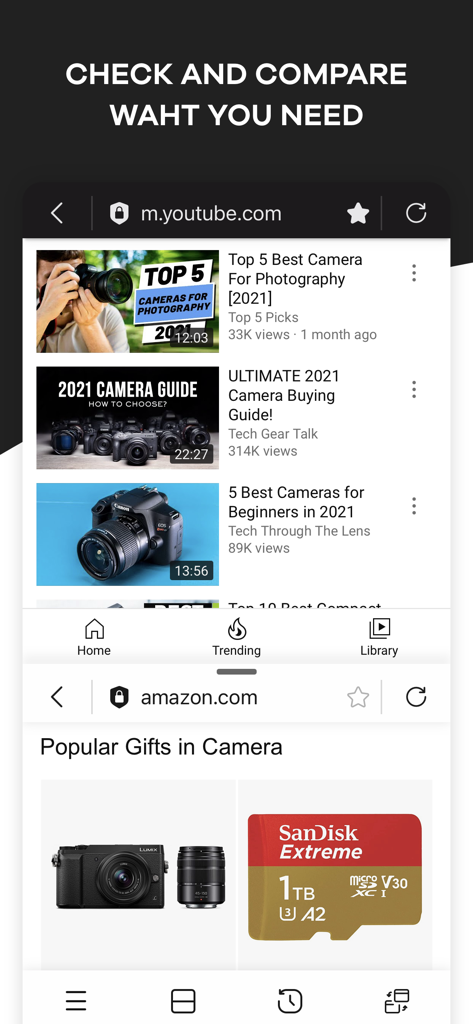
Preisvergleich meistern

Öffne Bewertungen in einem Fenster und den Preis-Check im anderen. Treffe schnell intelligentere Kaufentscheidungen, ohne zwischen Tabs zu wechseln.

Die folgenden Screenshots und die Beschreibung stammen direkt aus dem offiziellen Store-Eintrag der App und sind Eigentum des Entwicklers.

App Store

Screenshots
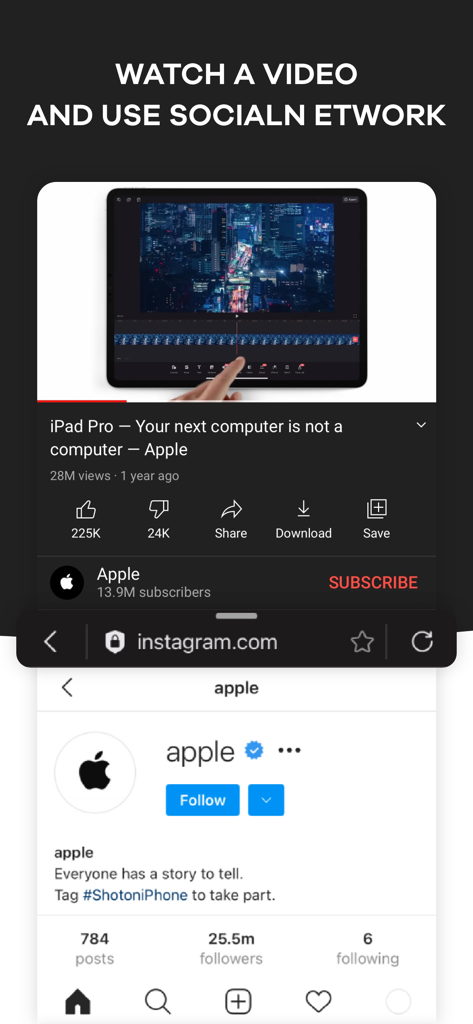
Split Screen - Multitasking - Split-Screen-Oberfläche, die ein YouTube-Video oben und ein Instagram-Profil unten anzeigt
Split-Screen-Oberfläche, die ein YouTube-Video oben und ein Instagram-Profil unten anzeigt

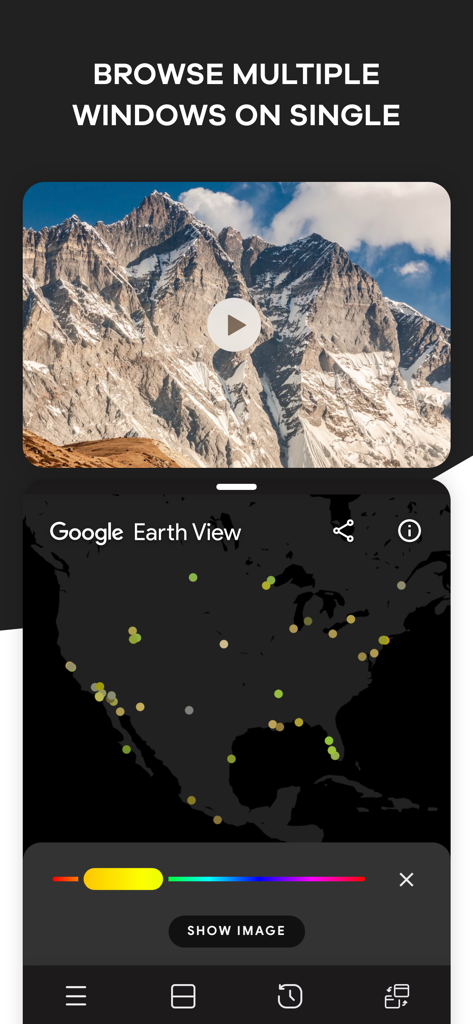
Split Screen - Multitasking - iPhone-App-Oberfläche, die Split-Screen-Multitasking mit einem Naturvideo und einer Google Earth-Karte zeigt
iPhone-App-Oberfläche, die Split-Screen-Multitasking mit einem Naturvideo und einer Google Earth-Karte zeigt

Split Screen - Multitasking - Eine mobile Oberfläche, die einen Split-Screen mit YouTube-Videos oben und Amazon-Produkten unten für Preisvergleiche zeigt.
Eine mobile Oberfläche, die einen Split-Screen mit YouTube-Videos oben und Amazon-Produkten unten für Preisvergleiche zeigt.

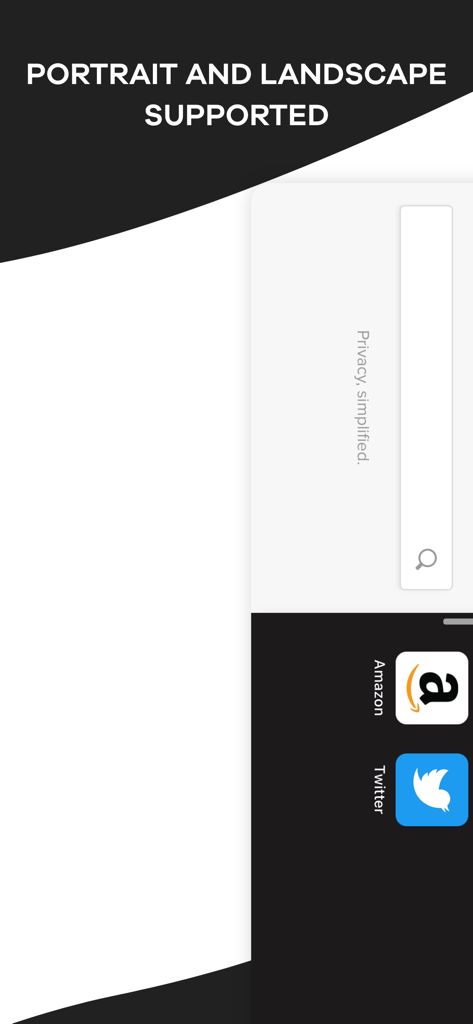
Split Screen - Multitasking - Split-Screen-Multitasking-App-Oberfläche, die Hoch- und Querformatunterstützung mit Amazon- und Twitter-Symbolen zeigt
Split-Screen-Multitasking-App-Oberfläche, die Hoch- und Querformatunterstützung mit Amazon- und Twitter-Symbolen zeigt

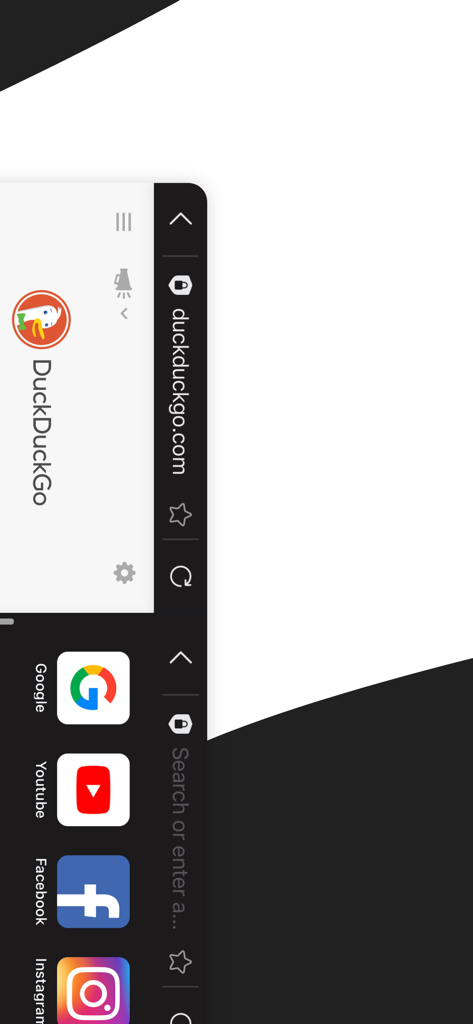
Split Screen - Multitasking - Eine mobile Oberfläche, die einen Split-Screen mit DuckDuckGo-Suche und Social-Media-Verknüpfungen zeigt
Eine mobile Oberfläche, die einen Split-Screen mit DuckDuckGo-Suche und Social-Media-Verknüpfungen zeigt

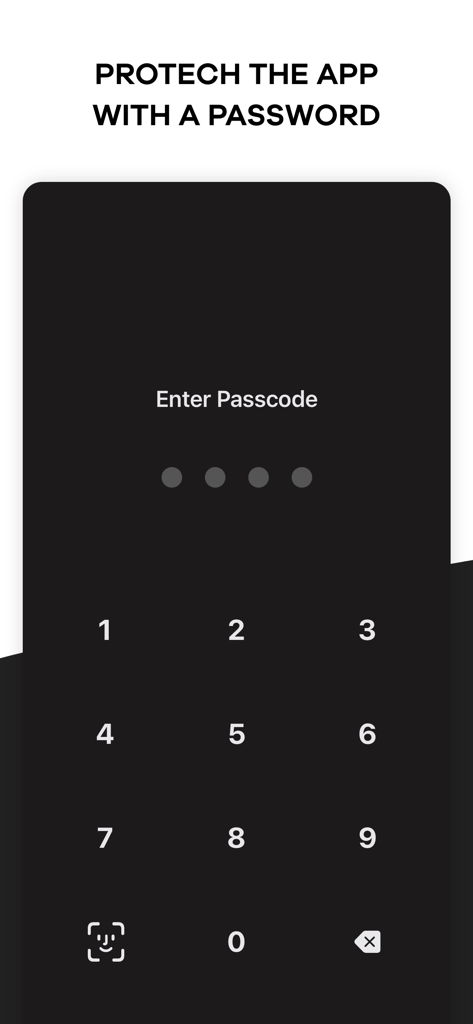
Split Screen - Multitasking - Mobile App-Bildschirm, der eine numerische Passcode-Eingabe und ein Face ID-Symbol zum Schutz der Privatsphäre anzeigt.

Mobile App-Bildschirm, der eine numerische Passcode-Eingabe und ein Face ID-Symbol zum Schutz der Privatsphäre anzeigt.

Beschreibung

Browse your favorite social media platform and watch funny videos at the same time using Split Screen – Multitasking app. It happens many times that we want to scroll through media to watch shows or videos and, at the same time, open another platform like google to get a piece of information. But normally, our mobile device doesn’t allow multitasking. To solve the problem and make you happy, we have brought you a split-screen app that allows you to split your display so you can do two things simultaneously. Check your emails, make a shopping list, or write a post on Insta while googling the right information using this dual display app. Increase your productivity by pairing two tabs together and be smart. The key features of Split Screen – Multitasking app: • With this split screen multitasking view app, you can open a second screen to perform two things at the same time. • Using this splitscreen app, you can watch a movie or show and google related information to fully understand it. • While watching a product review for shopping, watch the video and browse the products simultaneously with this duet display pro or smart view app. • Our double screen app supports portrait and landscape modes for your convenience. • You can set a password to keep the dual-screen or split screen app protected from others. • Watch a movie and check social media accounts simultaneously with this multiscreen- split view. • Open the website you want from Safari. There are thousands of possibilities, and you can any two things using Split Screen – Multitasking app. If you are bored of checking emails, open youtube using this duet display app and listen to your favorite music and watch videos. Need to watch a show and a match at the same time? Use split-screen iPhone app, split it and watch. If you are looking for one of the best split-screen apps for smart tasks, this multi-screen app can be your best choice. This dividend app allows you to perform two important work simultaneously or let you work and have fun. With our screen-sharing smart view app, you don’t have to switch between tabs, you can simply split your iOS device’s screen and open them all. Multitasking is required a lot many times. When you are busy and have to check on two things simultaneously, what do you do? So far, you probably became annoyed or anxious. We have brought you the solution to your problem. You don’t have to have two devices anymore; only one device will let you multitask and enjoy! If you are searching for a smart view app for iPhone or split screen app to open multi-window to work effectively and peacefully, this multi screen app is here to help. We have brought you such a platform that will open a new window for you. We are making things work that you never thought would be possible. The easy, simple, and user-friendly interface of this dual app will enable you to watch and work without any disruption. You don’t have to close your social media account just to check your email or watch videos. Watch anything you like while scrolling through social media or a browser. Moreover, this split screen video app brings you everything at a lower cost. You can install the app from the iOS store for free and make in-app purchases. Take a yearly or monthly subscription and enjoy multitasking on one single display. Browse multiple windows on one display and get your work done efficiently. Watch funny videos, browse social media, check product reviews, compare them, check emails, and make a shopping list simultaneously using our multitasking split screen app. If you are searching for split-screen apps for work or enjoyment, this split screen multitasking app is going to give you all. Install Split Screen – Multitasking on your iOS device, divide the screen as per your need and get your work done easily. Terms of Use: https://supagarn-pa.com/Split-Screen/terms-of-use Privacy Policy: https://supagarn-pa.com/Split-Screen/privacy-policy

Download

Herunterladen auf App Store

Diese Seite ist keine offizielle Seite der App oder ihres Entwicklers, sondern eine unabhängige redaktionelle Veröffentlichung, die zu Informations- und Kommentarzwecken erstellt wurde. Sofern nicht ausdrücklich anders angegeben, sind weder die App noch ihr Entwickler mit MWM, Apple, Google Play, dem App-Herausgeber oder dem Entwickler der App verbunden, von ihnen unterstützt, gesponsert, autorisiert oder anderweitig offiziell verbunden, und nichts auf dieser Seite impliziert, dass die App unter Verwendung der Dienste von MWM entwickelt wurde. Alle Marken, Logos, Screenshots und andere Inhalte bleiben Eigentum ihrer jeweiligen Inhaber.








