sqsl RSVP
sqsl RSVP
Herunterladen auf App Store

Diese Seite ist keine offizielle Seite der App oder ihres Entwicklers, sondern eine unabhängige redaktionelle Veröffentlichung, die zu Informations- und Kommentarzwecken erstellt wurde. Sofern nicht ausdrücklich anders angegeben, sind weder die App noch ihr Entwickler mit MWM, Apple, Google Play, dem App-Herausgeber oder dem Entwickler der App verbunden, von ihnen unterstützt, gesponsert, autorisiert oder anderweitig offiziell verbunden, und nichts auf dieser Seite impliziert, dass die App unter Verwendung der Dienste von MWM entwickelt wurde. Alle Marken, Logos, Screenshots und andere Inhalte bleiben Eigentum ihrer jeweiligen Inhaber.


Logo von sqsl RSVP
Herunterladen auf App Store

sqsl RSVP

Brich aus dem Raster des DAWs aus. Verwandle Ordner mit Audio in sich entwickelnde Performances mit einem eigenständigen Sampler, der für Klangforscher und Modular-Enthusiasten entwickelt wurde.

Kennzahlen

Downloads

500

Bewertung

1.0/5

Bewertungen gesamt

0

Herausgeber

Michal Macura

Kategorie

Music

Sprachen

1

Neueste Version

1.33

Größe

3.5 MB

Erstveröffentlichung

4. März 2024
Funktionen

Gestalte sich entwickelnde Klanglandschaften

sqsl RSVP verwandelt deine Sample-Bibliothek durch aleatorische Sequenzierung und taktile Performance in ein lebendiges, atmendes Instrument.

Probabilistische Wiedergabe

Steuere vier Slots mit Dichte- und Reverse-Wahrscheinlichkeitsreglern, um sicherzustellen, dass deine Kompositionen organisch, unvorhersehbar und frei von repetitiven Loops bleiben.

Taktiles räumliches Jamming

Navigiere 15 orientierte Punkte über eine proximity-basierte Touch-Oberfläche, um Lautstärke, Panorama und Rate durch ausdrucksstarke physische Gesten zu manipulieren.

Die folgenden Screenshots und die Beschreibung stammen direkt aus dem offiziellen Store-Eintrag der App und sind Eigentum des Entwicklers.

App Store

Screenshots
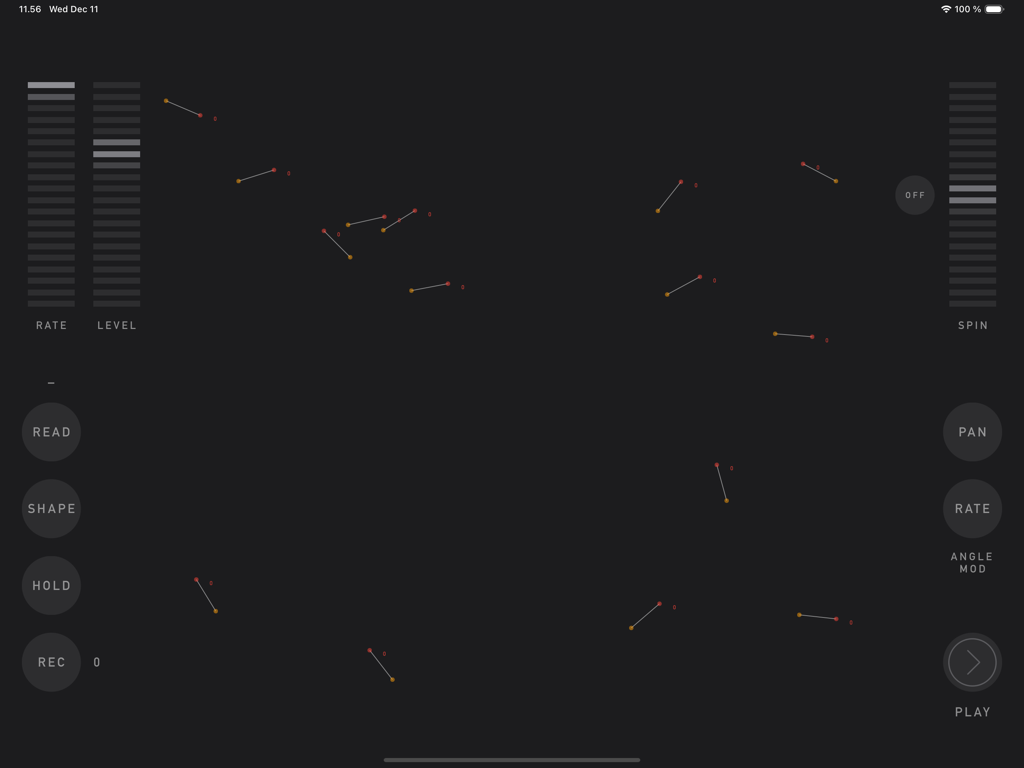
sqsl RSVP - Die JAM-Seitenoberfläche der sqsl RSVP App mit interaktiven Punkten und Schiebereglern für generatives Sounddesign
Die JAM-Seitenoberfläche der sqsl RSVP App mit interaktiven Punkten und Schiebereglern für generatives Sounddesign

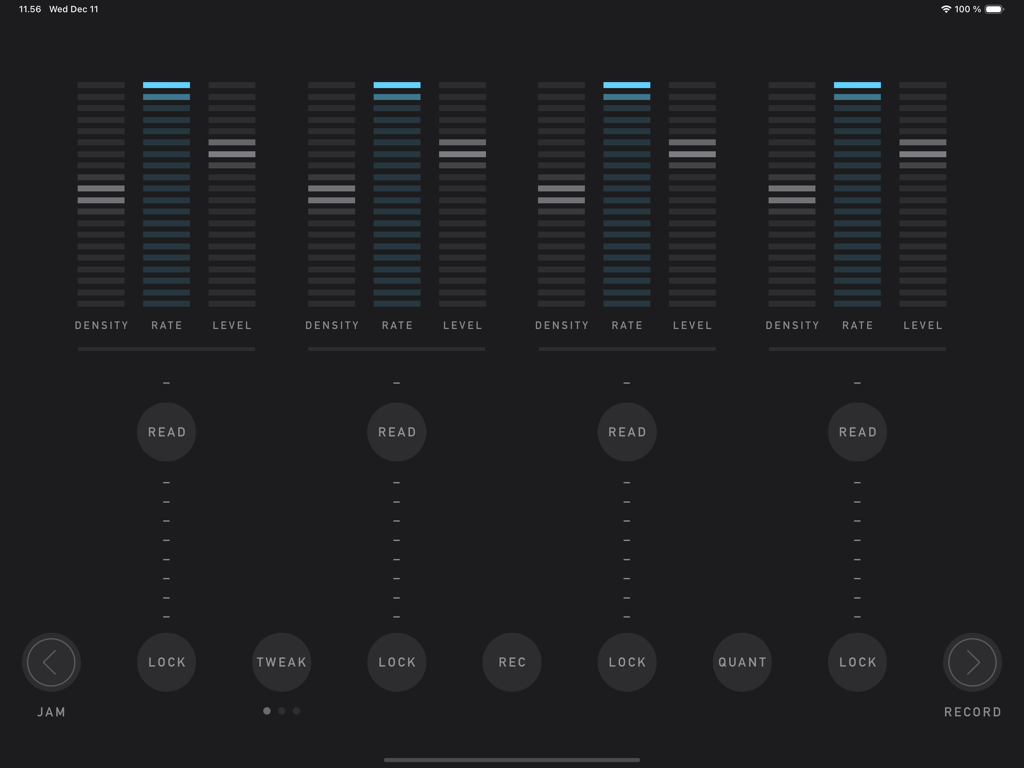
sqsl RSVP - Oberfläche der sqsl RSVP App mit der PLAY-Seite, die vier vertikale Audio-Slots sowie Regler für Dichte, Rate und Level zeigt
Oberfläche der sqsl RSVP App mit der PLAY-Seite, die vier vertikale Audio-Slots sowie Regler für Dichte, Rate und Level zeigt

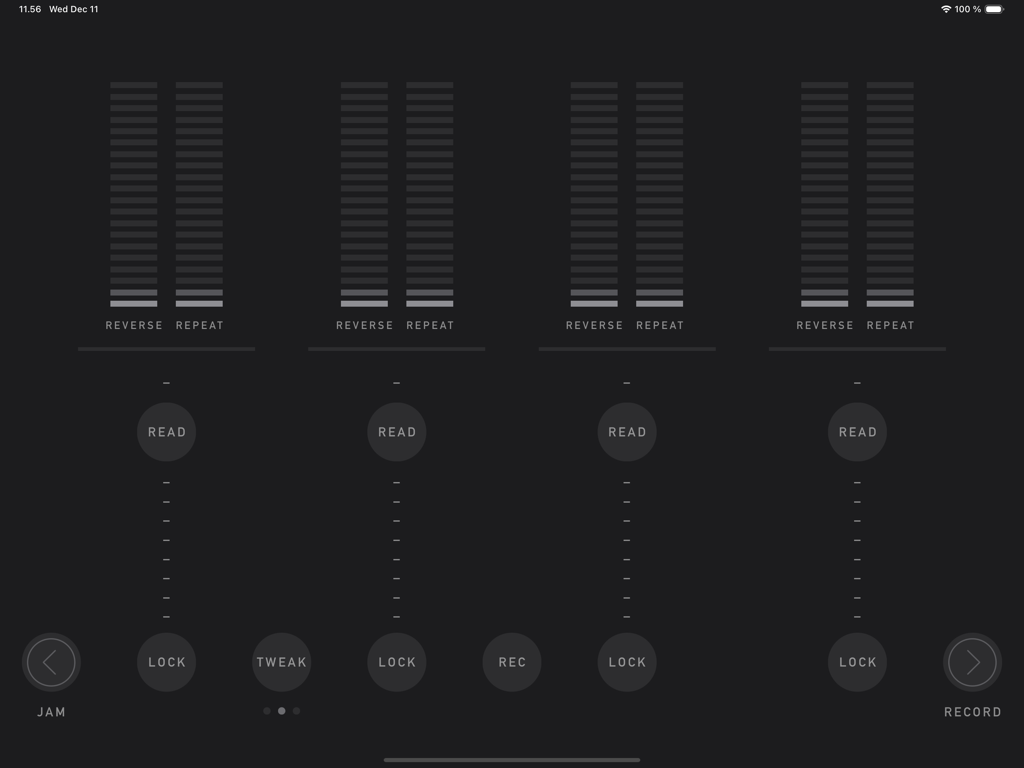
sqsl RSVP - Die Wiedergabeoberfläche von sqsl RSVP mit vier Sample-Slots und Reglern für Wahrscheinlichkeit von Reverse und Repeat in einem minimalistischen dunklen Design.
Die Wiedergabeoberfläche von sqsl RSVP mit vier Sample-Slots und Reglern für Wahrscheinlichkeit von Reverse und Repeat in einem minimalistischen dunklen Design.

sqsl RSVP - Oberfläche der sqsl RSVP App mit Filterreglern und justierbaren Parametern für vier Audio-Slots
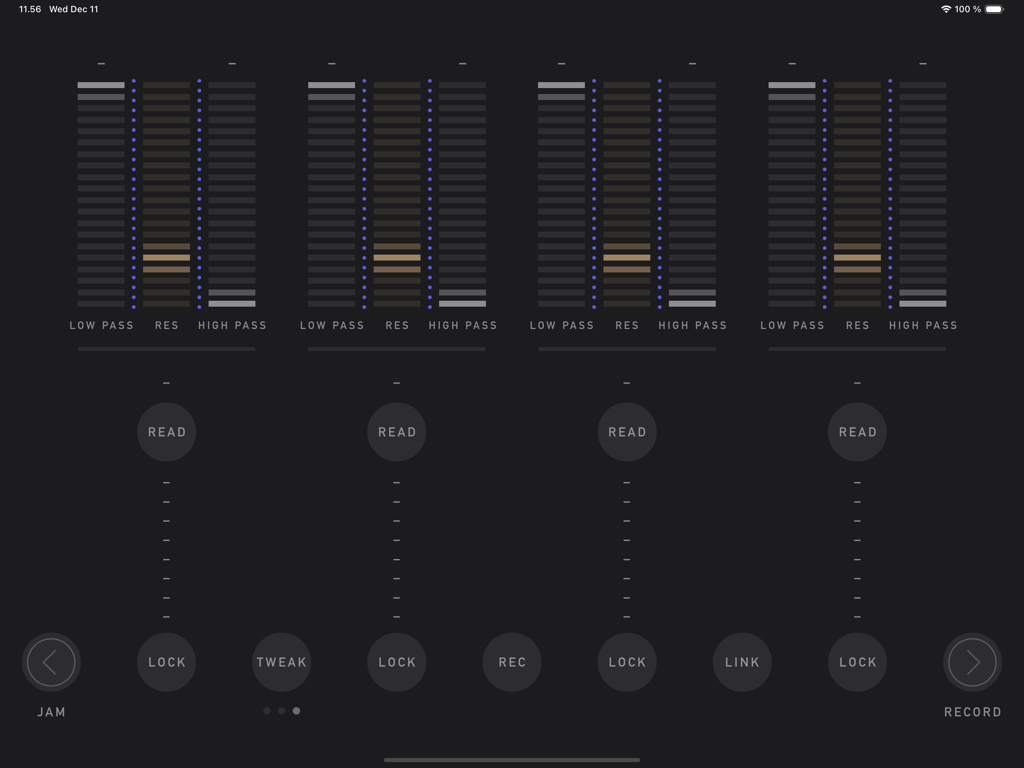
Oberfläche der sqsl RSVP App mit Filterreglern und justierbaren Parametern für vier Audio-Slots

sqsl RSVP - Die RECORD-Seite der sqsl RSVP App mit einem kreisförmigen MIDI-Notenauswahlfeld und Schiebereglern für Modulation und Pitch Bend.

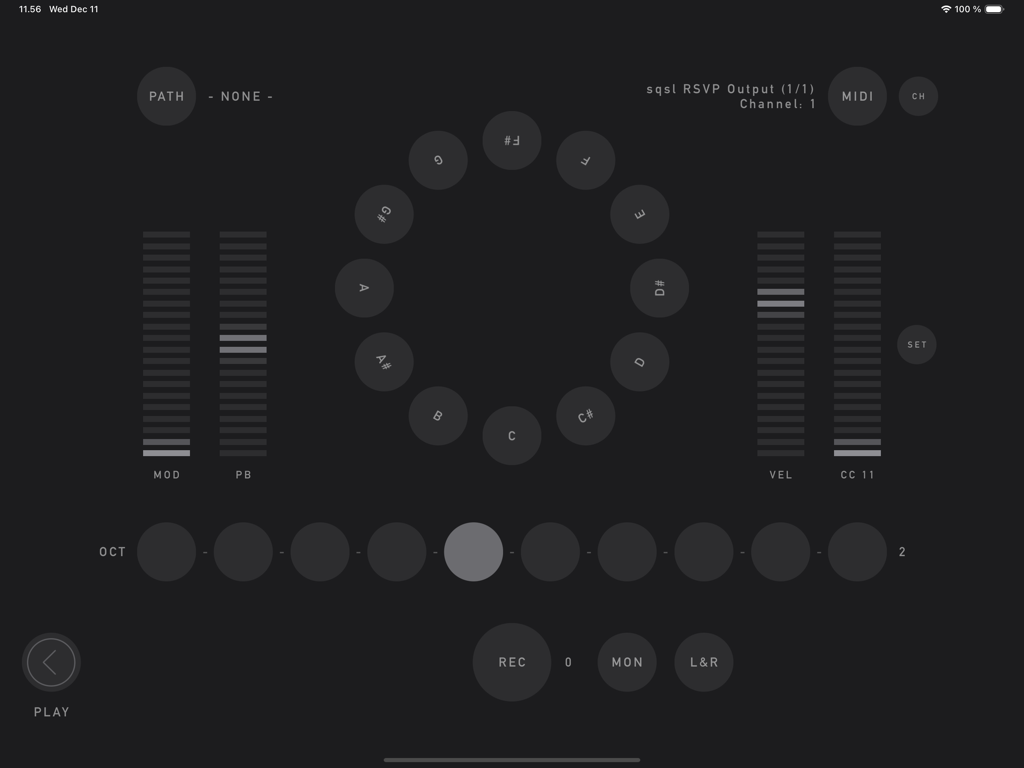
Die RECORD-Seite der sqsl RSVP App mit einem kreisförmigen MIDI-Notenauswahlfeld und Schiebereglern für Modulation und Pitch Bend.

Beschreibung

sqsl RSVP is a random sample player and recorder. There are 3 pages: PLAY, RECORD and JAM. PLAY There are 4 slots, each can have a separate directory assigned - assign directory using READ button. Slots have 3 sets of parameters, sets can be accessed using TWEAK button. Tweakable parameters are: - DENSITY – number of samples played at the same time (max 8 per slot); - RATE – playback speed, smooth (2 octaves range) or quantized to semitones (1 octave range) if QUANT is enabled; - LEVEL – slot’s volume (individual samples have their volume and pan slightly randomized); - REVERSE – probability that sample will be played backwards; - REPEAT – probability that sample will be played immediately again; - LOW PASS – LP filter frequency; - HIGH PASS – HP filter frequency; - RES – resonance for both filters. If sample is selected to be played, its name appears in the slot’s column. Its name appears brighter if it is currently played and if it is played backwards, its name is shown backwards. If sample has played, it will not play again until all other unused samples in its slot/directory have been played. Horizontal line above READ button displays amount of played/not-yet-played samples. The process restarts when all the samples in the selected directory have been used. If new directory is selected, it will not play until all samples from current directory are used unless FWD button is pressed (FWD button is visible only if new directory is queued) - in that case, samples from original directory that are already scheduled will still be played before samples from new directory are queued. Audio output can be recorded to WAV file (REC button) - it is necessary to select recording path beforehand on RECORD page (PATH). If audio interface with 8+ outputs is detected, playback of each slot can be sent to separate audio output (MULTI). Assignment is: output 1|2 for 1st slot, 3|4 for 2nd, 5|6 for 3rd and 7|8 for 4th. RECORD RECORD page provides a way to record acoustic samples or sounds from MIDI controlled synths. Recorded material is added to playback queue automatically if the recording directory is also assigned to one of playback slots. Recording directory is selected using PATH button. Names of the newly recorded samples will be derived from target directory name (directory name + index).  Incoming audio can be sent to outputs 1-2 for monitoring (MON). L+R button activates stereo mode - stereo (vs mono) samples will be recorded using signal from input channels 1-2.  Integrated "MIDI controller" can be used to send MIDI notes, mod-wheel, pitch bend and one CC messages to selected MIDI destination. MIDI button cycles through available destination (destinations are scanned on start-up), CH button sets MIDI channel. JAM JAM page is a touch interface proximity sample player. There are 15 oriented dots on screen. Each dot has a looping sample assigned. When screen is touched, distance and angle are detected and used as playback parameters. Distance controls volume; angle can be assigned to control PAN and/or playback speed (RATE). Shortest distance takes priority if multiple touches are present. To assign samples to locations, select directory containing audio files - READ button (samples are assigned randomly and are set to loop in the background indefinitely). SHAPE controls the way dots are placed on screen (random by default). Use HOLD button to lock current touch points in place. Dots can be set to rotate using SPIN control. Audio output of JAM section can be recorded to WAV file by pressing REC button - before that, it is necessary to select recording path (folder where the file will be saved) on RECORD page (PATH button). Newly recorded material is added to playback pool/queue automatically if the recording directory is also assigned to one of the playback slots. — sqsl RSVP is a standalone application (it can not be used as plugin and its output can not be routed to other apps within software environment).

Download

Herunterladen auf App Store

Diese Seite ist keine offizielle Seite der App oder ihres Entwicklers, sondern eine unabhängige redaktionelle Veröffentlichung, die zu Informations- und Kommentarzwecken erstellt wurde. Sofern nicht ausdrücklich anders angegeben, sind weder die App noch ihr Entwickler mit MWM, Apple, Google Play, dem App-Herausgeber oder dem Entwickler der App verbunden, von ihnen unterstützt, gesponsert, autorisiert oder anderweitig offiziell verbunden, und nichts auf dieser Seite impliziert, dass die App unter Verwendung der Dienste von MWM entwickelt wurde. Alle Marken, Logos, Screenshots und andere Inhalte bleiben Eigentum ihrer jeweiligen Inhaber.